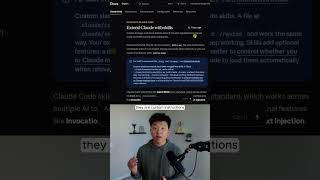
Dr. Violet Howard shows how a Claude.md file acts as a system prompt that Claude Code reads before any task. She demonstrates the "front-end design" skill, which generates a complete, brand-consistent landing page from a minimal prompt, complete with navigation, hero section, stats, animations, and partner logos.
Chapters
Here are 5 easy hacks to build beautiful websites with Claude Code. So let's get started going through these 5 hacks. The first one is actually number 0, and the reason that I did this is because the first one is a Claude.md file. So what is a Claude.md file? Just think of it as a system prompt. Every time before you ask Claude Code to do something, it will read the Claude.md file first. So what you want to do is make sure that that is pretty concise. You don't want to bloat it too much with context. but you want to give it the rules that it needs. But that actually brings me over to technically our first hack, which is the front-end design skill, which is why you can see right here in our Claude.md, the first thing I wrote is always invoke the front-end design skill before writing any front-end code, every session, no exceptions. So first of all, real quick, what are skills? Essentially, they are custom instructions. All right, so let me go ahead and show you guys how good this front-end design skill really is with such a minimal prompt. So all I'm saying is build me a modern and professional landing page for AI Automation Society. Here are the, you know, here's the brand guidelines, and here's the logo. So I'm going to shoot this off. I'm not even in plan mode. I just want to show you guys how good this front-end design skill is. And what you're going to notice is, first of all, what it did is it read the Cloud NMD file, and now it's reading the brand assets. And now what it's going to do is it should hopefully invoke the front-end design skill and start building out that website for us. There we go, right on cue. It has invoked the front-end design skill right there. All right, so that has finished up. You can see that we've got a nav, a hero, tools marquee. We've got stats, about, benefits. So a full one-page landing page, and it should be completely matching our brand as far as the logo, the colors, and the typography. All right, look at that. We've got like a little animation up here. We've got a line going down. We can see that we do have our logo up here as well as our exact colors and font. We've got a community rating. Ooh, that's super nice. We've also got some scrolling tech companies. So we've got Editn, Make, Claude, GPT-4.0, Zapier, Airtable. We've got some random stats here. Obviously we'd have to fill this in with our own copy. But keep in mind, all of this happened with only us saying, create me a landing page for our community called Automation Society. That was literally it. And it created all of this. If you want to watch the full breakdown, then click on that play button right here and I'll see you guys over there.