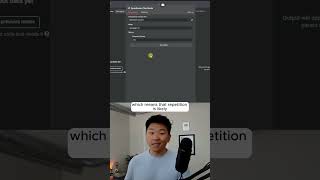
Dr. Violet Howard shows eight configuration options for AI agents in n8n: frequency penalty, max tokens, response format, presence penalty, temperature, timeout, max retries, and top-p. Each controls something specific like repetition, response length, randomness, or error handling.
Chapters
These are 8 hidden AI agent settings that no one's talking about. Okay, so let's just get right into it. We're looking at these 8 different settings that you can actually find within the chat models or the brains for your AI agents. So right here, if I click into OpenRouter and I click on Add Option, you can see that we have these 8 options right here, which are frequency penalty, maximum number of tokens, response format, presence penalty, sampling temperature, timeout, max retries, and top p. So we're going to break these down. The first one is frequency penalty. And what this does is it discourages the model from repeating the same words or phrases. If I click into this and we add frequency penalty, you can see that by default it's at 0, which means that repetition is likely. And the highest you can go up to is 2. So if I put 3, it would just go to 2. But when you're at higher, closer to 2, it makes the repetition less likely while negative values encourage repetition. Okay, so the next one we're looking at is maximum number of tokens. And what this does is it sets the maximum length for the model's response. So that way you can kind of control if you don't want them to write a whole novel for you every time and blow through your tokens and your credits. Then you can set what's the maximum that they can actually output. All right, next up we have response format, which is basically how do we want the AI model to respond? There's only really two options here, which are either text or JSON. And pretty much always, I think you're going to leave this on text. All right, the next one is presence penalty. So this basically penalizes the model for using a word that it's already used. So kind of similar to the frequency penalty of like repeating things, but a little bit different. All right, so the next one is sampling temperature. This controls the randomness in the output. So this is probably the one that you may have heard of before, which is kind of just known as temperature. It ranges from 0 to 1. So if you want responses to be more predictable, you're going to go more towards 0. And if you want them to be a little bit more random and creative, you're going to go towards 1. And by default, it is set at 0.7. If you want to watch the full breakdown, click on that play button right here, and I'll see you guys over there.