AI Agents: What 99% of Beginners Get Wrong
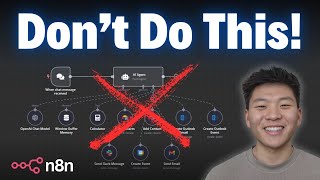
In this video, Nate (a seasoned AI solutions provider) argues that many practitioners misuse AI agents, forcing them into tasks that are better served by linear, deterministic AI workflows built in tools like n8n. He explains the evolution from simple LLM calls (e.g., ChatGPT) to AI agents that can invoke multiple tools, but points out that agents introduce non‑determinism, higher cost, debugging difficulty, and scaling challenges. Nate outlines four core advantages of deterministic workflows—reliability/consistency, cost efficiency, easier debugging/maintenance, and scalability—illustrating each with concrete demos. The first demo replaces a Retrieval‑Augmented Generation (RAG) customer‑support agent with a step‑by‑step workflow that queries Pinecone, filters results, and generates an email via a single LLM call, showing reduced API calls and tighter control. The second demo swaps a Telegram‑based chart‑analysis agent for a comparable workflow, eliminating redundant data transfers and improving response speed. Throughout, Nate emphasizes the importance of mapping out solutions (e.g., using Excalidraw), identifying deterministic versus decision‑making steps, and only employing agents when genuine variability is required. He also provides free workflow templates via his FreeSchool community and encourages viewers to adopt a more pragmatic, cost‑effective approach to AI automation.
Chapters
Everyone is talking about AI agents right now, but the truth is most people are using them completely wrong, and admittedly, myself included. It's such a buzzword right now, and it's really cool in N8N to visually see your agents think about which tools they have and which ones to call. So a lot of people are just kind of forcing AI agents into processes where you don't really need it. But in reality, a simple AI workflow is not only going to be easier to build, it's going to be more cost effective and also more reliable in the long run. If you guys don't know me, my name's Nate, and for a while now I've been running an agency where we deliver AI solutions to clients, and I've also been teaching people from any background how to build out these things practically and apply them to their business through deep dive courses as well as live calls. So if that sounds interesting to you, definitely check out the community with the link in the description, but let's get into the video. So we're gonna get into N8N and I'm gonna show you guys some mistakes of when I've built agents when I should have been building AI workflows. But before that, I just wanted to lay out the foundations here. So we all know what ChatGPT is. At its core, it's a large language model that we talk to with an input, and then it basically just gives us an output. So if we wanted to leverage ChatGPT to help us write a blog post, we would ask it to write a blog post about a certain topic. It would do that, and then it would give us the output, which we would then just copy and paste somewhere else. And then came the birth of AI agents, which is when we actually were able to give tools to our LLMs so that they could not only just generate content for us, but they could actually go post it or go do whatever we wanted to do with it. AI agents are great and there's definitely a time and a place for them because they have different tools and basically the agent will use its brain to understand, okay, I have these 3 tools based on what the user's asking me. Do I call this one and then do I output, or do I call this one then this one, or do I need to call all 3 simultaneously? It has that option and it has the variability there. So this is going to be a non-deterministic workflow. But the reality is most of the processes that we're trying to enhance for our clients are pretty deterministic workflows that we can build out with something more linear. Where we still have the same tools, we're still using AI, but we have everything going step 1, step 2, step 3, step 4, step 5, step 6, which is going to reduce the variability there. It's gonna be very deterministic and it's gonna help us with a lot of things. So stick with me because I'm gonna show you guys an AI agent video that I made on YouTube a few months back and I started reevaluating and like, why would I ever build out the system like that? It's so inefficient. So I'll show you guys that in a sec. But real quick, let's talk about the pros of AI workflows over AI agents. And I narrowed it down to 4 main points. The first one is reliability and consistency. One of the most important concepts of building an effective AI agent is the system prompt, because it has to understand what its tools are, when to use each one, and what the end goal is. And it's on its own to figure out which ones do I need to call in order to provide a good output. But with a workflow, we're basically keeping it on track, and there's no way that the process can sort of deviate from the guardrails that we've set up, because it has to happen in order, and it can't really go anywhere else. So this makes systems more reliable because there's never going to be a transfer of data between workflows where things may get messed up, or incorrect mappings being sent across, you know, agent to a different agent or agent to tool, we're just basically able to go through the process linearly. So the next one is going to be cost efficiency. When we're using an agent and it has different tools, every time it hits a tool, it's going to go back to its brain, it's going to rerun through its system prompt, and it's going to think about what is my next step here. And every time you're accessing that AI agent's brain, it costs you money. So if we're able to eliminate that aspect of decision-making and just say, okay, you You finished step 2, now you have to go on to step 3. There's no decision to be made. We don't have to make that extra API call to think about what comes next, and we're saving money. Number 3 is easier debugging and maintenance. When we have an AI workflow, we can see exactly which node errors, we can see exactly what mappings are incorrect and what happened here. Whereas with an AI agent workflow, it's a little bit tougher because there's a lot of manipulating the system prompt and messing with different tool configurations. And like I said, there's data flowing between agent to tool or between agent to sub-workflow. And that's where a lot of things can happen that you don't really have full visibility into. And then the final one is scalability, kind of backpacks right off of number 3. But if you wanted to add more nodes and more functionality to a workflow, it's as simple as, you know, plugging in a few more blocks here and there or adding on to the back. But when you want to increase the functionality of an AI agent, you're probably going to have to give it more tools. And when you give it more tools, you're going to have to refine and add more lines to the system prompt. which could work great initially, but then previous functionality, the first couple tools you added, those might stop working or those may become less consistent. So basically the more control that we have over the entire workflow, the better. AI is great. There are times when we need to make decisions and we need that little bit of flexibility. But if a decision doesn't have to be made, why would we leave that up to the AI to hallucinate 5 or 10% of the time when we could basically say, hey, this is gonna be 100% consistent. Anyways, I've made a video that talks a little bit more about this stuff as well as other things I've learned over the first 6 months of building agents. If you wanna watch that, I'll link it up here. But let's hop into N8N and take a look at some real examples. Okay, so the first example I wanna share with you guys is a typical sort of RAG agent. And for some reason, it always seems like the element of RAG has to be associated with an agent, but it really doesn't. So what we have is a workflow where we're putting a document from Google Drive into Pinecone. We have a customer support agent, and then we have a customer support AI workflow. And both of the blue box and the green box, they do the exact same thing. but this one's gonna be more efficient and we also have more control. So let's break this down. Also, if you wanna download this template to play around with, you can get it for free if you go to my Free School community. The link for that's down in the description as well. You'll come into here, click on YouTube Resources, and click on the post associated with this video, and then the workflow will be right here for you to download. Okay, so anyways, here is the document that we're gonna be looking at. It has policy and FAQ information. We've already put it into Pinecone. As you can see, it's created 8 vectors. And now what we're gonna do is we're gonna fire off an email to the customer support agent to see how it handles it. Okay, so we just sent off, do you offer price matching or bulk discounts? We'll come back into the workflow, hit run, and we should see the customer support agent is hitting the vector database and it's also hitting its reply email tool. But what you'll notice is that it hit its brain. So Google Gemini 2.0 Flash, in this case, not a huge deal because it's free. But if you were using something else, it's going to have hit that API 3 different times, which would be 3 separate costs. So let's check and see if it did this correctly. So in our email, we got the reply, we do not offer price matching currently, but we do run promotions and discounts regularly. Yes, bulk orders may qualify for a discount. Please contact our sales team at sales-tech-haven.com for inquiries. So let's go validate that that's correct. So in the FAQ section of this doc, we have that they don't offer price matching, but they do run promotions and discounts regularly. And then for bulk discounts, um, you have to hit up the sales team. So it answered correctly. Okay, so now we're going to run the customer support AI workflow down here. It's gonna grab the email, it's gonna search Pinecone, it's going to write the email. I'll explain what's going on here in a sec. And then it responds to the customer. So there's 4 steps here. It's gonna be an email trigger, it's gonna search the knowledge base, it's gonna write the email, and then respond to the customer in an email. So why would we leave that up to the agent to decide what it needs to do if it's always gonna happen in those 4 steps every time? All right, here's the email we just got in reply. As you can see, this is the one that the agent wrote, and this one looks a lot better. Hello, thank you for reaching out to us. In response to your inquiry, we currently do not offer price matching. However, we do regularly run promotions and discounts, so be sure to keep an eye out for those. That's accurate. Regarding bulk discounts, yes, they may indeed qualify for a discount, so reach out to our sales team. If you have any other questions, please feel free to reach out. Best regards, Mr. Helpful, Tech Haven. And obviously I told it to sign off like that. So now that we've seen that, let's actually break down what's going on. So it's the same trigger, you know, we're getting an email, and as you can see, we we can find the text of the email right here, which was, do you guys offer price matching or bulk discounts? We're feeding that into a Pinecone node. So if you guys didn't know, you don't even need these to be only tools. You can have them just be nodes where we're searching for the prompts that is, do you guys offer price matching or bulk discounts? And maybe you might want an AI step between the trigger and the search to maybe like formulate a query out of the email if the email's pretty long. But in this case, that's all we did. And now we can see we got those 4 vectors back. Same way we would have with the agent. But what's cool is we have a lot more control over it. So as you can see, we have a vector and then we have a score, which basically ranks how relevant it, the vector was to the query that we sent off. And so we have some pretty low ones over here, but what we can do is say, okay, we only want to keep if the score is greater than 0.4. So it's only going to be keeping these two, as you can see, and it's getting rid of these two that aren't super relevant. And this is something that's a lot easier to control in this linear flow compared to having the agent try to filter through vector results up here. Anyways, then we're just aggregating however many results it pulls back. If it's 4, if it's 3, or if it's just 1, it's still just going to aggregate them together so that we can feed it into our OpenAI node that's going to write the email. So basically in the user prompt, we said, okay, here's the customer inquiry, here's the original email, and here's the relevant knowledge that we found. All you have to do now is write an email. And so by giving this AI node just one specific goal, it's going to be more quality and consistent with its outputs. Rather than we gave the agent multiple jobs. It had to not only write the email, but it also had to figure out how to search through information and figure out what the next step was. So this node, it only has to focus on one thing. It has the knowledge handed to it on a silver platter to write the email with. And basically we said, you're Mr. Helpful, a customer support rep for Tech Haven. Your job is to respond to incoming customer emails with accurate information from the knowledge base. You must only answer using relevant knowledge provided to you. Don't make anything up. We gave it the tone and then we said only output the body in a clean format. It outputs that body and then all it had to do was map in the correct message ID and the correct message content. Simple as that. So I hope this makes sense. Obviously it's a lot cooler to watch the agent do something like that up here, but this is basically the exact same flow and I would argue that it's gonna be a lot better, more consistent, and cheaper. Okay, so now to show an example where I released this as a YouTube video and a couple weeks later I was like, why did I do it like that? So what we have here is a technical analyst. And so basically we're talking to it through Telegram and it has one tool which is basically going to get a chart image and then it's going to analyze the chart image and then it sends it back to us in Telegram. And this is the workflow that it's actually calling right here where we're making an HTTP request to chart-image. We're getting the chart, downloading it, analyzing the image, sending it back, and then responding back to the agent. So there's basically like two transfers of data here that we don't need. Because as you can see down here, we have the exact same process as one simple AI workflow. So there's going to be much, much less room for error here. But first of all, let's demo how this works and then we'll demo the actual AI workflow. Okay, so it should be listening to us now. I'm going to ask it to analyze Microsoft. And as you can see, it's now hitting that tool. We won't see this workflow actually in real time just because it's like calling a different execution. But this is the workflow that's calling down here. I can actually just— it's basically calling this right here. So what it's gonna do is it's gonna send us an image, and then a second or two later, it's going to send us an actual analysis. So there is Microsoft's stock chart, and now it's creating that analysis, as you can see right up here. And then it's gonna send us that analysis. We just got it. So if you want to see the full video that I made on YouTube, I'll tag it right up here. But not gonna dive too much into what's actually happening. I just want to prove that we can do the exact same thing down here with a simple workflow. Although right here, I did evolve this workflow a little bit, so it's not only looking at NASDAQ, but it can also choose different exchanges. And feed that into the API call. But anyways, let's make this trigger down here active, and let's just show off that we can do the exact same thing with the workflow, and it's going to be better. So test workflow, this should be listening to us now. I'm just gonna ask it to, we'll do a different one, analyze Bank of America. So now it's getting it, it is going to be downloading the chart. Actually wanna open up Telegram so we can see. Downloading the chart, analyzing the image, it's gonna send us that image. and then pretty much immediately after, it should be able to send us that analysis. So we don't have that awkward 2 to 5 second wait. Obviously we're waiting here, but as soon as this is done, we should get the, both the image and the text simultaneously. There you go. And so you can see the results are basically the same, but this one is just gonna be more consistent. There's no transfer of data between workflow. There's no need to hit an AI model to decide what tool I need to use. It is just going to be one seamless flow. You can also get this workflow in the FreeSchool community if you wanna play around with it. Just wanted to throw that out there. Anyways, that's gonna wrap us up here. I just wanted to close off with, this isn't me bashing on AI agents. Well, I guess a little bit it was. AI agents are super powerful. They're super cool. It's really important to learn prompt engineering and giving them different tools, but it's just about understanding, am I forcing an agent into something that doesn't need it? Am I exposing myself to the risk of lower quality outputs, less consistency, more difficult time scaling this thing, things along those lines. And so that's why I think it's super important to get into something like Excalidraw, wireframe out the solution that you're looking to build, understand what are all the steps here, what are the different API calls or different people involved, what could happen here, is this deterministic or is there an aspect of decision-making and variability here? Essentially, is every flow gonna be the same or not the same? So that's gonna be it for this one. Let me know down below what you guys thought. I appreciate all the support as always. Appreciate you guys making it to the end of this one. And, you know, thanks for 100K. We just hit that milestone, so that was super, super exciting to see. But if you guys appreciated this video or you learned something new or you just enjoyed, please give it a like. Definitely helps me out a ton. Hit that subscribe button. It is completely free and takes 2 seconds. But anyways, I'll see you guys in the next one. Thanks so much.










