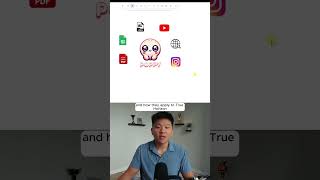
In this instructional video, Dr. Violet Howard demonstrates how to automate content creation by combining Poppy AI—a no‑code visual builder that can ingest and analyze any data source—with n8n, a no‑code workflow automation platform. She shows how to paste a YouTube video link and a website URL into Poppy, letting it automatically transcribe the video, analyze the thumbnail, and crawl the website. Using the built‑in AI chat (powered by Claude 4 Sonnet, with other model options available), she prompts the assistant to extract three key takeaways from the video and map them to a specific product (True Horizon AI). She then illustrates how the same setup can generate LinkedIn posts that match her writing style and best‑practice guidelines, highlighting the decision point of whether to build an n8n automation (triggered by a new video) or simply run the prompt manually. The video emphasizes the value of automated, trigger‑based content pipelines, the flexibility of swapping AI models, and the practical trade‑offs between automation overhead and immediate manual use.
Chapters
Here's how to automate any content creation with Poppy and N8N. At this point, I'm assuming you guys are all familiar with what N8N is, but if you're not, it is a workflow automation tool that looks like this, and you're able to build no-code AI agents and AI automations. And if you're not familiar with Poppy, it is also a no-code visual builder that lets you paste in any data sources that you want and then chat with them. So I wanna show you guys what I mean by that super quick, and then we'll get into the rest of the video. So here I am on my YouTube channel. I'm gonna go ahead and copy the link to my latest YouTube video, open up a new Poppy, and I just hit paste. And now what it's doing is it's already transcribed this video and it's analyzed the thumbnail and it knows what's going on in here. I could also then go to my website, copy this link, go back into Poppy and paste that in. And now it's able to look at everything on this website. So now that we have these data sources in here, I can click on this button, which pulls up an AI chat. And all I have to do is use these circles to make sure that the chat can read both of these data sources. And now that it sees that, I can go ahead and ask it, please give me 3 key takeaways from my YouTube video as well as how it applies to True Horizon. True Horizon AI. So I'll shoot that off. You can see we're using Claude 4 Sonnet, but we have the option to switch to these other models as well. So based on the YouTube video, Stop Selling AI Agents, Sell AI Solutions Instead, here are 3 key takeaways and how they apply to True Horizon. So the key here is figuring out when is N8N actually needed. For example, something I just did is I have 4 of my LinkedIn posts that performed well, and I have 3 articles about LinkedIn best practices. And then I came in here and I pasted in my latest YouTube video, gave it to the assistant, and told it to create a LinkedIn post based on my writing style and best practices. And so I easily could have built an automation to do this. It would trigger when I drop a new video, it would call this Poppy assistant, and then it would spit out LinkedIn posts for me. And I would say that might be overkill because I could just as easily come in here, paste that in, and get my LinkedIn post right away. And so that's the value of this sort of system, because you can now trigger content on its own. You can do research before or after, and you can even add additional elements after Poppy gives you back the copy. If you want to watch the full video, then click on that play button right here, and I'll see you guys over there.