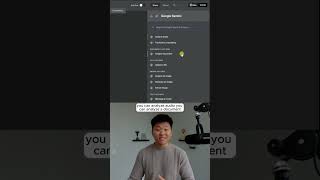
Dr. Violet Howard shows how to set up Google Gemini 3 Pro in n8n for workflow automation. She walks through adding the Gemini node, selecting actions like audio and document analysis, and generating an API key from Google AI Studio. The setup lets you configure an AI agent using the Gemini Chat model.
Chapters
Here's how you can build anything with Gemini 3 Pro and N8N. On the official release blog, it says a new era of intelligence and that Gemini 3 is our most intelligent model that helps you bring any idea to life. And it is available to play with in Google AI Studio over here. As you can see, we have Gemini 3 Pro preview. And it's really cool because if you click over on the build section and go to gallery, you can see what you can do with Gemini 3 Pro. All right, so I told you guys we had some different experiments that I have prepared, but first what I want to do is just show you guys if you've never connected to Gemini before, how do you do it in NNN? And there's a few different ways. So the first way is you go ahead and just type in Gemini and you can pull up the Google Gemini node itself. And now what's cool about this is you have different types of actions. You can analyze audio, you can analyze a document, you can upload files. And so if you choose one of these operations, what it's gonna ask you to do is create a credential where you would basically need to go get a Gemini API key. You can see up in the top section right here, you have a button called Get API Key, and this will take you to Google AI Studio where you can go ahead and create a key. And just put in your billing information right here. And so what that's gonna do is it's gonna give you an API key that looks like this, and you would just need to copy that and then go ahead and throw that right here into AnyDen. But you can also take the chat model approach. So let's say we're throwing in an AI agent, and when you have an AI agent, of course, you have to give it an AI model to use as a brain. And so when I click on chat model, you could go ahead and grab Google Gemini Chat, and this is actually gonna be the exact same API key and credential that you already set up here. So if you did this there, you'll have this all configured already as well. If you wanna watch the full breakdown, then click on that play button right here, and I'll see you guys over there.