Build Anything with GPT-5 and n8n AI Agents
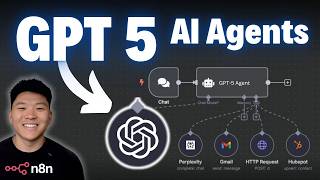
Dr. Violet Howard walks through connecting GPT-5 to n8n and testing it against GPT-4o and GPT-5 Mini on email generation and complex multi-tool workflows. GPT-5 handles tool-calling with Tavily, Perplexity, and calendar integrations, with benchmarks showing token usage, execution time, and cost per run across models.
Chapters
So OpenAI just dropped GPT-5, which has taken the internet by storm today. It's been all over my LinkedIn, my X, whatever I'm looking at, all I see is GPT-5 and I see that it is killing all the other models in stuff like coding. So of course what I'm gonna do today is break down these benchmarks and talk about why you need to switch out GPT-5 for all of your AI automations in N8N specifically. So of course I'm also gonna get into N8N. I'm gonna show you guys how to build a GPT-5 AI agent and then we're actually gonna run a few experiments so I can show you guys just how good this is with n8n AI agents. So let's get started. So like I said, why we are here today is not just to talk about GPT-5, which is OpenAI's new model, but to relate it back to n8n since that's kind of what this whole channel has been about so far. So I just wanted to start off with a quick overview of this GPT-5 release. Today's August 7th, and that is when it was dropped. As far as availability, OpenAI made this available for all ChatGPT users, including free and paid tiers. So if you go into your ChatGPT, it's gonna be all pretty. It's gonna say GPT-5 is here, and it's pretty cool. But what is GPT-5? Of course, it's the latest model and it's super, super powerful. An upgrade from the other GPT models that excels in reasoning, coding, handling images, answering questions safely and more accurately than previous versions. And down here, I've got a cool quote from Sam Altman. He said that GPT-3 felt like talking to a high school student, 4 felt like talking to a college student, but 5 is the first time that it really feels like talking to an expert in any topic, like a PhD-level expert. So that's pretty powerful. We'll have to see for ourselves. And so with this release, similar to other families of GPT models, 5 came with a few other ones. So we've got Mini and Nano, and it also came with Pro, which I think might only be available for paid users, but it's pretty much just an extended version of GPT-5 with more reasoning. But if you're taking a look at the actual price, so this is based on input and output tokens, and it's based on per million. So GPT-5 is $1.25 per million input tokens, and GPT-4o was double that. Even though they're the same price for output, but you can see the Mini and the Nanos are extremely cheap. So if the Mini is anywhere as good as, you know, GPT-4.1 Mini, which has honestly been my go-to for any of the AI agents so far. So if the Mini is just as good or better, which I assume it will be better, but much, much cheaper, then it's an absolute no-brainer to switch it out for all of your AI automations. Of course, you probably wanna switch it out in a test environment just to make sure you're all good, but still, I'm probably gonna be switching all of mine over. So I won't dive into these previous model prices, but you can see it's a lot, lot cheaper. And the key takeaways here, GPT-5 is about half the input cost of GPT-4o. The mini and nano versions of GPT-5 make advanced AI even cheaper, well below previous versions. And pricing for these GPT models just seem to come out and drop more and more every single time there's a new family. So it's pretty cool to see where we're headed. And of course, I wanted to show you guys some actual benchmarks, but I don't just want to throw some graphs at you. And there's all these fancy names for benchmarks like SWE or like Alli, or I don't even, that could be false, but we're gonna actually explain what they mean. We're not gonna look at every single one of 'em, but we will look at some of the cool ones. So here is the SWE bench, which is kind of like a software engineering exam. GPT-5 scored almost a 75% on this benchmark, which means it can correctly solve nearly 3 out of every 4 real-world coding problems pulled straight from GitHub, which makes it the most accurate AI for these sorts of programming tasks to date. In this graph, you can see here in the pink is GPT-5, and then right here was OpenAI's reasoning model O-3, which at the time was really, really good, but GPT-5 does even better. This next one is called the Ader Polyglot, which is a multi-language code editing exam. GPT-5 got an 88% on this benchmark, and this is significant because it means that GPT-5 can accurately handle almost 9 out of 10 real-world code editing tasks, which sets a new record and shows a huge leap in reliability and usefulness for developers compared to earlier AI models. Here's another one that's pretty cool. And by the way, you can see all of these benchmarks if you go to OpenAI and just look at the release notes for this model. But they showed these 3 examples of here is a one-shot prompt. One-shot meaning you gave it basically like 2 sentences of a prompt and that was it, and you didn't like iterate back and forth. And it created this whole like landing page and, and site, which looks really, really clean. It created this like audio step sequencer where you can play with the different things and hit play and different sounds and make music. And then this full little like spaceship game that I was in there playing. And apparently all of that was one shot. Obviously there's a lot of code going on in the background, but also a lot of design elements and UI elements as well. And there's a lot of benchmarks. I'm not going to throw too many more at you guys, but just to bring up these ones real quick. These images show that GPT-5 is much better than earlier AI models at following different types of instructions correctly. Which is relevant to prompting our agents in NN. In simple terms, GPT-5 apparently can understand and do what you ask more accurately. Another one that's relevant to our NN AI agents is this benchmark right here, which shows that it is a more accurate model at using external tools compared to other models. And finally, I just wanted to show these two because these are also pretty cool. The first one is long context. You can see GPT-5 ranks the highest here, and that's very important if you're having agents that are kind of stacking up multiple conversations and have to look at a ton of stuff. In order to, you know, create content or take action, whatever it is. And then over here, we saw a huge improvement in factuality. So you can actually know that they're giving you the correct answers. So how does GPT-5 plus EnnitN revolutionize automation? Well, smarter automation because the accuracy means that businesses can safely automate tasks, whatever they are, reducing errors and trust that the systems are working correctly. You've got all-in-one power. GPT-5 can handle text, images, code, and complex workflows in one platform. And in EnnitN, we can set up these super custom automations that are powered by GPT-5 to handle that kind of stuff. It's very accessible. This stuff is getting easier to use with NNEDN, the visual building, stuff like that, and the models are getting cheaper and cheaper. And as far as the industry impact, faster, safer processes in healthcare, marketing, IT, and education frees up teams to focus more on creative and strategic work. So today we're gonna switch over to NNEDN and I'm gonna show you guys 4 things. The first one is we're gonna connect to a GPT-5 AI agent in NNEDN. The second one is we are going to do an actual evaluation using NNEDN's evaluation feature. And see the direct results from a GPT-5 compared to a different model that we'll choose. Then I'm going to plug in GPT-5 to my Ultimate Assistant and just give it a loaded prompt and see if it can call all the tools and how well it does it. And then we're going to do some image prompt generation with GPT-5 and compare the image to a different one. So this last one's kind of more for fun, but I know a lot of you guys are using NN for content generation, so I thought this would be applicable. So real quick, I'm going to show you guys how to connect to GPT-5 in NN in case you haven't done it before. So what I'm going to do is I'm going to pull in an AI agent. And when we have an AI agent, we're able to talk to it if we open up this chat window down here. And so if I say, hey, nothing's going to happen because we don't have an actual AI model attached to the agent to talk back to us. So I'm going to click on the plus for the chat model, and I'm just going to scroll all the way down on this right-hand side to OpenAI chat model. And this is going to prompt you to go to OpenAI and get an API key. I'm just going to do that real quick in front of you guys. So I'd open this up and I click on create new credential. We need an API key. And what you're gonna do is go to openai.com. Here you can see the release of GPT-5, and when you go to log in, you can see that you have the option for ChatGPT or the API platform. And the API platform is what you need to go to. It's different than your ChatGPT account. Once you get into your API platform, you'll go to your dashboard and then you can see on the left-hand side API keys. All you need to do is click on create new secret key. We'll call this one GPT-5. Test, you can call it whatever you want, and then it's going to give you a secret key and you'll copy this value. You'll go back into N8N, you'll paste that right here, and when you hit save, you are now connected to your N8N instance. Just keep in mind, it's not going to work unless you do have billing information in your API dashboard. Even if you're on the paid $20 a month ChatGPT plan, you still need to put in money for API. And now that we've connected that credential, we actually have to choose our model. So I'm just going to come into this model list. Type in gpt-5 and we should see it pop up right here. We can see all the other ones as well. I'm just gonna do straight up 5 for now. And now I can just say hello and it will respond to us using ChatGPT-5. So now that we've got that figured out, what I'm gonna do is do the actual evaluation now. And this is gonna look a little bit different because we're gonna use OpenRouter instead of OpenAI. OpenRouter is basically a platform that just lets you connect to tons of different models through one. And I like it because I can have all my billing information in one account rather than one for Anthropic, one for OpenAI, one for Google, all this kind of stuff. But it'd be the same thing. You'd come here and you'd get an API key and you'd create a credential the same way. But you can see that OpenRouter lets us use OpenAI's new models. So anyways, we are going to run two evaluations here. And if you are kind of confused about the concept of evaluations, it may look a little confusing, but at the end, you'll see exactly, very explicitly, which model performed better. But I do have a full video that will be coming out soon about evaluation. So stay tuned for that. But anyways, the first evaluation that we're going to run, we're not going to do GPT-5 to start. Let's just do GPT-4. Actually, I meant GPT-4o, which is 2 times as expensive for input tokens, but same for the output. So we're just going to start with this one. And now I'm going to go to the evaluation tab and hit run test. So what this is currently doing is it's sending through 10 rows of our test data. and we have an expected answer, and then our agent's creating an actual answer that would've happened in production. And the evaluation is going to actually show us the accuracy of these answers compared to what we were expecting. So I'll check back in when this one's done. Okay, so that just finished up with GPT-4o, and we can see stats like the tokens and the execution time, and the accuracy here was 4.2. So now what I'm gonna do is go back into the editor. I'm going to come into our actual agent that's doing the lookup in our vector database and creating the email to go back out. And I'm going to switch this to GPT-5, and we're going to run that evaluation again, and hopefully it comes back cheaper and more accurate. Okay, so GPT-5 just finished up. It ended up using more tokens, so I'm going to do the math here in a sec and see if it actually was cheaper or not. It took a lot longer, but the sacrifice there was that it was 4.7 accuracy, and I have a feeling if the test data was more than just 10 rows, it would have been even more accurate. But one thing that's like subjective is when I was personally reading through the actual email responses compared to 4.0, these were far better. They're a lot more detailed and they're even a lot more personal and they feel more human. So, so far I'm still thinking GPT-5 is the winner here. So just for fun, I decided to do another run with GPT-5 mini. And while I was sitting here, I also thought about the fact that because GPT-5 is so good at coding and we've been seeing people use like Claude Opus 4 to generate edit-in workflows, You know, that's JSON coding. I think that GPT-5 would probably do better at it. So I'm sure there'll be some YouTube videos coming out and maybe I'll even do something, but something to think about. GPT-5 for troubleshooting N8N workflows and for generating code for your N8N workflows could be pretty solid. And also something I did want to say is with GPT-5, it could be a lot slower right now because it's new and everyone and their mothers is trying to test it out. So that could be another variable here of why GPT-5 is a bit slower. Okay, so here we have the final standings. GPT-5 was this one in the middle. It did the best by far with accuracy. It took the longest. And also I've got the prices right here. So GPT-5 was about $0.22 for all 10 of these runs, which was more expensive than GPT-4. It actually came out to being almost double the price. And you can see the reason why it was so much more is because GPT-5 was generating a lot more output and the output token cost is the same as the output token cost for 4.0. But if you look at the input tokens, you know, it was half the price. So that is something to keep in mind. If you are doing something where it's tons and tons of output, GPT-5 won't be much cheaper than 4.0. But of course, 4.0 was less accurate. So that's usually something you do want to prioritize. Obviously, the goal is to find the best balance of speed, cost, and accuracy. And then with GPT-5 Mini, it didn't do great here. This was a 3.6 accuracy. But obviously, if you look at the cost, it was about $0.03, which is a fraction of the other ones. And I know these may look like bad accuracy scores. They're out of 5, by the way. I should have said that way earlier. But if you look at the actual experiment, there's no system prompt in here. So this agent basically just receives an email and it has tools and it just kind of has to figure stuff out. And that's what I wanted to isolate, just the model selection and not have any prompt variables be coming into play here. Like I said, I'll have a video coming out soon about evaluations if you're interested in that. Not going to dive into it now, but let's move into the next test. Okay, so this is Ultimate Assistant. It's got lots of tools here, and that's what I want to check is if GPT-5 is good at, you know, understanding, reasoning, following instructions, and then also ultimately tool calling. So it's a pretty loaded prompt. It's going to have to use a lot of different tools here and probably use the tools kind of multiple times. So we'll see how it goes. Oh, there it goes. It just hit Tavily. It's hitting Perplexity, hitting the contact agent, and then it's going to have to hit both the email and the calendar agent as well. All right, so it looks like it's finishing up right now. It's taken about 3 minutes. I think there's a mix of GPT-5 doing a lot of thinking and reasoning, but also a bit of, like I said earlier, people just spamming the server right now, which is why I think it's a little slower. But looks like it did everything perfectly. Obviously we'll go take a look at the research it did and the actual content it created. I just pulled up my calendar right here. So while I just drag this in, you can see there is a dinner at 7:00 PM with Michael Scott. And it has the correct email that is in my contact database. Okay. And also it told us that Perplexity Search worked, but it tried Tavli twice because there was an authentication error. And I realized that in here I have my wrong Tavli API key. So it handled that error pretty swiftly. It tried again and then it realized, okay, this isn't something that I'm gonna be able to fix. We saw the calendar event. Let's go real quick. Look at the email. Okay, here it is. It was to dexter@miami.com, which is the correct email. And look at this. This is pretty solid considering we didn't run this through a different AI that's prompted on how to send emails or create like a, you know, a blog post type of thing. It just sent this based on what I said. We have key features right here, which are a ton. We have availability and pricing. We've got a table here, which is pretty cool. And then at the bottom it sent us these 5 sources. So that's pretty cool. Like I said, this didn't run through any sort of system prompt for it to know to do this. So that's pretty solid. And I just wanted to come in here and showcase a little bit of the reasoning and tools tool use functionality, let's move on to our final test, which is image generation, comparing GPT-5 with a different model. Okay, so we've got a simple agent here set up with GPT-5, and it's going to create an image prompt for OpenAI's image generation. So I'm going to send this one off right over here, which is going to GPT-5. And I'm going to send off the exact same prompt in a different tab, but this time we're going to use a different model. So let me choose, let's just do GPT-4.0 again since we compared that earlier. So as you can see, we have GPT-4.0 in here. I just saved it and we're going to send off the exact same prompt. and then once both of these images are finished up, I will let you guys know. As you can see, they're both being generated right now. And once again, just to limit the variability, there's no prompt in the actual agent about how to create an image prompt. I just basically gave it this user message that you guys saw me send off. Okay, so these both just finished up. Let's first take a look at, actually, let's take a look at GPT-4o's first. So this is the one with 4o. As you guys can see, I'm going to open up this binary file right here and we'll take a look. Okay, not bad. It is a crocodile wearing sunglasses on a motorcycle. It looks pretty decent. Now let's flip over to GPT-5. As you guys can see right here, GPT-5. And the moment of truth, let's open up this image. Okay, I mean, that's pretty cool. I think, I mean, you know, honestly, they're both solid. If you take a look here, this one I think definitely is better. But this is all subjective, right? The point is they both could do it. And the point is that they weren't prompted on how to create hyper-realistic images or whatever. All they both got was the same exact input. And I personally do like GPT-5s better, but like I said, subjective. Anyways, that's gonna do it for today's video. If you guys enjoyed this type of content and you wanna dive a little bit deeper with Enadn automations and stuff like that, then definitely check out my Plus community. The link for that will be down in the description. We've got a great community of members who are building with Enadn every single day. I think a lot of the conversations today were around GPT-5 drop. But besides that, we have a full classroom section with two courses, Agent Zero, which is the foundations for AI automation, and then 10 Hours to 10 Seconds, where you learn how to identify, design, and build time-saving automations. We also are in the middle of our first monthly hackathon, which is really cool. This month is voice agents, and we're gonna be building some really cool stuff every single month. So I'd love to see you guys in these communities, but that's gonna do it for today. If you enjoyed the video or you learned something new, please give it a like. It definitely helps me out a ton. And as always, I appreciate you guys making it to the end of the video. I'll see you on the next one. Thanks, guys.










