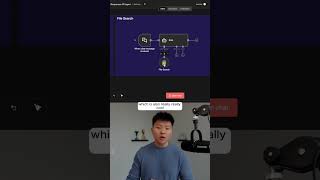
Learn how to build n8n agents with OpenAI's Responses API, which unlocks web search, file search, and code interpreter tools. Toggle one setting to enable built-in capabilities like searching the web for the 2025 World Series winner or querying your own uploaded files about domain-specific topics.
Chapters
Here's the easiest way to add web search and file search to your AI agents. So let's just first start off with a web search example. So what you're gonna do is you're gonna create an AI agent and you're gonna hook up an OpenAI chat model. And then when you click into the chat model, the first thing you have to do if you don't already have a credential is go to OpenAI and get an API key. So once you're connected, what you have to do is just enable this little toggle that says Use Responsys API. And this is what gives us access to adding in those built-in tools, which are web search, file search, and code interpreter. So the first thing is to set the context size. So right here you can see HighLevel guidance for the amount of context window space to use for the search, and you can choose between low, medium, or high. And then you can also do web search allowed domains. So if you only wanna search certain domains like Google or LinkedIn or Wikipedia, you could do that. And then now that we have that turned on, we could just run this again. And now when it hits its OpenAI brain, it's actually searching the web in order to figure out who won the World Series this year. So that just came back. The LA Dodgers won the 2025 World Series, defeating the Blue Jays in a thrilling 7-game series. And it also is pulling the actual websites that it got this information from. All right, now for file search, which is also really, really cool. What we're doing in this node is once again, we are using the Responses API. We're going to turn off the web search and we're using file search this time. So you can see here what we need is a vector store ID and a filter. So you're going to go once again to the same place where you got your API key, platform.openai.com. And on the left-hand side you can see storage. And this will let you upload files, but it will also let you create vector stores. And what this does is it gives you a vector store ID, which is right here. So you copy this value and you would put it right here as an array. Okay, so I'm going to ask it to explain what should happen if a ball at rest moves in golf. You can see the answer we get is if a ball at rest moves, what happens depends on what caused the ball to move. If you want to watch the full breakdown, then click on that play button right here and I'll see you guys over there.