Dr. Violet Howard shows how to set up scheduled tasks in Claude Code's desktop app. Unlike rigid scripts, these run as agentic workflows that detect errors, try fixes, and update themselves to prevent future failures, turning Claude into a 24/7 AI employee that continuously improves.
Chapters
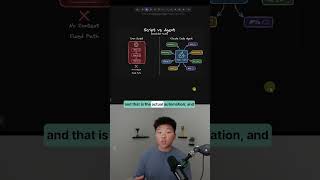
Claude Code is now a 24/7 AI employee, which means that it is always Claude Code o'clock. And that might be the nerdiest thing I've ever said. Anthropic has finally done it and launched scheduled tasks natively for Claude Code, which means every single process, every single skill, everything you've been building and using inside of Claude Code just got 10 times more powerful. So here I am in Claude Code in the Claude desktop app. Now, right now you do need to be using the desktop app in order to access these scheduled tasks, and there's a few ways that you can set them up. The first way is you go over here to the Schedule tab and you just click on it and you can see right here, run tasks on a schedule or whenever you need them. Type /schedule in any existing session to set one up. So those are the two ways. You can either click right here, new task, you can give it a name, a description, give it a prompt. You can choose the model you want it to run on. You can choose the mode to run on, and you can also select the folder. And then finally you just say, hey, I want this to run every hour, every day, every week at this time. Boom. You now have a scheduled automation. and the huge unlock here, which is so exciting to me, is that this isn't a deterministic workflow. And what I mean by that is if you've been following some other Cloud Code videos I've done in the past, we build either like a Python script or a TypeScript, and that is the actual automation, and that is deterministic logic code, meaning that will always happen. Step 1, step 2, step 3. If there's an error, it can't fix itself. It just errors and then we get notified. But this isn't just a Python script. This is Cloud Code Agent running the same exact way it runs when you talk to it. And that's why this is so exciting because agentic workflows are self-healing. So as you guys know, you tell it to go do something and it starts trying. If it runs into an error, it doesn't just come back and say, eh, I tried. It says, okay, here's the error. Let me try 3 other things. And then after I see which one of those 3 other things worked best, I'm gonna update myself so that I never run into that error again. So now you are no longer the bottleneck and these skills and these workflows can actually get better and better over time automatically. If you wanna watch the full breakdown, then click on that play button right here and I'll see you guys over there.