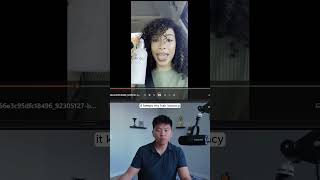
Use Sora 2 and n8n to turn a product image into a UGC-style video. Feed in a curl-cream image and a prompt for a selfie testimonial, and get back a video with a virtual avatar endorsing the product, complete with matching fonts and logos.
Chapters
Here's how to create anything with Sora2 and N8N AI agents. But let's move on to this next example, which is turning an image into video, which is really, really cool. And I think this is what unlocks tons of potential. So right here I have this image URL, which if I open this up real quick, you can see it's an AI-generated image of a fake curl cream product for your hair. And then if we go to the video prompt, you can see I'm basically saying a realistic UGC-style video of a young woman with curly hair sitting in her car recording a selfie-style video explaining what she loves about the product. So what I'm going to do is just go ahead and run this workflow and then we'll dive into once again how it's working. All right. We just got that one back. Let's go ahead and take a look at this video.
I absolutely love this curl cream. It keeps my hair bouncy, curly, and lightweight all day long. You guys have to try it.
Okay, that's insane. If you guys see what happened here at the end, she puts it near the camera and this looks pretty much identical to the source image that we had. It has the same font. It has all of the words looking really good and it has that that little logo. But you can see there's the original image, and then there's the product appearing in the video. So it's like pretty much the exact same. If you want to watch the full breakdown, then click on that play button right here, and I'll see you guys over there.