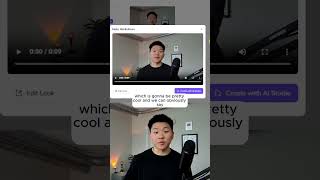
Nate Hurk shows how to build a HeyGen avatar and voice clone, then test the API to auto-generate videos. Upload a 30-second clip to train a hyper-realistic avatar, optionally add a voice from ElevenLabs, then send scripts via API to get back finished videos.
Chapters
Hey guys, in this video I'm going to be showing you how to set up your own HeyGen avatar so you can automate content creation. And guess what? I'm an AI clone of Nate. Sorry guys, I had to do that to you. Had to see if you were impressed by the quality of the video or not. But what I'm going to do is show you how to set up this workflow that's super, super simple so that you can automate that type of content creation with your own avatar, with your own voice, and it's going to be super cool and not too hard at all. All right, so we're just going to jump right into it and I'm going to walk you guys through every single step. So I'm at HeyGen. You can get to HeyGen using the link in the description, and I'm just going to go ahead and create an account real quick. Okay, so now that we're in HeyGen, we have a ton of different options. And what we're going to be focusing on today is creating our own avatar, our own voice, and then using that over an API in N8N so we can completely automate all of this content creation. And now it's basically telling us that we need to submit 2 to 5 minutes of footage with a camera where we are looking directly into the camera, we're talking, we're doing natural generic gestures with our hands and stuff like that. And this is what it's going to use to create our avatar, and it's going to use this to mimic all of the videos that we want to create. Okay, so just finish that up. As you guys can see, I only had to do about 30 seconds, so I just kind of smiled and used hand gestures and talked about what it is I do, all that kind of stuff. It was random. Okay, so it says that our avatar is ready. I'm just going to go ahead and name this Nate Hurk and confirm that we are good to go here. When we submitted that footage, it's also going to clone our voice. But if you already have a voice clone you really like of yourself on something like ElevenLabs, you can also go ahead and pull that in. All right, so I'm a little nervous, but let's click into this avatar and see what it looks like. We'll check out this. Hey, Nate Hurkelman. Your hyper-realistic avatar is ready. Try creating videos with it. Okay, that's really not too bad. So now we can access this avatar over API, which is going to be pretty cool. And we can obviously say, hey, here's exactly the script you need to read off and we'll be good to go. I'm going to come in here and just to test this out and see how it works, I'm going to manually type in this text field and just throw in some information that I want it to say. Okay, so I filled in some text and all we're going to do now is hit test step. And what this does is it's basically sending a request over to HeyGen servers and saying, Cool, we've started working on that video and what we get back is a video ID. And then all we need to do is feed over the actual video ID. So I'm gonna call this one Get Video and we'll hit Test Step and we will see if we get a video. The status is complete and let's open this up real quick and take a look. Hey guys, in this video I'm going to be showing you how to set up your own HeyGen avatar so you can automate content creation. And guess what? I'm an AI clone of Nate. If you wanna watch the full breakdown, click that play button right here and I'll see you guys over there.