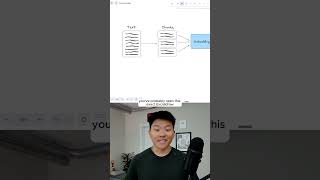
Dr. Violet Howard shows how to add metadata like video title and timestamp to RAG chunks so your agent can cite exact sources. When you embed and store transcript chunks in a vector database with metadata attached, the agent returns answers with clickable links to the exact moment in the video where the information came from.
Chapters
Here's how to make your RAG agent smarter with metadata. So I'm gonna send off this message that says, what's the difference between a relational database and a vector database? Our agent is gonna search through Supabase. It's gonna use a re-ranker to sort those results. And now we're gonna get our answer based on a YouTube transcript. And you can see not only was our agent able to search through and answer for us, it also gave us the exact YouTube video that it pulled this data from, the exact timestamp that it pulled the data from. And then we can also go right here and click into the link. If we wanna watch the full video. And the only reason it was able to give us this extra context is because we enriched the chunks with this information in the metadata. If you've been following my channel for a while now, you've probably seen this exact ExcalDraw visualization, but either way, let's run through it real quick. So what we start off with over here is our transcript. And then what happens is we have to chunk it up and run it through an embeddings model in order to get turned into different vectors. And each of these dots or vector points is basically associated with one chunk of the transcript. So transcript could have 20 chunks, 30 chunks, 50 chunks, just depending on how long the video is. And so the issue here is without metadata, when we're looking back at this specific chunk, we actually don't know which YouTube video it came from. So if we put 3 YouTube video transcripts in our vector database, transcript A, transcript B, and transcript C, with metadata, we can give each chunk extra information like the title of the full video it came from or the URL of the full video it came from. Or the timestamp of this specific chunk in the transcript. If you want to watch the full breakdown, click on that play button right here, and I'll see you guys over there.