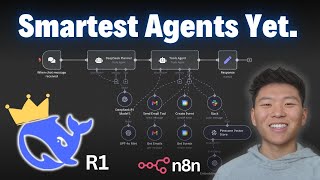
In this tutorial Dr. Violet Howard demonstrates how to use DeepSeek's R1 reasoning model as a planning agent within n8n to orchestrate tool‑calling agents. She first explains the common problems when accessing DeepSeek via OpenRouter—excessive latency, endless loops, and lack of function‑calling support. She then shows how to bypass OpenRouter by configuring n8n credentials with the direct DeepSeek API (api.deepseek.com/v1), creating an API key, and selecting the appropriate model names (deepseek-reasoner for R1, deepseek-chat for V3). Using a simple workflow, the DeepSeek R1 planner receives a natural‑language request (create a calendar event and send two emails), generates a clear step‑by‑step plan, and passes that plan unchanged to a second tools agent that executes the calendar and email actions. The video walks through the generated plan, the resulting calendar event, and the sent emails, confirming that the architecture works without any system prompt in the tools agent. Howard also shows an alternative implementation using an HTTP request node to call the DeepSeek reasoning model directly, again feeding the planner's output to the tools agent. Throughout, she shares cost metrics (R1 is ~96 % cheaper than OpenAI's O1, $0.03 for 14 k tokens), troubleshooting tips for spinning or looping, and provides links to download the full n8n workflow via her free school community and a paid community for deeper learning. The tutorial concludes with a call to action for viewers to like, comment, and join her communities.
Chapters
So we're going to send off this 3-part message to our Deepseek planning agent. It's going to be taking that input right now. It's going to be constructing a step-by-step plan of instructions to hand off to the tools agent. The tools agent has no prompting. All it's going to get is the actual plan that the Deepseek R1 agent made. We can click into here and we can see what we got. Um, it created a step-by-step instructions. There's 3 tasks clearly outlined. The first one is to create a calendar event. Second one is to email Up at Digital to check in on the project. And the third one is to email Nate Hurk to confirm lunch tomorrow. And as you can see, everything that the tools agent needs is going to be given from the Deepseek planning agent, which is really cool. We don't have a system prompt, as you can see, and it already went up and created that calendar event and sent both those email tools. So let's dive into how is the right way to use Deepseek R1 as a planning agent to feed into your tools agents. So lately there's been a ton of hype around Deepseek's new reasoning model, Deepseek R1, and this is because of the cost and performance, which it's pretty much 96% cheaper than using OpenAI's O1 reasoning model, as well as being able to perform just as well as it or even better. But when it actually comes to using this model in N8N for your AI agents, you probably ran into a few of these issues, which would be connecting through OpenRouter and it's spinning forever, taking 15-20 minutes, or you're connecting it to tools and it's going to tell you that this model doesn't support tool calling or function calling, or it's going to spin forever on different tools and call them unlimitedly. Here's an example this morning where I asked it to send an email just saying what's up, and it sent through like 70, and I had to stop it because it was just looping back and forth, and I think it was going to be an endless loop. Anyways, there's no doubt that Deepseek R1's reasoning ability is next level. So what I want to show you guys today is how I plan to actually use them to support building agents and having them call different tools. Also going to show you how to connect to Deepseek R1 as a chat model without going through OpenRouter. So hopefully it can fix any of those issues you're having with, you know, 15-minute calls. So the first issue, like I said, you guys may be experiencing is calling it through OpenRouter where we are setting up a credential with the base URL of openrouter.ai/api/v1. We enter in the model name that's given to us in OpenRouter. And then when we actually go to chat to this thing, if I can type hello, that's going to work for now. The issue is it's just going to be spinning forever. And I mean, it is a reasoning model, so it will likely take a little bit longer than something like a regular GPT-4o. But what I've been seeing is that this is just spinning and taking way, way too long. So what you can do is actually connect to the base URL straight from Deepseek. So in here, as you can see, I'm connecting to Deepseek Reasoner, which is the Deepseek R1 model. And what we're doing for the base URL is connecting to api.deepseek.com/v1 rather than going through OpenRouter to actually hit this model. If you want to connect to Deepseek like this, what you're going to do is go to deepseek.com. You're going to hit API platform. Once you get there, it's going to pull up your dashboard. As you can see, I put in $2 like last week. So far with V3, I've used 80,000 tokens. With R1, I've used 14,000 tokens and it's only cost me a little over $0.03. Then you're going to go to API keys, you're going to create a new key, and this will be used to set up our credential as well as the base URL, which we will find if we click right here on docs. So we clicked on docs. As you can see right here, we have a base URL. And so this is what we're going to grab and put that in N8N as our base URL. And then finally, we have the option to choose a model. Of course, we can choose deepseek-chat if we want V3 or deepseek-reasoner if we want to get the newly released reasoning model, which is Deepseek R1. So back in NN looking at the credentials, this is where you're going to put that API key you just generated. This is where you're going to put that base URL that we just looked at in Deepseek docs. And then finally, the model right here, we'll type in deepseek-reasoner to access R1. So what we're going to do now is connect to this chat model. And if we say hello, you'll see how much quicker that we get a response back because we actually get a response. It's going to say, why did the scarecrow win an award? Because he was outstanding in his field. Another just asked. So the reason it said that is just because in the system message it says you're a helpful assistant who tells jokes. So that's why it responded to us with a joke right away. And then similarly, if we want to connect to Deepseek V3, we can do the same thing, use that exact same credential already. All we have to do is change the model from deepseek-reasoner to Deepseek-chat, we can come in here, say hello, and it should respond to us again with another joke because, "Hello there, why don't scientists trust atoms? Because they make up everything. What's up?" So it's because of the system prompt once again. But then of course the question becomes, how do we actually use this for tool calling? So if we connect send email tool and we just say, "Can you send an email to Nate asking what's up?" So this is not going to work as you can see, Deepseek Reasoner does not support function calling. Bad request, please check your parameters. So that's the issue everyone's seeing. Obviously it's frustrating because with such a powerful model and such a cheap model, we want to be able to use this for our tool calling and for our AI agents that we're building. But what we want to do is think of this reasoning model as a really good planner. It's going to create the steps and it's going to hand that off to another agent that can actually take action using tools. So it's going to be a really simple example where we just have email and calendar. But as you can see, we have a Deepseek planning agent that is hooked up to Deepseek R1. It's going to receive input from us, the human. It's going to take that input, construct a really step-by-step clear plan to feed over to the tools agent. And what we're going to do is in the tools agent, we don't even have a prompt. So it's going to just be relying on Deepseek's planning ability to actually take action. Okay, so let's give this thing a try. I'm going to say I want to create a few calendar events. The first one is with Nate Hurk 88 for tomorrow to have lunch at 12 PM. Then I want to send an email to Uppit Digital to check on a project we've been working on. Finally, I need you to send an email to Nate Hurk to confirm our lunch tomorrow at Chipotle. Make sure to sign off emails as Nate. So right now it's taking that input and it just created a list of instructions for the tools agent. We'll take a look at those. And as you can see, it already created the event and sent 2 emails. So hopefully those are correct. But remember, this prompt— or sorry, this agent is using GPT-4o, and it's— or sorry, 4o Mini, and it's has no prompt inside of it. So first, let's take a look at what it responded to us with. I've successfully completed the requested tasks. The event was created. It's titled Lunch with Nate. It's tomorrow, January 25th, at 12 PM local time at Chipotle. Reminder 30 minutes before. Okay. We can also view the event. Click on the link. Email has been sent to Uppa Digital and a confirmation email was also sent to Nate Hurk confirming lunch tomorrow at noon. So let's take a look at what happened real quick. As you can see, the Deepseek agent got our prompt and then it output this prompt for personal assistant. Create calendar event for lunch tomorrow. It gave the date, gave the location, added participants. It then gave more details and set a reminder. Then the next step, task number 2, was to send an email to Uppit Digital. It created a subject and a body, and then it signed off as Nate. And then finally, it created a subject and a body for the final task, which was to send a confirmation email to Nate Hurk about lunch tomorrow. As far as the actual prompts we give this thing, basically just said you're an AI agent responsible for creating clear and actionable prompts that guide a personal assistant in completing assigned tasks. Your context is to not use external tools because that would have it mess up. Of course, all you need to do is just focus on receiving the input and then understanding the tasks, creating a step-by-step list of instructions, and handing off all the information it needs— the next agent needs— to it. So yeah, real quick, wanted to say if you want to dive into this prompt a little more in depth or you want to play around with this agent that I made as well as the next one we're going to be looking at, which is using an HTTP request, then you can download this workflow completely for free by joining my free school community. The link for that is down in the description. Once you get in the free school community, you'll click on YouTube resources, click on the post associated with this video, and then you can download the workflow right here and import it into your n8n environment. Finally, if you're looking to take your n8n and AI automation skills a little bit farther and you'd like a more hands-on approach, then please check out my paid community. The link for that's also down in the description. Got a great community of members who are also learning in it and sharing their challenges, sharing resources, great classroom section with different deep dive topics, as well as a calendar with 5 live calls per week to make sure you're always getting questions answered and never getting stuck. So I'd love to see you guys in this community. Anyways, let's take a look at the tools agent real quick and see what actually happened. So as you remember, it's just getting the chat input from the previous, um, Deep Seat Planner agent. So this is all it's getting, which is, as you can see, it's outlined very clear. You have one task, which is calendar event for lunch tomorrow, and then it's gonna give some specifics. Second task is to send an email to UpaDigital. Once again, it gives a subject and a body. And then finally, the third task is to send a confirmation email. Again, subject, body, and then final notes. So that's all that the tools agent is actually getting. Like I said, there's no system prompts, so you know that the plan that it's actually getting from the DeepSeek agent is pretty good. And now let's take a look at the actual tool calls. So the first one was an event. As you can see, it made it at noon and it called it Lunch with Nate. We have two emails being sent. So the first one was to Up at Digital project check-in, and it says I wanted to check in on the status of the project we've been working on, blah, blah, blah. And then the second one is confirming lunch tomorrow with Nate, just confirming our lunch at 12 at Chipotle. Let me know if anything changes. And here's that second email, which is checking in on the status of the project and then a calendar invite for noon for lunch. Well, it's actually 1:00 PM because I'm in Central Time right now. Normally I'm in Mountain Standard Time, so my agent thinks I'm in Mountain Standard Time. But anyways, it successfully created that calendar event with Nate Herkelman, as you can see. Lunch with Nate. So I hope this architecture makes sense, and I hope you understand that if you have something way more complex, the DeepSeq planner agent did a really, really good job at the way that it broke down the tasks. As you can see, it pretty much, you know, said, here's step 1, here's all the information you need for task 1, here's task 2, here's everything you need to do task 2, and then it's feeding that into the tools agent so that the tools agent can use its model that it needs to use and the tools that it has access to to actually do that kind of stuff. And so this is going to be a very similar process if we actually want to do that with an HTTP request rather than an agent. So all we're doing is we're using an HTTP request to connect to the DeepSeek reasoning model, as you can see. And if you want to understand how to do this step by step, the previous video I made, I'll link it in the description and tag it right here. I'll show you guys step by step how to do this. But what we're doing is we're setting up the system role as your helpful assistant who is tasked with creating a step-by-step plan of action for personal assistant. And then we're just feeding in the chat input as the actual user message. So as you can see, we already got that back. We can see we've got step-by-step plan of action. Here's all the information that's coming out. And now if we went into the tools agent, what we're feeding it is once again that step-by-step plan of action. So as you can see, it's very similar. There's a few differences as far as the structure and probably in the actual body messages and stuff like that. But this is basically the idea that we're going to be using DeepSeek R1 reasoning as a planning, um, planning tool to basically take the input and make it just more detailed so we can feed that right into an actual agent that has access to tools. So I hope that all made sense. I just wanted to make a quick one about these different methods that I plan on using in order to actually have DeepSeek R1 reasoning model involved in my agentic functions, which I think will be super cool. You know, this was a really simple example, but as we start to add on more tools and a bit more of a complex use case, I think that having a step to actually plan out some of this stuff to feed into your agents is going to be super, super beneficial and super cool. So that's gonna be it for this one. If you guys enjoyed the video, please give it a like. Let me know what else you want to see with DeepSeek in the comments. And as always, really appreciate you guys making it to the end of this video. I will see you in the next one.