How to Automate ANY Content with Poppy and n8n (no code)
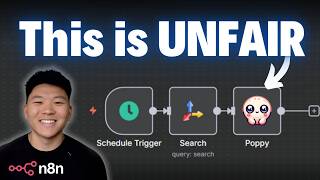
Dr. Violet Howard shows how to build automated content pipelines using Poppy and n8n without coding. The example creates a daily health newsletter by combining scheduled searches, product pages, and videos into an AI assistant that outputs ready-to-send HTML, cutting out manual writing and formatting steps.
Chapters
Today we're gonna be talking about how you can automate any content with Poppy and N8N. At this point, I'm assuming you guys are all familiar with what N8N is, but if you're not, it is a workflow automation tool that looks like this, and you're able to build no-code AI agents and AI automations. And if you're not familiar with Poppy, it is also a no-code visual builder that lets you paste in any data sources that you want and then chat with them. And when I say you can paste in anything, I really do mean anything. You can paste in Instagram Reels, TikToks, websites, articles, YouTube videos, local files like images, PDFs, Google Sheets, Excel files, whatever you want. And then it's as simple as connecting a block to an AI assistant and it now has scanned the entire YouTube video, the whole transcript, the thumbnail, everything. So I wanna show you guys what I mean by that super quick and then we'll get into the rest of the video. So here I am on my YouTube channel. I'm gonna go ahead and copy the link to my latest YouTube video, open up a new Poppy, and I just hit paste. And now what it's doing is it's already transcribed this video and it's analyzed the thumbnail and it knows what's going on in here. I could also then go to my website, copy this link, go back into Poppy and paste that in. And now it's able to look at everything on this website. So now that we have these data sources in here, I can click on this button, which pulls up an AI chat. And all I have to do is use these circles to make sure that the chat can read both of these data sources. It probably doesn't know that True Horizon AI is our AI company, so I could just add a quick note. And now that it sees that, I can go ahead and ask it, please give me 3 key takeaways from my YouTube video as well as how it applies to True Horizon AI. So I'll shoot that off. You can see we're using Claude 4 Sonnet, but we have the option to switch to these other models as well. And you can see it is now giving us an answer. So based on the YouTube video, Stop Selling AI Agents, Sell AI Solutions Instead, here are 3 key takeaways and how they apply to True Horizon. So we've got focus on business outcomes, not technology. That's right. Here's the framework that I talked about at the end, and then start with proof and scale with confidence. How this applies to True Horizon AI. True Horizon AI already embodies these principles beautifully. Your website doesn't lead with technical jargon about multi-agent architectures or HTTP requests. Instead, you focus on business outcomes, blah, blah, blah. And once again, this doesn't even have to be just your own data sources. We could go over to YouTube and say, okay, Alex Hormozi has years and years and years of experience building businesses and selling. And so if I just want to grab this 8 minutes of content, I could basically copy the link to this video, head into my Poppy, and once I paste in this YouTube video, now it's going to have access of Alex Hormozi's knowledge about selling. So I could go into the chat and say, based on the YouTube video about sales tactics from Alex Hormozi, How would Alex Hormozi help True Horizon sell their solutions better? So I'll shoot that off and I will check back in with you guys once we get the answer. So it's taking an insight directly from Alex Hormozi's video about sales and applying it to True Horizon and how we can use it. It's giving us specific implementation. So lead with a concession, build trust through honesty, then sell high-value work. It's also applying another method called the prescriptive close method. Don't just sell solutions, coach implementation. So it's literally helping us take copy from our website and change it based on how Hormozi would sell. So anyways, just a real quick demo to give you a preview of what we're looking at today. We've got more stuff planned and what, what some of you may be thinking right now is how is this any different from creating a Claude project or a custom GPT and dropping in transcripts? Well, it's a good question and it's a fair question because ultimately what's going on behind the scenes of Poppy is pretty simple, but what they did is made it really easy for us because now you can get into these bigger boards where you have multiple different AI chats and all of these are kind of specialized into one area of knowledge. Rather than having to manage tons of different GPTs and projects, I can now just have all these data sources in here that I can just link around to as many different assistants as I want. And then of course, we can talk to these assistants through API, and that's how we hook them into N8N, and it gets really powerful. So the key here is figuring out when is N8N actually needed. For example, something I just did is I have 4 of my LinkedIn posts that performed well, and I have 3 articles about LinkedIn best practices. And then I came in here and I pasted in my latest YouTube video, gave it to the assistant, and told it to create a LinkedIn post based on my writing style and best practices. And so I easily could have built an automation to do this. It would trigger when I drop a new video, it would call this Poppy assistant, and then it would spit out LinkedIn posts for me. But I would say that might be overkill because I could just as easily come in here, paste that in, and get my LinkedIn post right away. When you want to think about using N8N is when you need something to happen before you hit Poppy. So let's say we want to automate a daily newsletter. In N8N, we could have it go off every single day, and before we send any data to Poppy, we could have the newsletter doing research on trends in the industry. Then once we have that research, we could send it to Poppy, and the Poppy assistant could be perfectly trained on telling stories, writing newsletters, and email marketing. Then once our specialized Poppy assistant finishes that email newsletter, we could come back to N8N, and then N8N could go ahead and send it or potentially go add images or whatever else we want to do with it. And so that's the value of this sort of system, because you can now trigger content on its own, you can do research before or after, and you can even add additional elements after Poppy gives you back the copy. This is a complex example, but it's still a good one. Let's say we have N8N researching TikToks and Instagram Reels that are trending. We send those to Poppy to have it create new scripts for us. And then back in N8N, we feed those scripts into something like my Ultimate Media Agent, and it's able to create either those HeyGen avatar videos or UGC videos, anything like that, and then even take care of all of the auto-scheduling and posting for us. If you wanna check out a video about the media agent, I'll tag it right up here. Anyways, let me get into a real example and show you guys how we can set up an Editn workflow to talk to Poppy and how we can train our Poppy assistant to do something awesome. So whether you're creating content yourself or you want to get more consistent with content, or you're running an automation agency where you need to help your clients create more content more consistently and higher quality, then this combination of Poppy and Editn is going to be extremely powerful for you to learn. So let's get into the video. All right. So what we're going to do today is we are going to build a newsletter automation system. And I'm gonna show you guys how quick and easy we're gonna be able to spin up a really good newsletter. So first of all, I'm just gonna add a trigger, which is going to be a schedule trigger, and we're just gonna pretend that this is gonna go off every single day, once a day. After the schedule trigger goes off, what do we wanna do? Some research about our newsletter industry or niche. So I'm gonna go ahead and add a Tavily step, which is going to help us conduct our research. And our newsletter is going to be focused on health, and we're gonna be trying to sell supplements based on, like, let's pretend we have affiliate links. So the search query that I want every day for Tably to search through is latest health trends and pain points. So it's gonna be searching for latest health trends and pain points every single day. I'm also gonna make sure the topic is news, so it's looking at more recent stuff rather than general. And then I'm just going to also do include answer as advanced. So basically what this is saying is Tably's gonna go find 5 articles every day about the latest health trends, and then it's going to give us an answer, kind of like a summary of what it found. And just to show you guys what that looks like, we'll go ahead and execute this step and I'll show you what type of answer we get back. So you can see on this right-hand side, we get this answer, which is based on the latest data. Several significant health trends and pain points are emerging. Pilates, blah, blah, blah. Chronic pain represents major blah, blah, blah. Recent medical research. So as you can see, it's giving us an answer of all of these 5 actual sources that it found. So what comes next is we want to send that research to a POPPY assistant that's trained on how to sell over email, how to write newsletters, how to tell good stories, and stuff like that. So I'm going to open up this Poppy Board that we were looking at earlier, and I'm gonna click on this button up here just to add a different chat because we're essentially just creating a new assistant now that's gonna be trained on different information than this assistant up here was trained on. And one thing that I'm actually gonna do is I'm just gonna drag this guy down here for the Alex Hormozi sales video and drag that in as well because this will be important for us to have when we're trying to sell products over a newsletter. I also just found this other video from Alex Hormozi about email marketing. And then I just found one more from Callaway on becoming a master storyteller. So these 3 will be good data sources for basically making this AI assistant a master newsletter writer. And so actually what I want to do is I'm going to delete these connections real quick because what I want to do is create a group. So I clicked on this button down here to make a group, and I'm just going to drag these 3 videos into the group because these are all 3 basically being used for the same thing, which is training the agent on writing good copy. So I went ahead and called this group Storytelling and Sales. And if I hook it up to the assistant, now it's looking at everything that is actually in this group. So now I'm gonna give it the websites of the two products that we're gonna pretend to sell in this newsletter. The first one is right here, it is AG1. And then the second one is NeuroGum. And so same thing, I'm going to make a group. I'm going to drag these two products into the group, and we're gonna call this group Products. And also just to make sure that it understands that these are products that we wanna sell in our newsletter, I'm going to add notes, which is going to be, this is a product that I want to sell in the newsletter. I'm just gonna add that to both of these products and hook it up to the assistant. So now it understands what we're looking at in this group. And then one more element that's gonna be really, really important for this newsletter is styling it, and specifically styling it in HTML. And that's not something that I am a master in or know how to write. So it's so much easier for me to go get a website, so an article about HTML Explained, and just hook that up to the assistant. So now it has all of this knowledge too. And I just gave it a quick note down here, HTML style guide, so it knows what it's looking at. And so that took me 2 minutes to go grab these 6 data sources. And now I'm pretty confident if we hit this AI assistant from N8N, it's going to spit out a really, really good newsletter. So all I have to do to connect to it in N8N is click on this up here and click on API. You do have to be on a certain plan in order to access the API. And Poppy's definitely not the cheapest tool out there on the market. So I wanted to make sure that I could bring you guys a discount. If you use the link in the description, you can get some money off. Also, if you're a member of my Plus community, I was able to get you guys a bigger discount. So you'll see how to get that in the Plus community. Anyways, I'm gonna switch this to a POST method because we want to send a long prompt to our agent. We're gonna be talking to it based on its knowledge base only, and then I'll show you guys how easy it is to configure. The first thing we're gonna do is grab this chat link, which is basically our API endpoint. I'm gonna go back into N8N and we're gonna add an HTTP request. This is gonna be a POST method, and then I'm gonna paste in the endpoint right here. And the reason I didn't show you guys this is because at the end we have an API key, so you don't have to set up any authentication. You just paste in that chat link. And then back in Poppy, we can see that we have two JSON body fields to send over, the first one being prompt and the second one being model. So in N8N, I'm gonna send over a body. I'm gonna name one of these prompt. We're gonna add another one and name this one model. and now we just need to send over what chat model do we want to use and what's the actual prompt that we're sending to Poppy. And by prompt, it basically just means what would you be typing right here if you wanted to use the AI assistant? So for the prompt, what I'm gonna say is I'm gonna paste in this information, which is based on my products, the storytelling and sales best practices, and the below research on health trends, which is coming from Tably that we just set up and ended in. Create me an HTML stylized newsletter optimized to convert to selling the products in an organic and helpful manner. Important, only output the stylized HTML newsletter. No need to preface anything or ask if we'd like changes. So you can see it's getting that information. It's getting the research from Tavily, and now all we have to do is send this over to Poppy and it will give us back a newsletter. So I'm just gonna go ahead and execute this step. And while we're waiting for this to run, I just wanted to show you guys why this is actually so much easier because I just did a different step-by-step YouTube video where we built this newsletter agent. and you can see this is way more complex because I had to build a planning agent. I did more research, I built a section writer, and then I had to build an editor agent. And in here we're basically telling it, how do you actually style things in HTML? And it's a lot more to go through and it doesn't even turn out as well. So what I'm gonna do real quick is run this agent and then we'll compare this newsletter to the final one that Poppy gave us. All right, so the Poppy newsletter just finished up and look at this. You can see the styling already looks really nice. One little error here, but we can easily get rid of that HTML up top. Anyways, the Mind-Body Connection, your weekly health breakthrough. Hey there, Sarah thought she was doing everything right. She tried every treatment for her chronic back pain, physical therapy, medications, even expensive procedures, but nothing seemed to work long term. Then her doctor asked her one simple question that changed everything: are you a perfectionist? So first of all, this is definitely pulling from how to tell good stories because it's drawing the reader in with something relatable. And it doesn't feel like you're just getting facts thrown at you like maybe some other newsletters. This is like a story. Anyways, here's what the latest research reveals. Scientists have discovered that people suffering from back pain share two surprising traits: higher levels of perfectionism and lower levels of self-compassion. But here's the good news. Here's how Sarah fixed that. Here's how she had her pain levels drop by 60% in just 8 weeks. Throw some more stats at us, of course. And then we get down here to starting with giving your brain the right fuel and focus. And that's where it weaves in NeuroGum in a really authentic way. I could also click on this link right here and it takes us straight to NeuroGum. If we keep scrolling down, it says, but mental clarity is just the first step. Your body also needs nutritional support, and that's where we get AG1. You can also see the call to action is to try AG1 risk-free, and it takes us to the website. So then it ends off with a recommendation. We have the hyperlinks down here again. And then one more thing, remember Sarah? 6 months later, she's not just pain-free, she's discovered a level of energy and mental clarity she didn't know was possible. P.S., the research on perfectionism and pain is just the tip of the iceberg. Next week, I'll be sharing the surprising connection between gut health and anxiety that's changing how we think about mental wellness. Stay tuned. It even has this stuff at the bottom to unsubscribe and a little footer. So just let that sink in for a sec. I didn't prompt this thing at all. I just dropped in Alex Hormozi's knowledge, Callaway's knowledge, and someone that wrote an article about how to write in HTML. And now if I could just add a few more tweaks to this N8M workflow, which is only 4 nodes, I would probably comfortably automate this every single week as long as I gave it some sort of memory so it wasn't telling the same stories every week or promising something next week and then it doesn't come. But that took like 10 minutes and it's really good. And now we just got the other newsletter, which is a workflow that I built, and it is just so much worse. You know, it's got a header up here, it's got inline sources, which are nice. We could click on all these links. We've got a sources section at the bottom as well. But as far as like it being entertaining, not at all. Would I buy anything from this newsletter? Probably not. And of course, this workflow took me a lot longer to build than the simple one with Poppy. So hopefully you guys can see the difference there and how much easier it makes things. Okay, so that was a simple and really good use case of when you might want to actually use N8N to automate stuff like this. I wanted to now just show you guys a few tricks in Poppy of how to use it better. So I made this group where I uploaded 4 YouTube videos right here. I'm going to bring in a new chat and I would hook it up like this. And I could now say, based on my YouTube videos, please create a style guide for the way that I communicate and my values in speaking on YouTube. So I can go ahead and send that off. And what this is gonna do is it's going to give us a style guide, which is really important, and here's why. So the way that Poppy's actually working under the hood is it is going to read all 4 of these transcripts every time I'm asking it a question. And what that's doing is it's going to really increase your context window. And as we all know, the more context, the more tokens, the more it's going to cost you. So what we're able to do is just copy this style guide right here, which is undoubtedly less tokens than all 4 of these YouTube videos. I could then just click on this T to add a text block and paste in that communication style guide. So now rather than having all 4 of these YouTube videos hooked up, I could just hook up this style guide. And now this assistant is trained on how I talk and what I value. So you can see the same things like authenticity over expertise, practical value, business-focused communication. It's also highlighting certain words or phrases that I constantly say so that if I wanted this thing to help me script future YouTube videos, it could actually sound like me with the main value prop again being that this is a lot cheaper. And so it's the same way when you use GPT or Claude, the more and more you talk in one thread, it might get worse and worse and also more expensive. So what you should do is based on your project or your task, have a few chats. but then when you're ready to move on to a different topic, just create a new conversation and start from scratch. So let's say I wanted to drop in something like a LinkedIn post. I made this post a few days ago and I'll copy the link to it, but notice that it has a picture and most of my posts have either pictures or videos in them. So when I go back to Poppy and I paste that in, what it's going to do is it pulls in the media rather than the text-based content. So once again, super easy fix. I would just go back to LinkedIn. I would just copy right here the actual text that I want it to have knowledge of. And then I could just click T to add a text block and paste that in there. And then what I would do is just basically just do this for a few of my LinkedIn posts like I did over here. And then I could add all of my LinkedIn posts to this group, which is all of my text-based LinkedIn writing. And then once again, instead of having the AI read through all 5 of these posts every single time, I could just hook it up to this assistant and I could say, Please analyze my LinkedIn posts and create me a communication and value style guide for LinkedIn specifically. And now it's reading those and it's spitting out a LinkedIn guide. So then I can go ahead and copy this LinkedIn style guide, add it in as a text field, and now I don't need the AI to look at these two folders, but I can still just keep 'em here in case I ever want to hook 'em back up for something more specific. So now this AI assistant right here is trained on how I speak both on YouTube and LinkedIn. And now maybe I could use this for an AI agent for automation. I could hook up this AI to my email responding agent because then the emails are gonna sound more like me. Or to make that even more professional, I could give it access to like 100 of my emails and then have it create an email style guide. So hopefully you guys can see the possibilities are endless, but it does take a little bit of playing around to see what works best and how can you limit the amount of tokens that you're using. Once again, it's not the cheapest platform out there, but I did work with Poppy to get you guys some money off. So use the link down below or code Nate25 and you will get some money off. So we're gonna start to wrap up the video here. I don't want it to go too long, and if I tried to show you guys all of the Poppy use cases, it would go way too long. Of course, you can paste in things like Instagram Reels. So I was playing around with some of Reels, you can upload TikToks, and like I said, local files, PDFs, spreadsheets, images. But what I think is the coolest use case is kind of like what we did with that newsletter, is when you upload videos from other people because you want to apply their expertise to your expertise. So what we've got right here is a TED Talk, and I'm going to hook it up to this AI assistant. So this TED Talk is about the catastrophic risks of AI and a safer path. So let's say I was really inspired by this video and I wanted to make a LinkedIn post and maybe even a YouTube video about it. Based on my LinkedIn style and my YouTube style, help me create a LinkedIn post off the new video that I gave you, the catastrophic risks of AI, and also give me some ideas of how I could make a YouTube video about this topic. So I'll go ahead and send that off. This would probably work better with the YouTube prompt if I also gave it some videos about like YouTube positioning. So I could go to a YouTube expert like Ed or Charlie, and I could use a ton of their trainings on YouTube about YouTube, and I could feed that in as well. So let's see what we got. Here is the LinkedIn post. So AI safety just got real and we need to talk about it. Last week I watched blah, blah, blah. Here's the thing, Bengio isn't some random doomsayer. This is one of the godfathers of AI. We've got key takeaways. We have these arrows, which I always use in my LinkedIn posts. We've got a summary at the end for those who are building with AI tools, blah, blah, blah. This definitely looks like my style of post and it does sound like me. And then we have some YouTube video ideas off the topic as well. This probably wasn't the best example, like I said, but from here we would basically just add more sources and keep tweaking our prompts until we get to a place where we really like the way the AI assistant is behaving. And then once we have this thing trained on all of our data and everything that we like, we could hook it up to any N8N workflow that we want. So hope you guys are impressed with Poppy and you understand the power of using it with N8N. If you wanna check out more content like this and more use cases, then definitely watch other videos on my channel. There's tons of content creation automations. That Poppy could make a lot more powerful. And if you're looking for a more hands-on learning experience, then definitely check out my Plus community. The link for that is down in the description. And you can also get more money off Poppy if you're a member. But anyways, we've got a community of over 2,500 members who are building and earning every day with N8N. And we've got a classroom section with 3 full courses, Agent Zero for beginners, 10 Hours to 10 Seconds where we dive into N8N, and then our new course for annual members, which is One Person AI Agency, where you learn how to build a scalable AI automation business. And I think there's a huge opportunity just using Poppy alone before you even hook up automations to provide a lot of value to clients that are consistently creating content or need to consistently create content. And they want to keep all of that content very branded to their company. But that's going to do it for today's video. If you learned something new or you enjoyed, please give it a like. Definitely helps me out a ton. And as always, I appreciate you guys making it to the end of the video. I'll see you on the next one. Thanks everyone.










