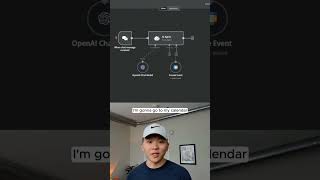
Build a no-code calendar agent in n8n by connecting GPT-4o Mini to Google Calendar. The agent automatically schedules events: when asked to add a dinner at 5 PM, it creates a 2-hour-30-minute slot and syncs it to your calendar.
Chapters
Here's how to build a calendar agent in n8n with no code in under a minute. So once you're in n8n, you're gonna hit Tab, type in AI agent, and then you'll grab your agent. Now all we have to do is hook up the brain, which is a chat model. So click on this plus. I'm gonna grab in GPT-4o Mini, and then we have to add a tool. So I'm gonna click on the plus under tool, type in calendar, and grab a Google Calendar tool. Now in here, all we have to do is really simple. First of all, just choose the calendar that we're going to be pulling from. And then for start date and end date, I can just click on this button. And all this is doing is it's letting the model decide how to fill in this parameter. And then what I wanna do is be able to add a title to the event. So I'm gonna come in the extra field and I'm gonna add a summary. And then once again, click on this button to let the model define it. And then the last step is just to rename the tool so the agent knows what it's doing. And I'm just gonna say create event. And then the last thing we wanna do is within the actual agent, we just wanna tell it what time it is currently so that we can say create an event for today. So I'm gonna get rid of this in the system prompt and say, here is the current date/time. And then I'm gonna give it the current date and time by using two curly braces and typing in $now. And now it has the current date and time. So now we're actually done already. I'm gonna go to my calendar so you guys can see real quick. There's nothing on the rest of the day. We're gonna ask it to make an event for 5 PM. So I'm saying create an event for 5 PM for dinner tonight. It will be 2.5 hours long. So once we send this off, we'll see the agent think about it and then use its tool. And it already did that really quick and it filled in those parameters. You can see that the dinner has been successfully scheduled. It will last for 2 hours ending at 7:30. So back in the calendar, here it is from 5 to 7:30. We have an event called dinner. And we go back into N8N, we can click into this tool and we can see what it did. So it was able to fill out the start time, end time, and create a summary for the event. If you're interested in learning more about N8N and building AI agents, then check out my channel. I'll see you guys over there.