How to Build Workflows 10x Faster with n8n's AI Builder
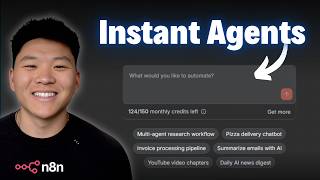
In this tutorial, Dr. Violet Howard demonstrates n8n's AI Workflow Builder, showing how to turn natural‑language prompts into functional automations. She walks through three live examples—a daily food‑trend email, a sales‑brief generator, and a personalized AI‑newsletter—highlighting common pitfalls such as missing variables, incorrect field mappings, and merging parallel branches. Howard explains how the AI builder predicts node configurations, why manual debugging is still required, and how the tool can act as a thought partner for troubleshooting. She stresses the importance of detailed prompting, iterative testing, and keeping workflows linear to improve reliability. The video concludes with three practical tips for using the AI Builder, a discussion of n8n Cloud credit limits, and a promotion of her community, courses, and resources for mastering n8n automation.
Chapters
N8N's AI Workflow Builder. This is a feature in N8N that allows you to turn your ideas into workflows using AI. So in today's video, I'm gonna talk about how it works, but way more importantly, how do you actually use it to get results? I'm gonna be going over some common issues you may see when you're using it, and we're gonna go through some live examples together. So if that sounds good to you, let's get into the video. All right, so here I am in a blank workflow, and you can see you can either add a first step or we have the option not to build with AI, which lets us put a prompt in here and then the N8N AI Builder we'll turn that into a workflow. So right here, I'm gonna throw in this prompt and we're gonna shoot it off. And I said that I need a workflow that will run every morning. It will do research on trends in the food industry using Tably. It will find me a new recipe to try using Perplexity, and it will send me a motivational quote, and all of this will go to my email. So what it's doing is it's reading this and it's looking through its nodes in the database. It's gonna gather those details, and then it's gonna go ahead and add them to the workflow, as you can see right here. And this is great, and it's very cool because obviously AnyDen has all of this knowledge of how these nodes work. But I will say, you have to be careful about the configuration. So you can see that just finished up and what it's prompting us to do now is to execute and refine. So I'm just gonna go ahead and execute and we'll see if we get any errors anywhere and what to do next. So it just hit Tavoli. That worked all right. It's hitting Perplexity now to find a new recipe, and then it's gonna hit Perplexity again to get a motivational quote. So we didn't get any errors. Let's go ahead and head over to email to see what that output looks like. All right, so here's what we got. Your daily food trends, recipe, and motivation. What you notice right away is that we don't actually see our food industry trends, so we'll have to go investigate why. As far as the recipe, we got a unique and delicious recipe, which is the Marry Me Shrimp Pasta. Sounds great. And then for the motivational quote, we got, when you arise in the morning, think of what a precious privilege it is to be alive, to breathe, to think, to enjoy, and to love. But we have to go understand why we didn't get our food industry trends. So I'm gonna close out of this tab so we can just dive a little deeper into the actual workflow. And the food industry trends would've been coming from Tavly. So if I click into this real quick, we can see that it's searching for latest trends in the food industry. So that's great. It's already connected with my Tavaly credentials, so that's good. And it chose to do a search depth of advanced. So that's super cool. It understood how to use this node to configure our search. And so we got these results back, which look good. It looks like we actually did get, you know, a deep search on food trends and we're getting all that here. So I think the issue is somewhere over here where it's actually preparing that email content. So if I click into this set node, what we can see is that for the email body, if I open this up, the food industry trends is coming through as null. And so what happens here is it's trying to pull this variable, and this variable from Tavaly actually only exists if you come into here and you include an answer and then you turn that on. And so now if I saved this and we ran it again, I think that everything would come through correctly. But the reason why I wanted to show you guys an example like this is because you can see this is really nice. It understood our query and it laid out a really good skeleton and a really good template for us. But n8n primarily has knowledge on the n8n core nodes. And what I mean by that is every single node has, you know, an input, a configuration, and an output. But when you start to play with different APIs like Tavily, Perplexity, or any random HTTP requests that n8n might not know super well, it might not have the right variables from the output of the node in order to actually keep them passing down the rest of the chain. But after we added that option to include an answer, we do actually get, um, a food trend. Now obviously this isn't optimized and we want to change that, but I just wanted to show you guys how you have to still understand the variables and what's moving through in order to fully take advantage of this AI builder. Because once again, this set node right here, it's trying to predict what the output of this Tavli node looks like. And sometimes you just don't know, even you and I as humans, we don't know. What I would do if I was building this manually is I'd build this, run it, and then I'd pin that data, and then I'd add the next step and I'd run it and I'd pin the data. And I would just take it step by step and continuously add on more blocks to the right after I know that everything that I currently have works. And so when a workflow builder or even a human tries to build anything in one fell swoop, not all the variables are going to be mapped correctly, and that's just the truth. But still, I'm not trying to take away the value from something like this, because if you are a complete beginner and you know the type of flow that you want, you know, like the prompt that we saw me put in earlier, and then you're able to at least get here in a matter of 5 minutes and then try to troubleshoot what comes next, you certainly can. And the cool thing is, and another cool thing is when you do actually run into errors, the AI builder will help you troubleshoot those. So let's hop into a new workflow and do another example, and we'll take a look and see if we get some errors and we'll see how the AI builder can help us out. All right, so now we're in a fresh workflow. I'm gonna click Build with AI, paste in this prompt. And this one says, build me a workflow that creates a sales brief when a lead submits a form with a form trigger. They fill out information about their business and what they're looking for help with. The workflow should research them with Perplexity, analyze their pain points, and then generate me a one-page brief to use on a sales call. So that just finished up. We're gonna go ahead and execute and refine, which is gonna pull up this form trigger that it built for us. And this has company name, name, email, website, industry, what you're looking for help with, and what your biggest challenges are right now. So let me just fill this out real quick. So I just filled this out for Chipotle. I threw in some information here. We're gonna submit that and see what happens with the workflow. So you can see that finished up, but it didn't actually use the Perplexity tool. And if we click into the agent real quick to see what the output looks like, we also notice that all of these aren't mapped correctly cuz all of those are red. And so the output of the agent says, to assist you effectively, could you please provide some additional details about the company or the industry? So it's not actually looking at the form submission. So what I'm actually gonna do is copy this. and I'm gonna go into the agent builder down here and say, this is what the sales brief generator agent output. And then I pasted in its output and then I said, help me fix this. So now you can see the agent builder is thinking. You can see it said, I see the issue. The form field names have spaces and special characters, but the expression is trying to access them with underscores. So the AI isn't actually receiving those values. So now we're gonna go ahead and try again. I'll hit execute and refine and let me just fill out this information one more time. All right, I'm gonna shoot this off and we should see hopefully that it's able to use Perplexity. There we go. And then we should actually get a better output this time from this Sales Brief Generator agent. Awesome. So it finished up. It actually used the Perplexity tool 3 times. So I'm gonna close outta this tab real quick and we're going to investigate what's going on in this flow. So the first thing I'm gonna do is click into the agent and we actually now see that it is receiving all this information. So this is honestly a bug. These should be showing up as green because they're all variables, but regardless, it's getting our company, it's getting our contact information. We didn't put a website, so there's nothing. It's getting the industry, it's getting what we're looking for help with, which I said we're looking for help creating more seasonal promotional opportunities, maybe introducing some limited time menu items and just driving more traffic and awareness to the brand. Then for biggest challenges, I said we want to be able to scale our revenue without just adding more locations and more staff. So if anyone is watching this and they work for Chipotle, I just made this up. I really love Chipotle anyways. So that's what the user message is. That's what the agent is looking at. And then we also can see that it gave us a system message. So if I open this up, it said that you are a sales research assistant that creates comprehensive one-page sales brief. Your task is to use the Perplexity research tool to research the company, analyze the lead's stated needs and pain points, research their industry and common challenges, generate a concise one-page sales brief. And that brief should include a company overview, pain points, industry context, recommended approach, and then some questions to ask. And honestly, this system prompt is pretty solid considering the limited amount of information that I actually gave the workflow builder. And actually real quick, I'm just gonna go ahead and pin all this data and I'm going to shoot that response to myself in an email just to make it way easier to look at. And just to show you guys how this could work, I added this Gmail node myself and you can see that there's an error. And if I go to the N8N AI, it says that I need to complete these steps before executing your workflow. So I need to fill in these parameters. And if I click on this button, it'll pull that up right there and show me exactly what I need to do. So being able to utilize your knowledge of N8N and what you wanna build and then using this AI assistant as well to help you kind of build step by step, that's definitely going to be the best approach. And that's how you're really going to learn what you're building. Anyways, I just sent this off so we can take a look at it. We've got our sales brief. Chipotle. Chipotle Mexican Grill is a leading fast casual restaurant chain known for its customizable Mexican-inspired dishes. So key pain point 1, seasonal promotional opportunities. Number 2 is revenue scaling. And then it gives us some industry context. But here's what I wanted to look at, which was the recommended approaches. The first one is to highlight innovation. So emphasize Chipotle's potential to leverage its existing technology infrastructure to offer exclusive seasonal items through digital channels, potentially targeting Gen Z and millennials who drive trends like sustainability and health-conscious eating. I didn't want to read this whole thing because I thought that would be boring, but just to validate that it was working and it was kind of following its system prompt. So it's not perfect, as you guys can tell, but the majority of issues that I'm seeing right now have to do with moving variables to the right spot. And once again, it's just because it would be very hard to predict what the variables are always gonna look like. Although in this case, I really think it should have gotten it right because these are native nodes and it should know exactly, you know, if I'm making a field in the form called company name, I should know exactly how to reference that later. But keep in mind, you can also use it right over here as a thought partner and you can show it what you're getting. You can show it how it's not exactly what you want and just be able to sort of go back and forth a little bit. but the one thing I would be careful about is based on your n8n Cloud plan, which right now, as of November 2025, this is only available on n8n Cloud. You do have a limit on your monthly credits, and this is based on what plan you're on, whether you're on Starter, Pro, or something higher than that. Anyways, we're gonna do another example, and I wanted to show you guys how important it actually is to know the process so well before you wanna automate it. This is something that I talk about a lot in my community. In fact, the full course on n8n actually starts off by understanding how to pick the process and how to map out all the steps before you get into NNN and start building it. So if you're interested in learning more about that, then definitely check out the community. Because if you can't communicate the process very well, how would you expect AI to build that for you? So what we're going to do here is we're going to use one of the preset examples from NNN's agent builder, which is a multi-agent research workflow. Now you can see when I clicked on that, it gives us a one-sentence prompt, which I'm not feeling super bullish about how this is going to turn out because all it says is create me a multi-agent AI workflow where different AI agents collaborate to research a topic, fact-check information, and compile comprehensive reports. That's pretty ambiguous, and that could be interpreted 100 different ways as far as what type of agents, what chat models, what is the sources for the research, what is the trigger, what do we do with that data, what type of report, who is it optimized for? Is it gonna be a PDF? Is it gonna be an email? There's just so many things that if you told it more information about, it would make it a lot better. Okay, so we have this interesting looking orchestrator agent and we have a manual trigger, which is interesting too. So I'm just gonna real quick just hit execute and see what happens. So we got an error pretty much right away, and you can see it's telling us down here that we need to update the research topic to investigate parameter, which is in the actual workflow configuration. So this is where we would put in a research topic, which actually, if I look back, it did tell me that I needed to configure that. So I went ahead and put in artificial intelligence in healthcare, and we're gonna go ahead and execute and refine once again to see what happens this time. All right, so we ran that again. We hit an error, and then the AI Agent Builder basically said, okay, so this is an issue in the system message. They're trying to reference json.max_sources, blah, blah, blah. And so it says that it's changed it and fixed it. I'm gonna go ahead and hit execute workflow once again, but I'm not feeling super positive that it's gonna work. All right, so errored again. We're gonna go ahead and stop this, and I'm going to just explain real quick why I wasn't super positive about this. So we asked for a multi-agent workflow where different agents research, fact check, and then create a report. And this in my mind sounds like something that could be way more linear and doesn't have to be this orchestrator agent setup with all of these different subagents. It also doesn't even have this HTTP request really going anywhere. I guess it's going to DuckDuckGo and it's trying to fill out this little query parameter and then it's also using Wikipedia. But if we would've been more specific on we only want to use Perplexity and we only want to use Claude Sonnet and we only want, you know, this research topic and we only want to use this type of HTML. It just would've been a lot better. Okay, so let's try that again. We're gonna go for a similar type of system, but we're gonna give it a much more detailed prompt. So let me just drop something in real quick. Okay, so I just dropped in this prompt and I was keeping in mind trigger, data sources, data destination, or sorry, data transformation, and then data destination. And I tried to give it more detail. So I said, I want to create a personal daily newsletter that will go off every morning at 6:00 AM. I want this system to research AI trends, voice AI trends, workflow building trends, and also what's going on in the AI content creator space. I only want it to use Tavli for its research. I want it to do advanced search depth, and I need it to include an answer in the Tavli results. All of those results need to get fed into an AI agent in order to create an HTML-styled newsletter based on all the content that we get back from Tavli. And I want that AI agent to use Anthropic Claude Sonnet 4.5. So the idea is that I was telling it exactly where to go. I was telling it how the data passes between each other, and we should be able to see that this looks a lot better. It looks a lot more linear. We may have some issues here with the merging of all 3 of these searches, but I think this is gonna give us a much better start than what we saw earlier with that multi-agent system. But now let's go ahead and execute and refine to see how it does here with this one. Okay, so we hit an error with the set node that's trying to combine the research results, and automatically the workflow builder understood there's an error, and now it's trying to debug that right here. You can see it actually said I need to add a merge node to properly wait for all 3 parallel research branches to combine. So that's kind of what I expected to happen because I, I kind of saw that right away. But the good news is it's able to at least understand that. And now hopefully it's gonna update this with a merge node that works. Okay, so it threw in that merge node. Let's just go ahead and run it again now. Okay, perfect. The merge node actually worked and it passed over those items. However, I am noticing something else now. It's sent through all 3, but really what we want to do is have all of these combined into 1 item because now this is going to create 3 separate emails, which is not what we were looking for. So we're taking a different approach. I said instead of having them branch off into 3 different paths, what if we just have it go 1, 2, 3, right after the other? We keep everything as 1 item, and then we have the agent be able to look at all of those when it's making its newsletter. So maybe that is a better approach. We'll see what the workflow builder does here. So honestly, that looks a lot better. We're gonna go ahead and execute this and see if it works this time. Fingers crossed here. Okay, that run finished up. Let's go see what the output looks like. All right, so here it is. We have our AI Trends newsletter, your monthly digest of AI innovations. We've got our Voice AI section with some market growth and some insights here. We've got Workflow Building AI section with some insights here as well. And then the Content Creator Space with some insights and some key trends to look out for. As well as a nice little wrap up down here. So just to close off here, I wanted to wrap up the reason why I made this video. It wasn't for me to completely hype up the feature, but it wasn't for me to just bash on it either. I wanted to honestly just be really realistic about where it is right now and where this is heading, because I hear a lot of people asking me, is it even worth learning N8N right now? And after seeing what I had to do today, I hope that in your mind the answer is absolutely yes, because learning how to build with N8N helps you understand the foundational elements of how processes actually work and how data transforms and how variables move from left to right across the workflow and when AI is needed and when AI is not. Because if I could boil it down to 3 main tips of how to use the AI Workflow Builder: 1, be as detailed as you can when you're actually prompting the AI builder in this little panel right here. 2, don't expect the first iteration to work the same way as if a human was building an entire workflow out without testing it once, it wouldn't work. but you can use this AI as a thought partner and as a troubleshoot helper when you run into issues there. And then 3 would be workflows, workflows, workflows. AI workflows are so much easier to build. They're more predictable. They're easier to troubleshoot, and they're going to lead to higher quality results. And to even drill down further, when you can keep everything on one path where it literally can only go in one direction and you're able to place those guardrails on it, it's just gonna be better. As we just saw with the most recent example, if I would've prompted this thing from the beginning to keep everything in one line, we probably could have gotten a perfect or much closer to perfect result after that first prompt. But because it decided to try to do this thing where it had 3 different paths and tried to merge the data back together, we had issues here, we had issues here, and it was just much more of a headache than if we just would've said, hey, keep it all in one line. And so as a beginner right now, I would definitely utilize this feature to, you know, understand how these nodes work and how they come together. But the most important thing is once you run it, look through every single node, understand the input, understand the configuration and the output, and just see how the data moves across the entire thing. So anyways, don't want this video to go too long, but I just thought it would be helpful to at least give you guys sort of my raw thoughts on how to actually use this feature and validate to you all that I think learning NN right now is still an insanely good investment of your time. And so if you wanna take those learnings deeper and you wanna connect with over 2,500 members who are doing this every day and building businesses with NNN every day, then definitely check out my Plus Community. The link for that is down in the description. Got a great community of over 2,500 members ranging from beginners all the way to people building businesses with NNN. One of our members just closed a $36,000 project last week, and we're always celebrating wins like this together in the community. We've got 3 full courses. Agent Zero is the foundations for beginners. 10 Hours to 10 Seconds is where we learn how to identify, design, and build time-saving automations in NNN. And then for our premium members, We have One Person AI Automation Agency where we actually start to talk about laying the foundation to build a scalable AI automation business. We've also got projects in here, which is just basically flooded with step-by-step builds where I'm basically building something live and I just kind of talk through what I'm doing, why I'm doing it, setting up all the credentials, things like that. We also run a live call every week where we just talk about what's going on in the space, answer your guys' questions, things like that. So I'd love to see you guys in those calls in the community, but that's gonna do it for today. If you enjoyed the video or you learned something new, please give it a like. It definitely helps me out a ton. And as always, I appreciate you guys making it to the end of the video. I'll see you on the next one. Thanks, everyone.










