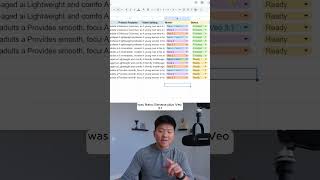
A workflow in n8n automates UGC videos by pulling product data from Google Sheets, then using Sora 2 or Veo 3.1 to generate images and videos. The system takes a product photo and ICP, creates a prompt for an AI image model, feeds that image into a video generator, and produces a finished UGC video with voiceover.
Chapters
I just built the ultimate UGC content system that uses Nanobanana, VO 3.1, and Sora 2, where all you have to do is fill in some raw information on a Google Sheet, like a product photo, the ICP, the features of that product, and a setting of the video. And then all you have to do is come in here and choose your model, whether that is VO 3.1, a combination of Nanobanana and VO 3.1, or using Sora 2. Then what happens in the workflow is it takes that, and we have different AI agents here that are trained to prompt in different ways, and that's how we're optimizing, you you know, the features and the ICP and the setting to actually go into this UGC content. So I'm gonna go ahead and hit execute workflow. It's gonna pull in that data from the sheet. It's gonna do one row first. And the first row that it's doing is Nano Banana plus VO3.1, because as you can see right here, it's basically processing this row. And that's the model that we chose was Nano Banana plus VO3.1. So anyways, we're using Nano Banana to create an image of the product being held or worn by a person. And then we take that image and we turn it into a video with VO3.1.
I love how this gives my hair that glossy finish without any greasiness. It dries instantly and feels weightless. I love how this gives instant glossy shine without any greasiness. It dries fast and feels weightless.
If you want to watch the full breakdown, then click on that play button right here, and I'll see you guys over there.