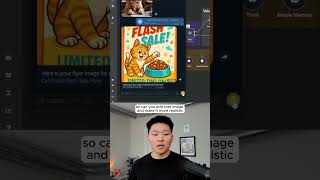
One AI agent handles video, LinkedIn posts, image creation, editing, and database search. Watch it take a cat-food flyer from sketch to realistic final image with an orange cat, logging every step and saving to Google Drive.
Chapters
I just built a marketing team with only one AI agent. So as you can see, this agent has access to these 6 tools. It can create videos, LinkedIn and blog posts, create images, edit those images, and also search through its image database. Create an image for a flyer for cat food and there's a flash sale. Okay, so we just sent that off. You can see it's transcribing that audio, hitting the marketing team agent, and it's going to hit its create image tool. And right now that workflow's processing. And I'll check back in a sec when we get that image. Okay, looks like it just finished up. As you can see, we just got our message. Here's your flyer image for cat food with flash sale. Anyways, let's have it make that a little more realistic. So can you edit that image and make it more realistic? Send that off. It's gonna use its image database to grab the actual image to edit, and now it's gonna go edit that, and I'll check back in when we get that edited image. As you can see, now we have the updated, more realistic flyer. It's a very realistic looking orange cat eating cat food, and there's a flash sale. And we can also see that if we go to our marketing team log, we have the new picture right here and it's a type edit. We have the prompt and then we also have the link for our Google Drive with the new image. If you wanna watch the full video, click the button right here and I'll see you guys over there.