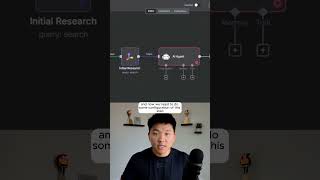
Watch someone build a newsletter automation system using n8n, combining a research node that finds articles on AI adoption for small businesses with an OpenRouter GPT-5 mini agent that generates creative titles and topics from the results.
Chapters
Watch me build this AI system to automate newsletters. So I know that the first step that we want to happen after the trigger goes off is to do some research. So I'm going to click on this plus and I'm going to type in Tably, which is the tool that we're going to use for research. But now we have to make our actual search. So the query right here is where we enter your broad category or niche or topic of your, you know, newsletter. So let's say mine is AI adoption. For small businesses. That's what I'm going to put right in here. And this is going to stay the same every single time this workflow goes off. And now you can see we're going to get back 3 different URLs with kind of like some summarized content about small business AI adoption. So we've done our initial research. The next thing to do is use AI to create titles and topics out of that initial research. So I'm going to go back into the workflow. I'm going to grab an AI agent. And now we need to do some configuration of this step here. First thing I'm going to do real quick is add our chat model. So I'm going to go to OpenRouter like we talked about. We're going to actually go to GPT-5 mini. So now that we have the agent is looking at our 3 articles, we need to tell it what to do with these 3 articles. And that's where we come down here and we add a system message. So real quick, I'm just going to make this an expression so we can open up full screen. So all I'm saying here is that you are an expert newsletter planner. You will receive 3 articles from the past week. Your job is to come up with a creative and fun title as well as the main topics for the newsletter. And I can hit play on the agent right here. You can see now we have these things are in different fields so we can actually drag them differently. So that's great. I'm also going to pin this data so we don't have to rerun our agent if something goes wrong. If you want to watch that full breakdown, then click on that play button right here and I'll see you guys over there.