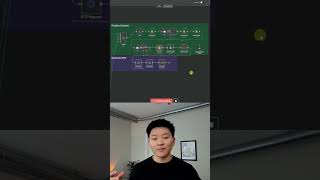
Dr. Violet Howard built an automated research workflow in n8n that turns a topic into a 40-page PDF report. A planning agent breaks the topic into five chapters, a research agent gathers sources for each, and a writing agent composes them. The finished report with a clickable source list gets emailed to you.
Chapters
I just built the deepest research system in N8N. All right, so all we have to do is hit test workflow and this form will pop up and we just have to enter a search topic for a deep research report. So here I'm typing in sugar for breakfast, just putting in an email to send the report to, and we'll hit submit. And now the workflow has started. The first thing we're doing is we're hitting a planning topic agent that has taken our search topic and it's spitting out 5 different in-depth search topics. And then we're having an agent create an introduction and the different chapters so that we can send them off to the different types of research agents for for each chapter to make this a really in-depth analysis. So as you can see, we're just firing off to this first branch, which is chapter 1. We're doing our research with Tavily on 5 different topics within that chapter, and now we have an agent writing it all together. So this process is pretty much the same for each of the 5 chapters, so I'll be back when they're finished up. Okay, so the chapter 5 writer is finishing up right now. As you can see, we're pushing all of this data into Google Sheets so we can pull it all back later. As you'll see up here, now we're finalizing all this content. So we're pulling in all the sources so we can make a source section at the bottom of our report. With a numbered list. Then we're gonna be sending those back to the Google Sheet. We'll be pulling in all the contents once again so that we can make a table of contents based on the chapters and based on the different subjects within each of the chapters. Finally, we just combined all that content together. We're hitting off the API call to make that PDF, and we should be getting an email any second now. Okay, so we're gonna hop over to the Gmail, and we can see we got a new email, Deep Research Report: Sugar for Breakfast. And once we open the downloaded PDF, we can see that this is a 40-page PDF. So it's gonna start off with a title, "The Breakfast Sugar Dilemma: Understanding the Impact of Morning Sugar Consumption on Health and Wellness." We have a quick introduction right here talking about the breakfast landscape and how it's evolved. And then it says that this report delves into the physiological impacts of morning sugar consumption, explores hidden sugar sources in common breakfast foods, blah, blah, blah. And then we have a table of contents. So as you can see, each chapter has 5 different sections. So you can quickly skim and see which ones sort of pique your interest. And what you'll notice is that every section has a source. So if we open up this link, we can see it brings us to an article about the association between sugar at breakfast and energy. And you can see that it's not just pulling back general articles, it's pulling back research findings and studies and experiments. So here's one with an actual experiment. We can open this one up and you can see this source talks about an actual study they did and what they found. Anyways, let's scroll all the way down to the bottom on page 40 where we can see we should have a sources section that should be numbered for all the sources that we just looked at. So as you can see, we have 1 through 25, and you can see right here that the last source we have is indeed Number 5, but all of these are also clickable links. If you want to watch the full breakdown or even just download the template for free, then check the link in the description for the full video. See you guys over there.