I Scraped, Researched, and Created Outreach for 16,846 Leads using Godmode HQ
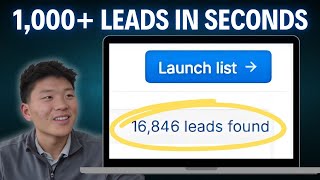
In this instructional video, Nate Herkelman demonstrates how to use the AI platform GodmodeHQ to automate the entire outbound prospecting workflow. He starts by configuring a go‑to‑market profile, then defines lead‑search criteria (job title, company size, location, keywords) to scrape 16,846 leads. He enriches the list with emails, tech stacks, and other firmographic data, and creates AI‑generated research columns—Research for Hook, AI Features, and Pain Points—using custom prompts that pull recent news, product details, and specific ways the prospect could benefit from the presenter’s company. Next, he switches the column purpose to outreach generation, crafting personalized email and LinkedIn messages that incorporate the research findings, all via AI prompts with variable placeholders. He then sets up an automated multi‑step campaign: initial email, timed follow‑up email, LinkedIn connection request, and follow‑up LinkedIn message, while respecting platform‑specific sending limits to avoid account freezes. The demo covers both a small sample of five rows and scaling the process to the full lead set, concluding with a call to action to try GodmodeHQ.
Chapters
So I just scraped, did research on, and generated personalized outreach messages for 16,821 leads. Let's take a quick look at an example. So I'll click into Milton's profile. We will see that we did research and we saw that he won Phoenix Titan 100 award. We did research on his company and saw the AI features that he offers. And then finally, we researched the pain points on his business and how our business can help him out. Then we used all that information to create 2 personalized outreach messages that The first one's an email. Hi Milton, congrats on winning the Phoenix Titan 100 Award for the second year. I believe US AII could optimize the CAII program to handle more participants efficiently, improving quality and completion rates. Would this be useful to US AII? And then we generated a personalized LinkedIn message to follow up with him later. Hi Milton, just following up on my email about optimizing the CAIE program for even better results. Thanks, Nate. So the AI really did all the work for us here. All we have to do is hit launch campaign and we're good to go. Hey guys, today we'll be exploring a new AI platform that I've recently been playing around with called GodmodeHQ, and it is super powerful. Essentially, you're able to talk to this platform using natural language, and it's gonna help you scrape thousands of leads based on your search criteria. Then it's gonna help you generate a lead list, and then once you have that lead list, it's gonna help you do research on all of those leads, and then using that research, it's gonna help you write very personalized messages to everyone in that list. Then once you have those messages ready to go, It's gonna help you set up an automatic campaign within Godmode through email and LinkedIn. Definitely watch this one all the way through because at the end we're gonna be setting up that automatic campaign. So let's get into Godmode. All right, once we're in GodmodeHQ, the first thing that you're gonna wanna do is set up your go-to-market profile. So right now I've just got example data in here, fake company ABC Corp, you know, the website, my job title, my booking link, company description, and then value propositions of your company or product. This is going to be super important because later when we're generating outreach and making our personalized messages, it's going to be able to use information about your own company to make sure that these outreach messages are very personalized and specific. Once you've got that set up, we're going to launch a lead list. So as you can see, there's 3 ways to do this. We can do it by finding target people, we can find target people within a specific company, or if you already have a massive lead list that you just need help researching and creating personalized messages for, you could upload that here. For this video, we're just going to be looking for target people. So I'll click into here and we'll see the 4 criteria that we want to scrape on. So the first one is job title. Let's say we're looking for founders, CEOs, and then if we want something that's not in this list that's already on Godmode, we can still search for that. So let's say we were looking for head of AI. As you can see, that's not one of the options, but we can just click down here, add head of AI, and now that is going to be within our search criteria. And for company size, I'll just go 1 and 100. For company location, we will do United States. And then keywords, I'm just going to add artificial intelligence. And as you can see, that's not an option. So we'll add that once again. And then we'll also do AI, which is not an option. So we will add that too. So we've got our search criteria. We will hit preview results in order to start doing the scrape. So this search just got us 16,846 leads, which is insane. And it's gonna show us a preview of the first 5. So for example, Milton, you can tell that he's a CEO in an artificial intelligence company, and this just makes sure that we like the searchers that are coming back before we hit launch list in order to start doing research and outreach messages. So now that we're in our lead list, we can see a ton of information. We've got their name, their LinkedIn, their company, their job title. We can see if we've already connected with them on LinkedIn so we're not double messaging. We can see their domain, company LinkedIn, country and city, stuff like that. But now we can also add more data points that we want to see. So if I click into here, I can add their email. As you can see, that's going to pop up. We can see their employee count. And something really cool about GodmodeHQ is that we can add their tech stack, which is something that can be really hard to find if you use other sort of scraping tools. So we can see this first company uses Google, Google Cloud, Wix, DNS, Google Apps. We can see all the other stuff they use. And then same thing with all these other companies. which I think is super, super cool. Another quick thing to mention is if this information's not pulling through, so let's grab this row right here. We would just have to enrich this row and it's going to come in here and scrape the tech stack and the email. As you can see, that information just populated through. So now we're ready to leverage AI to start making some more columns for us. So we'll click up here, generate column. And the first thing I wanna mention is that you have two different purposes. We can create columns for the purpose of AI research or for the purpose of generating outreach. So right now we're just going to be doing research. So we're going to keep it on AI research. Okay. This first column that we're making is called Research for Hook. And so here's the prompt. I'm going to be reaching out to @person, which is just going to take the variable of the person column for each row. Find out any information about @person and @company. Same thing here with the variable for company. This should include information like recent news, social media posts, awards, etc. So we're going to run this one here for the first 5 rows. we will see that it is taking place and we're just gonna run the first 5 rows to make sure that we like the prompt. And then ideally, if you do, you can run it for all the leads in the list. Okay, so our research just finished up. Let's click into this first row here and see what we got. So research for hook. Here's information I found about Sridhar Namala and his company Curie AI. So Sridhar is the co-founder. Um, it's gonna give us recent LinkedIn activity and then it's gonna give us publications. So Sridhar has contributed to discussions on healthcare standards. Particularly in COPD management. And then about his company, it's going to give us recent news, any funding, and just an overview of the company. So this information is going to be crucial later when we're sort of making a hook in our email message. Okay, this next column is super simple. The purpose of this one is to do AI research once again. It's called AI Features, and we're just saying, please find out what AI Features at company offers. So let's run this for the first 5 rows. Okay, it looks like AI Features just finished running. Let's click into John's profile this time and see what we got for the AI Features. We can see Re:Invision AI offers several innovative features aimed at democratizing and improving AI application development. So here are 3 key features, um, inference engine, no-code application builder, and focus on cost-effectiveness. And it's gonna give us a detailed description of each of these features. All right, we're gonna be doing one more column of research, so make sure the purpose is AI research. And this one's called Pain Points. So in this one, we're telling it based on the company's features in @ai_features, the one that we just created. Find out how @company can benefit from ABC Corp's value propositions. Be very specific in mentioning how these things can improve their features and mention them by name. So we're gonna give this one a run for the first 5 rows, and this one's gonna be really helpful for us once again, making that email outreach. Okay, pain points just finished up. Let's click into Christopher's profile this time and scroll down to our pain points. So here's what we got. Can AI can benefit significantly from ABC Corp's value props in the following ways. So the first one's operational efficiency enhancement. Kin AI's advanced memory capabilities can be further optimized by leveraging ABC Corp's customized AI solutions. ABC Corp can assist Kin in enhancing the adaptive memory technology to reduce computational resources and improve response over time, leading to a better performance in personalization and user engagement. So I'm not going to read through all these, but as you can see, it's going to call out a feature of the company and then it's going to say exactly and very specifically how our company can benefit this company. Now that we've done all that research about these companies, we're going to switch this purpose to generate outreach, and this column is going to be our email outreach. So it's going to make the personalized message. Here's what we got for the prompt: write an outbound email to @name, which is just going to be the first name of the person rather than their full name. Start by greeting them and then write a specific one-sentence hook based on the information in @researchforhook. This should be congratulating them on something from @research4hook, and it should not be generic or include any clichés. Then in one sentence, mention a pain point that they have based on @painpoints, and be specific on which feature it's related to. Now you should pitch how ABC Corp can help @company based on information in @painpoints. End the email with an interest-based call to action like, "Does this sound like something of interest?" or "Would this be useful to @company?" Then sign off the email with my name and my company, There should be a line break after each sentence. Do not include a subject and do not format this in Markdown. It should be plain text. Use simple, professional, 5th grade language and avoid using clichés. This email should sound personalized like it was written by a human and be 50 words max. So let's give this a run for the first 5 rows. Okay, so we've got our outreach. You can also see the different purpose here. It's a fist for generating outreach and it's a little web icon for doing research. But let's click into the 4th row this time for Milton and we'll see what this email message looks like. So it says, hi Milton, congrats on winning the Phoenix Titan 100 Award for the second year. So that's super specific, great hook to the email. I believe USAII could optimize the CAIE program to handle more participants efficiently, improving quality and completion rates. Would this be useful to USAII? Best, Nate Herkelman, ABC Corp. So that's super great. And now we're just going to do one more outreach column, which is going to be a LinkedIn message. Here's the prompt for a LinkedIn message. Just make sure you switch this to generate outreach since that's what we're doing in this column. But it says, I just sent this email, and then I tagged the email so it has some context as to how we're following up with someone, to @person a few days ago. Write a follow-up LinkedIn message that is a maximum of 20 words, and please format this as a LinkedIn message. Don't include my company name in the sign-off. So I'll hit run for first 5 rows. This should be an extremely quick run. So right here you can see it just popped through. So let's go to our final row for Nathaniel and see what this message looks like. We've got, hi Nathaniel, just following up on my previous email. Any thoughts on AI strategies that can support Picture Health's goals? Best, Nate. We'll just look at one more real quick. Um, Milton. So just following up on my email about optimizing the CAIE program for even better results. Thanks, Nate. So as you can see, we've got all the information that we need here. We, for these first 5 rows, we research their company and the person to get information for a hook. We then found out the, the AI features that their company offers so that we could create specific pain points on how our company can help their company. And then we were able to really quickly generate personalized emails as well as personalized LinkedIn messages. So now we're gonna take these first 5 rows right here and we'll hit launch campaign. And this is where we can set up the actual automated campaign. So first thing we're gonna do is our email outreach. I'm gonna sign in with my email and then we'll make a subject. So right here we will just say, um, at company, and then I will say ABC Corp. And something cool that you could do is you could generate another column that would be, you know, I have this email at email outreach, can you please make a quick subject specific to this email? And then it would— you could just tag that variable here. But all we have to do in the actual body of the email is just tag email outreach, as you can see. And if we hit preview, we should see the actual email that we just had created for each person, and it's very specific. So that's how that works. And now we're gonna add another step. So we're gonna do email with Gmail. We are going to wait 3 days. So if there's no response from this original email, 3 days later, we're going to follow up with this person. And once again, you could create a column that's going to be a follow-up email based on the content in email outreach. But for now, we'll just do a manual one. So I'm just going to say, hey, @name, and we'll say, just following up. On the previous email. So obviously that's not the way you want to write an email, but just showing you how this works. So we'll do that, we hit preview, and obviously we can see that it's going to follow up with everyone with their specific name rather than that variable. Then we want to send a LinkedIn connection request. We will make sure that we have our LinkedIn account connected, and then finally we will add a LinkedIn message when the request is accepted. Let's just wait 4 hours, and then we will send out our LinkedIn message. So all we have to do once again is type in LinkedIn, we'll grab LinkedIn message, and then we'll hit preview just to make sure that everything's coming through unique to each person. So we should see no variables, we should see only specific LinkedIn messages in here for each of our leads that we have in the list. And at this point, you would just want to save and start your campaign in order for it to start working for you. Another thing I want to mention real quick is that there are certain limits that you have within your email and within your LinkedIn. You know, certain amount of requests per day or certain amount of emails per day so that your account doesn't get frozen or labeled as spam. And GodmodeHQ's really got your back here. They're going to make sure that you're hitting that limit and then they're going to stop your campaign for that day and then it will just restart the next day. So you're always going to be moving forward, but they're just going to make sure that your account doesn't get frozen or spam. So that's all I've really got for today's video. Obviously in this case we only generated the first 5 rows, but now that we have these columns and we have these prompts, all we'd have to do is come in here and hit run for all rows, and then it was— it's gonna run through and do that for all your leads. As you can see, we have 16,821 more people available in order for us to do this kind of stuff for and then throw them in a campaign. So if you guys enjoyed this video, please definitely leave a like. Let me know what else you want to see within Godmode. I think it's definitely a super powerful platform that takes absolutely zero code, just putting in a few variables. And I will leave a link in the description where you can go and sign up for Godmode. As you can see, these rows are starting to populate through as I'm doing this sign-off. But once again, that's all I've got for today. So I really appreciate you guys and appreciate all the support lately, and I will see you guys in the next one.










