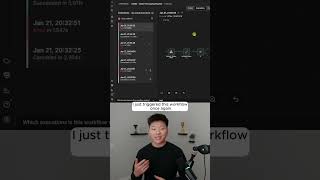
Dr. Violet Howard shows how to auto-repair failing n8n workflows using Claude Code. When a workflow breaks because it receives an array instead of individual items, an error handler sends the problem to Cloud Code, which identifies the bad node, fixes the code, and re-runs the workflow successfully.
Chapters
Here's how I make my N8N workflows fix themselves automatically. So right here I've got this workflow. It basically captures orders and it can either go this way or it can go this way. And I've put in here something that's going to break the workflow. So I'm going to go ahead and call it and show you guys what happens. So I just got a message in my ClickUp that says this workflow Demo Order Processing Pipeline had an error. The failed node was the Validate Each Order node. So it was this one right here. And the error message was expected individual order items but received an array. Data must be split into individual items using a split out node before validation can process each line. So the fix was it changed the code node to return each order as a separate item. So that's kind of cool because N8N itself suggested using a split out node, but Cloud Code realized that it's easier to actually just fix it by changing the code in this node itself. So then it basically says the fix was applied and the workflow should now be all set. You can see that this one was the most recent one we just ran, and it failed right there on the validate each order node. And what I did is I just triggered this workflow once again. So we should see a new execution pop up live. And now you can see this time it actually succeeded because what Cloud Code did was it went ahead and it fixed the workflow and now everything flows all the way through. The way that we're doing this is we are using an error workflow. So as soon as that previous workflow fails at all, it triggers off this new one, which basically sends an HTTP request essentially to Cloud Code. And then Cloud Code is running locally and it basically goes through its system prompt to understand Here's the workflow. Let me look it up. Let me get the data. Let me understand what went wrong. Let me understand all the nodes, all the workflow patterns, and all of the, you know, JSON expressions that I can use. And then I'm going to go ahead and fix it. So I've now fixed the workflow and I'm going to notify Nate in ClickUp. As you can see right there, if you want to watch the full breakdown, then click on this play button right here and I'll see you guys over there.