I Will Never Fix Another n8n Workflow (Claude Code)
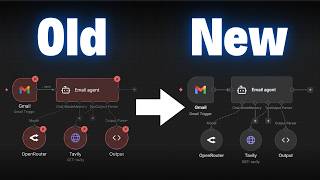
Dr. Violet Howard shows how Claude Code automatically fixes failing n8n workflows by analyzing error payloads and applying fixes like adjusting code nodes or correcting JSON syntax. It handles logical and data-type issues but can't fix credential expirations or rate limits, which need manual intervention.
Chapters
So last week I dropped this YouTube video where I showed you guys how you can use Cloud Code to build and edit workflows instantly. And after I posted that, I was thinking to myself, wouldn't it be really cool if you could have Cloud Code fix and optimize your workflows? So I tried it and it worked, but I wanted to take it one step further and think about when my workflows error, could I have Cloud Code automatically go fix those? So that's what I'm going to show you guys today. So right here I've got this workflow. It basically captures orders and it can either go this way or it can go this way. And I've put in here something that's going to break the workflow. So I'm gonna go ahead and call it and show you guys what happens. So I just got a message in my ClickUp that says this workflow demo order processing pipeline had an error. The failed node was the validate each order node. So it was this one right here. And the error message was expected individual order items but received an array. Data must be split into individual items using a split out node before validation can process each line. So then what Claude did was it found the root cause, which was the enrich order data code node. So the one right before it returned all orders as a single item, which was an array. So the fix was it changed the code node to return each order as a separate item. So that's kind of cool because N8N itself suggested using a split out node, but Cloud Code realized that it's easier to actually just fix it by changing the code in this node itself. So then it basically says the fix was applied and the workflow should now be all set. So I'm going to give this workflow a refresh. It probably didn't actually change anything physically that we could see, but this is the more updated version. So now what I'm going to do is go to the executions. You can see that this one was the most recent one we just ran, and it failed right there on the Validate Each Order node. And what I did is I just triggered this workflow once again, so we should see a new execution pop up live. And now you can see this time it actually succeeded because what Cloud Code did was it went ahead and it fixed the workflow, and now everything flows all the way through. All right, so that was a little demo to show you guys that this workflow just failed. I didn't touch it at all, and then Cloud Code fixed it and then sent me a message and said, hey, it failed, but I got you. So I'm sure you guys are wondering how this actually works behind the scenes. So let me show you. The way that we're doing this is we are using an error workflow. So as soon as that previous workflow fails at all, it triggers off this new one, which basically sends an HTTP request essentially to Claude Code. So when you have a workflow in n8n in production, what you can do is in the settings you can have an error workflow. So this basically means if this core workflow ever fails, you can trigger a different one so you can log the error, send yourself a message, or in our case, use Claude Code to fix it. So you can actually see right here in the nasty looking terminal what happened was it said error received this workflow. It sends over the workflow ID. We got the failed node, we got the error, and then it says starting Claude code prompt saved, starting Claude code. And the Claude code is running locally and it basically goes through its system prompt to understand here's the workflow, let me look it up, let me get the data, let me understand what went wrong. Let me understand all the nodes, all the workflow patterns and all of the JSON expressions that I can use. And then I'm going to go ahead and fix it. So I've now fixed the workflow and I'm going to notify Nate in ClickUp, as you can see right there. So you guys know that when I'm using Claude Code, I'm gonna try my best to stay out of the terminal, but to the best of my knowledge, this is the way to do it right now because of the fact that we had to set up some like tunnels and stuff. Okay, so I know this is cool, but I'm gonna talk about how this could actually be practical and we're gonna show off a few more examples. But first I wanted to talk about like how this actually works because I know it's a little confusing. And before I actually built this, I was kind of confused about it too. So the first thing that's confusing is the fact that Claude Code can talk to NNEN using the MCP server and it can look at your workflows, fix them, change them, whatever you want. But NNEN can't talk to Claude Code, at least the way I'm doing it here where I have my NNEN hosted on the cloud. So this is the best way to think about it. NNEN is like a grocery store. Anyone can go to it because everyone knows where it is. It's public, it's on the cloud. So Claude Code could easily walk over here to the grocery store and interact with NNEN. But N8N can't just go out and go visit Claude Code because Claude Code lives in an apartment building in a specific unit and the door's locked. So the only way that N8N could visit Claude Code is if we give it permission to, if we give it the address, if we give it a key to the door. So that's kind of what we're doing and that's what we set up. So how do we actually do it? Well, let me just run you guys through a little story. So this is the workflow we just saw in N8N. And what happens is something fails. And actually I put an X over the wrong node. It was this one that failed. So this node fails. And so when that happens, that triggers our error workflow. As you guys saw, it triggers the error trigger, which calls this HTTP request. And this HTTP request is calling ngrok, which basically just helps you set up tunnels. So if you've never heard of a tunnel before, or it's really confusing to you, I have made a video where I talk about how you can expose your local instance with a tunnel so that you can do more things. I'll tag that video right up here. But anyways, ngrok sets up a tunnel and then feeds data through it. And that ends up going to essentially a terminal, which is where Cloud Code lives locally on my computer. And it starts up Cloud Code. Once it starts up Cloud Code, Cloud's able to see all of the, you know, error messages and the workflow that we need to fix. And then it gets to work actually fixing the workflow and not just like coming up with a plan to fix it, but actually implementing those changes in the workflow itself. And then the last piece is that it sends me a notification on ClickUp that you could change. You could also have it do a log on Google Sheets, an email, whatever you want. And the reason why it's able to so successfully do this is because we give Claude Code access to the n8n MCP server and the n8n skills. So I'm not going to dive super deep into this. Basically, the MCP server gives Claude Code access to tons of different documentation on how n8n nodes work, different workflow templates, different patterns, and access to your own n8n environment. And then the NNN skills are a set of Claude skills that give Claude access to information that it would need. So really good prompts about how to use expressions, how to validate things, node configuration, coding, workload patterns. So we're basically supercharging Claude code with information about NNN. So I made, like I said, a full video diving into this and setting it all up. If you want to check that out, I will tag that one right up here. So that brings me on to my next point, which is basically about workflows failing after they've been running successfully for a week or two. There's lots of different reasons that a workflow can fail. Unfortunately, Cloud Code cannot fix all of those reasons. So what Cloud Code can fix are issues with the, maybe the logic, the code, the data. So missing data, null values, wrong data types, empty arrays, typos and expressions, code node bugs, things like that. What Cloud Code cannot fix are things like expired credentials, an API is down, you're rate limited. I actually think that Cloud Code could figure that out because maybe it would be able to say, hey, this was a rate limit. Let me go ahead and add a loop and a wait node and like use my logic to actually get there. At least if it can't do it right now, it will be able to do that eventually because what it will do is it will reason, it will search through the API documentation, figure out what the rate limit actually is, and then build a fix for it. So this stuff definitely isn't perfect, but it's cool to see where we're going and it's cool to experiment to see how we can Frankenstein our own solutions so that when the models get smarter and smarter, We're already there. But anyways, of course there are certain things that Cloud Code cannot fix, but there are lots of things that Cloud Code can fix. So that's why getting a notification is cool, because either way, if it runs into something like an expired API key, it will still let you know. So here's another example. We have an email agent. It's very, very simple. And what happens is it wants to respond to emails, but we know that when we send an email with a Gmail node, we have a subject and a message. So what we do is we use a structured output parser to put those out into two different fields so that we can send it properly. And so we just did a run of this. You can see that it failed right here because the structured output parser was invalid. This, of course, triggered my error workflow, which looks like this. And then I get a message in ClickUp that says, hey, the workflow has been fixed. The test form responder email responder agent had an error in the structured output parser. It had invalid JSON in the actual schema. So I fixed it and now it should work. So like I said, this is the most recent run. You can see in here this wasn't correct because we were missing commas. But now if I go to the current version that Claude Code actually fixed and we just go ahead and run this workflow, we should see that it's able to use the structured output parser correctly now that Claude Code has fixed it. Okay, let me show you guys another cool example. We've got a super simple workflow here that takes a form submission and then we're gonna go ahead and do research on Tavily. So we're gonna put in a topic and this time I'm gonna let you guys see what actually happens in the terminal. Once this errors. All right, so we've got the terminal up on the left and we've got the research form here. Now what I'm gonna do is I'm gonna send over, you know, I want you to research bananas. What I'm gonna do is I'm gonna accidentally put a double quotes right there, which if you guys know, that's gonna break the JSON body. So I'm gonna go ahead and hit submit. We'll close out of this and we can see instantly we already received an error. Error received, workflow test JSON body, which is this one right here. We errored in Tavelly because the JSON parameter is not valid JSON. So what happened here is, uh, okay, take 2, we're going to do it again. So the terminal is up over here. You can see that it's waiting for any errors. I'm going to shoot over apple this time because it didn't really like banana. So submit this. We're going to see that pretty much instantly we have Cloud Code getting started up over here. So prompt has been saved. We're starting Cloud Code and now you can see in the error handling workflow it's running right now. So it's running for 38 seconds. You can see that based on the error and based on what it needs to do, it can run for longer, but we're getting some content back right here. It looks like it's finished up. So the fix has been applied. The root cause was that the JSON body parameter in the Tavly request node had an expression syntax which didn't work. So what it did is it went ahead and fixed that syntax so that that double quote in there wouldn't actually break requests in the future. So it's a really good guardrail that it baked in there. You can see in my ClickUp, I have a notification. Once again, I have a link to view the workflow in NNN if I choose to. and now back in this workflow, even if I put in apple with a double quote in the front, what we're gonna see is that we should get a successful run if I go to the executions. And we can see right here that we get no errors, even though in the actual form I submitted apple with a double quote right there, because what it did is it actually changed the JSON body. So instead of it looking, you know, the way that I had it structured, it basically wrapped all of this up and now it made sure that when it comes through, it can actually be read by Tavelly. So I wanted to end off with one example of what happens if Claude can't actually fix the workflow. So there are certain times when it can't. In this case, what I did is I switched the API key to be a VAPI API key, which is obviously not going to work for Tavily. So I'm going to show you the way that I've configured the Claude agent to notify me in a different way. So once again, we have the server right here and you can see that it's waiting for any errors. I'm going to go ahead and submit this form and we are going to get an error pretty much instantly. We get this notification in our terminal that that Cloud Code is now working on it. So Cloud Code is finished. You can see that it says user action required, and we got a message in ClickUp. So I'll open that up, and now you can see it's a different type of message compared to when it would say that it was fixed. And this time it says user action required in this workflow. Tavily had an authorization failed. Why Cloud Code couldn't fix it? Because it's authentication, and that requires the human to take action. So it also says, here's what you need to do now. You need to select an existing Tavily credential and verify it's correct, Or you can go ahead and create a new one and then paste in your API key. Save it, test the workflow. Once you've configured that valid Taveley credentials, the workflow should work on the next execution. And then it says no changes were made to this workflow because it really couldn't do anything to fix it. So hopefully you guys can see by combining an N8N error workflow with Cloud Code, with N8N MCP, and N8N Skills, we were able to build this system where when your workflows fail, they automatically get fixed. They notify you, or if Cloud Code can't fix it, it tells you how you should go about fixing it. Now I think this is super cool because you could have obviously that bridge and the tunnel running all the time so that even if I'm not standing here watching it, if you're sleeping, if you're on vacation, every time a workflow fails, it can still do that for you. And because it's in Cloud Code in a cloud project, think about all the different context you can give it in there about your business, about other documentation, about the workflows themselves, so you can really make these things better and better over time. So I know I didn't really show you guys exactly how I built this. Let me just tell you, I did it all using Claude Code, using natural language, using plan mode, asking it questions, telling it what I wanted to do. I literally started off my prompts to Claude Code with, hey, I've got this crazy idea. Yeah, here it is. I'll actually show you guys. I said, I need your help with a crazy idea I have, and then I explained what I wanted to do. But anyways, I did compile an 18-page PDF guide on exactly how I did this. So I go over the prereqs, the architecture, installing Cloud Code, setting up the MCP server, all of this kind of stuff, talking about ngrok. The other good news is if you're running N8N locally, this is even easier because you don't have to configure that tunnel. But this should pretty much walk you through all of it. But like I said, you could give this to Cloud Code or you could just brainstorm with your own Cloud Code and you should be able to get this set up in 30 minutes to an hour. Then obviously it's all about testing it and going back and forth and refining it a little bit. So I'll drop this in my FreeSchool community, which you guys can access for completely free As always, the link for this will be down in the description. And if you're interested in diving deeper with N8N, Cloud Code, pretty much anything that's gonna be in the AI automation space, then definitely check out my Plus group. We've got a great community of over 3,000 members who are building automations every day and building businesses with automations. So it's a really cool spot to be if that's kind of, you know, what you're looking to do. We've got a full classroom section that's always being worked on, and we're planning to bring a lot of new stuff with all of these changes in the space. We've got one live Q&A every single week. So I'd love to see you guys in these communities, in the live calls, that's going to do it for today. So if you enjoyed the video or you learned something new, please give it a like. It definitely helps me out a ton. And as always, I appreciate you guys making it to the end of the video. I'll see you on the next one. Thanks so much, everyone.










