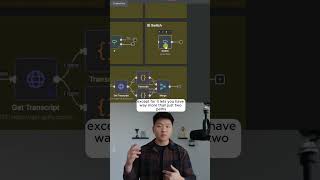
Dr. Violet Howard covers 17 essential n8n nodes for building automations fast. She walks through Scheduled Triggers for timed tasks, Gmail and Slack triggers for event-based workflows, Split Out and Aggregate nodes for handling arrays, and the HTTP Request node as the foundation for external integrations.
Chapters
Here's how you can learn anything in n8n with just 17 nodes. We're going to count number 1 as the scheduled trigger. So what this does is it lets you trigger your workflows based on some sort of schedule. So that can be once a day, it can be every day at 6 AM and 6 PM, whatever you want it to be. This is how you can make automations that go off while you're sleeping. All right, so number 2, we have event triggers. You can see here as an example, I threw in a Gmail trigger and a Slack trigger. And so this one would go off whenever you get a new email. This one would go off whenever there's a new message in a channel. All right, number 3, we have sub-workflows. You have the ability to have any workflow be triggered by another workflow, and you have the ability to have any workflow call on another workflow. All right, so number 4 right here, we have split out. Now what this does is it takes an array of items and it splits them out into separate ones. And then literally the exact opposite of splitting out is aggregating. So once we have 3 items, if we want to turn it back into 1 for whatever reason, maybe we want to process them all together, we can go ahead and aggregate them. All right, so number 6, we have the edit fields node, although you'll probably hear me referring to it as the set node because essentially what you're doing here is you're just setting data and you're setting the data types. All right, so the next one is the if node, and this one is basically just going to check if a condition is true or false. So you can have data get sent this way if it's true and this way if it's false. All right, so moving on to number 8, this is a switch node. Now this is very, very similar to the if except for it lets you have way more than just 2 paths. You could come in here and you could add as many as you want, so you could add 8 different routing rules if you wanted. All right, the next one we have, number 9, is a code node. Now don't get scared because I know we're trying to typically build workflows that are no-code and low-code, but sometimes the code node is super, super effective and powerful. All right. So the next one is number 10, HTTP requests. This is probably the most important node that you'll have to learn in NNN because without an HTTP request, you're basically just stuck to the internal environment of NNN itself. And just keep in mind, when you click on this plus and you click on action in an app, and you see these thousands of integrations, all of these are HTTP requests. They're just not as scary because they're packaged up nicely because AnyDen went out and made an integration for it. If you want to watch the full breakdown, then click on that play button right here, and I'll see you guys over there.