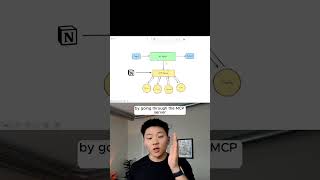
Dr. Violet Howard explains how Model-Context Protocol servers let AI agents automatically pick and use the right tools without hard-coding. An Airtable agent in n8n connected to an MCP server can list available tools, understand their schemas, and execute actions on its own.
Chapters
Okay, this is MCP explained for regular people. Okay, so Model-Context-Protocol. We're gonna break it down as simple as possible, how it makes AI agents more intelligent. Okay, so we're gonna start with the basics here. Let's just pretend we're going back to ChatGPT. What we have is an input on the left where we're able to ask it a question. You know, help me write this email, tell me a joke, whatever it is. We feed in an input, the LLM thinks about it and provides some sort of answer to us as an output. The next evolution was when we started to give LLMs tools, and that's when we got AI agents. And so before we start talking about MCP servers and how that enhances our agents' abilities, we need to talk about how these tools work and sort of the limitations of them. What it's going to do is each tool has a very specific function. And so the reason that these tools aren't super flexible is because within each of these configurations, we basically have to hardcode in what is the operation I'm doing here and what's the resource. And then we can feed in some dynamic things like different message IDs or label IDs over here. You know, the operation is GET, the resource is message, so that won't change. And then over here, the operation is that we're sending a message. So now we start to interact with something called an MCP server, and it's basically just gonna be a layer between your agent and between the tools that you want to hit, which would be right here. And so when the agent sends a request to the specific MCP server, in this case, let's pretend it's Notion. It's going to get more information back than, hey, what tools do I have and what's the functionality here? It's also going to get information about like, what are the resources there? What are the schemas there? What are the prompts there? And it uses all of that to understand how to actually take the action that we asked back here in the whole input that triggered the workflow. By going through the MCP server, it's basically going to be a universal translator that takes the information from the LLM and it enriches that with all of the information that we need in order to hit the right tool with the right schema, fill in the right parameters, access the right resources, all that kind of stuff. So coming down here, let's pretend that we have this beautiful Airtable agent that we built out in n8n, but this could be a lot more lean of a system if we were able to access Airtable's MCP server, as you see what we're doing right here, because this is able to list all the tools that we have available in Airtable. But what the actual agent would look at in order to use the tool is a list of the tools where it would be, here's the name, here's the description of when you use this tool, and then here's the schema of what you need to send over to this tool. And basically what it's going to do is going to choose which tool it needs based on the information that was fed previously. If you want to watch the full breakdown, the link for the video is in the description. See you guys over there.