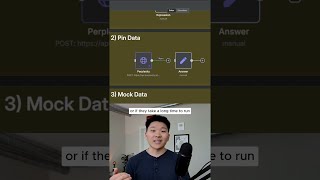
Dr. Violet Howard shows three n8n shortcuts that save time and money: type '=' to toggle expression mode instantly, pin node output with 'P' to cache API responses and skip repeated calls, and create mock data to test workflows without re-running parents.
Chapters
Here are 25 N8n hacks, and I bet you don't know all of them. All right, starting off with number 1. Hopefully we all know the difference between a fixed value and an expression value. And what you can see right here is that we have the word high and it's fixed. And typically if you wanted to make this an expression, you would have to come over here and hit expression. But what you can do is if something's fixed and before you start typing in there, you can just hit the equal sign on your keyboard and it will switch to an expression. Okay, number 2 is the ability to pin data. So let's say I'm running this perplexity search where I'm looking for what is N8n. Once I got this output, this costed me money. So what I wanna do is pin it, That way, when I want to run the workflow later, I don't have to resubmit another call to Perplexity's API or any API. This is really helpful for any nodes that are going to cost you money every time you run them, or if they take a long time to run. Because now I have this data, and let's say I want to map out the rest of the process. Now that it's pinned, I could basically— and let me just steal this manual trigger real quick— I could basically continue to run this over and over, and it's not going to make a new call to Perplexity every time. And then we're able to use all of this data over here to continuously map out the different variables so the rest of the workflow. Number 3 is mock data. So we have the ability to basically set data within any sort of node or a trigger like this, where I could click on this little pencil mark in the top, and I could basically fill this in with data to test through the rest of the workflow. So this is very similar to pinning data, where I could now say we're gonna have a field called query, the value in there is gonna be test, and you can see it's pinned. And now we can use this to map the rest of our process. This is especially useful when you're doing a when executed by another workflow trigger, because then you don't have to use the main workflow to trigger this sub-workflow every time you wanna test it out. And another quick hack when it comes to pinning data is you can just click on the node and hit P, to pin it or unpin it, as you can see. If you wanna watch the full video, click that play button right here, and I'll see you guys over there.