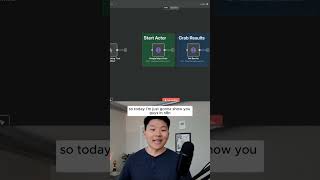
Dr. Violet Howard shows how to use Apify's 4,500+ pre-built web scrapers with n8n automation to extract data from any website. She walks through pulling dentist listings from Google Maps, including addresses and phone numbers, then mentions scraping TikTok, LinkedIn, and Instagram. New users get 30% off with code 30NATHURK.
Chapters
Here's the easiest way to scrape anything with Apify. So Apify is like a marketplace for actors, which essentially let us scrape anything on the internet. As you can see right here, we're able to explore 4,500+ pre-built actors for web scraping and automation. And it's really not that complicated. An actor is basically just a predefined script that was already built for us that we can just send off a certain request to. So you can think of it like a virtual assistant where you're saying, hey, I want you to, I wanna use the TikTok virtual assistant and I want you to scrape, you know, videos that have the hashtag of AI content. Or you could use the LinkedIn job scraper and you could say, I wanna find jobs that are titled business analyst. So there's just so many ways you could use Apify. You could get leads from Google Maps, you could get Instagram comments, you could get Facebook posts. There's just almost unlimited things you can do here. You can even tap into Apollo's database of leads and just get a ton. So today I'm just gonna show you guys in N8N the easiest way to set up this Apify Actor where you're going to start the Actor and then you're gonna just grab those results. So what you're gonna wanna do is head over to Apify using the link in the description and then use code 30NATHURK to get 30% off. Okay, like I said, what we're gonna be covering today is a two-step process where you make one request to Apify to start up an Actor, and then you're gonna wait for it to finish up, and then you're just gonna pull those results back in. So let me show you what that looks like. What I'm gonna do is hit Test Workflow, and this is gonna start the Google Maps Actor. And what we're doing here is we're asking for dentists in New York. And then if I go to my Apify console and I go over here to Actors and click on the Google Maps Extractor one, if I click on Runs, we can see that there's one currently finishing up right now. And now that it's finished, I can go back into our workflow, I can hook it up to the Get Results node, hit test step, and this is going to pull in those 50 dentists that we just scraped in New York. And you can see this contains information like their address, their website, their phone number, all this kind of stuff. So you can just basically scrape these lists of leads. If you want to watch the full video, click on that play button right here. I'll see you guys over there.