OpenAI Fires Back at DeepSeek With a New Reasoning Model: o3-mini (n8n AI Agent)
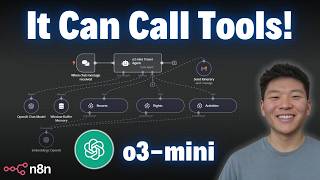
Dr. Violet Howard builds an n8n agent that uses OpenAI's new O3 Mini model to plan travel itineraries by querying resort, flight, and activity data, then emails the results. O3 Mini costs $0.007 per token and excels at reasoning tasks, making it cheaper and smarter than alternatives for multi-tool workflows.
Chapters
So let's go ahead and throw a query at this travel agent and we will see what we get. We're asking for it to plan a 5-day trip to Paris with a budget of $2,000. So let's see, it's hitting the OpenAI reasoning model right now. First of all, it's hitting the resort. So just grab resort information. It's going back to OpenAI's model to see what to do next. It's going to hit either the flights database or the activities database to continue planning this itinerary for us. It needs to gather all the information, like I said, to structure that itinerary. Human-readably. So now we've got flights information, we've got activities information, and finally right now it's formatting that into HTML structure. And then it's gonna hit the Send Itinerary Gmail tool in order to actually send that out to us, and then we'll be able to take a look at what it did. Okay, there we go. So we just saw it hit the Send Itinerary Gmail tool. Now it finished up. We'll see what it said back to us. Looks like you've received the itinerary email. Please check your inbox for the detailed 5-day trip to Paris. So let's go ahead and Check that out in our Gmail. All right, as you can see, we just got this email back. The subject is your 5-day Paris trip itinerary with a budget of $2,000, so that's great. It keeps that into account when it's going through and reasoning how to make this itinerary. So we've got our travel and flight details. We're flying Air France. We've got our route, and we've got the departure and return time, and we have our price. Then we have accommodation. For a comfortable, centrally located stay, we recommend a budget-friendly hotel such as Hotel Ibis Paris or similar. So we've got that information, $600, $700, and then we have a day-by-day itinerary. Remember we asked for a 5-day trip, so it planned out 5 days. We have different activities here, morning, afternoon, evening. We have even different options down here. It gives us option A and option B, stuff like that, and then it's gonna give us a summary at the end of here's the flight, here's the accommodation, here's your expenses, and it's pretty much keeping everything about $2,000 like we asked for in the beginning. And as you can see, it's a really nicely formatted itinerary for us. So yesterday OpenAI just released O3 Mini, which is their newest, most cost-efficient reasoning model to date. It seems like this may have been a direct response to all the models that Deepseek has been releasing lately that have completely took the world by storm and made everyone sell their shares of NVIDIA. Anyways, what's really cool about O3 is that it's their first small reasoning model that supports highly requested developer features including function calling, structured outputs, and developer messages, making it production ready right out of the gate. This model is super fast and powerful and optimized for STEM reasoning. As you can see, it's outperforming O-1 in math, in PhD-level science questions, in, um, competition code, all this kind of stuff. I'll leave the link to this OpenAI release, um, information down below in the description if you want to check it out for yourself, but we don't want to spend too much time here. What we want to do is we want to get into N8N, plug it into an agent with different tools and see how it works. So that's exactly what we're going to be doing here today. As you can see, I built out a travel agent. It's accessing these 3 different databases in Pinecone that have information on resorts. Information on flights, and then information about different activities to do based on where you are. And finally, it's going to take all that information and then put it into an HTML-formatted email and then send out that itinerary based on the user input, of course, which in here we're just chat— chatting with a trigger with an N8N. So we played around with Deepseek and we've seen that it's been really, really cool, but when you try to hook up tools to an agent, it's not really supported for that. So it'll be really cool to see how O3 Mini performs when we give it access to these 4 different tools. and it also has that aspect of reasoning through and creating hopefully a really, really nicely structured itinerary based on all the information it's going to get from these databases and what we ask for upfront. So of course, step 1 is to connect our AI agent to OpenAI's new model, which is O3. So if we wanted to click on this chat model and we go down to OpenAI chat model, what you'll see here is that, let me just fix the credential because that wasn't my OpenAI credential. But anyways, what we'll see here is that we don't have O3 mini yet. So this is just because it's so new. We may get a preview out here or something soon. It literally just released yesterday. And so if you're watching this video later, it will probably be here. But for now, we have a really easy solution, which is we can just connect to OpenRouter, which thanks to the update that also happened yesterday or the day before, we have the native OpenAI OpenRouter chat model now. So this is really cool. All you have to do is go to OpenRouter. You will click up in the top right after you make an account. Go to keys, create a new key, copy that into your credential section right here. When you go to create a new credential, paste that key in there, and then you'll have all the models to choose from. And as you can see right here, we have OpenAI O3 Mini. What's also really cool about OpenRouter is that once you are using different models, you can click on activity and you can see which ones you're using. You can see how much they're costing you, all that kind of stuff. So as you can see, I've been playing around with OpenAI O3 Mini. It's been about $0.007 per input and output. So it's definitely not too, expensive. So you saw a demo in the beginning of this video. Let's really quickly break down what's actually going on within this workflow, and, and then we'll do one more test at the end. So what we've got here, like I said, is 3 different Pinecone databases. So if you were really wanting to build out a travel agent, you'd probably want to hook it up to different APIs that can go scrape for resorts, go scrape for flights, go scrape for activities. For the sake of this video, I just want to throw something together quick, and the purpose is still the same of can O3 reason through the prompt, reason through its system message, and understand how to hit tools and how to pull information back. And clearly it does because it hits all these 3 tools, formats the information into HTML email, and then sends it off with the other tool. So it's doing 4 total tool calls here. So as far as the databases go, like I said, they're on Pinecone. There are 3 different namespaces. This namespace is resorts, this namespace is flights, and then the last one of course is activities. And if we switch over to my Pinecone real quick, you can see I've I've got activities, flights, and resorts. So that's how we hooked up these 3 different databases to this agent. And if you want to replicate this experiment in your own N8N instance, you can download this workflow for free, as well as this workflow that I used to push the documents into Pinecone. All you have to do is join my free school community. Once you join, all you'll have to do is click on the post associated with this specific video. You can click into the JSON file and download it. Once you have that file, all you have to do is click on the top right 3 dots in your N8N, click import from file, and then once you choose that JSON, it'll open up right here for you. And if you're looking to take your learning with N8N and A Automations a little bit farther, you're looking for more hands-on experience, feel free to check out my paid community. The link for that will also be down in the description. As you can see, we've got a great community of members who are learning N8N and also sharing their resources and their challenges that they're facing. We've got a great classroom section as well with different deep dive topics, and these resources are always being updated. And then finally, we've got a calendar with 5 live calls per week, which is super exciting. We've got 3 tech supports, 1 coffee chat, 1 weekly Q&A. And as you can see in February, we've already got 3 guest speakers planned, which is really, really exciting. And hopefully we have multiple guest speakers every month. So I'd love to see you guys in these calls. Let's get back to the video. All right, so that's what the database looks like. That's where it's getting its information. And then the last thing it needs to do is actually send out the email. So right now I just put in my email. It's gonna be fixed. So every time I activate this agent, it's gonna send an email to this address rather than being able to dynamically put that in. If you wanted to do dynamically, you could do that super easily by making this an expression. And then you'd utilize the fromAI function that we're using in the subject and the message. Parameters and just put in from AI, and then the key would be like an email address or recipient or something like that. Anyways, obviously we're sending a message, and we wanted to do HTML this time rather than text because we could just get it formatted a little better, a little more human-readable for us. And then finally, we just turned off the append N8N attribution so that at the bottom of the email it doesn't say that this was generated by N8N. So let's take a quick look at the prompt, and then we'll send off another example and see what type of itinerary we get back. So I got this prompt by using my AI agent prompt architect that gives us markdown formatted prompts. As you can see, I told it what the agent's going to do. And then after it gave me an initial one, I was able to say, perfect, now I want to add another tool called Send Itinerary. So it's able to have that memory and work with us. And then we could copy and paste this prompt straight into our AI agent with the markdown, because that's super important for us to be able to understand as well as saying like, you know, this is your overview, this is your context, these are your instructions. Anyways, so we told it you have access to 4 tools. Resorts is for information about resorts, flights, activities, send itinerary. Um, at the end you have to send the itinerary in an HTML format. What we wanted to do was give it instructions because when I first started doing this, it wasn't calling the tools or sometimes it was just calling one or the other. So what we said is always call all 3 data retrieval tools before providing any response. So use all 3 of the tools and then based on the retrieved information, create a detailed itinerary that includes stuff like recommended resorts, flights, a day-by-day breakdown of activities. And then once the itinerary is logical, well-paced, aligned with the traveler's preferences based on what they say upfront at the beginning, then you can format that final itinerary in HTML format and send that off to the Send Itinerary Gmail tool. So, um, very simple prompt here. We gave it a few examples and then we told it sort of how to structure your HTML and then just gave it standard operating procedures and final notes. So I know I went through that quick. If you want to take a little more in-depth look at the prompt, go ahead and download this workflow. The prompts will be in there and you'll be able to sort of break down what's going on. Okay, cool. So we broke down what's going on within this workflow. One thing I wanna mention before we do one final test is that this may not be the optimal way to structure a travel agent because this kind of stuff is happening sequentially rather than variably. So what I mean by that is the agent has autonomous decision here to use the different tools. But in this case, every single time we want it to check resorts, check flights, check activities, and then send a message. So if I was really trying to build this out to be sort of a production-ready agent, what I would do is build it linearly, sequentially, rather than having this be like a parent-type tooling, uh, multi-tool agent. Um, anyways, so what we would do is maybe have like a, an agent that originally takes the query and then gets resort information and then passes it off to another, another agent to get flight information and activity information, then finally a send email tool. Just because having that linear flow may cut down on sort of like errors and hallucination with data transfer and tool calling. Okay, so now that we've got that out of the way, let's send off one more query to end this one off. So what we're saying here is I need a week-long vacation in Sydney, Australia, recommend flights, a hotel with a pool, and some activities. So it just hit the resorts tool. Now it's going to go back to the model. It's thinking about what to do next. It should be understanding that it needs to hit flights so it can get flight information. And then finally needs to get activities so that it can recommend activities, of course. So it just hit flights. Now it's going to activities and then it's going to pull that all back. Right now it's creating that HTML formatted itinerary. Going to send that off to our Gmail and then we'll take a look at what we got. Okay, so here's what we got. As you can see, it actually formatted a little bit differently from the demo. In the demo, we got those horizontal bars, which I really liked. So maybe we can go back and try to refix that prompting. But here we have our week-long Sydney vacation itinerary. As you can see, the HTML looks really good. We've got sort of like headers and subheaders, that kind of stuff. We have our flight details, which is a little bit over a week, so maybe that's just because that's the only flight they had in the database. Hotel accommodations, we asked for a pool. Looks like this one has a refreshing pool and top-notch amenities. And then we have 7 days planned, which are arrival and relaxation, landmarks, Harbor Bridge, Bondi Beach, cultural immersion, adventure in nature, and then leisure and apartment preparation. Also, this one didn't sign off the same way the other one did. Where it was like, best regards, your travel team or whatever. So there's a little bit of variability here. Like I said, the prompt I made really quickly with that, um, PromptGPT generator, which you can get in my free school community as well. But as you can see, um, we just spun something up really, really quick. Like I said, this took me probably 5 to 10 minutes to set up. Um, I used ChatGPT to just create me some fake example data for the resorts, the flights, and the activities. But the purpose of this video was to show you how to connect to OpenAI's new O3 Mini model. That's their reasoning model, more cost-effective. You can do that through OpenRouter. You can check on your usage up there. And the new native node, thanks to the new 1.77 update, makes that super, super quick and easy. But yeah, as you can see, the tool calling works pretty well. The reasoning is clearly pretty well, pretty good as far as how it's able to plan out an itinerary based on given information. And then it was able to format something pretty nice for us as well in an email. So that's all I've got for you guys today. As always, really appreciate you making it to the end. Hope this one was helpful. If it was, please give it a like. Definitely helps me out a lot, and I will see you guys in the next one.










