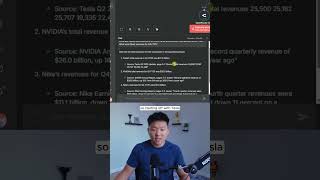
Dr. Violet Howard shows how to build a RAG agent in n8n using Pinecone. She queries Tesla, NVIDIA, and Nike earnings data, retrieving exact quotes from PDFs with source page numbers that verify via Ctrl-F in the original documents.
Chapters
I just found the new easiest way to build RAG agents. This is the easiest method I've ever tried. I'm going to open up this chat and paste in this message, which has 3 different queries. The first one is, what was Tesla's total revenue Q2 2025? The second one is, what was NVIDIA's total revenue Q1 fiscal year '25? And the third one is, what were Nike's revenues for Q4 fiscal year 2025? You can see the agent hit its Pinecone tool 3 times. And if we look at its answers, not only is it giving us the correct answers, but it's giving us the exact document, the page numbers, and the exact quote that it found in the PDF. and that's how we can trust the answers are correct. So starting off with Tesla, if I take the exact quote that it found in the PDF and I go into the Tesla document and we do a quick search, we can see that it pulled it from page 4. And back in N8N, our assistant said that it found it from page 3 to 7 on this exact document. Next, if we go to the NVIDIA answer and we pull the exact quote, and then I Ctrl+F that in this document, you can see that it finds it right here. And this is page 1 of the PDF, and we go back into N8N and it says that it found it on page 1. And then finally, if we go to the Nike answer and we grab this quote that it found, switch into the Nike document and do another Ctrl+F, we can see the exact quote was found right here on page 1. And in NN, the assistant said that it found it on page 1. So what we're doing today is we are using a Pinecone assistant as our RAG search. So if you've never used Pinecone before, it is a vector store. But in here, you can see that we have a section right over here called Assistant. What I'm going to do today real quick is create a new one in front of you guys. I'm just going to call this one Demo. And I'm going to create the assistant. If you wanna watch the full breakdown, then click on that play button right here, and I'll see you guys over there.