Set up DeepSeek R1 locally using Docker, N8N, and Ollama in minutes. Install Docker Desktop, clone the N8N starter kit from GitHub, pull the DeepSeek model, and test it with a riddle to confirm it works.
Chapters
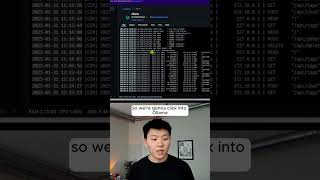
Here's how you can locally host Deepseek R1 in N8N in under a minute. So step 1 is that we have to have our N8N self-hosted. And the easiest way to do this is to go over to the N8N self-hosted AI starter kit. The first thing you want to do is go to docker.com and download the desktop app. If you choose to do Docker, we're going to be using the N8N self-hosted AI starter kit. So we're going to do Docker here, but you're going to download the Docker desktop for your system. And then you're going to go over to the GitHub self-hosted AI starter kit. And all you're going to have to do is copy a few commands into your terminal and run them. Okay, now to access locally hosted models, we're going to add an Ollama chat model. We go to ollama.com and you don't even have to download it. All we have to do is click on models, copy the actual name of the model right here. So we're going to click into Ollama, but all we're going to do is type in ollama pull, and then we can copy in that Deepseek model that we want. And now it's going to go through the process of actually pulling that in. And right now it's installing it locally on your machine. Now we have Deepseek R1, 1.5 billion parameters. So we can go ahead and test this guy out. Let's give it sort of a riddle to reason through.