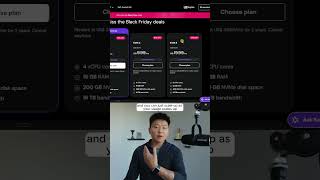
Dr. Violet Howard shows how to self-host n8n on a Hostinger VPS for about $6 a month instead of $25 for the cloud version. The one-click setup takes minutes and works the same as the paid tier, with optional daily backups included.
Chapters
As a non-techie or someone with not really a formal DevOps background, the thought of self-hosting N8N was always a little bit intimidating to me. And so if that's how you're feeling right now, just stick with me for the rest of this video. Now what I think is huge is we have a one-click installation, so I'm going to walk you guys through step by step in this video how that all works. Okay, so here we are in Hostinger VPS, and what you'll first notice is that this isn't just a VPS provider or a virtual private server provider. This is specifically built for N8N. We've got the N8N logo here, we've got We have N8N self-hosting, and we also have these bullet points which are pretty specific to N8N. So anyways, for the sake of the video today, I'm gonna go with KVM 2, and I'm gonna go ahead and choose this plan. But the good news is it doesn't really matter because let's say you choose this one and you realize you need more, you can just upgrade your plan and you can just scale up as your usage scales up. So the first thing to do is choose your period. So you can choose 1 month, you can choose 12 months, or you can choose 24 months. Now you can see if you go with 24 months, for the first 2 years you're getting that for $6 a month. and the n8n Cloud Starter plan is like $25 a month or something like that. And then for $6 extra bucks a month, you can add on the daily automated backups, and then you can go ahead and choose an application. So we've got n8n here. You could also choose n8n with 100 workflows or n8n with queue mode. All right, payment has been processed. Let's go ahead and get started setting up our VPS. So I'll click around in a few more places and show you guys what is important information to know. But real quick, what you guys probably want to see is how it actually works with n8n. So I'm going to go ahead and click Manage App. As you can see, this just spun up our new N8N account. So I'm just going to real quick set this up. What we can see here is this is the typical N8N that you're used to. You can go ahead and create a new workflow and it will pull up and everything is going to look the exact same as your cloud version. If you want to watch the full breakdown and get a coupon code, click on this play button right here and I'll see you guys over there.