An AI agent built with n8n generates blog posts, graphics, and videos from text requests. A prompt for a sleep productivity post created a graphic and full article with references in seconds. A beaver video request took two to three minutes, with the agent delivering results via Telegram and handling timeouts through asynchronous workflows.
Chapters
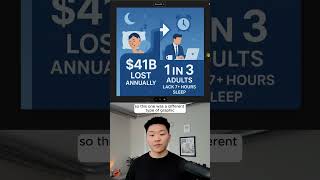
This AI agent can create and edit images, videos, and LinkedIn and blog posts. Can you please create a blog post about the effect of sleep on productivity? All right, we'll send that off. And while this is running, after, we'll just see that it's hitting the blog post workflow. Okay, so the agent just finished up. Let's click into Telegram and we'll see what we got. Here's our graphic. Well-rested minds get more done. You can see it has some up arrows and stuff like that. And then we have our actual blog post. And at the bottom, it includes some references for us. And if we click into our log, we can see that we have our actual blog post. And you can see I did the same example earlier, and this is what the picture looks like. So this one was a different type of graphic that had some more statistics in there. But then this one that we just did looks like this, and they're both still very good graphics that I would definitely feel confident posting with a blog. And then finally, let's just do a quick video. So, can you please create a video of a beaver building a house? So we'll send that off and we'll see what happens. And then while this is running, I just wanted to explain something to you guys here. So it's calling the video workflow, which looks like this. And this run takes typically 2 to 3 minutes, maybe even a little more. We have these waits because we have to wait for the images to be generated as well as the videos to be generated. And so what actually happens is the actual marketing agent right here, as you can see, it's waiting. This guy times out and then we don't get a response back right here. So what I've done is we actually get the response in the form of this workflow. So this is where it will download the video, send it to us on Telegram, and then also log the outputs. Obviously you can see that we still got the video, so let's click into this and watch it real quick. We've got some nice sound effects. Okay, it looks like he's building a dam, not a house. I was kind of hoping for more of an actual house, but there we go. At the end he's got a finished house. If you want to watch the full video, click the button right here and I'll see you guys over there.