This n8n Sales Automation Won $5,000 in Just 14 days
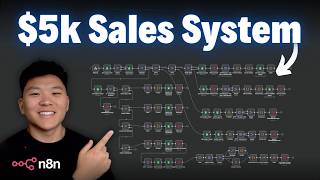
Brett, a copywriter with no coding background, won $5,000 building an n8n workflow that captures missed calls via Twilio, sends ringless voicemails and SMS prompts, books Calendly appointments, and logs everything in Google Sheets. He used conditional logic and ChatGPT for code snippets, keeping the entire system deliberately linear.
Chapters
So I just hopped off a call with the winner of our September hackathon who won $5,000 for building this sales system. So we're about to see a live demo. We're going to understand why he built it like this, and we're going to dive into the entire backend and, and flows. And you're going to notice some interesting things about the way that this is set up. So let's not waste any time and get straight into the video. Today I'm here with Brett to showcase his winning solution, dive into the tech stack he used and why he ended up winning the $5,000 prize. So Brett, if you want to give a real quick intro about your background, how long have you been working with AI, with automation, and then tell us about why you built what you built.
Yeah, man. Well, first of all, thank you so much. This competition was just really exciting. Being able to participate in a couple of them, finally getting the opportunity to come out on top on this one. And very excited to do even that many more. But my background, I'm, I'm, I'm not a coder. I'm not a developer. I made a joke earlier, but I'm like a Nate Herker. I, I am a big fan of all your work. My background is, is actually I'm a copywriter and marketer and I specialize in CRO. So conversion rate optimization. And so when I, you know, came across all of your, your work and, and your N8N and, and everything that is really no-code, it really just kind of like completely blew my mind.
I love it. And that's the superpower, right? Is being genuinely so obsessed with something that you just wanna learn as much as you can about it. So no wonder you came out on top in September. And I really like the way that you approached this as making it as practical as you can, especially with something like lead gen. It's one thing to be able to get a lot of leads, but to be able to actually monetize those leads and convert them into sales is a whole different story. So super excited to dive into your solutions.
Yeah, man. Thank you. I appreciate it. So for me, I looked at this like, okay, so what are the problems? And that's how it started. But I was like, I just kept on coming back to this fact that studies show that 62% of phone calls are missed. So it's like, what are we doing?
Yeah, 100%. 100%. And this definitely aligns with What we see at True Horizon too, regardless of the industry, the size of the business that we're working with, we're doing a lot of stuff in the sales process and speed to lead is so valuable for any business because there's just so much money left on the table. Like you said, if, if people are typically going to reach out to a few vendors and a lot of times whichever one they hear back from first, they're just gonna kind of move forward with. So that's not always the case, but I, I really like the way that you frame this one and. I think that now would be a great segue into the demo and let's see kind of how this thing works.
The point of this whole example is whether you are a realtor, an insurance provider, whoever, you want to get your end user, whoever's looking, you know, you up, or in fact on the listing or even on a little picket sign that's outside of a house. Like if a phone number is there and they can call or text it, you need to be prepared to be able to receive that or else somebody's going to go elsewhere. So I'm going to go ahead and just make the phone call so you can hear it. But this is what happens. Luxury properties.
To schedule a showing or to visit one of our properties, please press 1.
Press 1. Let's head over to the text because the text just came in. So all this copy I wrote. And so there's a 2.0 version of this that actually has more of a generative Q&A follow-up to it that we're moving forward in really cool ways. Right now. This is all like optimized using my background with copywriting to give the smoothest and most, you know, just the warmest welcome because they literally just made a phone call and missed you, but now they're getting welcomed and taken care of. So now you see this and say this, it's you, Nate. How do you respond?
Yeah. So it says, look at that. We have two recent openings. If interested, reply ASAP with what works for you.
Yeah.
Let's pretend that those don't work and and shoot off other and see what happens.
So bear in mind, this demo in particular is just going to follow the text 1, text 2, or other. But if they ask other questions, we have it built out in another environment so that it actually will follow up. Okay, let's see if these times work better for you. And so these aren't placeholders. I actually have done a, and we'll see this here in N8N, but I did an HTTP POST to Calendly that pulls 2 most recent appointments in a calendar.
Yeah. And they don't have that whole analysis paralysis. They have 2 options. It either works or it doesn't. And then you're moving them forward.
Now bear in mind too, this is because it's just on a demo calendar. Most of the time the appointments won't be back to back. It'll pull tomorrow's and then the next thing. But for the sake of this, you get kind of the idea. So let's go ahead and just do 1. And then What it's going to do is one thing I found out, this is interesting for those of you who actually want to do calendar bookings in this way, but Calendly actually, their APIs do not allow you to do that. I found that out after the fact. So that was fun, but gotcha. But for this sake, you basically take this. I'm going to move it over, over here to my screen. And then it pre-fills, it actually gives you, this is the exact appointment and it says, great, I've got the appointment slot ready for you. So that way it's. Just kind of no thinking. Hunter's Luxury Properties. And then we can, we can put in all of my information.
Yeah, I like it. I like how it's basically, it's giving them a clear action step. You know, people need a call to action or a lot of times they just won't do anything. So I like the way that it's, it's just kind of very easy. Here's your option. It either works or it doesn't. So perfect.
I'm going to go ahead and I schedule this now. Yay, Brad, I just saw your booking come through. So it gives a confirmation. And now here's where the enrichment part comes in.
Are you looking to buy or sell? And so now it's— you're basically prompted to text either 1 or 2.
Yeah. Yeah. So which one do you want to go with?
Let's say we're looking to buy. And where are, where are the details about this person being stored?
Currently it's in Google Sheets.
Gotcha. Very nice. I love a good Google Sheets.
I mean, I think I did it just for the ease.
100%. Yeah. And you could easily kind of switch over that integration to whatever CRM you want to use for holding information about your leads.
Yeah.
So very nice. It says, great. So you're looking to buy. And also that came back and all of these have come back pretty much within 10 seconds. So it's very, very quick. We'd love to do a little digging and look up the property. What's the address?
Yep. What zip code do you want me to use? We can just put in a zip code. We don't have to put an address.
28415. All right.
I have no idea what that is. And then, and hopefully it finds it.
So It's in the, it's in the, it's in the West. So maybe.
I love it. Okay. So what this is going to do is now, thank you. We'll take a closer look. Now we pride ourselves in ability to take quick action. And this was kind of a more sales-oriented question of how like urgent or interested they are. And so you can just do 4.
Gotcha.
And then let's see what's next. And the, and the final kind of go is, is basically like, if there's anything else you'd like to share, and I think that this is a request for just kind of open feedback of like, hey, do you want to pull or, you know, hey, do you want, is there anything? And, and then it just takes additional notes to pass on to the agent.
Gotcha. Yeah, I love it. Absolutely love it.
I'll just do nothing else. You misspell it. So what this is going to do now, I figured. All right, just dropping it off now is just not going to be a good sign. What you want to do is you want to kind of summarize and make them feel like, all right, well, this is somebody who's been paying attention. So it, it give me a moment and then it does a full summary of the entire, your appointment, everything you want. And then this last little fun addition is, is kind of a surprise.
Yeah, I'm excited. It says, I decided to jump, get a jump on things. So I pulled some recently sold properties on Zillow and Redfin in your area, and it looks like it sent them to your email. So super cool.
And so the subject line, I pulled some comps for you. This was the email that I put in when I registered.
So it says, hey Brett, we are so excited to connect with you that we decided to do some early digging to be even more prepared. Since you're looking to buy, we figured it might be helpful to see what else is selling in the area right now. Here are some recently sold on Zillow and Redfin in the 84115 area.
And then we can—
perfect—
click this, and then now Salt Lake City. Is that it?
Yeah, there we go.
So it'll just— it'll go off of an address, it'll go off of just the zip code. But yeah, pretty darn cool, eh?
Yeah, yeah. Well, they do pride themselves on being speedy. Awesome. Yeah. Well, I love the way that the flow was. It was very, very easy to, to be as a, you know, if I was on the other end of it and responding to those questions, it's very clear what to do. I definitely feel like I'm being taken care of. And now I'm really excited to jump into the end-to-end flows to see what's powering this automation.
All right, let's do it. From a high-level perspective, I, I set this up in phases. And so let's just run through this real fast. This phase is the ringless voicemail. This phase is the outbound text that gets sent when someone presses the button on the voicemail itself, pressing 1. This is the back and forth inbound text from the user. So what this does is that it listens for a text message that has come into that dedicated phone number. And then these are routers that in fact, someone has booked an appointment or someone has selected 1 or 2, and then it routes down to each one. This one fetches more times. This one books 1. This one books 2. This is a webhook that's fired from Calendly when it, when the appointment is booked. And then here's the enrichment phase. So, uh, this then pulls all the information, sends out the request for the address. They reply back. It just goes down the path and we could have done this from a more generative perspective using more like an AI, like a, like an agent of some kind, and then be able to actually take the user prompt and then system message and then kind of listen for it. But I really kind of wanted to hardline this. So these are, and I'll go into more detail on all those on, on routing. And then the copy is all set in each one of these nodes. And then this is that extra little special value add that people don't necessarily need to do. But it's a nice touch when you can give something that people aren't expecting. And that's the additional comps. And then there's a fallback text here that if somebody right now, if you happen to text it and have additional questions, it basically says, hey, I'm sorry, I'm offline right now. But here is the direct contact line if you want to reach our, you know, front office. So.
Gotcha. Yeah, I love it. I love it. And something I want to highlight to everyone watching right now is if you take a look at this, this automation or all of these automations, they're extremely linear. So there is no decision making. It's basically just conditional logic, which keeps this thing insanely robust. And there's hardly any way that it can deviate off of the guardrails that Brett has set in place here. And just like he mentioned, when you were watching that demo, the user is texting back either 1 or 2 or other. and, and that's basically it. So there, there's essentially, I don't even see any AI going on here, which, which makes this workflow, like I said, super predictable. And it also saves latency, so saves time and saves cost. What's really cool about this is I think a lot of people when they're trying to present workflows to clients and solutions to problems, they look to force AI into problems. And you can see here Brett was able to understand that this use case has a certain order of steps that happen, but we don't necessarily need AI in this process. And in fact, when I'm building things, whether that's for a client or trying to consult with, with people in the communities about how to build things, my mindset typically is how can we use the minimum amount of AI possible? Awesome. Well, so we definitely won't have time to dive into every single node here because there's a lot going on. But if you guys want to check out the workflow that Brett has built, you can sort of dive into it. It'll be available in the paid community, Automation Society Plus. The link for that will be down in the description. So what we'll do, Brett, is we'll kind of zoom into Phase 0 and Phase 1. And at a high level, if you kind of just go left to right and tell us what's the trigger and then what ends up happening in this phase.
Yeah, man, no problem. So both of these are triggered by Twilio Studio. And so the second that a phone call comes in to whatever line and phone number that you have dedicated in Twilio, it will fire this. The webhook then will pull the date, the time, and then we'll look for said record in the spreadsheet. Then through this is that if it's not in there, then it will create a new record. So that way you have a new lead that comes into the spreadsheet. And so at this point, what's interesting is that at this phase, phase 0, you fill in the database with just the phone number. And so all you have is a phone number at this point. And so it's really interesting because we also then from here are now looking with this switch whether the ringless voicemail has been sent before in the past, because you don't want to send it out to the same person twice because it's pretty obvious that they get the same voicemail twice. But then what it will do is that, say that it has never been sent, then it's going to go ahead and format all the information you need and then put into the drop.co ringless voicemail HTTP node here, and then it will record the time. So phase 1, this is also triggered by Google Studio, excuse me, Twilio Studio. And so what that is, is, and Twilio Studio, this is set up so that the second that they press 1 or say 1, it will fire this webhook. And a very similar approach.
Gotcha.
It's like, hey, get the row. Is it there? And then the rest of this is very similar and identical to what it is above, except for now it actually starts sending out the text. So this welcome text, this is just fixed copy to your point before. We do not have any Agentic or any kind of AI messaging processing going on here. So it's really fast. And then this actually pulls the two most recent appointments with Calendly. And so all you do is that you put in your credentials there. And this took a lot of learnings because in fact, this node doesn't pull just 2 times. It pulls all the times over a dedicated period. So it's actually pulling a whole week or 2 weeks worth of available appointments. Then it formats with a secondary function node to just pull the 2 most recent. And then it adds those appointments into the record. So it has the phone number. And now you have that, You have 2 appointments that you've offered and then now it checks out.
Awesome. I love it. So every interaction with this potential client is just gonna be continuously adding more and more data to their row in this Google Sheets CRM. So one thing I wanted to ask you real quick is you mentioned at the beginning of this video that you're not a coder. Yeah. And we've noticed that there's a lot of code nodes in your workflow. So if you could just give someone advice that's not a coder that needs to use code nodes, how do you typically go ahead and make these, these code nodes work for you?
Frankly, man, most of the work that I'm doing is just talking to ChatGPT like a lunatic. And it will forever be smarter than any of us. And so all I do is I just tell it what I want it to accomplish. And then I will sometimes go into your previous templates and builds and I will grab function nodes that act similar. And then I will say, here's what I want this thing to do. I think this is the way to do it. Can you please do this? And then I drop it into, it's like 3 parts. So I drop it into the function node and then it'll break. And then N8N does that little like, it is broken, way to go idiot or whatever. You know what I mean? It says like, hey, it's broken. And then you can ask the AI and then it will try to fix it. And then you update it there. And if it still doesn't do that, you at least gotten yourself that much closer. I don't know how to code it. Necessarily. I can pinpoint problems of where it breaks now, but starting out, like, I didn't even know. I spent hours, hours on an HTTP node figuring everything out for the first time, and it was sad.
But yeah, we, we've all been there. We've all been there. And, and when it comes to code nodes, it's all about just like you said, the context of, hey, here's what's coming in, here's what I want, and maybe here's an example of what I want. And a lot of times, even when I work with Claude or GPT to write my code knows it's not right the first time.
Yeah.
But then you just say, hey, this is the code you gave me. This is the error message I'm getting. Help me fix it. And you just kind of gotta go back and forth. You just have to be very clear on what you want the code to do. And the incoming JSON and just giving the, the AI the right context.
Yeah.
Awesome. So yeah, let's move on to this next phase 2 here.
So this another webhook that is triggered by an incoming text message in Twilio. Then again, pull the row because it has the phone number. So it's able to then find the phone number that's in said Google Sheet. And then these are all going to be listening, you know, branches in essence. The switches here are looking for booked, 2, 1, or other. And that's all the copy that you already saw. And this is essentially really straightforward as you can tell. This right here. Is just the back half of this up here.
Yeah. Yeah. I love this because what's happening is a text comes in and we're able to immediately look up that person's row based on their phone number. And then it looks like, you know, let's say we have this 5-step process and it happens in the same order every time. After step 1 happens, we basically mark off that record in Google Sheet that says, okay, step 1 is complete. So then this next time they text in, we know where to send them to step 2. And when step 2 is complete, we mark off in the CRM that step 2 is done. So the next time they text, we move them on to step 3. And it's like there's almost no room for the system to make a mistake because it's all predictable, it's all deterministic, and there's no AI reasoning going on. Cool. So we've got these different phases for if they've already booked, if they have scheduled a certain appointment, or if they're looking for more times. Now, what happens down here after they book an appointment?
So when you book an appointment, what I have set up here is another webhook to be fired directly from Calendly. And then what it will do is this will update user information. This will set up here basically just a ready-to-go text that goes out by saying that it's the start of the enrichment process. So, so basically like this is this almost this node right here should almost be down here in enrichment because it's— it actually is asking the first question. So it's like, hey, I just saw your booking come through. So exciting. And so although that is a confirmation, I put it in the confirmation bucket and it confirms the time. But this is actually the first phase of enrichment and it's asking that question.
Yeah, gotcha, gotcha. And then when we look at the rest of the phases in enrichment, It's the exact same thing that's going on. It's just doing conditional checks. So once again, no reasoning. We're just looking if they're buying or selling. We're going to look at the address. We're going to look at all this kind of stuff. And once again, at the end of each of these conditional checks or steps, we're writing that information back to their record in the CRM. So every time a text comes in, we know exactly where to send the data. We know exactly what, what phase comes next. So That all looks really nice, man.
Yeah. So this, once this right here is, once this fires, it actually adds a, just a little booked and updating user information right here. And so that way it knows the second that the phone comes in, once the text comes back in, it knows that booked is, is here. So like it's, it's not empty so that it effectively will go down this booked routes. And so every text from here on out goes here.
Very nice. Very nice. And then do we have a phase 7 down here for that sort of extra piece where it's doing the lookup?
Yeah, it should be. It should be phase 7. And this is this in this case when you're seeing my screen, why I cleaned up the, the template and it, and I was like, ah, somehow I decided skipping phase 7, but this is phase 7. This is phase 8. And so what this does is that the second that the last question is answered, I actually, there was no need to wait. There was no need to like wait for another text back. Once the summary goes out, we just then define the wait time and then we take all that information. And then I did like a, an address validator. And so what this does, it helps validate based on the zip. And if it can't in fact find the address, it'll just pull the zip code. This will pull the real address if it is real. And then it'll create the two links, put them in formatted email, wait, and then send them a text so that way the email goes out and they get a text confirmation. And then this is just a fallback if, if somebody happens to text the line, just so they know that, hey, nobody's here right now. We're currently offline. But that's the build. That's the whole thing.
Yeah, I love it. There's a lot of things I like about this system that you built. It's pretty incredible that you were able to build this in two weeks because This is a pretty nicely like templatized, almost product where if you were to go around and first of all, this is a very, very clear demo. You could go show a business the demo of how this works and you could basically show them this, this backend solution and say, all we'd have to do really is plug in a little bit of your subject matter expertise and, and, you know, some of these templates of the text that would go out and then just hook it up to your CRM and we're pretty much good to go. And, you know, it's not just for show. This is an extremely robust solution. Hardly, I mean, there's no AI, it's all deterministic. And you also have a lot of guardrails baked in. You've got, you've got, you've got the scenarios thought through of what if they do this, or what if they don't have this record here, or what if for some reason this trigger doesn't go off, what are we able to create a new record for them? So you've thought through a lot of the scenarios, and I imagine once you do start to expose this to even more and more usage, you'll probably see a few other holes that you'll need to fill in, but off of the demo and off of what I've seen here, it's, it's, it's very robust solution. So yeah, you did a great job on this one.
Appreciate that, man. Thank you.
Absolutely. And as we sort of start to wrap up here, I want to put you on the spot real quick.
Okay.
And if you could give me a one sentence pitch describing this system and the value it adds, if you were, you know, pitching it to a potential client.
Yeah.
What would your pitch be?
Imagine never missing a call again.
That's it.
Yeah.
Okay.
I could just leave it right there, but I would say—
No. Yeah. Keep going. Keep going. You were going so well.
I thought— This system helps convert missed calls into booked appointments so you can stay focused on the important things in your day and let this fill your calendar without lifting a finger.
I love it. I love it. Absolutely. Well, yeah, I know we didn't get to dive into how every single node worked, and I'm sure you guys are dying to see what's inside all of those code nodes in there. So if you wanna check out the template, you can feel free to do that within Automation Society Plus. The link for that will be down in the description. But Brett, as we're sort of wrapping up here, wanted to give you a chance to, to tell everyone if, if they wanna work with you, if they're curious about learning more about you, where can they find you?
Yeah, man. Thank you so much again. I know we talked earlier. But I, I want to make sure that you know that so much of the direction that I take with our business has been just inspired by the work that you're doing. And so if it wasn't for you, your videos and the content you put out, I wouldn't be where I am here today. So first of all, just thank you. I have a technology company called Warehouse Bob and we focus on improving average order value and customer lifetime value using N8N and text message marketing in a very creative way. We call it our creative lab. We get to come up with these cool things. But we're looking to, obviously the, the realtors, the insurance agents, all of that, that's great. But we're actually looking to connect with more agencies that have both e-com and also higher volume clients because our, our suite of technologies is, is, is blowing up and we're very fortunate that we've been able to work with some pretty incredible people and we've got some great results and looking to help serve you and your clients as well. So that's warehousebob.com. So thank you again, buddy. I, I super, again, appreciate the time and can't wait to maybe do this again. Maybe I get an opportunity to compete and I get to compete again, right? That's— I, I don't—
absolutely.
All right. All right.
Absolutely.
But yeah. Yeah. Excited for the next phase here, man.
Yeah. Well, I love it. Really appreciate the kind words, you know, hearing that kind of stuff, just, it makes my day and it, it, it's why I, I want to do what I do. I just, I find a lot of value in, in teaching and creating content. It's a lot of fun. So, so thank you for, for those kind words as well. Anyways, really appreciate you hopping on today, Brett, and sharing some time out of your day to walk us all through your flow. Once again, super impressive. So thanks again for participating in the September Hackathon. Congratulations on coming out on top and hopefully we'll see you again as the winner of a future hackathon. So thanks so much, Brett. It was great to, great to chat with you today. Thank you, man.
Appreciate the time.
Awesome. All right. See you, Brett. Take care.










