This Vapi + n8n Voice Agent Won $5,000 in Just 21 Days
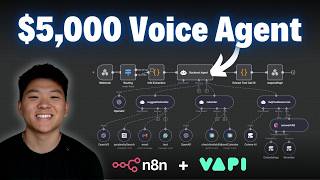
Azim built a mental-health voice-agent app using Bolt, Firebase, n8n, and Vapi that won $5,000 in a hackathon. The system handles intake questions, makes AI phone calls, and feeds transcripts back into user profiles. He walks through the core n8n workflow that routes calls, branches by user type, and triggers scheduled check-ins.
Chapters
Today we have a really exciting one. We're going to be going over the winning submission from our first community hackathon that took home $5,000. And in this interview with the winner, we found out that he'd only been playing around with this kind of stuff for about 6 months now, and he's still in high school. So I hope that's inspiring to you guys. There were hundreds of people that participated in this hackathon, and this is the one that we crowned the winner. So let's dive into the actual build. All right guys, so today I'm here with Azim. He was the winner of the first hackathon within our our paid community, AI Automation Society Plus. This was a hackathon that was 3 weeks long and all that they were told was that they needed to build a voice agent and the backend integration needed to be Enidin. Like I said, he was the winner of the $5,000 in the first place prize for this hackathon. So he's going to walk us through what he built, how he thought of it, and what he plans to do with this winning solution. So I'll hand it over to you real quick if you want to give a quick intro, talk about the tech stack you used and what the voice agent does, and then we'll just dive into a demo.
Hey guys, Azim here. So as Nate mentioned, I took part of the August AAS Plus Hackathon, and I delivered a mental health web app. It was powered by a custom coded Bolt Downy web app, 9NAN workflows as the backend, and VAPI for hosting the voice agents.
Cool. Yeah, Azim, real quick before we hop in, I'd be curious, like, what is your background like as far as how technical were you and how long have you been playing with Bolt, N8N, stuff like that?
Yeah, so with NAN and voice agents, I got started around 6 months ago. I had pretty much no prior technical experience. I just learned my way through courses and YouTube videos like yours. I still remember 2 months ago, I was just sitting and watching your videos. And BoldownU was something that was pretty much new to me. Before, I used it to bypass myself a website. Other than that, my experience with it was pretty limited.
That is super awesome. I hope that that's inspiring for everyone watching that wants to get started building solutions and maybe is looking to monetize their knowledge. Everyone thinks the answer is an AI agency, but apparently the answer is to do an AI as plus app.
Definitely is.
Okay, cool. So I think let's hop over to the web app. Let's take a look at how it works and then just kind of dive in.
Yeah, for sure. Yeah, so over here is the web app. We can just go ahead and sign up right now.
So it looks like when you do your little onboarding, you've got full name, email address, phone number, time zone, and then you create a password. And then where does this account information get stored on the backend?
Yeah, for that backend, I not only use Bolt, I also use Google Firebase. So that's good for simple authentication with the email and password. That's also where people's user IDs and other such information gets stored. Cool.
So that information gets stored. So the conversations they're having with these AI therapists is very tailored towards them.
Yeah.
Awesome.
Awesome. Cool. So yeah, let's get me signed up.
And yeah, over here, it sent that email verification.
Let me go sign in and get that verified. Okay. So now we're getting to the next stage of the onboarding where it's going to ask us some questions. So this first one is, what brings you here today? Tell us about your current situation and what you'd like support with. So it looks like there's 5 total questions, and the point of these is just to make the profile very tailored so that people, when they come here for mental health support, they can have conversations with what feels more like a human.
Exactly. So it's not some generic voice agent or some bot.
Awesome. I love that. Yeah, let's get me onboarded and then we'll check back in with everyone.
Cool.
Okay, so it looks like we're going to complete setup. And then we will give this voice agent a call, or it will give us a call, either or. Okay, cool. So on the main screen, users will be able to start a session. They can view progress, or they can customize those settings of their AI companion. But yeah, let's just start talking to the AI companion. Okay, so now it's connecting to the therapist. Is this going to trigger a call to me?
Yeah, exactly. So over here, it said expect to receive a call soon, and within just a minute, I should get a call.
Okay, sweet. So it hit an NAN workflow, and the NAN workflow is going to trigger off that Call API, or is it hitting VAPI, or what's going on right now?
Yeah, so it's going to hit the NAN workflow, then it's going to use the details you just gave to create a personalized agent. So every time you want to get a call, it keeps personalizing your agent further and further, and then it triggers VAPI, which places an outbound call to you.
Great, sweet. Well, I'm getting that right now, so I'm going to go ahead and answer it. Put it on speakerphone.
How are you feeling?
I'm sorry, could you repeat that?
Of course, Nate. I just wanted to say hi and let you know I'm here whenever you want to talk. How are things feeling for you today?
Yeah, well, thanks for checking in. I'm feeling pretty stressed because there's a lot that's going on at work.
Whatever you need, I'm here.
Yeah, I appreciate that. You know, I've never talked to an AI companion before, so I don't know how comfortable I currently feel with sharing details about my personal life to you. But yeah, let's just do like a— let's just take some deep breaths.
Absolutely, Nate. I'm glad you—
no rush.
Inhale gently through your nose, hold for a moment, and exhale slowly through your mouth. Let's do it a couple more times. Inhale, hold. You know, no need to rush. Just notice how your body feels with each breath. If you want, we can keep going a bit longer or stop here and chat about anything else.
Yeah, I'm feeling a lot better now.
Thank you.
Let's end the conversation for today, but I will check in another time.
I'm really glad you feel like— Hey, there's no problem. When you want to talk again, I'll be here to listen and—
Awesome. Yeah, I think the first thing I noticed is that it sounds really nice. And in this case, we didn't put a preference for a gender, but I got a male. And I noticed that he was actually kind of pausing and it felt very natural and the voice was very good and it wasn't aggressive at all, you know? So I think that was pretty cool. So after that conversation, Do you think that there's any insights that will be populated here, or once the call has ended, what else goes on in the back?
Yeah, so once the call ends, a separate AI agent takes the transcript and the summary of the call, and then it condenses it and updates your user profile. From there, it's able to personalize future calls because now it has information about your last call, as well as your overall history with the agent.
Okay, super cool. So the more and more you use this thing, The smarter and smarter it's going to get about you and helping you out with your problems. So at this point, I think we've seen the way that this has all kind of come together from that front-end user experience. I'd love to dive into some of those initial N8N workflows that are doing things and helping you out with, with the onboarding, with triggering the calls and everything like that.
Yeah, for sure. Let's go ahead and dive into that.
Absolutely. Let's just kind of take them in chronological order and see what you did. Yeah.
So here I am inside my N8N workspace. As you can see here, these were 9 NAR workflows and also the 9 biggest pains in my life, but I'm glad that I sorted them out. So first, why don't we just start with the onboarding form webhook and see how your data was logged? So over here, this onboarding form webhook workflow is actually quite simple. The first node we have here is a regular webhook node. It's designed so that as soon as somebody completes their onboarding and fills out that form, the data all gets captured and sent over to here. After that is done, we have a code node extracting the exact fields we need. And then that's passed over to these two NAM agents. So the first AI agent we have over here is the profile manager. Essentially, it manages your main profile with one Google Sheet tool where it maps all of the form details to your newly created profile. After that, it gets passed on to this AI agent over here, which can make customizations to your profile. Based on each of the preferences you picked. So in this case, if Nate decided to pick the morning and evening preference, this would have went ahead and added him to these sheets. And overall, it's just a pretty simple setup.
For anyone that's never done like a web app, like with Bolt or Lovable, sending data to an end-to-end workflow, like Azim said, it was, it's a pretty simple webhook. And all you have to do is you just actually drop that webhook URL. To Bolt and say, when the user clicks on this button, send data here. And so that's a really cool way to link a custom frontend with a custom backend. And then obviously the possibilities are endless. So this is a really nice setup here, Azim. The data gets sent to these different two AI agents that log information about the user so that later it can look up that information to make sure that the call is tailored towards them. So super cool. Let's take a look at the next NNN workflow.
So as you can see here, this is the monster workflow that just initiated that call to Nate.
Yeah. Okay. So this is the one that kind of launches calls and then stores information?
Exactly. And this one is for the on-demand calling. So that's when you click the button inside. This runs with exact calls that you make yourself.
Okay, cool. Cool. So, you know what I love about this, and we'll take a look and we'll zoom in a little bit in a sec, but you guys can see here that this is a pretty linear flow. Where there's a lot of conditional checks, there's a few agents every once in a while, but it doesn't seem very autonomous. And I like the way you design this because it keeps you in control pretty much the whole way. And by the way, we're not going to be able to dive into every single node and all the configurations in this video, but if you guys do want to access all of the templates that Azim's built here and check out what a $5,000 voice agent build looks like, then you can download this template in the community, which I will link down below as well. But yeah, Azim, let's go ahead and zoom in a little bit. And you don't have to go into every single node, but just kind of at a high level, let's take sections of the workflow and you can explain what they're doing.
Yeah, so with the last workflow, we're going to start with another webhook. And this webhook is activated as soon as somebody fills out the form to receive a call. After the information is extracted, we have a small segment over here that's actually responsible. That's for checking the safety of the user's query. So if the safety check finds that somebody is in an emergency or a crisis, it's going to go ahead and route this to an emergency response path, which in the real world would alert emergency services so they can take proper action to help that person.
Nice. I think that was a really cool thing that you added in there. So then what happens if the AI decides that there's no emergency? It goes up this northern branch. What is this one doing?
Yeah, so these two northern branches, they're pretty much the same thing. Except for the caution score, which is a bit different. But regardless, they're going to lead down this main path, which leads to this mental health AI over here. It gets the data of the person that placed the call using their user ID, and it searches with that user ID inside of the Google Sheet to retrieve all of their information.
Awesome. So if you guys remember in that onboarding flow, the two agents were logging data into the Google Sheet, and now Azeem's able to use that Google Sheet later when it needs to pull back information about the user that it's going to talk to. Very nice. So from here, it looks like we go off into different paths. At a high level, what is each of the paths doing?
Yeah, so put simply, my struggles did not stop here. I eventually realized that I would have to route new users and also existing users. So if the person is a new user, we're going to write the agent prompt, and then we're going to use this separate AI agent. To actually create the assistant inside of Appy. If the person is an existing user, we're first going to have to get their current assistant inside of Appy. Next, it would pass on these details to another prompt writer, but this time it's going to update that prompt. And then it's essentially going to update or recreate that assistant with the new prompt.
Love it. So we're always making sure that the voice agent that is going to call the person is just super, super customized for them.
Exactly.
Okay, cool. So now this section of the workflow near the end, is this basically like after a call has been finished? We're kind of like writing back data or what's going on over here?
Yeah, so before we actually get the data, we have to place the call. So this is why we have two AI agents over here that are actually making the call using the HTTP requests. And they also dynamically fetch the available phone numbers so that there's no mix-up and that we always have a phone number to call with. Cool.
Okay.
And so over here is the exact path that actually fetches the call. So as you can see here, another request is going to get that call. Then it's going to perform some routing to make sure that the call has actually ended. After that, it's going to send an ended notification to the user back inside of the web app. Next, it's going to get the current user data again. And after getting that current user data, it's going to send it over to another AI agent, which will combine the current data and the call we received from the summary and transcript. And then finally, that is updated. We mark the phone number available again. And that's where the route essentially ends.
Okay, I love that. So there was a few things going on here that was really smart. So you had a polling check to make sure that the call was actually finished, and it was going to check every 30 seconds to see if the call was finished. Another thing you were doing is you were marking off a number as unavailable if a user was having a conversation with an agent that was occupying that number. And then when the call's done, you go ahead and you change that phone number back to available. So some cool error handling guardrails here to make sure that the workflow is performing as you had designed it to. Yeah, so super cool stuff. And this was, like you said, kind of the main master agent that's behind all of the calling.
Yeah, practically. But even with that, we have 3 more workflows that are pretty similar to this one. And they are set up for each of their preferences. So if a person wants to get called in the morning, in the evening, or on Sundays, there's going to be a schedule trigger with a workflow that looks very similar to this, and it's going to perform pretty much the same.
Gotcha. Okay. Because this is the on-demand calling, but if we set up like, hey, I want this agent to call me every morning at 8 AM, it's going to be a different trigger, but it's essentially the same flow that happens.
That's totally right.
Awesome. I love that. So I don't think we have to dive into those two flows because we've kind of seen how they work. How about you show us a different workflow that we haven't really looked at yet that is doing something on the backend as well? All right. So this one looks like it is triggered by a webhook and this is called onPreferenceChanged. And it looks like we have a profile manager. So I'm assuming when someone on the frontend web app goes to their profile to change, you know, what they're stressed about or why they want to talk. This profile manager will go basically grab their user ID and update the sheet and change the preferences.
Exactly. So as usual, we have a webhook trigger over here. It's going to receive the information. The user ID is going to be extracted, and then it passes it over to this master agent, which controls two agents that are going to adjust the overall profile as well as each of the preference profiles. So for every preference you have, you actually have a sub-profile. So it changes that too.
Super cool. Okay. Yeah, I like how you were able to split up the two different types of profile changes or preference changes by two subagents, because now each one is very clear on what it is actually changing. So yeah, super simple flow here, but super effective. And it gives the users on the front end the ability to constantly be changing their profile and the way that they want to speak with this AI companion. So super awesome. And then looks like we've got one more flow, which you can go and pull up. We didn't get to cover all 9 today. Like I said, you guys can check out Azim's YouTube channel, which we'll link at the end of the video, as well as join Automation Society Plus if you want to dive into the workflows themselves. But this is the last one we're going to cover today, which is a weekly report. So Azim, why don't you go ahead and let us know what this one's doing?
Yeah, Nate, so this is more of a workflow that's in progress. But either way, it lays out the framework that we would use in a real-world web app. Every hour from 8 AM to 6 PM. On a Friday, it would get all of the users, and then it would cycle through each user and then extract information from every preference profile they actually have. And after that's done, we would send it off to an email sender. In the real world, this wouldn't obviously use a simple Gmail note. It would use a dedicated CRM of some sort. But just to demonstrate the concept, we would have an AI agent over here doing this, and then we would have it marking the appropriate status and all of that.
Awesome. So one thing I wanted to point out here is that because Azim understood that this flow was going to happen in the same order every time, meaning it's going to check all 4 of those preference sheets and then send an email, it wouldn't make much sense to make all of those a tool given to an agent because then you're giving it more possibility to actually mess up. So because Azim keeps this flow, but also the majority of his flows I've noticed, very linear, he is in control the entire way and there's a lot more guardrails in place. So this is a really well-designed workflow. And I think all of the other ones were also really well-designed. So hats off to you. And hopefully you guys can see why Azim won this hackathon. So I know we didn't spend a ton of time on the front end web app side of things, just because a lot of you guys are coming here for editing content. So I wanted to dive into those workflows with Azim, but you can see it's a really nice looking web app. He built it with Bolt. And I wanted to hand it over to you, Azim, real quick. What are your plans with Selassium and this web app?
This stream was just an idea that was born out of an announcement I saw in AI Automation Society Plus just around 3 weeks ago. But now that you asked that question, I'm not really sure about the answer myself. Obviously, to deploy something like this, we would need things like HIPAA compliance, data protection, and many other features that we would actually need to make this available to the public. So just because of that, I think it would require some sort of larger-scale funding to really get this idea going. And help people at no charge. But that's pretty much what has been on my mind.
I absolutely love that. And I know we were chatting a little earlier and you mentioned that you do have an agency where you want to build voice agents for clients. And even something like this, just to show them, hey, this is like a passion project that I've worked on. This is, you know, you can go ahead and give it a quick call if you want to see the type of voice agents I can build. Ultimately, even if this Selassie web app isn't making you money or you don't launch it as a product, it still will have a lot of net positives that come out of it. So really great work, and I'm glad that we were able to have you on today. Thanks for showing us those flows. Where can people find you if they want to work with you, look at some other stuff you've worked on and stuff like that?
Yeah, so besides appearing as a guest on Nate's channel, which I'm really grateful for, by the way, I also do have my own YouTube where I show and share voice agent builds like these. So people are always welcome to check that out and even schedule things like consultations. I've recently been building my own school community. Whether you're a voice agent builder, a business owner, or somebody else, I always drop a bunch of voice agent templates in there, offer one-on-one calls and chats, and just a bunch of resources that anyone looking into voice AI can find helpful.
Cool. Awesome. Well, we'll have all of the links to Azim's communities, YouTube channel, all that kind of stuff will be down in the description for you guys. Once again, if you guys do want to check out all of the templates that Azim used to win our hackathon. Then you can do so by joining the Plus group. The link for that will be down in the description. If you enjoyed the video or you found it helpful, don't forget to leave a like. It definitely helps me out a ton. And as always, I appreciate you guys making it to the end of the video. See you on the next one. Thanks, guys.










