Learn how to use Firecrawl and n8n to extract structured data from any website. The extract feature pulls information from URLs and automatically crawls linked pages, returning results like the 83 quotes entries shown in the demo.
Chapters
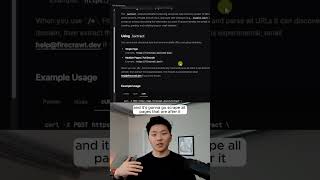
Here's how you can scrape any website with Firecrawl and N8N. So Firecrawl is gonna allow us to turn any website into LLM-ready data in a matter of seconds. And as you can see right here, it's also open source. As you can see, there's 4 different things we can do with Firecrawl. We can scrape, we can crawl, we can map, or we can do this new extract, which basically means we can give Firecrawl a URL and also a prompt like, can you please extract the company name and the services they offer and an icebreaker out of this URL? So we've got some information here. The first thing to look at is when we're using the extract, you can extract structured data from one or multiple URLs including wildcards. And if you put an asterisk after it, it's going to basically mean this is a wildcard and it's going to go scrape all pages that are after it rather than just scraping this one predefined page. As you can see right here, it'll automatically crawl and parse all the URLs it can discover, then extract the requested data. So real quick, before we test this out, I'm just going to call this Extract, and then we'll hit test step, and we should see that it's going to be polling, and it's going to give us a message that says true, and it gives us an ID. And so now what we need to do next is pull this ID back to see if our request has been fulfilled yet. So now after 5 seconds have passed, or however much time, we would try this again. And now we can see that we have our item back, and the data field is no longer empty because we have our quotes object, which has 83 quotes. So even got more than that time we did it in the playground. If you want to watch the full breakdown, the link for that will be down in the description, and I'll see you guys over there.