In this tutorial Dr. Violet Howard walks through the fastest way to self‑host n8n using the Elestio platform, deploy it on Hetzner, install the community MCP node (n8n‑nodes‑mcp), and connect the MCP client to any public MCP server. She demonstrates the entire workflow: creating an Elestio account, launching a one‑click n8n service, configuring storage and region, installing the community node via the GitHub package name, adding the MCP client node to a new workflow, and finally linking to an OpenBnb (Airbnb) MCP server using a simple npx command (‑y @openbnb ignore‑robots‑txt). The video emphasizes why community nodes require self‑hosting, shows how to set up credentials without an API key, and provides a ready‑to‑run command that enables Airbnb search and listing‑detail operations within n8n.
Chapters
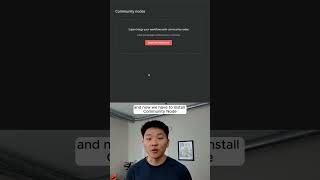
I'm about to show you the quickest and easiest way that you're able to self-host your N8N, install the MCP servers community node, and then connect to any MCP server that you want. Now there are a ton of different platforms that you can use to host N8N. The reason I'm using Elestio is because it's going to be really simple for deploying and managing open source software. I'm going to sign up with a new account, so I'm going to log out and sign up as a new user. Okay, there we go, we are now activated. So I'm going to come up here to services and I'm going to add a new service. What we're going to do is just type in N8N and it's going to be a really quick One-click install. Basically, I'm going to just be deploying on Hetzner as a cloud provider. I'm going to switch to my region, and then you have different options for service plans. And I went ahead and called this n8n-demo. What you can do here is you can add more volume. So if you wanted to, you could increase the amount of storage, and as you can see down here, it's going to increase your hourly price. I'm not going to do that, but you do have that option here. I'm going to click Create Service. We're deploying your service, please wait. And this is basically just going to take a few minutes to spin up. What we're gonna do is come down here to our network, and this is our actual domain to go to. So if I select all of this and I just click go to this app, it's gonna spin up our n8n environment. And because this is the first time we're visiting it, we just have to do the setup. So what's next is we need to install a community node. So if you come down here to your settings and you click on settings, we can go all the way down here to community nodes, and now we have to install a community node. So in the description, we have the GitHub repository for this n8n-nodes-mcp that was made by nerding. But all we have to do is basically just copy this line right here. I'm just gonna copy n8n-nodes-mcp. MCP. Click on Install Community Node, put that in there. And so the reason you can only do this on self-hosted is because these nodes are not a native verified node from NN. So it's just like, you know, we're downloading it from a public source, at least the code. And then we hit Install. Package installed. We can now see we have one community node, which is the MCP. Cool. So I'm going to leave my settings and I'm going to open up a new workflow. And we're just going to hit Tab to see if we have the actual node. So if I type in MCP, We can see that we have MCP client and we have this little block, which just means that it is part of the community node. So obviously we have the operation, but we haven't set up a credential yet. So now what you're going to do is go to a different link in the description, which is the GitHub repository for different MCP servers. And we can pretty much connect to any of these, like I said, without having to run any code in our terminal and install some stuff. I think first we'll start off with Airbnb because this one is going to be free. You don't even have to go get an API key. So you can see here we have a command, which is npx, and then we have an array of arguments, which is -y, this openbnb thing, and then also the ignore robots text. So first of all, I'm just going to grab the command, which is npx, copy that, and then we're just going to paste the command right into there, npx. So first is the -y. Now I'm going to go back and grab the @openbnb, put a space, and then paste it in there. And then I'm going to put another space, and then we're going to grab this last part, which is the ignore robots TXT. So it's as easy as that. As you can see, there are two tools. The first one is Airbnb search, and then the second one is Airbnb listing details. If you want to see the full breakdown, I'll put the link to the video in the description. See you guys over there.