Unlock the Next Evolution of Agents with Human-like Memory (n8n + zep)
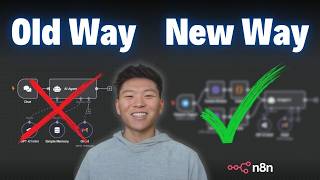
Build AI agents with long-term memory by combining n8n workflows with Zep's relational graph. The demo shows how to populate a graph with entities and relationships as the agent talks to users, then filter it for the most relevant facts to avoid bloating token usage. A hybrid setup stores short-term history in Postgres and long-term facts in Zep, letting the same memory work across channels like Telegram and email.
Chapters
Today I'm going to be talking about the next evolution of AI agents, which is knowledge graphs for long-term memory. When we set up these relational graphs, our agents are able to look through them, understand relations between different entities and different things that you've talked about in the past, and use them to actually be way more intelligent. So I'm going to show you guys how easy it is to get set up. I'm going to explain what's going on. And another thing I wanted to say is that relational graphs like these can get very expensive very quick if you're not managing it. So I'm also going to show you guys how I set up this system to make sure that we're not just running up API credits. If all that sounds good to you, let's get started. The first time you set up memory for your AI agent, you probably did so with the simple memory, which just stores it in N8N, which works fine. Because if I send off this message, the agent will basically check the memory, see if we've talked at all, and then it will also store our interaction in the memory. So now that I just told the agent that my name's Nate, I could go ahead and say, what is my name? It's going to check the memory, see my name's Nate, and then respond back to us and say, your name is Nate. And this is great because it allows our agent to have a context window to remember what's going on throughout the interaction. But the limitation here is that it's only looking at past interactions. So if I go to the logs and we click on the simple memory, we can see what it does is it looks at our past interaction, which was, hello, my name is Nate. Hello, Nate. And then at the end, it stores all of that back in. So now it has this to look at next time we talk to it. But the problem with the system is there's no aspect of long-term memory because the agent's only being able to look at the past 5, 10, or 15 interactions, something like that. And if we want the agent to remember things about our business or about us personally, our preferences, stuff like that, then we want to set up some form of long-term memory. So the way that we're gonna be doing that today is with a user relational graph, and we're gonna be using Zep in order to do that. Let me show you guys a real quick example. If I just connect the memory to Zep rather than the simple memory, and I'll go ahead and send off a query. All right, so I don't know why this is spinning. I think it's just a bug. Our Telegram's listening for us and we're connected to Zep memory. So I'm gonna send off, what kind of videos should I make this month? The agent's looking in our relationship graph. It's looking to see what we've talked about the past couple interactions, and now it's going to respond to us. Because it knows things about me and about my YouTube channel. So you can see we got a pretty lengthy message. Basically just says, great question, Nate. Since you're expanding your YouTube channel from pure AnyDen tutorials into more business-related AI automation content, which should be coming soon, and you're moving to Chicago soon, here's a tailored list of video ideas you can create this month that blend these themes and appeal to your target audience of business owners, entrepreneurs, and marketers. And what you guys can see is I didn't say any of that context. It was able to just go pull it based on our user graph. And I'm not gonna read all this, but basically, you know, automate your move using N8N to simplify a relocation, top 5 AI automation use cases for small businesses, all this kind of stuff that's very tailored towards me because it understands me as a person. And just to show you guys what this looks like on the backend, I'm gonna head over to Zep real quick. And what I'm in right now is my user relationship graph. So you can see right here is me. I'm the main entity of this user, and I have all of these different relationships. And you can see that between each one, it basically tells you what that relationship is. So right here we have Nate and we have N8N, and the connection is that I use this tool. We can also see that I have YouTube videos on automation using N8N, which uses N8N, and Nate creates content on YouTube videos. We have all these other things about N8N can be automated with email marketing, can be automated with invoicing. And so the more that we chat with our AI agent, the smarter and smarter it would get because it's adding more relationships. And just knows more about me and my business. I can even click on myself, the user, and it will tell me a bit of a summary. I can also click on the different entities, which are the things in pink. Like if I click on N8N, it will say that Nate Hurk is a YouTuber focusing on AI automation using N8N. And I could come down here to business owners and it would say the entity business owners encompasses individuals who own or manage businesses interested in tools like N8N. So that was just a quick example, and I know it may look a little overwhelming because I have a lot of data in here. So what we're gonna do is I'm gonna delete this and we're gonna set up a new user and a new graph and everything together so you guys can see how the agent populates it. All right, so I just deleted the user and I'm gonna go back into my N8N here and we're gonna start chatting with this agent and now it's gonna have no memory about us and we're gonna start from scratch. All right, so I'm saying, hello, ask me questions to get to know me. And there's nothing in the memory as you guys can see. It's gonna come back and ask us some questions. So I'm responding to the agent by saying, my name is Jim. I love playing soccer and I live in Florida in the United States. And as you can see, it's gonna ask us more questions. But real quick, let's go over to Zep and let's see if we have a new user created. If I just refresh, we should see we now have this user. And if I click into the user, we have two things to look at. The first one is the sessions. So these sessions are basically the same way we have that context where it's gonna store these pairs of what was the human message and what was the AI response. So we're still gonna get that context window using Zep. But then if I click into the graph, this is where we're gonna have that knowledge graph with different relationships start to form. So this is us. This is the user. You can see the summary says the user ID blank is named Jim. He's interested in playing soccer. So we have this over here, which is a like. We have this down here, which is lives in Florida. And then we have our AI assistant right here. Okay, so I'm going to send off another one that says I play goalie. I don't have a favorite team, but I like watching Messi. So once again, it's searching through the context history. It's searching through information about us. And then it's going to go add more information into our knowledge graph. So let me hit refresh. And we have more relationships now. Us as the user plays the position goalie, likes watching Messi. As you can see, it's just gonna keep, keep growing. And as it learns more, it's gonna create these more sophisticated relationships that it can then recall. And just to show you guys what this all looks like, I'm basically just gonna send off, what should I do this weekend? It's gonna get information about us and tell us what we should do. It's probably gonna be something related to soccer or maybe something to do with Florida, like going to the beach. So the agent responded with, hey Jim, since you love playing soccer and are a goalie, How about combining your passion with some fun? Join a soccer game or scrimmage, practice some goalie drills, explore a new park or beach since you're in Florida, blah, blah, blah. Exactly like I predicted. But now what I want to talk about is the issue of this approach. Because as you get more and more different memories and relationships in your ZEP knowledge graph, your agent is going to be running through your tokens because it's going to be sending so much context every single time. So when I click into the AI agent and we go to the agent logs, when it hits ZEP, we can basically see that it's going to pull back this summary about Jim. And then also all of these different facts. So all of the different entities that we have, it's going to comment on. So Messi, Messi's a football player admired by Jim. Goalie, Jim is a soccer player who plays goalie in Florida, USA, Florida, all this kind of stuff. And then we also get the context history of here was the first message we sent to each other. Here was the second one. Here was the third one, all this kind of stuff. So there's two things going on. We're searching the user graph for information about the user, long-term memories. And then we're searching for context history, conversation history for short-term memory. And all of this context gets passed into our chat model, which is just going to be processing a lot of tokens. So if I click into OpenRouter right here, you can see that this one took 838 total tokens. So I added even more information to this graph. We have like University of Wisconsin, ice cream, chicken, that kind of stuff. And remember how large my previous one was, the one that we just deleted that was about me. Think about how much more tokens that one was consuming every time we talked to the agent. So now I'm gonna show you guys a different method that I came up with to actually be able to pull in the most relevant things from the User Graph rather than everything at once. And this is really going to cut down on the amount of tokens that you're sending to your AI model. All right, so what we're doing here is we're accessing Zephs memory, but we're doing it through HTTP request because up here when we do it through the native integration down here, there's really no settings we get to play with. All we get to put in is our key, so we don't have much control. But through different HTTP requests, we can hit different endpoints and we have a lot more control. So once we send a message to our agent in Telegram, it's gonna get the conversation history, it's going to get the actual user graph, and it's going to filter it down here and only pull in the 3 most relevant facts based on the actual message that was sent. And then we're gonna merge all that together, give it to the AI agent, and then it's going to respond to us without having to process so many tokens. and then all we have to do is add the memory back so that we can keep making sure the user graph and also the conversation history is accurate. And then we send the message back to us in Telegram. All right, so I'm gonna ask it to help me plan my weekend activities. We're gonna see it grab conversation history. We're gonna see it search the user graph, and now it's going to create us a message and then update that memory in the user graph. And then we'll take a look at how many tokens it actually ran. So you can see it gave us a very personalized response based on the information that's in our knowledge graph. And now let's take a look at what happened in this actual flow. So the first thing that it does is it goes to get the conversation history using the session ID from our Telegram chat. So I'm making a GET request to this endpoint and I'm feeding in the session ID. And then down here I'm just saying I only want to pull back 10 conversations, so it's basically just 5 interactions. And you can see it comes to us in this really, really messy way because it is— has all this like metadata. So what I did is I fed that all into a code node and I had it basically just clean it up. So now we're getting one item with all of the conversations. And I've told you guys many times, I don't know how to code. What I do is I basically take the incoming JSON when I know I'm going to use a code node to clean it up, I copy it, I go into Claude, and as you can see here, I literally said, help me write a code node in N8N that will receive this JSON schema, paste in the schema, and then I say I need this code node to extract every human message and every AI message as a pair. Here is an example desired output for the input. So then I gave it a snippet of the input that was actually found right up here, And then I said, when you get this, I want to get this returned. So just clean it up. And then it spits out the code. I put it in there and voilà. Anyway, so now we have conversation history all cleaned up. And then before we merge it, we have to go get information from the user graph. So once again, I'm making an HTTP request to Zep's API. And then in the body request, I'm able to be a little more specific because we're giving it the user ID to search through. We're giving it the query to search the user graph for, which in this case said, help me plan my weekend activities. We're saying only pull back 3 facts and they have to be at least 0.7 relevance score or higher. So this in itself already cuts down on the token usage because it's not pulling back every single fact that exists in our user graph. But once again, it comes through really messy and it would just eat up more tokens. So I did the exact same thing, fed that into a code node, and now we're just getting 3 interesting facts right here. We merge those 2 things together, we feed it into the AI agent, and what I'm doing is I'm giving it the message from Telegram as the user message. But then in the system message, I'm saying, you are helpful assistant. Here's some additional information about Nate. And really in this case, it should be Jim. And then you see the 3 facts that were pulled in that were most relevant to the query that triggered the workflow. And then we said, here are the 5 most interactions with Nate where we have the actual interactions down here. So now this agent has full context over some long-term memories about us, our past interactions, and it's not getting fed everything and it's not gonna run up our tokens. We're gonna add those memories back so that they go into the conversation history and the user graph, and then send us a message in Telegram. And real quick, let's take a look at the actual token usage of this run. So this one took 1,045 tokens. So if we just remember that figure real quick, and if we come back up to this workflow and run it again through the other method of using Zep, let's compare. So I sent the exact same message, help me plan my weekend activities. And if we click into the tokens, we can see that it used almost 2.5 times as many. 2,403, and it's because 2,000 of those were the actual prompt tokens. Because if I click into the logs and we go to see what came back from Zep, it had to process this entire thing, which was just so many facts, which didn't really matter for this use case. All these long-term memories just aren't needed for every single time the agent thinks about something. So hopefully you guys can understand why it's actually valuable to be able to split up and only pull back things that are most relevant. And by the way, if you guys want to download this workflow so you can test this out, all you have to do is go to my FreeSchool community. The link for that is down in the description. Once you get in here, you'll just come up here and search for the title of the video or click on YouTube Resources and find the post associated with this video. And when you click on that post, there will be a JSON file right here for you to download and you can get set up really quick. But there's one thing that you guys may not have noticed about this run, and the only reason I noticed it is because I was building it and playing around with it. And the issue here is that when we search through the context window, it's not actually gonna grab the 5 most recent ones. It's grabbing the 5 first records from our actual ZEP. Here I'm just asking the agent, what's the last thing that we talked about? And it's grabbing the context window. And if we click into the actual conversation history it's pulling back, we can see that the first one it grabbed was that first interaction where I said, hello, ask me questions to get to know me better. And you guys remember the last thing we said to our agent was help me plan our weekend. But we don't see that anywhere in here. And I did some research and I figured out that when I was setting up this request, there's no parameter that actually lets us reverse the order of the way we pull back our session messages. So if I go into ZAP and we look at our actual session, you can see that if we go to the next page, we do have all of these most recent messages. But when we make that HTTP request, it doesn't grab from here. It basically just starts at the top and then works its way down. So the workaround would be you pull in all of the conversation history and then you sort of reverse order and then split only the ones you want. But that just seems a little bit more complex. So what I decided to do is use a hybrid method where we're going to use Zep for the user graph for long-term memory, and then we're going to just use Postgres for that conversation history of that context window. So just as one final demo, I'm gonna send off this message that says, where should I move to? I want to go somewhere that appeals to my interests. The workflow is searching for the most relevant long-term memory facts about us. It's gonna update the Postgres chat memory for short-term memory, and then it's gonna add memory back to Zep because we wanna still make sure that the user graph is staying fully up to date. And as you can see, the answer that we get is, based on your interest in soccer, political science, and your love for chicken recipes, here are some cities you may wanna move to. And if we take a look at the context the agent actually gets, it's getting the additional information about us, which is gonna be the 3 facts. It's getting the user message and then it's gonna look in Postgres for that short-term memory. Something else I wanted to touch on real quick was how the session IDs work and how you could really evolve these types of agents with this type of memory to be applicable to different real-world use cases. So as you guys saw, what we were doing is we were using the session ID from the Telegram trigger. So I was storing my Telegram chat ID as the session ID, and that's how Zep knew that it was talking to me every time. So for the sake of the example, I'm gonna come in here and change the session ID just to 1 because it's a different unique thing. And then let me talk to this agent real quick. Okay, so I just said to the agent, hello, my name is Mike. And as you guys saw, we put the session ID as 1. So this is a completely different user in Zep. And if I go over to Zep, you can see this is the user. And if I view the graph, this was the one that we just did together for Jim. And now if I refresh my user section, we're gonna see another one just popped up that we just created. And if I view this graph, it's completely fresh and it's going to be about Mike. The reason I wanted to show you guys that is so you understood that this agent is going to be able to have unique long-term storage and memory for each individual person based on that session ID. So if the trigger was Gmail, we could store the email address of the person sending the email as the session ID. So then whenever a new email comes in, the agent will be able to look them up in Zep, look at all their memories, and then respond to them accordingly. And I think it's going to get really powerful when you start to mix this sort of relational user graph memory with a bunch of tool calling and with some more autonomy. It could get really cool. You could have an onboarding agent that remembers things about each individual person that's onboarding. You have an education or a tutoring bot that remembers something about all of its students and the way that they like to learn. There are tons of use cases. Okay, so we broke down ZEP memory, we broke down the difference between short-term and long-term memory, we talked about how to optimize this a little bit for cost and also make sure we still have good short-term memory. And if you want to take your learning even farther and discuss some of this stuff a little bit more in depth, then definitely check out my paid community. The link for that will be down in the description. We've got a great community of members who are building with N8N every single day, and we have two full courses in here, Agent Zero, which is the foundations for AI automation, and then 10 Hours to 10 Seconds, where you learn how to identify, design, and build time-saving automations. So I'd love to see you guys in this community, or you can join the free one if you want to download every single template that I've shown on YouTube, including this one that you're looking at right here. But that's going to do it for this one. If you guys enjoyed or learned something new, please give it a like. Definitely helps me out a ton. And as always, I appreciate you guys making it to the end of the video. I'll see you on the next one. Thanks so much, guys.










