Ben Greenfield walks through his office setup to reduce electrical pollution: dirty electricity filters, negative ion generators, grounding cables, hardwired Ethernet instead of Wi-Fi, air-tube headsets, and blue-light-blocking glasses. He says he feels markedly better after using these measures.
Chapters
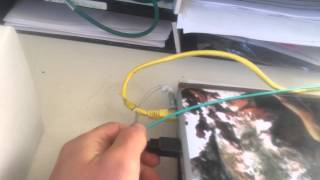
Hey, Ben Greenfield here. Early morning in the Greenfield home, and I get a lot of questions about how I protect myself from dirty electricity and electrical pollution in my office. So I'll walk you through my setup here. I like MTV Cribs for electricity. So basically, I'm going to start with the wall outlet. Okay. Because I work on my laptop a lot in my office. So that's a greenwave dirty electricity filter that my laptop is plugged into. That lim. Electrical pollution surges from the actual outlet itself. And then this is what's called a negative ion generator. You can get both of these probably off of Amazon. I'll try and put some links under the video for you, too. But basically, the negative ion generator helps with the electrochemical gradients that are offset by all the positive ions that get emitted by the electricity in the room. And then the electrical filter here kind of cuts off the dirty electricity. So basically, I make sure that my laptop is plugged in using the regular three pronged grounding outlet rather than the double pronged device that could connect into this transformer here. Okay, so up to my laptop, this is my standing workstation. Okay. Pretty straightforward here. First of all, let's start with the microphone. The microphone. Whether I'm on my phone or my microphone, I use what's called an air tube headset. It looks like this. Okay. So sound travels through the tubes rather than through the cable itself. So I have an air tube headset there. The laptop itself is grounded using a grounding cable. When I'm actually working on it, I have it unplugged. So I'll just drop this on the floor down behind me and then recharge it when I'm not working on it. But the laptop itself is grounded using a grounding cable. And then you'll see that I'm plugged in to the wireless router using this Ethernet cable. Okay. So the signal on the WI fi router is off. And the way that I do that is this computer. You probably won't be able to see this because of the screen, but I connected to my wifi router using the software that came with the Netgear router. And I've got all of the wireless signals turned off on the router. Okay. Okay. So everything's hardwired in both the laptop in the room as well as the desktop. Okay. A few other things that I've got going on in here. First of all, another negative ion generator. This is similar to, like a Himalayan rock salt lamp. This one's called a harmonizer. I set that between the actual router and my body because there still is a little bit of radio signal that can come off even when you have the WI FI signal shut off. Okay, so I've got that set up. It acts very similarly to the negative ion generator I've got on the other side of the room. And then just a few other things. I've got my blue light blocking glasses to reduce some of the glare and the blue light that actually comes off the screen. I've got. Usually I'll wear my superhuman encoder just for a little bit of added EMF protection, but I'll also sometimes just set it down right there on the desk.
And that's it. I know you're probably chuckling and you think this is all geeked out, but honestly, like since I started using all this stuff makes a night and day difference in the way that I feel at the end of a long day working on the computer. So I hope that's helpful for you in terms of showing you kind of how I have my little practical setup. None of that stuff's too expensive. And I'll put some links for you underneath the video. Alright, over now.