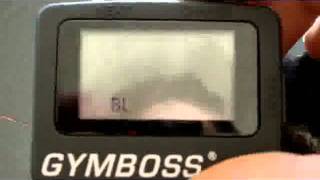
A short demo by Ben Greenfield showing how to set up and use a GymBoss interval timer for Tabata workouts. He explains entering setup mode, configuring 20-second work / 10-second rest, setting the number of intervals (Tabata = 8), choosing beep/vibrate alerts and alarm duration, then demonstrates starting/stopping the timer while performing exercises.
Questions this video answers
Work = 20 seconds; Rest = 10 seconds.
Eight intervals (default Tabata).
Alarm/beep duration options mentioned: 1 second or 5 seconds.
Press the Start button again to stop it.
Chapters
Hey, it's Ben Greenfield and I want to show you a really cool way that you can actually time your Tabata sets. Because if there's one thing about Tabata sets, when you're doing 20 seconds hard, 10 seconds easy, the last thing you want to do is figure out exercises that allow you to look at your watch. For example, if you've ever tried to do a push up Tabata set and look at your watch while you're doing it, it's new to impossible. So this is a new cool tool that you can use and I'm going to show you how to set this up properly. It's called the Gym Boss and I want to show you how to set it up to do a Tabata set. If you've done it correctly, this is exactly what it's going to look like when you have it set up properly. But let's say that you just got your blank screen. You want to set it up so press next and change at the same time. Once you do that, you'll get into a mode like this. Now, because the tabata set is 20 seconds on, 10 seconds off, press your next button until you get to here. And you would, for example, change that wherever you want to be. We're pressing the change button. We want that to be, of course, 20. Down here you want your rest periods to be 10 seconds. Alright, so that's all you need to know for that. So now I'm going to go down to next and this shows the number of intervals that you'd want to do. Now Tabata set is supposed to be eight intervals because it's eight sets of 20 seconds. So I have that set up now exactly right where I want it to be. If I want to do fewer than eight, let's say I want to just start off with four. I could do it that way, but you want to set that up so that it's eight intervals for your Tabata set. Next, BH&V basically stand for whether it's going to vibrate or. Or whether it's going to make a sound to remind you of when to move on. BH stands for beep high. You can just skip this because you want it to both beep and vibrate, preferably. But I'm going to go BH and vibrate. Okay, Beep high and vibrate alarm. That just means how long do you want to beep and vibrate for after you finish your 22nd interval? I want it to go for five seconds. So that's exactly what I want. I could have it be one second, five seconds? I believe there's. For some reason I thought there was a ten second option. I guess there's not. So it's five or one second. Then I press next and it's all set up to do my Tabata set. Now when I press Start, what's going to happen? You heard it vibrate there. It's going to count down for 20 seconds so I can do my push ups, my squats, my crunches, whatever, but I don't have to be looking at my watch while I'm doing these. All I have to do is focus on the exercise. And the gymboss can be attached, you can see here to my shorts if I would like it to be now as I'm coming down here. See, it's going to go for five seconds because it's all to go for five seconds. Beeping and vibrating and now it's silent. In 4, 3, 2, 1. It tells me again. Okay, start my next Tabata set. And you can see right there. Now it's at 7 instead of 8. So I've gotten one down. So it's called the Gym Boss. I'll put a link to it on the page for you to check out. But I just got it. It's super cheap and it's like. It totally takes.
All of the logistical difficulty out of doing a Tabata set. So I have to figure out how to turn it off.