Building a Multimodal Knowledge Assistant with Jerry Liu, CEO of LlamaIndex
Jerry Liu, CEO of LlamaIndex, shows how to build a production multimodal knowledge assistant. He breaks down why simple RAG fails, then walks through LlamaParse for parsing PDFs and documents into structured graphs, hierarchical indexing for richer retrieval, and workflow orchestration for agent-driven tasks like report generation. The stack includes open-source tools, Llama Cloud for configuration, and llama-deploy for turning workflows into APIs.
Chapters
I'm really excited to welcome our guest speaker today, who is Jerry Liu, the co-founder and CEO of LlamaIndex, one of the most popular and well-known frameworks for work with LLMs and a key enabler to our work here at Samsara with generative AI. Jerry has a distinguished background both in software engineering and machine learning. Prior to LlamaIndex, Jerry led a machine learning team at Robust Intelligence. He also worked on self-driving AI research at Uber Advanced Technologies Group. And prior to that, he was working on recommendation systems at Quora. So a really interesting mix of experiences with AI at different companies on topics that are relevant to many of the kinds of products and use cases we're working at, at Samsara. And today, I believe Jerry Liu is going to take us through a walkthrough of the Llama Index ecosystem with a particular focus on agents and multimodal data, also a highly relevant topic for Samsara. And so we're super excited to have you here, Jerry. And with that, I'll just hand it over to you.
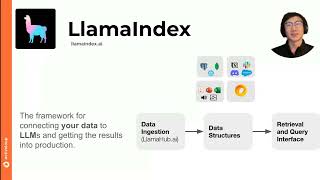
Great. Yeah, thanks for the kind intro, Evan. And it's great to be here. Thanks for having me. And I'm super excited to kick off the presentation. I— if you, you know, if you want to do follow-ups after, happy to chat offline as well. You know, we've tried with some folks on the Samsara team on a few different use cases. And of course, you know, some of the feedback that you have helps inform our product roadmap. And so, you know, happy to keep the back and forth conversation going. But yeah, just a quick introduction. I'm Jerry Liu, co-founder, CEO of LlamaIndex. And the talk title is basically on building a multimodal knowledge assistant. I will zoom in really quick. For those of you who aren't familiar with LlamaIndex, LlamaIndex is a company that helps any developer rapidly build production-grade agents and other types of applications over your enterprise data. And so we help take that from prototype to production. And we have two main product offerings. We have an open source toolkit, which is a developer toolkit for helping you build production applications of your data. This includes, you know, RAG chatbots, agents, as well as, you know, some of the use cases that we'll talk about here. And then also Llama Cloud. Llama Cloud is our managed service focused specifically on data processing ingestion, retrieval, uh, so really helping to create, uh, that data infrastructure for your LLM apps. Um, we're very interested in this overall idea of, uh, building a knowledge systems. Um, and, you know, this overall idea of building a knowledge system is basically, you know, we want to enable LLMs with all the reasoning capabilities to, to tap into basically everyone's enterprise data. And so how do we do that, right? Like, and that's basically the architecture that we'll talk about during the talk. But the overall idea, right, the overall use case for the end user is that as a human, you're able to interact with this like personalized assistant that has a complete view of both your user level as well as organizational data. It can leverage the power of LLMs to basically take in any sort of input task that you give it, whether it's a simple question or it's a more complex research ask. And it can give you back some output, whether again, it's like a simple chatbot response or something more sophisticated, like generating like an entire report or performing an action for you. You know, for those who followed our videos or Twitter, we talk a lot about the downsides of what we call like naive or basic RAG. And a basic RAG stack basically consists of a lot of like Like a basic RAG stack consists of the following steps, all of which could be made better. And so basic RAG basically means that you load in some data, you split it. So for instance, you load in a PDF or two, you split it according to some trunk size, you put it into a vector database, and then you do top-k retrieval from the vector database to identify the most relevant context for the given task, and then you feed that context to an LLM to generate a response. Probably the biggest downside in this overall RAG stack is that you're not really leveraging the LLM for reasoning, and especially at the beginning. And so typically what we see is for a lot of users and basically for a lot of folks that are building kind of like RAG over their data, when they actually serve this as a product to the end user, The end user is only able to get back accurate responses over simple questions over their data. And so it's not really leveraging the capabilities of LLMs to actually help you deploy a chatbot in a more scalable manner. If you have a lot of data, a lot of questions of greater complexity, this type of chatbot isn't able to actually fulfill that promise. If you think about just the overall interface of ChatGPT or Claude, One of the promises of LLMs is that assuming it actually knows stuff, um, or has the right information, it can do a variety of different tasks of arbitrary complexity, like solve problems for you, uh, search the web, uh, perform actions, all these different things. And so the issue with the basic RAG stack is that it just simply doesn't have the right architecture setup to enable those more, uh, complex tasks to be fulfilled. And so along this point, right, we think that standard knowledge assistance has downsides both in terms of the technical complexity, or the— sorry, the technical architecture, but also this translates into lower ROI for the end user. If you're trying to build an internal ChatGPT for your users and they realize that 50% of their questions are giving back— you're getting back hallucinated responses, then it's not actually helping them that much. There are time savings. Decision-making enhancement, all the potential value adds of GenAI are lessened because the overall technical architecture isn't able to support something that's a little bit more sophisticated. So the thing that we're very interested in is creating the right technical architecture so that you can actually build a more production-ready knowledge system that delivers higher ROI to the end user. The one piece I didn't mention, and this feeds into the next section, is even before thinking about agents, the fact that, you know, the naive RAG stack typically makes very simplistic data processing decisions on this side means that even for oftentimes like simple search and retrieval questions, you're not able to get back the right answer over your data. And, you know, this motivates building, for instance, a multimodal knowledge assistant where it's actually able to process the variety of different types of information that you have, whether it is within text or tables or images or in the future, like voice data and video data and other types of data too. So the 4 ingredients of building a multimodal knowledge assistant include, number 1, having a fundamental, high-quality multimodal data processing and retrieval pipeline. We'll talk about that piece first because that's also at the core of what we do, really providing high-quality components around data parsing, processing, retrieval, before talking about something, the steps afterwards. This includes complex output generation, being able to generate more complex outputs beyond a standard chatbot response, so being able to generate reports, performing data analysis, performing actions for you, leveraging agentic reasoning to break down your inputs into a set of steps. So given some inputs, breaking it down through query planning, tool use, and basically adding that agent reasoning layer at the top of your RAG stack. And then 4, if we have time, we can talk about what it takes to build something that's a scalable full-stack application. I think for a few of these, I also have some notebooks I'm happy to run through. Basically showing you concrete examples of how you can leverage components within the LlamaIndex ecosystem to help you build different types of use cases and different types of use cases here. The first step here is setting up multimodal RAG. I think this is a foundational piece of just making sure you have the right data architecture before you even think about adding on different types of Adgerantic tooling or capabilities. We care a lot about data quality. And we think that good data quality is a necessary component of any production-grade LLM application. For instance, if you have raw data in the form of PDFs, PowerPoints, Excel sheets, or from other data sources too, there typically needs to be this general data processing layer. And that really is the first part of RAG, is data processing. In order to transform this unstructured data into some representation that LLMs can access. And it's really this, like, new type of ETL stack for LLMs. So some of the components of this include parsing, so loading in your unstructured file and parsing it into the right representation. Number 2, chunking, or more generally, like, some sort of transformations on the source data to get it into some other format. Some of these transformation operations include like chunking. They also include like extraction, being able to extract out like structured data from your unstructured data and then indexing, you know, putting it into the right storage system. This includes a vector database, but this also includes other, you know, components too. Like, for instance, if you use a structured database, a graph database, there is actually a decent amount of complexity in figuring out, you know, what storage system you use to actually represent that transformed unstructured data. All this stuff is important because if you had a bad ETL layer, if any of these components in the ETL layer were bad, then, like, it turns out then, like, the LLMs just don't have a good interface to access high-quality data. And then no matter how good the LLM is, if your data is bad quality, then this tends to lead to, you know, increased hallucinations and bad-quality responses. You know, I, I've, I think we've mentioned this a few times during the Bray Summit talk as well, but we're very interested in a certain class of data, which is unstructured documents. We call, like, there's like a lot of these documents can be classified as complex. For instance, they have a lot of like tables, they have charts, they have images, they have a lot of like maybe weird fonts or irregular layouts. They also have headers and footers. Users tend to want to ask different types of questions over this data. And the issue is that, especially with the more traditional or naive RAG stack, if your components aren't very good, then users can't ask questions over this data. A lot of times, for instance, for charts or tables, they end up just getting ignored or skipped. We were actually talking to— like an enterprise developer, like a user of LlamaDux yesterday. And yeah, they were basically just saying, you know, for a lot of stuff so far, we basically have just like, have told the users like, you can't answer questions over like the charts. And they had a lot of like, almost like product manual type documents with a lot of these types of like diagrams and charts. And so this is, this feeds into one of the core things that we built is really like some core components around this that help you process this data. And so you can use it for your downstream application. And so the first thing I'll just showcase is we have this— this feeds into llama-parse. But basically, we think that you need a good document parser to basically process your unstructured files. This document parser ideally should be able to process your unstructured data into a set of sub-elements with text tables and charts. It should be able to process tables accurately into relatively semi-structured and well-represented representations. It should be able to parse the text into semantically coherent chunks. And it should be able to extract out the visual elements from your document too. This is basically Llama Parse. It's our advanced document parser. It's really good at processing PDFs, PowerPoints, stuff with a lot of tables, visual elements, and more. It's available both via API as well as via, like, as part of Llama Cloud as well. And actually, that's probably one of the first demos I'll showcase is just, you know, like, setting up, like, a multimodal RAG pipeline with Llama Cloud and Llama Parse in the loop to, yeah, basically be a foundational layer for any sort of agent application that you want to build. Even as just like a core multimodal RAG pipeline, we see some pretty interesting use cases here. A lot of our users and customers basically use LlamaParse and LlamaCloud for a variety of different like practical use cases across their, you know, complex data. This includes like slide decks. That's a pretty popular use case. We're seeing some users like basically use LlamaParse and LlamaCloud on top of, you know, slide decks have a lot of like graphics. They have a lot of tables. Floating text. 10-Ks are a popular data source. So financial reports, quarterly filings, every public company basically has to do this. Excel sheets is another interesting one. More on that in just a bit. But formatting the Excel into some sort of Markdown text, and instead of doing text-to-SQL over it, actually stuffing it into the prompt of a language model. And then other domains and industries, like for insurance, there is like, you know, like, like car accident reports. There's like legal contracts. And there's like different variations of these documents where, you know, you either have like, for instance, product manuals with a lot of images, or it's like some sort of form where you need to parse out like the stuff in like a key-value pair format. This is just talking about— assuming you have a good parser, it can parse out your elements almost in a document graph with text, tables, and diagrams. Then you can then do some sort of hierarchical indexing retrieval on top of this document graph. So instead of just doing naive chunking, where naive chunking just means you slice text into a bunch of different equal-sized chunks, and then index it into a vector database. Here you're doing something a little bit more hierarchical. You actually extract out multiple representations of the same underlying element. You index these representations. But then during synthesis, when you feed stuff into an LLM, you basically dereference these representations into the source elements or the source— yeah, the source text, table, or image to feed into the model. The extension here, right, like beyond a standard RAG pipeline and something that I imagine is maybe relevant to some like Samsara's use cases is like a multimodal RAG pipeline. A full multimodal RAG pipeline is, it's like an important component to basically help you like understand, sorry, the text and also image data that's available within your documents. And there's so much you can do by just doing pre-extraction. If you somehow use the model, and a multimodal model, and actually just pre-extracted a lot of this text, the visual elements into text, then you can basically reduce it to a text RAG pipeline. But there are benefits to just preserving the document as a native image chunk too. And so we— have built this both on the open source side as well as as part of Llama Cloud. And the advantage of— well, first, I'll talk about what the benefits are, and I'll talk about how it works. But the advantage of having something that's truly multimodal in nature is that you're actually able to do search and retrieval over both with a deep understanding of the visual elements of the page. A really dumb question that you could ask that would demonstrate something that you can't really do with a text-rag pipeline is, what color is the bar chart, right? Like, what color is this bar chart right here of the reinvestment rate? If you had a standard text pipeline, because you parse this into text, it probably wouldn't have retained the color information. No one would actually ask this in practice, but just hopefully this is an illustration of an example where you're just preserving actually all the elements of the page. By preserving it as both text but also image chunk, you can feed it to a downstream multimodal model. So this notebook— I mean, I can show the slides later on— specifically goes through an example of parsing a slide deck that has a bunch of these charts and diagrams and, in the end, feeds it to a multimodal model. And then you get back a response. The overall trick is to basically use LlamaParse. LlamaParse helps solve that document parsing piece, it will screenshot each page for you. So you can actually get back image chunks. It will also leverage some combination of multimodal models plus text parsing techniques to parse out stuff like this into structured tables. So then you get back both the text and the image. You concatenate them together. And then you index it into a vector database. And then during retrieval, you feed stuff into a multimodal LLM. GPT-4.0, 0.1, Sona 3.5, Gemini, and more. Right towards the end of this section, I'll show you an example of this, but actually within Llama Cloud, because it's more visually interesting because it's through a UI than through a pure notebook. But before that, I'll quickly run through some other interesting indexing strategies that we've seen as well. One particular thing I want to highlight is just like GraphRag. I think there's a lot of interest in GraphRag, and I want to call it out because a lot of people are interested in it. There is maybe a little bit more hype than like oftentimes practical use cases sometimes, but at the same time, we are seeing a lot of companies with legitimate use cases for, for modeling stuff as graphs and then somehow tying that into the retrieval process. The overall use case that we see for GraphRAG is it's basically an extension of RAG where you— if you can somehow model your data domain into an ontology, then it helps during the retrieval process because instead of just doing vector search on specific chunks, you can also choose to traverse the relationships according to the linked entities. To pull in more chunks. So the idea of GraphRAG, and really the way it helps, is it, like, will leverage a prior understanding of, like, the ontology that you've created to just, like, pull in more context during retrieval. And conceptually, that should be better because basically the more context that, like, RAG or the retrieval part of RAG is able to pull in, the better the answer is. Um, and so this is something that is supported within LlamaIndex. We have a bunch of abstractions that help— we collaborated with Neo4j on helping users both automatically build a property graph over your data, your unstructured data. It will model a set of entities along with relations, and then every entity relation also has the metadata attached to it. And then we have that tooling, and then we also have notebooks implementing a variety of different GraphRag techniques. This is an example of like GraphRAG from Microsoft. And I think this paper came out a few months ago, I would say, and kind of spurred some discussion within the community. But just to be clear, they call this GraphRAG, but it's just like a specific instance, like a specific way of implementing it. I see GraphRAG as a more general concept, but here, you go in, look at specific text chunks, look at community summaries and then summarize them. And then during retrieval, the retrieval process, you can actually fetch, identify the relevant communities and then pull in all the context within those communities to give back an answer. So we have an implementation of that. I realize I don't think it's linked here, or maybe I forgot, but basically— oh yeah, it's right here in the bottom. So if you're interested, feel free to check out those notebooks. I think we integrate with Neo4j as a as a graph database. I'll show a quick demo of Llama Cloud in terms of what we're building in terms of this enterprise RAG platform. Basically, it incorporates a lot of the multimodal RAG capabilities I just mentioned. And I think either way, basically, we work with different types of companies on two levels. For a lot of companies, we engage with them on the open source. This helps us, uh, it's like fun to do, uh, helps us incorporate the latest techniques and feedback and basically get an understanding of what use cases, uh, uh, were like that, that developers are building for. And then for like, uh, not necessarily mutually distinct but overlapping set of companies, um, we basically consolidate a lot of these best practices into like a managed service, uh, that we then provide to users to then pretty easily set up like a RAG pipeline over your data. That you know is going to work well and scale in production. So just to give you a quick demo of this, and then I think I'm going to stop screen sharing for just a bit to switch to my other window. But go here. This is an example of the Llama Cloud interface. And so we, for instance, basically have like a UI where you can track a set of indexes or RAG pipelines over your data. And so just to give you a sense of what it takes to create an index, you basically give it an index name, select your data source. So you can choose between a variety of different file-based data connectors. We've really optimized this for unstructured data. And so being able to ingest a variety of different storage data sources that contain unstructured files. So you could also just choose to directly upload a file to this interface as well. The next piece is you can configure the vector database that you want to use. We're looking at expanding to graph databases as well, given what I just said. But for instance, you can pick between a variety of different vector databases, and we support 50+ databases on the— open source side. You can choose your embedding model, which, you know, there's a few different embedding providers. Also, a lot of companies use the big cloud vendors like Azure, Bedrock by AWS, and also Gemini. And then this piece is maybe an interesting thing to think about, which is, you know, you can actually just toggle multimodal indexing and then different parsing and transformation settings. By toggling this, we helped to streamline this process. It will index everything as both text and also images. We will then make sure we parse any data you feed it in a structured manner. We will chunk it. You can configure different types of chunking settings. Then the end result is you get back a pipeline that looks something like this. I will show you that, like, kind of go through Philip's slide deck. But basically, in this created index, you basically have an API where you can do retrieval from it and fetch relevant image and text sources. In the data sources here, you see we indexed this investor report that we uploaded as a file. Going into this file right here, you can see that you have a little PDF viewer where you can see the contents of this file. So for instance, here is a graph. Here is more stuff, like 3 columns of information. Here is a table. You can see how LlamaParse is able to parse the text into Markdown. So for instance, for stuff like this, it's able to parse that table that I just showed into a Markdown table. And you can also see the chunks. So the chunks right now are on the page level. And for instance, if I scroll down to that same table, yeah, I think it's— you can see the table is actually rendered in the right layout. And there's metadata attached to every chunk. And just to give you an example of the end-to-end multimodal pipeline in action. I'm going to just copy and paste this answer and put this in. We'll show that we can actually ask questions over different parts of this slide deck that are actually just graphics. So instead of just text, this is actually pulling its information from a graphic on the page. So for instance, here, when we ask about the different production bases that have developed, It gives back the answer and it pulls in both text and also images. But one of these— so here are text sources and here are image screenshots. And then here you click into this node. Okay, it's broken. But basically you're supposed to be able to see the screenshot of the page. Okay, it's unfortunate. Basically, you're supposed to be able to see a screenshot of the page and it's in one of the diagrams on the page, actually. And so this information about the different regions is actually represented in a graphic on the PDF. And you can also see the corresponding text source as well. This is the result of LlamaParse being able to extract out information from this into a page.
Cool.
So that covers basically the multimodal RAG side. And so I'll go back into the slides and then we'll talk about the agent orchestration because so far we've talked mostly about just how do you set up a proper data pipeline. But the next part is just going a little bit deeper into some of these use cases, especially in terms of agent use cases and on top of this data. So agent reasoning over different types of inputs. We, like, one of the main motivations for adding in this layer of agentic reasoning is that in a standard RAG pipeline, it's optimized for, again, like, standard search and retrieval questions. But one of the promises of agents is really being able to resolve very complex tasks. So for summarization questions, comparison questions, multi-part questions, research tasks, it tends to be a little bit less good for that. Because, you know, for search and retrieval, like, you know, if you think about the operations in RAG, you're doing vector search. It's inherently going to find the most relevant context to the question that you ask. So it's best suited for stuff where it's very targeted. You have very targeted input because then it can find the relevant context that matches your input. But for some of these, like, more complex tasks, you want to basically somehow translate these complex tasks into a set of operations against your data interfaces. And that intermediate layer is basically an agent reasoning layer. And so, you know, there's a variety of different types of ways you can build agents. You know, there's more constrained agents. You can leverage like a few different ingredients like routing, tool use, query planning. And then there's also like full agent architectures like React and like Tree of Thought and like LLM Compiler and a few different just full systems where you can give it some input and it can behave relatively autonomously. There's trade-offs in terms of cost, latency, and performance. Full architectures here will be able to be more flexible and potentially more generalizable to a lot of different tasks. But they also tend to be more expensive and potentially less reliable. And so the way we think about, like, you know, again, our whole mission as a company is, you know, build agents over enterprise data. So we think about things as like a progression, right, of like a set of tooling. You start off with the base. Let's say you're using some advanced modules to basically build your core multimodal RAG pipeline. In adding this agent reasoning layer, it's really about just like interfacing with, you know, your core RAG as a service or, you know, your structured SQL database as a service plus other tools. Tools. And you're basically just interacting with these other interfaces as tools. And I think that's a pretty powerful paradigm to have, which is like, you imagine you have some system and the system has some capabilities of reasoning. It's able to take in an input and process it. And then it has some way of communicating externally. And these external interfaces could be other agents or it could just be You know, like just tools that this agent can use. Similar to like a human going to Google to like look up information. Here it's like an agent, you know, um, again, uh, given some, some observations or some inputs, right? Like text or visual data can then decide to perform actions by leveraging external services to help it. It can have internal like modules too. For instance, it can have like internal memory, um, that stores and updates over time. But inevitably, like, needs to look up and interact with other services to update its own state and also perform actions. So, like, there's— and I'm sure this is maybe relevant to folks that are building, like, different types of agents, but we see basically, like, a variety of different types of agentic applications, and there's both, like, constrained flows as well as more unconstrained flows. The, like, first of all, like, what is the overall definition of an agent? No one really knows or agrees on the right definition. And I have a very general definition of this, which is basically an agent is just like any program that has non-zero LLM calls. So more like one or more LLM calls in the loop, right? And if you accept that definition, which you might not, but like, if you accept it, then there's an entire range of different types of applications. Ranging from something that's a little bit more constrained to something that's very unconstrained. Something that's more constrained is basically something that has like fewer LLM calls and instead has like the human basically defining a lot of the control flow and logic. So like for instance, you know, if you're not actually trying to let this agent do a ton of decision-making, you as a programmer can insert a bunch of like if-else statements while loops and maybe use the LLM to make one or two decisions in the loop. For instance, like routing to route between RAG and SQL. And do it once, but then you define the rest of the flow for how it should go after this happens. An unconstrained flow would be instead of you as a programmer actually defining most of the flow of how the program should execute, you're basically trying to let the agent figure it out at most of the steps of the way. And so like, you're not really defining like an explicit pathway to like, or fewer places where you're defining explicit pathway. But for instance, like given some sort of task, you know, should the agent use like this tool first or this tool or this tool? Like, who knows? Basically we'll have some general agent architecture where it'll take in an input and then try to dynamically reason about which pathway to take. And this might actually be task dependent. It might actually change depending on what the task is. And then, you know, give back the response conditioned on the input. This again is more of the, like the responsibility of like a general agent architecture and has like nice properties to it. And I think like over time things will probably, like people will be more and more comfortable with like using these types of architectures to to solve like different types of tasks. But at the moment, they are, they tend to be a little bit more expensive, less reliable. An example of something that is unconstrained would just be like the OpenAI Assistance API. Like it's a very high-level API. You're not really telling the agent what to do. You're just giving it a set of tools and then just given any task, just let the agent figure it out. And that's basically an example of an unconstrained flow. At LlamaDucks, we're going all in on agents. And so we think an agent orchestration framework should have the following properties. We, the foundational units of an agent is what we call like a workflow. I'll show you what it looks like in just a bit, but it is very, very simple. It is intentionally designed to be super low level. And on its own, it doesn't actually do anything LLM related under the hood. Basically, it's just an event-driven orchestrator, um, similar to, uh, Temporal, kind of. Um, but if you're familiar with like Airflow, Temporal, Daxter, et cetera, it's basically a way of like, uh, kind of like executing some set of steps. Um, and then like, uh, in our case, like passing events from one step to another. We designed this to also be very composable. So if you define like an agent as a workflow, you can piece together like a granular workflow into higher-level workflows. So you can have like task-specific agent workflows. And then, you know, combine them together into like a higher-level agent orchestrator, so on and so forth. It's designed to be very flexible. So, you know, I think if you look at, for instance, like CrewAI or AutoGen, they are great agent frameworks. They also tend to be a bit higher level, right? They have like an entire concept of like an automata, like an agent basically, where you can give it like a system prompt and that type of thing. For us, the base foundation is it's just a Python class, and you can literally write whatever you want in the Python class. It's also code. It's— yeah, so it also is meant to have a few other properties. It should be easy for you to do stuff like human-in-the-loop, for it to be able to manage state over time so you can track that. It integrates well with observability frameworks. So we have a few different LLM observability partners that we're pretty close with. And then it should also be easily deployable in production. I'll give an overview of what this looks like, but basically, you know, I think the comparison point would be something that's a bit more graph-based. You know, there's LangGraph, there's also our own deprecated query pipelines, which we used to have as a graph-based orchestrator. I think the main thing is, and this is in the end up to you, and we're actually super open to feedback on the ergonomics of this stuff, is One thing we found a little bit awkward about the graph-based approach when we were actually iterating on our own query pipeline syntax is you spend a bunch of time writing graph code, basically. It's like you spend time adding modules to this graph and then also baking in the orchestration logic in the edges. And so it ended up becoming a little bit cumbersome to write and oftentimes a little bit harder to debug without the help of an external Debarber. Whereas here, the idea of a workflow is it's very much just like a class with a set of steps. And every step— this actually isn't the right syntax, but basically takes in some input and emits some output. And I'll show you that in this notebook right here. This notebook right here that I'm about to show basically combines that with the next section, which is on report generation. So this is basically a multimodal report generation agent. I will show you this real quick. And the goal is to index first, like set up a RAG pipeline over some bank of papers. Here it's like papers from ICLR, like a deep learning research conference. We want to basically take in a user task and then basically generate a report given that bank of papers as context. Here, this is just an example of indexing a bunch of PDFs. We index these PDFs with LlamaParse. I'm going to skip this entire section of code, but the idea is we basically built a multimodal RAG pipeline. I think trying to— yeah, anyways, we basically— all this code right here is just building a multimodal RAG pipeline so we can query the papers, the PDFs. And this will have an understanding of both the text as well as the charts and figures within the PDFs. Next, we're going to go to— the workflow section, which I think is maybe an interesting illustration of how you can build a simple workflow. So we're building what we call a report generation workflow. The goal is to do two things. Well, first is research gathering. So the agent, well, the user submits a task, like I want a report about fine-tuning techniques, for instance. We'll do a research gathering step where the agent tries to reason about, you know, which, how do I like use my RAG tool to pull in the right information and then iteratively do research by pulling in, doing retrieval on top of that data and then putting it into, for instance, like a vector database. And so this will kind of continue to do, like call the RAG tool on, you know, a chain of thought process. To pull in research until it feels like it's pulled in enough information into like a central dictionary. Step 2 would be once it feels like it's, it's done enough, we'll generate a research report given this pool of research. And this honestly, like this stuff is kind of dumb right now. We're working on like making it better, but it's basically just like, given, you know, all the research that you have, stuff it into the context window of an LLM and generate like a structured output. And the structured output, you can see the schema right here. It looks something like this. The output contains both image blocks as well as text blocks. And so this is basically a schema defined as a Pydantic model. And you give this to the LLM so that it generates the outputs according to the schema. Most LLMs these days support function calling now. Because they support function calling, you're able to feed in schemas like this for them to generate over. Here's also the system prompts. Your report generation assistant tasked with producing a report, and then please generate a report with interleaving text and images. So here is where you actually get into the place where you define a workflow. And you can see what a workflow actually looks like. So ignoring the imports, a workflow is basically a base class that we subclass from. It's a Python class, basically. You can put whatever you want in the initialization function. And a workflow basically contains a set of steps. You can see every step here is just a Python function. You can see it's a fully async Python function. The signature of every function takes in some context and some event, and then it emits an event. The context is just the state management. You can store different things in the state. We will, I think we have, I forgot, but actually I think we have options, maybe like store that in some sort of persistent storage, or at the very least, it's attached to a user session. So you can have multiple users on the same workflow. And then here is an event. An event is basically just a Python class that you define. It can basically be a blank class, but it can also take in an arbitrary set of inputs. And then, so it takes in an event and then emits an output event. And your entire responsibility in defining a step is just writing what happens, writing the steps to process an input event and produce an output event. So in this setting, you can see there's a few different steps. First, the start event is the very first event that gets emitted on user input. We are just going to prepare the chat message, the user chat message, and put it into the memory. That's basically all we do in this step. The next step here is to feed the chat history into the LLM with the set of tools, the RAG tools that are made available to it. And then you're basically just checking, you know, given this chat history, the system prompt, are we actually done, right, in terms of the research step? If the tool calls is non-zero, this means that we want to continue emitting like a chunk and document-level retrieval event. And then, you know, it will continue to feed back into this, or it will feed into this next step, which will do document-level retrieval. And then go back into this step. If it is done, so there are no more tool calls, then it will emit a final report generation event. So obviously, you can have two steps pass events back to each other. You can have cycles basically implicitly due to this message passing nature. And the goal is within every step, it's modular and you just define what outputs that you want to attach to it. There is also a variant of workflows where you don't need to define a Python class. You just define a set of Python functions, and then you can just combine these functions together into a workflow. I think it's up to you. I think this allows you to manage core state a little bit easier through initialization. So we built this report generation agent. It's emitting a ton of different events. And then, you know, we're going to ask, help me generate a report analyzing these different experimental techniques. And you can see the, the, the like simple trace that emits like in the logged output shows what it's doing. It, it's like the input event is just the user ask. It's performing some basic retrieval from the RAG tool to search for, you know, the paper where it's talking about this, this technique. It's pulling that in and then it's generating a report. And then here is the final response that it renders when you get back the output. You can see it's not quite interleaving, but it basically gives you back a bunch of text. So it's feeding the context in. It's generating the output here. And then it's also feeding in— we have the image screenshot as a source. We're working on more fine-grained image segmentation, so you can actually screenshot specific pieces of the images as opposed to just the entire page. But in the meantime, here we're just dumping the entire page as part of the output. And then I think there is also a way to draw the execution, which, because I didn't run this, I'm trying to see if there's— ways of just showing you this, but basically you can see an entire execution graph of how this runs. This integrates with observability tools. So we integrate, for instance, with Arise, where you can— it's called— we call it Llama Trace. It's basically a collaboration with them. And you basically get back a hosted execution observability platform. I think— I know we also integrate with Langfuse and other other tools out there. So going back into this, I showed a basic notebook flow through like a workflow that does report generation. So it combines both, you know, some of the core data indexing capabilities along with the workflow orchestration. And then the last piece is basically just like, you know, running an agent in production. And there's basically 3 main pieces here. And I'll try to wrap this up. But the first piece is, so you wrote your workflow. Now you want to deploy it. And we have an open source project called llama-deploy, which helps you deploy your agent workflow as a set of microservices. This basically contains an API interface that you can— a high-level API server that you can basically that can serve requests, that can serve different types of client requests. And every agent is basically modeled as a separate API and microservice basically under the hood with its own ports. They can communicate with each other through a message queue. In this case, an agent, if you use workflows, is basically like your own workflow. So if you have a set of different workflows, compose workflows on top of each other, All these are modeled as separate API endpoints. And then they communicate with each other through some message queue, which can be implemented as Kafka or RabbitMQ. And then we are working on having human-in-the-loop, for instance, as a service. And then you can also deploy this easily onto a Kubernetes cluster. And we have templates that help you do that. That's on the deployment piece. And then the other pieces, I figured, you know, I don't have like a live demo I just share with you, but we have actually some pretty cool full-stack templates to basically just like help jumpstart whatever application you're building. And they're actually kind of underrated because we haven't promoted it as actively on our socials, for instance. But one example is create-llama. And create-llama is basically You, uh, like you basically just run one CLI command, um, and it's kind of like create-react-app in React. Uh, but you run this CLI command and you can basically, uh, I think it's running, just select between like a set of different options, you know, like what do you want to use a FastAPI server? Like, do you want to set up like, uh, what model do you want to use? Uh, specify your, uh, your API key. After going through some command line options to define that template, it spins up a full-stack application for you. And so it's honestly like this is just an example of a spun-up full-stack application where it's actually doing that report generation use case, I think. And it's able to generate an entire blog post given some— you can see a researcher or writer step. And it's basically, it's like a code template, right? So it's fully open source. You can customize it if you want after, but if you don't want to, you basically get back like a fully agentic system you can start using. Another example is something that we don't technically own, but our core contributor to Create Llama basically has as his own like independent project, but it's called RagApp. And it's basically like a no-code way of setting up multi-agents as a service. You can see here on the UI, instead of you writing code, you can just click a few buttons and configure a different type of agent, like Crew AI style. It's obviously backed by some of the core workflow abstractions that we have within LlamaIndex. And then here, once you've set up these agents, you actually spin up your own agent interface, similar to Create Llama. And then you can analyze the steps within each one of them. Look at the tools they're calling, and then chat with them. So this is also fully open source. So if you're interested, yeah, feel free to check it out and start using it. That's basically it. I didn't have too much more, but yeah, I think there are some questions in the chat, but happy to run this however you want to go.
Awesome. Thank you so much, Jerry Liu. Great presentation.
More from Jerry
Alex Damian (Harvard), Jerry Liu and Yasa Baig (Stanford) | Stanford Hidden Layer Podcast #105
Building AI Agents that actually automate Knowledge Work - Jerry Liu, LlamaIndex


LlamaIndex and More: Building LLM Tech with Jerry Liu - Season 3, Episode #1 (January 2024)