Brainstorming Reinvented: Using ChatGPT & AI Tools
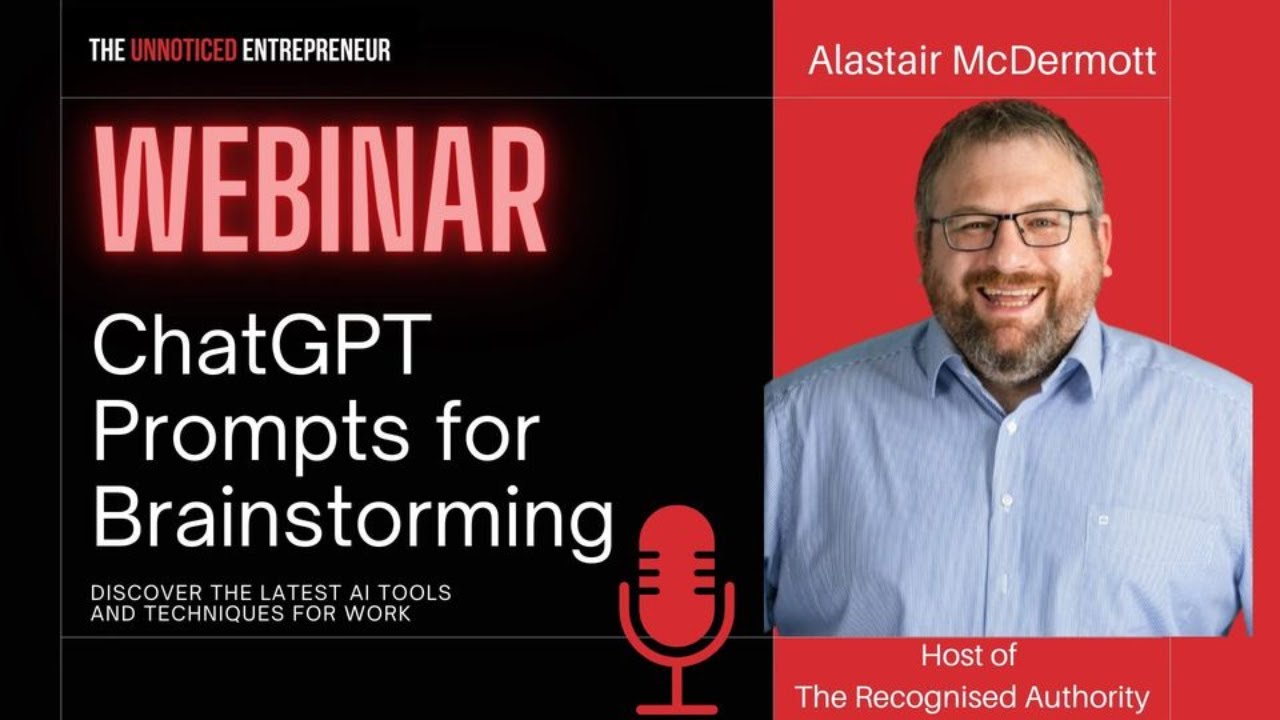
Jim James and Alistair McDermott show how ChatGPT, DALL·E 3, and Midjourney can help solo creators brainstorm and draft content. They upload sketches to generate code, create podcast course outlines and sales pages, and stress that AI hallucinates and does math wrong, so you need to fact-check everything.
Chapters
Jim James, and I'm joined today by Alistair McDermott. Alistair McDermott. Sorry, I put my teeth back in there. Alistair, welcome to the show.
Jim, it's great to chat again. And like we've chatted, you've been on my podcast. Sorry, I've been on your podcast. I don't think you've been on my podcast yet, have you? I think maybe you have. Sorry, I'm 140 episodes in, so sometimes I forget who's been on and who hasn't.
But you know how to make a man feel special.
I really love chatting with Jim because you're a smart guy, you have oceans of experience, and so it's great to chat with you about business and PR and things like that. So you always have something interesting to say. So thanks for having me on your show.
Well, thanks for the kind words, and really, you are the recognized authority, so I always enjoy our conversations as well. And you and I are going to talk today about AI, and I'm really excited because you're a member of our Unnoticed Entrepreneur group on Facebook, but also you're someone who I followed with your podcast. You just issued a book as well about podcast guesting and podcast creation. So you're a man of many, many talents. One of the things that you also posted about and we're gonna talk today about is using AI to sort of be a companion really for all of us that are content creators and business owners, often we're working either at home alone or at work alone, or just when we want to work, our team are not around, right? And that's the other thing about working remotely now. Sometimes you want to collaborate and the people you want to collaborate with are offline for whatever reason. So ChatGPT and the other tools like Bard and Bing and everybody else are proving to be really great sort of coworkers, really. I know there's a lot of worry about AI replacing people, but you're of the opinion, aren't you, I think, Alistair, that this is a toolset that's gonna complement what we do, not replace us. So tell us a little bit about you and what you're doing, and then let's look at what you'd like to share with us and what you've been doing with AI.
Cool. Okay, well, yeah, so first off, I think AI is coming, and the version that we're seeing right now is incredible and is also the worst that it's ever going to be. It's only going to get better from here. And so it's really important to understand that. And I think the other thing is a lot of people are kind of ignoring it. Like they don't want to get on the, like, oh, everybody's talking about AI. I don't want to get in that bandwagon. That's kind of like being back in 1995 or 2000 and saying, oh, this internet thing is just a fad.
You know, I remember that people saying, I don't need a website.
Yeah.
And I remember that. And only send me things by fax. I mean, we're dating ourselves a little bit here, but yeah, it was the same response, wasn't it? Actually.
It's, it, you know, it, it is, it like the capabilities are insane. And I'm gonna give you some examples in a minute of, of some things that I've done with it and what you can do and how you can use it. And like it, what's really interesting is because most of these models are general purpose, You can actually use them for lots of different things. And I think that's the most interesting thing. And you can combine them in ways, and they are going to replace a whole plethora of tools that people are using right now are just gonna get wiped out. So like there are negatives in the sense of there are businesses that are gonna go bust because of AI. People are gonna lose jobs because of AI, but other jobs are gonna be made because of AI and other businesses are gonna be more effective. Business owners, like— Smart people who are using AI are now able to triple, quadruple, or even 10x their productivity. And that's what I really like about it is that it can really act as an assistant to help you get stuff done really, really quickly and in a quality way. And the key thing for me is that there is a lot of crap that AI generates. Like you can—
Is that a technical term?
That is a technical term, but you can generate crap with AI. I know that you can. And people are seeing that and they're getting annoyed by it. And, you know, there's like, if you're on LinkedIn, you'll see people replying with AI-generated comments, and I can spot those a mile away.
Yes.
I really hate them. I find them very offensive that somebody couldn't be bothered to write a real comment, but wants the benefit of having commented. So that kind of stuff, it's basically like, Using it in that way, I think, is not the right way to do it, and I think is going to be bad for your brand, your personal brand overall. So I recommend not doing that. But just, I'll give you some examples of how you can use it, and these are all things that I've done myself in the past few weeks. So first off, I got up to say this. Yeah, sure. Sorry, I can monologue.
No, no, that's okay. No, no, no, honestly, mate, and you are a mine of information. I also just want to say that on this session this Friday Live, we're just talking for, for 1 hour, right? So this show will just be until the top of the hour, until 1:30. But we're also going to talk about tools that are either free or very low cost to use. Just really want to make it absolutely clear that we're not promoting tools that cost a lot of money here.
Mm-hmm.
What we're really doing is, you know, tools like ChatGPT is sort of $20 a month. Midjourney is again $20 a month, right? So What we're trying to do is to make what's available accessible. And so what Alistair is going to show us is some of the ways that he creates content by using ChatGPT and a couple of the other platforms that are available to you and me now using your desktop, your laptop, or I have the ChatGPT app on my mobile phone and on my iPad as well. So the whole idea of this is to make AI accessible. for all of us. And I definitely think that, like the internet, those people that don't learn how to do this will be left behind. Right, Alistair? It's not a kind of, do you want to do it or not? It's kind of not— it's not an option, I think, to learn about AI. So just wanted to say this is about accessible AI and teaching you how to use it. So back to you, Alistair.
Yeah, and thanks for interrupting, because I can monologue, and I could probably do 3 hours if we needed to. But let's keep it to an hour.
Yeah, no, we've got an hour, and we're recording this, and we'll make this all available as well. Yeah.
So I just, I just want to run down because, because I put together a list recently of some things that I've done, just, just so I like, I can, I can tell people about them to give them examples of real world. And so what I have not done is I have not given it a prompt and said, write a LinkedIn post for me. I have not given it a prompt and said, write an email for me. Although it's pretty good at those things, it's not great, and it certainly doesn't do it in my voice. I haven't used it for those types of things. What I have done is I've given it a book description, I've given it a chapter of a book, and I've said, please suggest 15 amazing titles for this book. And it's given me 15 title suggestions. I've said, I'm gonna be running a livestream with Jim about this topic. Please give us some title suggestions for that. Please write a promotional event description for this so we can put it into the online tools. And it's really good at doing something like that. I also, and I don't have it to hand, but I drew on a piece of paper, I drew a basic website, and then I wrote on that piece of paper, I want you to generate the HTML and CSS for this webpage. And I uploaded that photo straight into ChatGPT and it created the HTML. I didn't give it any other instructions. I just handwrote in the instructions on the piece of paper and it created that webpage. Like, it's insane, you know?
It is, I think. But let's, You know, as you and I discussed the other day, there's sort of these amazing capabilities, but there's also this huge learning curve. So I think, you know, I've done a few presentations now to groups, and there's kind of a bit of a wow moment for everybody. But let's start with the very basics. You know, for example, if someone's creating an event and like we did the brainstorming, let's just show people with a screen share using ChatGPT how to do prompting.
Mm-hmm.
And the interface, because you're absolutely right, using it for HTML. I saw now I can do Python coding with it, which is incredible. Most of us as entrepreneurs, we need to either create content, we need to create a blog post, we need to maybe, if we're creating courses, for example, create course outlines. So let's, on this, on today's session, keep it as accessible and kind of takeaway possible as we can. So, Alistair, show us first of all the interface for ChatGPT and/or Bard or Bing, because you, you use all of these different tools.
Absolutely. So I'm gonna do a screen share here and let me know once you can see my screen here. Is that appearing okay?
Yep, that's great.
Awesome. Okay, so this is the basic interface to ChatGPT. Now, because I am paying $20 a month, I get these two options up here, ChatGPT 3.5 and then 4. 3.5 is faster and gives you faster output, but it, and it's what they use for the free model, but it's not great in terms of its logic and reasoning and the output isn't as high quality. ChatGPT 4 is where all the interesting things are at. And it also has some features down here that you can turn on and off. So for example, the default doesn't have access to the internet, but when you turn on Browse with Bing, and then you ask it about a web page and you give, give a web address, it can read that web page and, and process based on that. There are some stuff that I was playing around with, with advanced data analysis, and I don't really want to get into that today because it's a little bit more advanced. I just had that one turned on because I was just playing around with that recently. And then we have plugins, which are third-party plugins that allow it to do more different kind of functionality. For example, there's a plugin that allows you to chat with a PDF. So you can upload a PDF somewhere that it can read it, and then you can ask it to give you data about what's in that PDF. You can ask it questions about that. And then the one that has most recently come available to me is DALL-E 3, which is going to kill Midjourney.
Oh wow, that's just come in, huh? That's gonna be able to make images.
It's able to make images. And I'm gonna show you some of this. So let me show you some of the things that you can do here. And I'm just gonna go, so first of all, I, I just turned it to default mode here, and you can see here that it gives me this little image option here. Now I'm going to show you the one that I did previously, and this is the one where I literally drew on a sheet of paper this terrible drawing. And, uh, as people can see—
It's not so bad. I mean, I'm not quite sure what the, Oh, MVP, yeah.
Yeah, so I wrote up here in my terrible handwriting, 'cause I've been using computers now for 25 years. I haven't handwritten anything in 25 years. So I wrote up here, I want you to give me HTML and CSS for this webpage. And then I drew this webpage and I wrote here, this is an— actually I wrote this is a UVP, but MVP is fine, either of those works in this context. I wrote home, about, and contact, and even when I wrote contact, I was running outta space. It was really messy. And then I created the feature boxes and this. So like, this is, now we could have uploaded, you know, we could have uploaded a beautiful wireframe that we created in something else and got it to do something really detailed. But this was me just testing the, the basic functionality. I just took a snapshot of this with my phone at my desk and I uploaded it. And I only—
Just show us though, because you're ahead of me. How do you upload a picture to ChatGPT? Because I thought before, ChatGPT was text only. So how did you upload a picture?
Because they added this feature, this functionality here where you can click on this attach image. Ooh. And if you click on that, up pops the box for you to upload your image.
So that's another new, I mean, that's the other thing about ChatGPT.
So there, there's your logo.
It's moving. Wow. It's moving very quickly, isn't it?
So let me, let me just, uh, let me just say, what is this? Okay. Um, So, that's processing down below, but meanwhile, here's the code that it gave me. Here's the HTML code for this page that it just created, okay? And I took that code and pasted it, copy-pasted it in, and I'll copy it again here. I'm just going to open up a new window here, so. Here I have my new 285.html. So let me go open that.
Okay, this is great, but I, I think you are verging into the realms of the expert quite quickly here. I've already got pictures of The Matrix running through my mind. Oh wait, as you can tell, Alistair is well ahead of—
There is, there is our web page. Now look, this, this web page is not It's not beautiful, it's not amazing, but what it is, is it is actually what I gave it here, right?
Yeah, that's incredible, right?
I drew that and it created this. Now, if you put a lot more effort into the original, then it will give you something better. I just wanted to show you, like, that's a webpage that was created. You know, these are links, it has the right wording. You know, it got everything on this page correct based on what I gave it. And that is the part that I think is just incredible. That is wild. And the only thing I did was I drew this on a piece of paper and I uploaded the photo. I didn't give it any other instructions. The only instruction is this handwriting here. So that's the first part. The other part is the image recognition thing, which I gave it this and I said, what is this? And I uploaded your logo. It appears to be a logo graphic design with the text, The Unknown Entrepreneur. And is, uh, designed to emphasize the unnoticed part of. So, um, yeah. So, wow.
That's a very interesting, very, uh, I mean, it's able, it's able to recognize.
Now this was a simple image. You can upload something much more complex than this, but, uh, that, that's just some basic, basic stuff.
Oh, and also I'm quite chuffed that it's actually recognized that my brand, uh, you know, is saying that the un is for the Being unnoticed and also suggests a modern and bold branding approach.
Well, I'll, there you go.
I'll take that as I drew that myself. I'll take that. Um, okay, perfect. Just goes to show with armed with Canva, um, we can, we can do anything. So that's it.
That's image to text and that's image to, uh, image to webpage. So do you want me to show you more or do you wanna pause and ask questions?
Well, I think, you know, we've got, uh, the opportunity for anyone that's watching to ask questions as well. If anyone has any questions, um, Alistair, I think you can see them probably.
We do. Um, we have a question that has come up here from Dan. And where did I place the code? Okay, so, so what I did with this was I just took the code that it gave me and I put it into a text editor. Now this text editor is text editor I use. It's just a, it's just like Notepad. This one is called Notepad++. It's one that programmers tend to use, which is why we have the kind of funky green and black, but it's just a text editor. And so I pasted it in here and then I saved it with a .html file extension. And then once I had that done, I could just open it. Once you have a .html file extension, it's like if you double-click a Word doc, it opens up in Microsoft Word.
Yeah.
When you double-click an HTML document, it opens up in a browser window. And that's why it opened up here like this for me. So this was just testing. Again, if I was actually doing this in real life and I wanted to create a real webpage with this, I would probably follow a different process. But I think that it's pretty, pretty crazy that it can just do this.
Yeah. And I think, and Dan, hey, you're joining us from, from I think DC today. So thank you for the question. And I think that, um, also that's the sort of thing you could presumably cut and paste, Alistair, into, into WordPress, for example.
Oh yeah. Yeah, absolutely. So, so what, what you could do, and, and I would, if I was doing that, and I have done that many, many times. but what I would do is I would tell it not to give me some of the extra stuff. It gave me some extra stuff to create the whole page, but if I was creating something just to put on my own already existing website, I would tell it just to give me this part down here, which is the kind of the meat of it rather than all the structure around it. So that's a really basic one. I wanna show you one other cool one here 'cause I marked some of these so I knew.
Okay.
Right. So this was, uh, so first of all, this was the first time I used DALL-E 3 was last night, um, because it just became available for me. So I asked it, what can I do with it? And it gave me some suggestions, illustrations, concept art, custom graphics, all of this kind of stuff here.
And just, just to be clear, if anyone wants to use AI currently to make graphics, they can use tools like Midjourney, for example. The challenge with Midjourney is that you have to then go into the Discord group.
Yeah.
And then you go into a browser to see the—
It's tricky to use Midjourney. I'm gonna, I'm gonna just open it up here.
It's amazing.
And show you why.
But it's a little bit complicated. So, or you can use like in Canva, they have, um, a text-to-graphics and a few others like Neuroflash are doing this now, for example, out of Germany. Those chaps have built a really brilliant tool. But DALL-E, I think a little bit like the OpenAI, is kind of the original engine, isn't it, Alistair? Yeah. And all these others are using the APIs, the, you know, the application.
Yeah, I don't know if Midjourney is separate. I'm just gonna bring up Midjourney here, right? This is Midjourney. And so in order to use Midjourney, you have to use this tool called Discord, which is a bit like Slack. But what you'll see is you'll see an Lots of other people are using it at the same time, and all of their stuff comes up. But you'll see this person has put in this prompt.
And that's just a bot. That's one of the, that's one of the Midjourney bots that creates—
Yes.
A cascade of content, doesn't it?
This, this person here, so divalentostle9, I don't know who that is. That's a user. They have created, they've written this prompt. Uh, give me a toned man with black hair standing in a Gothic mansion. wearing and blah, blah, blah. And they give all of this detail, define lips, blue eyes, semi-realistic cartoonish details. And then they give some other modifiers on the end. And you'll see lots of these and you can see what other people are doing. And this actually is an interesting thing to learn from. You can see what other people are actually doing on Midjourney. And so here's another one.
But Alistair, just pulling you back there just a second. Let's get back to ChatGPT because I think part of the, you know, part of the, the sort of purpose of today is to give people a flavor of what's possible when they're starting out. Because, you know, you, you're a, an expert, you know, of experts. You're an expert, right? So if— can we just come back to the ChatGPT?
So let me just connect this, Jim.
Yeah.
Um, so in Midjourney, you have to type out this prompt and you have to give it tons of details.
That's right.
And the, the, the big difference is over in ChatGPT, here's what I said. I said, I want you to create an image for me. It's square episode artwork for a podcast episode about using AI tools. Give me some interesting options. And this is what it gave me.
Wow.
Now I didn't ask.
And the writing is correct because with Midjourney, the text is always all over the show.
Yes.
That's very interesting that it's actually got the text correct.
It's getting much better at text. It's not perfect. It is getting much better. And so like these are pretty cool. Like these, and I really like this one. You'll see me use that in a minute. Here's another interesting one. Like these are—
These are very cool.
These are like, they are cool. Now Midjourney will create stuff that's just as good. It's just harder to use.
And you've got, so this already did the aspect ratio for you and so on and so on.
So it made it square because I asked it to make it square.
Yeah, yeah, that's right. But you could do aspect. So again, if there are any questions from anyone watching, on LinkedIn or Facebook or YouTube, type them into the chat. We're using Restream today. Alistair's introduced me to Restream, which I have to confess I'd never used before. So thanks to Alistair. You can see Alistair's an expert on, on so many of these aspects, so I've invited him to come over and give us a tour. So yeah, any questions, do fire them in. So Alistair, you're creating images and it's that quick. And then you put it in 16 by 9, right?
So I said, I like number 2. Can you give me that in 16 by 9? So 16 by 9 is just the ratio. So it basically, it's, it's, it's, I wanted it in wider format. And can you change the text? Now here's the, here's the killer, right? Because, because we had decided that this was the name of the, of the session. And if you look here, you'll see it's actually spelled it wrong. Okay, so it, and this isn't really an M here. It's kind of like brainstorming. And then it says using ChatIP, you know, and this is ionated. I don't know what that is. So it really finds it difficult to get text right.
But then you just create that image without the text, right?
Yeah, so I said, that's good, but the text isn't right. Can you fix it? It had a go. You see, it regenerated the image again. So it's giving me another version of the image. And I said, it's still not right. Can you fix it again? And then I just, I gave up on that and I actually used the original.
But you could, so here's a test for you, Alistair. Can you ask it to try the first image but without the text? Because I found like with Midjourney, I've created something and I love that picture. I don't want it to change the picture. I just want it to change like The text. So can you get it to—
Yeah. So I'll see, can I get it to get to, um, so I'll see, can you, can you give me, uh, the first 16:9 image you made me, but with no text? And so what it's going to do here is it's, it's, it's really difficult for this because it generates stuff from scratch each time. It's really difficult for it to give you the same thing back again, but with minor changes made. Um, in text it is, but let's, let's see what it gives me here. Um, so it's, it's gonna try now to do that.
I think, so I think from a workflow point of view, it's worth just considering if you use DALL-E, if you use the image creator, to specify no text.
Mm-hmm.
Um, so that—
So here we go. Let's, let's, let's see what this is like. I'm gonna open this one up and, oh, let's open it up here. Um, So there is that one. And I'm just going to scroll up to the previous. So where's the first one with the text? So that's the first one with the text. So let's see how it did in terms of comparisons. So you can see that it's changed. You can see that it's changed the various, um, implements and—
Yeah, but the overall layout of sort of brain and then—
Yeah, I mean, it's—
Toolset.
It's, it's pretty similar, but not identical. It, it, it finds it very difficult to do things to replicate what it's done already.
Because it originates each time, doesn't it? So, yeah, Alistair, if, if, you know, one of the things that you create and I create are courses, right? For people. Can you just show us if you were, let's say, a course creator, could you, as a little bit of an exercise, could we show how you could use ChatGPT to if you like, show, create an outline for a course.
Sure.
And then also how you might get it to create images which could be used, for example, for each section. Let's say it's a, a 3-part course on using AI, for example. Let's give it a bit of a task so people can see how they could actually create.
Right now, so first off, I, I want to just address one point that people may not understand, that AI is pulling from all of the knowledge that it was trained on. And so that means that it's quite knowledgeable about things that people have written a lot about, but it's not knowledgeable about things that people have not written about. And so it's not actually very knowledgeable about AI itself, kind of funny enough, but that's because we haven't written a whole lot. Like, there's mountains of data out there about all sorts of other topics, but not so much about AI. So it isn't actually great at generating stuff about AI. So I'm gonna pick, I'm gonna pick something slightly different. Let's, um, like, can we pick something like email marketing or, um, or podcasting?
Because that's, I mean, you and I both do podcasting.
Okay, cool. Let's do that.
So, and I'm built, look, and I'm building a course which is about helping, uh, guests to be pro guests like to be professional guests, how to, how to be better before the show, how to be better during the show, and how to use the show afterwards. So why don't we, let's use that as a framework, can we?
Right. So we're going to, we're going to create a course on how to be a better guest and be more effective. Okay. So I'm gonna, I'm gonna start this again. I'm going to go over to ChatGPT and now I'm going to go to a new chat. So this is a new chat. I'm gonna turn on the DALL-E 3 because I do want to have access to the image generation at some point, but I don't need it right now.
And just sorry to interrupt. Sorry, Alistair, again to just interrupt, but for people that aren't familiar with ChatGPT, can you see on the left-hand side, you can see all these sort of dialogue boxes with data cleaning. There's a list and each one of those is a separate chat that Alistair has had within ChatGPT. That is important because ChatGPT remembers the content of that string. So if, for example, you wanted to do mindfulness trainer style guide, you would want to go back into that string to do the next piece of work. So you, you kind of create almost work folders or streams of thought. So you don't just keep creating new chats, right, Alistair? You go back and, and kind of go back into—
Yeah, you can, you can do Now, as you can see, I tend to use a lot of different chats.
Okay. All right.
It's a different work approach. So, what happens? So, one place that it's weak is it's weak at finding your old chats, right? It's not great at doing search. It doesn't have a search feature that you can use within the web-based access, but you can do a search in the, in like the iPhone app. So it can be hard to find stuff, but what happens is it automatically names the chats for you. So that does help a lot. Now I'm gonna pick, so let's pick the Mindfulness Trainer Style Guide. I'll just show you very briefly what I asked it here. As I said, create a minimal visual identity style guide for a mindfulness trainer who uses this brand. And I just asked it to create a style guide and I gave it some simple information. 'Cause I wanted to do a basic style guide for somebody, and I just wanted to, to get this where it had the color palette and it has some examples to say, hey, this is something like what we could do for you. And so it, it's automatically generated. Now, one of the key things here is this is all garbage in, garbage out. So what I mean by that is you need to learn and experiment in how to give these prompts. And it's very much a learning curve. And also, the more that you know about something, the more, the better result that you can get out of it. And this is where I think it's really useful for experts, because, like, I knew how to say what I wanted here, because I know what a style, a visual style guide for an identity has. I know the things that are important in there. And so, You could, you could start out with a simpler prompt. Like I gave that a fairly advanced prompt here, but you can start out with a simple prompt and then build on that. But the more that you know about a topic, the better you'll be able to prompt on that topic. So does that make sense?
Yep. No, exactly. Just letting people know in the group that we're, we're live. Yep.
Awesome. And, and hello, Paul. And thanks, Dan. So I don't think we see all of the The chat's coming from all groups, but I know that Dan and Paul, and we have some other viewers here on LinkedIn as well, so you're all very welcome. So what I'm gonna do now is I'll just show you this other prompt, by the way. I said, create a realistic photo from history of an accountant in a modern office using an abacus instead of a computer. And this prompt is not great, but I just wanted to throw something together very quickly. And so, It created these, these images of an accountant, a potential accountant in an office using an abacus. And so that was the one I picked. I just picked this. I wanted a quick image to put up on a LinkedIn post that I was posting. And so you can see, you can see how simple my prompt here is. So simple compared to doing that same thing on Midjourney.
Yeah, no, exactly. And also because another thing is here now that you can create both the text and the graphic in the same application.
Yeah.
Right. Uh, because the workflow with Midjourney was taking so long actually to log into Discord, choose the up-res, get it into my browser, download, you know, so, um, this is pretty incredible.
Uh, yeah, it, it's, it's, it's amazing. So, um, so, so this is, again, you can, you can keep it that simple. It doesn't have to be like the mindfulness. in this one where I showed you a more advanced prompt. You can just start with something simple like this.
Yep.
Now we talked about doing a, and by the way, you'll notice it doesn't save if you don't actually type anything in, it just goes away. It didn't save the new chat that I started before. So I'm gonna start it again. I've DALL-E 3 started. So now let's go ahead with our training course. So we're gonna do a training course and can you, Can you give me some details about this, Jim? Okay, yes.
So it's called the Podcast Pro Guest Course, okay, is the name, and it is a course to help entrepreneurs and subject matter experts to feel more confident about going onto podcasts. But most importantly, it's to help them to make the most out of the podcast appearance By making sure that they look good on camera, that they sound good on the mic, and that they know how to use the content from the podcast to repurpose, you know, so they can make blog posts, they can make video shorts, they can make LinkedIn posts, so they can really maximize the, the appearance on a podcast.
Okay, now pause a second. So I was typing in, I was typing in desperately there as you're speaking. So I didn't get everything that you talked about there. But if I, if I was to make the most of their appearance, if I was to do this myself, what I would do is I would actually record what you just said and I would transcribe it and I would do that very, very quickly.
You are rock and roll. Well, I tell you what I do, Alistair. I skip a step at the risk of being a smarty pants, I use the button on my keyboard. This one?
Yes.
Here. Because on an Apple keyboard, there is a little microphone. If you press that, it does dictation.
Okay, very good.
I just dictate to my computer.
Yeah, yeah, that's, that's, that's pretty much how I will do it too. So okay, so I want to go back and just tidy up this prompt.
Yep.
So I'm creating an online course called The Podcast Pro Guest. Is that what it's called?
Yep.
And the aim is to help business owners feel more confident guesting on podcasts, make the most of going on podcasts, look good on camera, sound good, and learn how to make the most out of the content, Yep. Um, that is created.
Okay. Hey Val, good to have you. Val's, uh, with us now as well. And, um, hey, awesome. So this is coming through on the Facebook. That's great. We're sort of learning here. Okay. I'm playing with time. There you go.
So now we, we now have given it some context about what we're doing. And so now we have to give it a task. So what would you like it to do first?
I'd like it to create the course outline.
Okay. So I'm going to say, I want you to act like an expert online course creator and create a high-level outline of this course. Is there anything that's important or that we, we should add?
I think let's just say there are 3 stages. There's the before, during, and after. The recording.
Um, stages we'll address in the content.
And I think what you can see before the podcast interview— Alex, I'm just going to talk over you for a second.
Go ahead.
So, um, so one of the things you can see about the prompts here, and this is an observation that someone made when I gave a, a seminar about using AI is just how detailed your prompt needs to be. The more specific you can be about your prompt, the better the results. And this is where I think a lot of people get a little bit lost with the AI, with the chat. They put in sort of too much sort of general open-ended content.
Yeah.
And what you see from Alastair and me here is that we're giving it specific instructions just as you would an individual if you were training a member of staff, for example, or giving a subcontractor or a supplier Or customers or kids instructions, you need to be as specific as you can.
Okay, so I'm just going to tell it to go. So it has, first off, it has created a subtitle, Mastering the Art of Being an Outstanding Podcast Guest. Now it's working away. Now, even though I asked it to give a high-level outline, it's actually giving quite a detailed outline here. So before the podcast interview, okay, this is something that ChatGPT will always do is it'll always add context and sometimes what I would consider to be filler at the start of content. So this is stuff that I will usually remove myself. I don't like a lot of fluff or filler in the stuff that I create personally. And so I would remove some of the, some of the extra introduction that it includes. So let's see, Module 1, Identify the Right Podcasts. So it's giving you what Module 1 might look like. Module 2, Your Technical Requirements, Microphone, Headphones, Camera, Setting Up Your Environment, Crafting Your Message. Module 3, Branding, Dressing for the Camera. Make sure you always wear the same color and brand of t-shirt like I do. On camera.
Well, joking apart, that can be part of your brand.
Like, I have that hat on, right?
Well, true, true.
Yes. Yeah. So you can see, like, it's given us, so it's given us, so it's given us the section before the interview. So section 1 before the interview, or part 1 maybe, and then the 3 modules in there. And then part 2 is during, and then some stuff on this. Maybe going into a little bit too much here. I don't know if managing audio levels is something that guests need to worry about. Typically, that's usually the responsibility of the host. But things like camera positioning, maintaining eye contact, yeah, that's good. And then promoting your business, sharing stories and experiences, that's a really great point. So I like the output that it's given me here.
Yep.
And then after the interview, So what it's given us here looks pretty cool. I like that. So now we have—
Yeah.
Now we have potentially the outline of this course. Now, here's the thing for me about this. The data that it has built this course on is the sum of all of the knowledge that it has been trained on. And it is giving me the average, the mediocre average output from that. And it's pretty damn good, but as an expert in this area, you may have things that you want to remove or want to add, and that's where I think it's really crucial. This is a crappy first draft. I was going to use a different word, but popularized by a book written a long time ago, but I'm going to say this is a crappy first draft, and this is like, in terms of crappy, it's actually pretty damn good.
Well, I was going to say it may be crappy, but—
You can take this and then build on this.
Yeah, but it gives you, it gives you the, um, the framework, doesn't it, Alistair? And I think that for many people that are not quick at typing, for example, or if you want to prototype an event, I see your QuillBot, uh, yeah, it keeps moving on me. Yeah. Um, that's the little green robot at the right hand side. That's also a quillbot.com is another sort of AI writer assistant does quite good summaries, for example.
And, uh, yeah, I, I mostly use it for its grammar correction, to be honest.
Right. Yeah.
But, um, yeah, so, um, but you've got enough there.
haven't you, to get a sense of the layout and the kind of— and what I also like about it is that it's quite consistent in its structuring. So you've got 3 bullet points per module, and I'm guilty, and most of us are guilty of knowing a subject matter in lumps, right? So we know a lot about one part and not about— not as much about another.
Yeah.
So it means that the structure of the course in this case would be much more consistent across all the modules, whereas sometimes there's a tendency to do more about one module or another. So now we're going to do a sales page outline. Great.
Yeah, let's, let's get it to do, do some interesting stuff here. So write me a sales page outline for this. And again, this, I've given it something really simple here. I didn't tell it to act like an expert copywriter, so maybe I should. So it's, it's working away now. And it's creating the sales page, so it's giving us this. And so it's given us this, this as a sales page. Now, so what I'm gonna do is I'm gonna say the course is from Jim James of The Unnoticed, and I should have capitalized that.
Here you go.
The Unnoticed Entrepreneur.
This is really a test of your typing skills out there, isn't it, today?
Much better than my handwriting.
Yeah, no, that's right. Now you're playing me.
Now give me an HTML version of that sales page.
Oh, interesting. So then you could put that into a stylesheet somewhere.
So now this is real basic, but it will still give you— like, it's giving you something that will work. Like, you could test using this, you know?
Yeah.
You can create this webpage and then test using this. And next thing I'm going to do is create a—
Well, Alistair, I was going to just jump in and interrupt you there because I saw it said It recommended a graphic higher up.
Yes.
I don't know whether this is what you're gonna do next.
And that's, that's exactly what I was doing.
Yeah. Okay. Perfect. Because, because I created a course and I created the graphics in Midjourney.
Right.
Um, but, you know, in between, and so it'd be quite interesting to see, uh, if it creates module-level graphics, you know, that would be very interesting.
Okay. Well, I'm gonna say create a cover image for this course. I don't know. Um, Let, let me, let me test it out cuz I actually haven't done that. So I'm gonna get, get it, get one cover for it and see what it, see, just see what it comes up with first.
Just a quick question.
Mm-hmm.
How does it know to use DALL-E? I know you have put DALL-E before, so did you have to use the keyword image, for example, for it to—
Yes. Yeah. Because I said create an image.
Yeah. So there has to be, if you like, that's your prompt.
Yeah.
Um, because if you didn't know that, I mean, with, um, Midjourney, you have to put in, you know, forward slash prompt imagine, right? And then write out a string of text. So it still has to know that that's what you're looking for it to do.
Yeah. Okay, okay, here we go.
Oh, nice.
So you can see again, problems with text. This one here is correct.
Yeah.
So I mean, you can just replace that text. But like, that's, that's pretty mad. Yeah, you could like, I think these things are just so cool. Uh, I don't really like that one. Uh, but this is like that image, like that's fantastic, you know?
Yeah. Um, I didn't know how you'd crop out the text.
Yeah, we, you know, I would, uh, if I was doing that, I would, uh, just pull the background color and just overlay it. Um, but like the, again, these, this text will get better, you know?
Um, yeah, no, but I think also the speed. I mean, we've been doing this for, you know, 5 or 6 minutes and we've created the beginnings. Now, yeah, here's, here's a question for you because I was reflecting on how, uh, AI is great but it thinks much more quickly than humans do, uh, arguably in terms of content creation, right?
Mm-hmm.
It's, it's in danger of creating a lot of stress, isn't it? Because you've created an outline But actually an outline is not a course. You've then got to create, yeah, the, the script for each module. So do you want to just tell us how you would go about that? Because otherwise you end up with like all these modules.
Yeah.
And someone's saying, well, you know, that's great, but how do I possibly now actually build— and we're talking about a course, but obviously this could be a blog post, it could be an article. It could be any form of content. Do you want to address that issue?
Yeah. So I'm going to, I'm going to grab this right now. I like, I could just grab this part here and ask it about this, but I'm actually going to grab this whole thing because I just want to, I like to give it as much context as possible when I'm asking questions. So, so I'm going to say, I want you to act like an expert course creator. Creator and create a detailed. So this time I'm asking for a detailed, um, module outline for the following.
Could we say, could we say a detailed module script? Would it work? Would it understand if you asked it for a script?
Yep. A detailed script.
Because obviously if you're creating a course, or it could be a lecture, for example, for school. It could be an internal sales presentation around a new product launch, for example. You could then have ChatGPT create this content for you.
Now I want to, I want to just mention something that I found that helps sometimes. I like to separate the instructions from the input text with like a bunch of symbols, something like that. It just helps the, the AI to understand what the separation is. It just, you don't always need to have it, but what happens is it just makes it really clear for it. Yeah, it's just handy. So I'm gonna ask it that. Now I'm going to add an instruction. Please include instructions in square brackets. Um, for what should appear on screen during the video. Okay. Okay. I'm gonna just say that it's a video script. Okay. Uh, and now I wanna say the, the, um, the video should be, uh, let's say 3 to 6 minutes long.
Okay. So you, again, you can see for those people watching that haven't used ChatGPT or any of these, it's the same with, Jarvis, right? Or Peppertype or AI Writer. There's a, there are quite a lot of these, uh, tools. Uh, and in fact, uh, Kajabi now has a course creator with AI powered. Um, and I saw that, um, right.
I, I'm not crazy about what it's doing here. It's, it's gone, it's gone a little bit overboard. Maybe, maybe not. Okay, so there's certain words that ChatGPT tends to use all the time. It loves to dive into things and delve into things. You'll see that appear all the time. I like it not to use that, but this is pretty good. So welcome to module 6, where we'll delve into the art of promoting your business without coming across as overly salesy. One of the primary reasons audience tune into podcasts for genuine, authentic content. So how can you promote your business without turning them off? And so we come down here. Talks about sharing stories instead of pushing your service, you're sharing experiences, right? So, so this, so this content is right. Maybe it needs to dive into this a bit more.
Yeah.
And show clips of various entrepreneurs sharing their journey. Again, this, this is where it starts to hit the mediocre for me. Like, I personally, I would not use this directly.
Well, and I think, and I think the other thing then also, Alistair, is that This is where humans are gonna be needed because critical judgment is, you know, how do you share an image of an entrepreneur, you know, sharing openly, right? I mean, it's, yeah, well, it's a concept.
So, well, I could say, I could say, I don't know what this would be, would be, can you give me?
And also again, anyone who who is watching that's got questions that you'd like to ask Alistair while we, while we're generating that, do dive in and send them. I think, Alistair, as you're the host, you can see any questions as well. We've got about another 10 to 12 minutes left. Uh, there's Dan's got a question. Could you ask it to produce suggested readings for each module?
Um, for the, uh, entire course outline, outline that we Created above.
Great, Dan. Thanks for the question.
Please suggest, um, please, please give me suggested reading, readings for each module.
Now, quick question for you there, Alistair, while it's making this. Um, is ChatGPT now accessing the internet in real time or only up to 2021?
Only up to 2021. And now here's the other thing.
Because otherwise all the books that you're recommending or podcasts or other reading will be out of date.
Yes. And the other thing about this is these books may not actually exist.
Yes, we heard that about some legal cases as well, right?
So this, this is something you need to be wary of, particularly when you're asking for sources. So ChatGPT is brilliant at giving you a plausible sounding answer. It will give you the best plausible sounding answer for the question that you ask. The problem with that is it will just make stuff up and it won't, it won't give you sources because it's not able to give you sources for that. So I'm gonna see, do these books actually exist? And this is something that I do. I check the work when, when stuff is, is important. And usually it is when you're just publishing it. So Lisa Barnes, this book does exist. So that's good.
Wow, that was going back a few years.
Yeah. So this book does look like it exists. Maybe that's a different author's. So I would check all of these things.
And I think it's a really great point about again, the need for human interaction, right? Um, that, um, that what you could do is ask for the ISBN number, I suppose. But this idea that we can outsource everything to AI is not correct. And I think this is one of the reasons why we need to be critical about AI, is that, you know, it's going to augment what we do, but we, we can't abdicate responsibility for what it does. We can't let it represent who we are or what we're thinking. We can only let it support us on some of the rote work, right?
Yeah. Now, I did test it out here just to see, because I don't— I have not yet published a book called Recognized Authority. I may publish a book called Recognized, actually, that's what I'm tending to write. But it's saying, okay, we don't know about it. Now, I have seen in the past where it will just make something up. So I'm just going to try it again, because sometimes when you try You get different answers each time.
And I think that's—
Okay, so it's giving me the same, it's giving me the same back. It's saying as of the cutoff. So, and by the way, what you'll notice is when you give it the same identical input, it will give you different output each time. So in this one here, it says as of my last training cutoff. In this one here, it said I'm sorry, but as of. So each time it recreates an answer for you, it doesn't do the same thing over and over again. It's in fact it's very bad at doing the same thing over and over again. But but this is pretty good. It it it actually said that it doesn't know about that. Now Dan asked, and and would it be more up to date with Bard? And and so I'll just pull up here. If we go to bard.google.com, we will see that we have the same kind of input over here. So and so what I can do is I can take the original prompt. I'm going to Okay.
And Alistair, I just remind you, we've got about, uh, 6, 7 minutes left. 7 minutes.
Okay, cool. Yeah. Um, I'm, I'm just gonna, gonna give this to Bard and I'm also gonna give it to Bing and just show people, you know, that these tools, these are all from the other, uh, the other providers.
Yeah.
Um, so Bing is from Microsoft, Bard is from Google. And so I've just given us the, the course outline one in the same way. And you can see, uh, Bard has, has created something and it's created some different options here. It's done the same thing of creating a course outline and Bing is, is creating one as well. Typically ChatGPT is creating the best outputs at the moment.
Is that what you found? Is that, is that—
I, I think so. Yeah.
Because the Microsoft runs on OpenAI, doesn't it? Because they invest—
It does. It's interesting that Yeah, and, and there's another one that I use called Claude, again, which is the same thing. The only difference is you can put a lot more information into Claude. You can put 75,000 words, whereas I think with ChatGPT the limit at the moment is around 8,000 words. Um, and, and so when, when you can put 75,000 words in, you can say, hey, here's the draft of my current book, um, please act like an editor and go through it and, you know, look for Look for mistakes or is there any sections that are missing? So that's where that gets really interesting. The last thing that I want to do here in terms of the demo, I just want to go back to brainstorming and the concept of brainstorming. So I'm going to say, give me the names of 5 business podcasting experts.
Let's hope you and I come up. What if we don't come up? But I think we've maybe—
I don't think that I'm going to come up with this for sure.
Right. And I think I cut out To, you know, yeah, we're not like—
So now I'm going to say all of— so I'm going to say, we're at a conference, at a conference where all of those experts are on a panel and they are doing teardowns. So this is like constructive criticism. Of online courses. Write the heated debate that they have over our online course.
Now, this is nice. So this is like having outlined, having sort of experts take a position.
Yeah. Now, this is all hypothetical. It's based on But, you know, it's interesting. So, so we'll see. What this does is, like, I would never actually use this directly, but what it does is this now says, okay, so Pat Flynn's perspective on this might be—
Yep.
Might be something about this. And so, so it starts, you know, it just gives us some perspectives on all of these things. And I really like this as a brainstorming tool.
Yeah, that's great. Also, it means you can really look at what you might want to lean into in, in the content when you're explaining it.
Yeah. Right. Yeah. Um, now I noticed I left Dan's question up. Um, I just want to address this other question Dan asked. Uh, can you get more up-to-date info with the plugin? You can get more up-to-date, uh, information. The issue is when you've got Chat with Bing turned on in ChatGPT, It's not that it's got the information in its database now. It's, it needs to go out and it's really slow about going out and doing a search within Bing, getting the results back, reading the page, and it, it's very slow. It can be good for finding out stuff, but like I typically have that turned off most of the time just because of how slow it is. But if you really need to know something that's more up to date, personally I would just go Google it myself. And then use that input. And I'm sure that these will get better at that. But yeah, it is, it is something that technically it does do, but I find it doesn't do it very well. So I hope that answers that question. In terms of brainstorming, asking for ideas, that, you know, those are some things. ChatGPT is really bad at maths. And so—
That makes two of us.
Yeah. So I gave it—
I was hoping I could get it to To do my maths for me, but—
I gave it a list of some stuff, and so it's going, it's trying to do the work. So it actually hides the work. I'm not gonna show you, but it says, it looks like there was an error in this. And then it says, it looks like I forgot to do something. Let me try again. It seems like there's a technical issue. It's not good at doing maths. And that's, you know, that's just something these systems aren't great at. That makes sense. What they are great at is in generating this kind of text output.
Okay, the one thing you haven't shown people, which is lovely, 'cause we've got a couple of minutes left, Is with that course outline, just show people how they can take the content out and put it into a Word document, for example, because you haven't shown us how you export anything.
Oh yeah. So when you're, when you're looking at your output from ChatGPT, typically there's this little bullet, this little clipboard icon, and you can just click on that. And that has now copied the text from this output. And I can go in here to Google Docs, say, And start up a new doc, and then I can just paste. And so you can paste, and there you go. There's the outline, and then you can start formatting it.
Okay. Yeah, that's wonderful.
That's actually the text of the sales page, actually, the sales page outline. But it's the same thing. You can go in here and just click on this, and it'll get you going with that.
That's brilliant. So we've got, um, and then if you wanted to then download the images. So in the last couple of minutes we've got, um, what would be your advice to anyone who's thinking about ChatGPT and, and AI, uh, for let's say content creation and, and ideation? What would be your advice?
I, I think you have to dive in. I think you have to start playing around with it. Getting comfortable with it, trying it out for something simple. Try it out for some day-to-day tasks and start to figure out where it's weak, where it's strong. It's like, it's not great at certain things. Like I showed, it's not great at maths. It's not great at text on images. It's not great at, you know, there's certain things that you'll find out, like it makes stuff up sometimes if it doesn't have an answer for it. And You know, those are really irritating, and you've got to— so you've got to properly fact-check when you output stuff from it. So never take something blindly from it, copy-paste it, and post it online as if you had written it yourself. It's just a bad idea. But what it is really good at doing is creating that first rough draft, because now, like, if you were and I were to sit down and look at that course outline, we might rip to shreds and actually come up with something much better. But we're starting, rather than looking at a blank slate, at a blank page, we're starting off from a point where we have all of this stuff in front of us, and that's the most powerful thing. So get comfortable. Like, AI is here to stay, it's, it, and it's important. So, um, you know, start, start learning how to use it. I post all the time about what I do with it, and I've got videos on where I've experimented with it like this. Go watch some of those, play around with it more yourself, and now let's do it.
And now, where can people find You, Alistair McDermott?
I am most active on LinkedIn. So if you search my name, I'm connected with Jim on LinkedIn. Alistair McDermott is my name and my brand and my podcast is called The Recognized Authority.
And you've proven that you are absolutely the authority. Thanks, Alistair, for joining me on the, on the Unnoticed Entrepreneur Live Show today. Really deep dive tech. We covered a huge amount. So thanks for sharing all your, all your wisdom. with me. And obviously we'll put this on YouTube and we'll share links to it and in our Unnoticed Entrepreneur Facebook group where Alistair and I are both there as well to help anyone that's got any questions. So, Alistair, I think you are driving Restream today. So with that, we'll just say thank you to everyone that's been watching today, and do join us next Friday. We will have another Unnoticed Entrepreneur live session with another subject matter expert. So tune in. And we will keep you updated. And we can just say, until we meet again, keep on communicating.
Thanks, guys.
More from Jim











2 people, infinite agents, 1 billion dollar idea #AIAgents #Startup #Productivity