Jim James shows how to take a ChatGPT article and schedule it across social platforms using Zoho Social. Format the post with hashtags, emojis, and images from Canva, then use Zoho's smart queue to auto-publish at optimal times based on engagement data. The whole setup takes about three and a half minutes.
Chapters
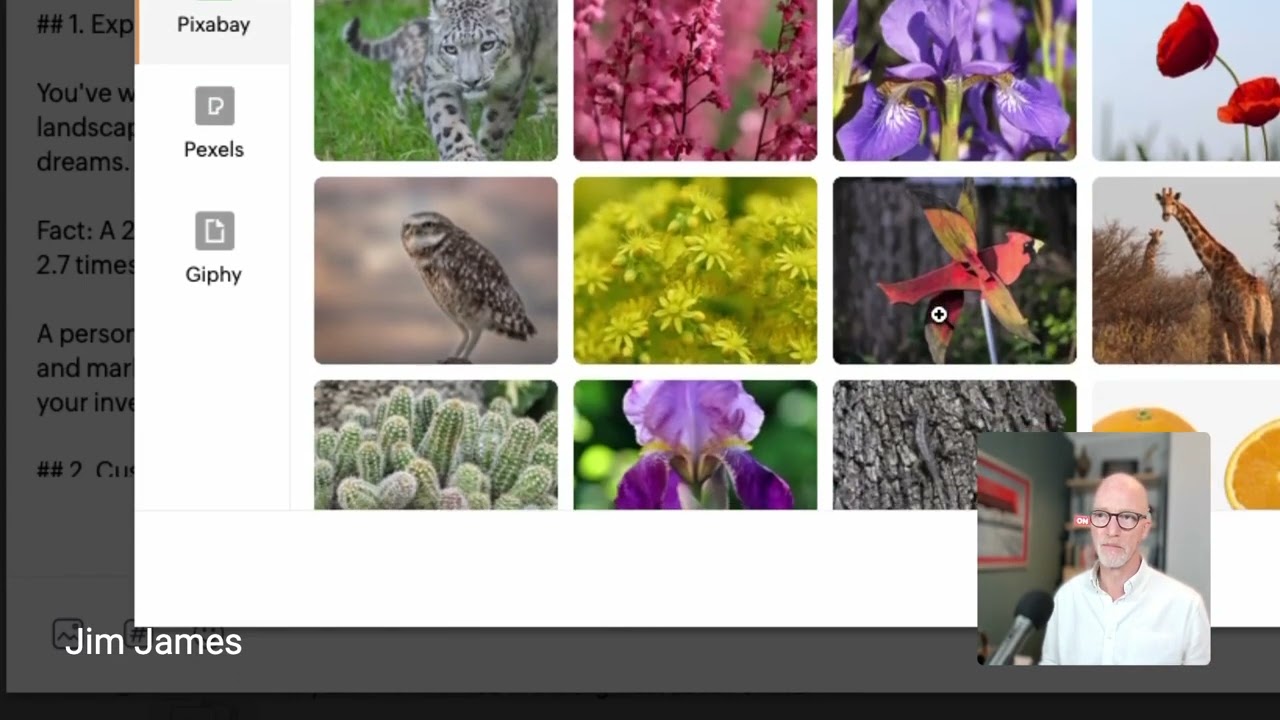
Okay, so now what we're going to do is to take some content, an article that we've created using ChatGPT, and I'm going to share it on an amplification platform. Now I, I'm using one called Zoho. There are others including Hootsuite and Buffer. There are quite a few of them, different price points, but most of them have free trials. And I want to share with you how you can start to batch process your content. So you've created the content in one session using ChatGPT and the Lumen5, and what we can now do is to use the Zoho Social to start to schedule that. This means that you can spend one day, or your VA could be spending one day scheduling content for you, and you can set it and forget it. You don't have to log on to your content providers every day. And that's a key to liberating you from having to manage too much social media. So let me just share with you here how we do that. So I've already got in my clipboard the article that we've created. Okay, now then, I'm going to just take this, make it a bit more spaced out. Okay, then here. Okay, now obviously it's too long for Twitter. Okay, and it's not a video, and it's not a video for TikTok, but it is good for my LinkedIn company page and my personal page. And of course we have to connect these. Now a couple of things I want to share with you here. One is we can do hashtags. Okay, so let's say we could do hashtag, let's say personal finance. So I've already got some in here, but let's— I'm going to say entrepreneur. That's a group that I've got. So if you're doing this often, you can create that. You could do finance, for example. You could do personal money. You can do pensions, for example. Not too many, right? And then what we're going to do next is we're going to add, for example, we could add in some emojis if we wanted to. Okay, so we could talk about maybe an emoji for money, let's say. Alrighty, let's put that in there. And I'm not going to take too long, but you get the idea. Now the other thing we can do is we can add images, and this is really key. Now where Zoho is very nice is it allows me to upload pictures from my desktop, a media library, a cloud picker, or I can even design on Canva. Now, if I look here, cloud picker, you'll see here there are different places where you might have got your company files, for example. Now, if I look here under media library, can you see here it's got my own library, but it's also offering me libraries. And these are free to use. And I could search for, let's say, money. Okay, and it can give me an image. For example, here I can use this one, or I can, if I wanted to, add a GIF. For example, let's say I want to do the old Tom Hanks. Okay, now I've now got the article, I've got a GIF, and I've also created a picture that I want to use that was from my Wealth Builders. And I created this with a tool called NeuroFlash, so I'm going to use that one. And that could be, for example, you have a product shot, or in this case, a branded shot. Okay, so then we're going to attach that as well. So I've got— now you can see a number of different images that I can add in there. Okay, now I could add a link if I wanted to, for example. And this is giving my, my media source. You can either leave it on or take that off. I could add a link if I wanted to there to Wealth Builders, for example. And then I'm nearly ready to go. Now the thing is, what I wanted to share with you is that this in itself is taken me just 3 and a half minutes. Now then, this is the smart part. Now I could choose here to schedule it for a particular date, and one of the things I like about Zoho is I can have it repeat. So I can have one piece of content, repeat it multiple times. For example, I have it weekly or monthly. You don't want the same content to go out every day because then people and some platforms actually will ban you, but you can have this repeat weekly, for example, until, let's say, if this was a promotion, for example, for a new product or some kind of special offer. Now I can also add this to a queue if I've got multiple posts that I have already scheduled, which I will have. And this is one of my favorite with this product, Zoho it has a smart queue slot, and what this will do is it will schedule the content when it's going to be the best time based on the engagement received from my previous post. That's AI working for me. Okay, so as this is a Wealth Builders post, I obviously won't click Post, but I'm going to click Save. And you can see these are my posts already. Okay, and then you can start to see the scheduled ones, and the approved and drafts are, for example, here. And you can see here I've already got some that are repeating, for example, on different platforms. It means that then I don't have to keep trying to log in and log out. And you can connect all of your platforms, as you can see across here. And so you can set this up and load the content and let the AI deliver that content for you when you're most likely to get engagement. And, and, or you can get your VA to do that for you, as I do. So once you've authorized the content They can load this and then you might want to approve some of the text. But if you've already generated the text and approved it through the earlier work, then you really can outsource this part of the distribution for your content amplification. And I think you're good to go.
That was embarrassing. I was supposed to sound like this. You get the idea. We're pretty flexible and now you can be too. Let us be your team of superheroes to write articles and posts for you, create still images and videos, set the best times to share what you've made, and even to manage the distribution for you. Come to think of it, I'm not sure that Jim deserves this drink after all. Hey Luna, hold that order!