Delphi Actions Workshop — Turn Insight Into Impact
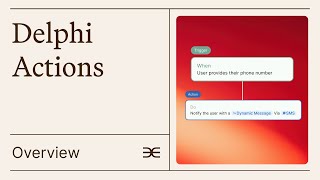
Learn how to set up Delphi Actions, a rules system that lets your AI persona automatically message users based on triggers like inactivity or usage limits. The walkthrough covers templates, the composer, key triggers, and action types like sending messages or updating user properties.
Chapters
We're going to quickly turn off the music and get started.
Thank you all so much for joining. We are very excited to be sharing Delphi Actions with you. We are going to be doing a walkthrough of this from start to finish. We have turned off the chat and also turned off the ability to unmute yourself because we want to make sure this goes as smoothly as possible. Alvin is here, he is the engineer that designed all of this on the back end. So if you like the feature, please give a shout out to Alvin. Somewhere in your posts, in your Delphi anything. He did an incredible job and this is probably the coolest feature that we've released yet. So I'll start with a quick walkthrough of what Delphi Actions is, why we're doing it, and then we'll jump into how to actually use it. So to start out with Delphi's vision, then today's problems and why Delphi Actions is there to solve that problem. Delphi's vision is that you can access anyone's mind anywhere at any time. So that means that you can upload all of your beliefs, your thought processes and everything that you know into your Delphi and people can engage with it. Meanwhile, your customer can look at this in a personalized way. So they're not just getting generic advice, they're not getting a book that's been pre written. It's actually being applied to them in the way that they're asking questions. So. So we want it to be bi directional.
However, if you look at this, we currently have a situation where the audience is asking your Delphi stuff, but it's not really going back and actively reaching out to them. Delphi Actions allows them to be able to finally do this, which is what we currently don't have, where your Delphi can proactively engage with your audience on your behalf.
So the current problem essentially is that conversations are one way they're not personalized. Sometimes like if a user is reaching out to your Delphi, the Delphi is like, hey, what questions do you have? For me, they just had that open message that they would answer at the beginning and then your user would have to tell them what they were thinking and then they would actually engage with it and the users have to come and talk to your Delphi. The goal is to actually give conversations in a relationship, some kind of North Star journey. This is part of a broader experience that we're building out and this is the first step of doing it, where we're creating what's called journeys where you can actually build out personalized custom learning experiences. And this is the foundation that we're going to build on top of.
So the point here is that real relationships are two way streets where true mentors are going to be reaching out to their people and they're actually going to be telling them to do things, checking in with them, etc. And so your Delphi needs to be able to do that too, because that's really what we're building towards.
Hence Delphi Actions, what we call them, are just rules for the mind. These are a bunch of examples I'm going to be going through way more later, but I just put them on the screen so that you could get a little bit of an idea. But essentially the point is that when X happens, you set up a trigger. So when X happens, do Y? That's going to be an action.
So you can read through these examples on your own time. We're just going to quickly walk over this one, which is an alert one, which is that if a user says they have a date on Friday, then you need to hype them up an hour before it. And so you can have an action that contacts the user where you tell them, hey, it's going to go great. Here are a couple of questions you should ask your date. If you're feeling really nervous, make sure to wear your like nice jacket and a nice top and smile a lot. So without further ado, I will jump into Delphi Actions and as we're walking through it, you can get a feel for exactly what you can do, why this is important and stuff like that. But before we do that, I will quickly show you this documentation page because this is probably the most helpful resource. When you have problems with Delphi Actions, you can come to this documentation page which is currently not cooperating. So let's just reload it and you can read through our Quick Start guide, look at our hype video. But perhaps most importantly, we have a full feature guide at the very bottom with a ton of accordion dropdowns. And this is going to be your hub of information for everything about actions. Dara's Delphi, which is up here, It's Dara Laje that is also trained on all of this, so you should be able to ask it questions about actions and if it's answered in this guide, Dars Delphi will be able to provide you a personalized response. If not, you can always reach out to supportelphi AI and we're happy to answer it. And then we'll update our documentation accordingly. With whatever questions you have. So this is what I call documentation Delphi. This is one that I make for documentation and I'm just going to walk you through it step by step. So the first thing is going to be how do you access Actions? So you go into studio, you probably type in something like this.
And that's going to be your specific slug at the end. It's going to take you to whatever page you want or we're last on. You go to Advanced.
Which is going to be up here in this corner. You navigate down here on the sidebar and then you click on Actions.
Now that you're within Actions, you can see this page, you can see the composer. It should be fairly simple to be able to get here.
We're going to start by looking at our templates because I think that's going to give you all a pretty good idea of how Actions is supposed to work and all the different things you can do with Actions. The reasons why Actions is so cool is because as we were saying, it's proactive, personalized outreach. So that means that your Delphi can now act out on your behalf. And it's not just a generic broadcast, it's personalized to the individual based on the conversations they had and based on their activity. So here are a couple of our featured templates, but they're also down below. So I'm going to skip over these for now until we get there. Let's start with follow ups and reminders. It's going to organize your like templates based off of the ones that you clicked first. So my last clicked ones were up here. Featured is always going to be at the top. But you can see that I was engaging with data collection here first. I think that follow ups and reminders is probably the most intuitive use of Actions though. So I'm going to start with this one so you can take a look at this first one and when you click on it, it's going to generate an action flow for you. It's going to automatically be pre filled out with something that was related to what you were told within the template. When we go back to Flows, we can see that a user requested reminder is a follow up that happens when users ask for a reminder about something specific. So what we can do now is click on what we just created a user requested reminder.
And here it didn't save because I didn't click save. So we have to actually go back and click save before we're able to do anything.
So here we go again. You can see that it's pre filled out just like it was before. It's always going to create the same pre filled out flow. These are ones that we created to try and give you an idea of what you're doing. So the first thing for something like this is you need to set up an alert because in order to know when the user requests a reminder, you're going to need some kind of alert system for determining that. You're going to create alert up here, which is going to take you to your alerts page. From there you can actually set up an alert.
For something like this.
Wait for it to add the alert and you can see it's added up here. We can go back to the document or to the actions page and we can click not yet, but once we refresh, it won't save. So what you should probably do is do this first, save it. And now we're going to refresh.
Now you can see that here it's a keyword based one. So we're looking for some kind of thing of reminder. This one is a context based one, which means that we're asking for some kind of vague context of somebody expressing intent to talk to the real person. But this one's based on a keyword, so you can change between these and you can tell what kind of alert they're set up for. You can obviously play around with the kind of wording you used. I knew that this was going to be a very clear keyword one, which is why I created this. So I click on this and you can see that I have unsaved changes. Now this is a different alert that was set up initially.
But you can see that the action is totally pre filled out for you. So here we have contact user. So if someone requests a reminder for some kind of activity, then your Delphi is going to email them and it's going to describe what should be sent. So here I've written this for you. All but reminded the user about the thing they wanted to remember. Very simple. You can change the wording to whatever you'd like. You can say something like very kindly. You could say something like very funnily. You can add different things here. But the key point is that this is an instruction, it is not a script. And I think this is probably the number one thing we wanted to highlight about actions, which is why I started with this template. A lot of people think that it's like sending out a broadcast. It's not. The point of actions is that your Delphi is actually personalizing and doing the Outreach for you. So it's going to remind the user about the specific thing they wanted to remember. It's going to talk to them in a very personalized way with that reminder. It's not some generic broadcast that you send out and your Delphi is doing it automatically and intelligently based on the conversations your users have had. So I'll be going over this in more detail when we go over each of the actions and triggers when we like walk through them individually. But this is just to give you an idea of probably what our most important flow is. An alert to a contact user. This is probably considered the most powerful feature within our platform right now. So you've now said to your Delphi, I want you to email the user when they request some kind of reminder. What you need to do now is decide when this should happen. Should it happen immediately, the second they request your reminder, do you want your Delphi being like, hey, you wanted your reminder follow up? Obviously not. Maybe you could set a fixed delay, so maybe it reminds them in an hour. But even that is not really meaningful in this specific context. It might be in other ones, but for this one you actually want what we call a custom delay. And this is the final feature that's probably the most important one to nail and is why I've put it at the beginning of this presentation. The custom delay is where you again provide a set of instructions for your Delphi to follow about when it should follow up. So here you can see that I've told the Delphi to message at the requested time or default to 24 hours later for short term requests and seven days later for long term requests. This is an indication to the Delphi of exactly when the delay should be. It's going to know intelligently when to follow up based on the context that was provided by the alert. So you can see here that I'm not writing a script. I'm not saying anything about like delay by five hours. For something like that, I would use a fixed delay. Instead here I'm using a custom delay. So I'm actually going to tell it what I think it should do and I'm going to use this or condition or you can use something like otherwise and it'll tell it intelligently exactly when it should be reaching out. I think the key thing with this one is again, you want to be as detailed as possible so your Delphi can only take actions based off of how much information you provide it. If I get rid of this entire section, it's not going to know exactly what to do if someone doesn't provide a requested time, but if I keep this, then it knows exactly what it's trying to do. So all this is to say that your most important and powerful tools if you want to hop off early, that's fine, but I hope at least you were able to learn what it is to set up an alert, to write instructions, to contact the user, and then to schedule an action intelligently. So it's based off of the context that was provided by the alert. Okay. And of course I've got to save my changes and now I can go back and do a couple more. I'm not going to walk through more of the templates specifically, but because I'm going to go through each of the triggers and actions individually in a second. But what I will do is tell you about what each of them are capable of. So we've already gone over user requested reminder. This is a situation where you set up an alert and then the trigger will contact. The trigger will cause an action that contacts the user at a specific time relative to whenever they expressed that desire to be reminded and follow up with them over email, intelligently referring to exactly what they want. You can also send event reminders. So if you're an influencer or you're a public speaker, if a user has asked you a question, maybe about an event that you're hosting in Los Angeles, you can actually set up an intelligent reminder that's going to tell users about the event, reminding them, hey, this is happening in Los Angeles. You said you were interested in it. Have you bought your tickets yet? Something like that? You could send follow up messages. So let's say in the example that we were talking about earlier, your user mentions that they have a date of some kind. They don't even need to say that they want a reminder. You can just set up an alert for event or maybe more specifically so that you get the best possible responses. User says that they have a date, in which case you can send a follow up message and say, hey, just checking in, you said that you had a date earlier. How did it end up going? This is a way to proactively follow up with your users, bringing them back to your Delphi instead of having to force them to come themselves. This is a way to make sure that your users stay engaged and are making the most out of the advice and insights that you have. Additionally, you can take a look at something like a post conversation plan. When a user ends a conversation, maybe what you'll have your Delphi do is follow up with them over email, sending them a summary of everything that happened, but also telling them about the next steps that you think they should take after the conversation to maybe you talk to them about something like weight loss. And what you want to do now is set up one step where all they do is commit to ending their meals. At 8pm every day you can send an email with a follow up saying hey, we agreed that you would end your meals at this specific time. Let's hear about how it goes. Excited to see how you do instant meeting setup. You can provide your calendar link upon request, so set up an alert where someone says hey I want to set up a meeting with you. Your Delphi can respond to them contextually saying hey, I would love to talk about blah blah blah which is what we spoke about earlier through my Delphi. Set up a link through this calendly pre event pep talk. Kind of similar to the follow up message, but if you want to call your users an hour before their dates, you can set it up to do that custom delay instead. Message scripting is the next one that I'll go through really quickly again because hopefully you have a bit better of a lay of the land as I've been speaking. You can send a thank you message when new users sign up, so set up some kind of signup trigger. Then send them a thank you message saying hey, really appreciate you being part of this community, excited to bring you in and talk about XYZ specific thing to them. You can do a support response. So anytime someone says hey, can I speak to a human or I really need help, you can have a predefined message that either directs them to your webpage, directs them to a support email, or tells them something like go to our documentation. You can get feedback collections. So maybe the first time a user ends their conversation with your Delphi, you can have a follow up email be sent asking hey, what did you think of this? Did you think it was a useful tool? Did you want me to change anything about the way my Delphi responded to you, etc. It's a great mechanism for you to know how much this is helping your audience and how it can help even more going back up because again these are organized based off of when you last used them. We'll do user engagement and retention. This is super cool for people who want to make sure that their users stay engaged with them and don't fall off. The first is an inactivity nudge. If your user has been inactive for a certain period of time, you can proactively send them a message to come back, which is amazing because it means that your ability to retain users and your churn should be going down by a lot. You can do a weekly progress check. So maybe once a week, every Monday at 8am or something, you send out a message saying, hey, what were last week's goals? How did you do on them? What are this week's goals? And that way it'll keep in a recursive feedback loop with these people, making sure that they continue following up on the things that they said they would. You could also send them a conversation recap. So maybe every 50 messages they have with your Delphi, you want to send a summary of everything that they talked about, just making sure that they're able to keep everything in perspective instead of getting caught inside of one conversation. And that will help them engage better because they'll be able to see where they've been and know where they want to go. Lastly, this is the other big category that is probably something that you want to think about doing with your Delphi, but data collection. You can tag users. So if you set up an alert, maybe they're interested in philosophy or something, you can actually set up an automatic system to tag them and group them into different organizations. But we already have that set up for alerts. As you can see in the alert section over here, if somebody says something like request a reminder, you could already add them to a tag. The cool thing about this though is you can now do it for a bunch of different things as opposed to just regular alerts. You can do it when someone ends a conversation for the first time when they hit their a thousandth message. You can do it when they upgrade to a new membership tier, anything like that. So user tagging is now a much more functional feature than it was before. You can forward data to an API. This is something that someone on your engineering team will probably have to do, because it involves setting up an actual API that gets called. This is not something that I'm super good at understanding, but surely someone on your engineer team will have a very clear understanding of what it means to have the URL link and a header and a description of exactly what would go in that data. Finally, you can describe user properties. This is different from tags, and I'll go through this a little bit more in depth when I'm in it. But a property is something that you assign to a user dynamically. So whereas a tag is like a large group that's static, it's kind of like a yes or no thing. People are either VIP tag or they're not VIP tag, that kind of stuff. A user property is something like location. It's something that changes over time, where somebody could be in the Dallas at first and then they could move to Houston or something like that. But it's also something that you don't need to predefined. So your tag groups are predefined, and they're usually for these broader categories that you care very much about organizing people in and making sure that you don't miss anybody who could be as part of that tag. User Properties is more so for metadata. They both are able to be contacted. So you can send out emails to people of a certain tagged group or send out people emails to people of a certain property group, where maybe you send out only email to people in Dallas. But the point of Properties is it doesn't need to be predefined. So that means that you could set up a location property and it can populate with Dallas, with Houston, with Los Angeles, et cetera, without having to define it ahead of time. So Properties is a really new, powerful tool that we've created for you to be able to get clear data about your users. All right? And then finally we've got conversion and growth down here. So this is going to be a system where you can set up very similar kinds of things as we've talked about earlier, but you can notify yourself about highly inactive users. Maybe you want to reach out to them personally, saying, hey, we haven't talked in a while, like, this is the actual JNA, or do you want to come talk to me in person? You can convert users, so maybe after they've sent 10 chat messages, you want to send them a signup link to your course or even to your Delphi membership. Finally, when they reach their quota for the first time, maybe you want to offer them a discount that when they hit the amount of messages they're allowed to send for their membership, you'll tell them, hey, the next membership upgrade is on us. We'll do it at 50% off. And then after that, they're locked in. They clearly enjoy talking to your Delphi. They get a benefit out of it, and you also get a benefit out of it. This is the one that is probably the most complicated and we haven't shown a lot of people yet. Our documentation needs to be updated to describe this a little bit better. But I'll walk you through this so that you have an understanding. This part is intuitive. You can create clever actions that take One trigger and one action, follow up with another trigger and another action. So in this case, maybe you set some type of alert where if people sign up for a membership, they're tagged as part of a membership group. Then for people as part of that membership group, you can enable an accountability check in for them. So it's a two part process. First you tag people, then based off that tag you have an accountability system set up where anytime somebody within that membership tier wants an alert for a reminder or something like that, only people within that membership tier get that reminder. So there are different ways where you can set up kinds of triggers and actions that engage with each other. I'll quickly show you what it looks like.
Here. If a user subscribes to some kind of membership tier, I don't have any setup for this because it's what I call documentation. Delphi. It's not intended to have any money. You give them a tag of some kind. We again, don't have tags set up, but you can create them here. So this way you can tell if someone's on your highest membership tier where you're offering an accountability check in. They get that tag.
However.
Scroll down. What we can do here is click on this.
And every Monday or once a week or something at 8am, you can filter four people of that tagged group mentioned in the last one and you can send them a check in. So those two triggers and actions can be done separately and they make sense on their own. But together they become a powerful tool where you can actually offer accountability mechanisms only for people of a certain membership tier. So think creatively about this. These triggers and actions can actually engage with each other in really interesting ways. But perhaps even cooler than that is the ability to set up a trigger and action. With two actions. You can actually have up to three, but I'm only going to show you two for now.
So here let's say that you want to send a birthday wish to your users. You can set up a trigger such that when they mention their birthday, an alert is created. The first thing it'll do is it'll update a property that you can set, which I'll walk through again later, but set the property of something like birthday and you can set the assignment criteria based on that. So now you've stored a user property for the birthday.
Then you can set up a second part which wishes your user a happy birthday on the days stored in the birthday property as their birthday. This is really powerful again, because one trigger can cause up to three actions.
And so you can start Getting creative with this, thinking about how one kind of alert might actually save you a lot of time in different ways.
But enough about the templates. That was to give you an idea of exactly different things that you can do. There's more within our documentation page for inspiration at the bottom. Let's do this from scratch.
We're going to go through every trigger, how you configure it and what its use cases are. Let's start with Alert triggered. This is one that I already showed you all, but I'll just walk through it one more time in case anybody came late. The alert trigger works such that anytime the alert that you select activates, it's going to activate this trigger as well. So you can create an alert or you can select one that already exists. They can be based on context, intelligently requesting for the AI to understand when somebody expresses intent to talk to a real person, or they can be based on keyword. So something like reminder as the keyword. We'll select this. For now. You can filter by user tag, you can create different tagged groups, and we can do one here, for example, as.
Highest membership tier.
Oops, I didn't create that tag. Sorry. Let's go back and actually make it.
Now I've edited it and I have a tag. You can do this with many different kinds of alerts, and you can also do it through triggers. Now we can reload this. I'm just going to quickly fill this out so we can reload it, save.
And you can see now that we can filter by tag. So maybe you've created a tag only for people of your highest membership. This means that only people that meet this tag will get this trigger in action workflow. This is powerful like I said earlier, because it means that you can do it for segmented groups and you can offer a trigger in action for some groups, but not for others if you click multiple tags. So if you create multiple of these either here or through a trigger in action, I'll do something like this. For now, maybe we have a group called Philosophy and it's creating a new tag and it's updating the alert. I can save this change again, reload it, and I can now select multiple tags. If I select two tags, it's not going to trigger only for people in both groups, it's going to trigger for people in either group. So anyone that's within this group of highest membership and anyone that's within this group of Philosophy is going to get the alerts. So it's not an overlapping system. It's an inclusive system of everybody within both tags. But if you want every one of your users to receive this, you just click none. Similarly, this is a universal setting that applies to all triggers except for our scheduling ones, which makes intuitive sense. In a second, it can either trigger only on the first time somebody gets this alert, or every time somebody does this alert. So you get to decide whether it's only going to happen the first time or every time. These two apply to all of our triggers with the exception of this setting that I was saying earlier and this is how you configure the alert triggered.
Conversation ended is much more intuitive. There's no specific thing that you have to set up, it's just if someone ends a conversation, do you want it to only be for certain users? And do you want it to be every time they end a conversation or only the first time they end a conversation?
For usage, you first need to decide what are we tracking messages minutes for voice or video minutes. Let's just go with messages. After how many chat messages do you want this action to occur? Maybe I want it to occur after 50. This is on a recurring loop cycle, so it means that after 50 messages it'll trigger and if you select every, it's going to keep triggering. So it'll reset back to 0 and then work its way back up to 50, trigger again, and then reset back down to 0. Unless you choose first, in which case it'll only happen the first time you hit 50 messages, but then every other time the user hits 50, 100, 150, etc. It's not going to trigger again. So you can decide this. And this is very important for usage in particular, because it determines whether it resets or only happens the first time. Well, okay, for quota reached again, this applies whether you're tracking messages minutes or videos minutes. Let's pick messages. And you can decide whether it's only for people of a certain membership tier, a certain class, et cetera, but also whether it's every time they reach their quota for their membership or the first time only. By quota, what we mean in particular is the amount of messages that you set for someone relative to the membership they are on. So if they're on a free membership or they haven't paid for you yet, then they have some kind of quota that you've set up for free allowances. You can decide whether every time they reach this quota or only the first time they reach this quota, it will trigger. You can also change how much free allowance you give people within the monetization settings. Check our documentation for that. That's like a whole different thing that I won't go over. But you can decide whether that happens every month. It resets their quota or if they only have a one time quota of like 50 messages and then they have to sign up for your membership. Similarly, memberships themselves have quotas. So if someone is like a mid tier member, maybe you give them 50 messages a month and if they reach that quota you can have some kind of action occur.
Okay. Onto user behavior. So inactivity is going to be pretty intuitive. It's you can set how many days or some kind of number that they were inactive for, whether that's days, weeks or month. So maybe they're inactive for two weeks and you want to do it only for people who are really high power users. For you, maybe that high power user class you call philosophy. Or you can just do it for everybody. Maybe only the first time they're inactive for two weeks you feel like bugging them and following up with them. But maybe you want to do it every time they're inactive for two weeks and really hold them accountable.
Phone number captured is also pretty intuitive. Just like conversation ended anytime someone enters their phone number and tries to text or call with your Delphi, then you can sue. Take some kind of action first. Every occurrence here is not super meaningful. The only thing that it does is when people enter their phone numbers. What they do is they click on the number that appears under your name within your profile. When they do that, there's a pop up that says enter your phone number. Theoretically they could put in their phone number many times and they could use that function and have this trigger and action occur every time they do that. It doesn't really make sense for someone to do that because they would already have your phone number at that point. So you can pick between these two, but they're not super meaningful.
Product recommended is when you have a product which you can click here to create one. You add some kind of product. Like maybe you want to do Pride and Prejudice, the book and you're selling it and you can do whatever the website is for that and then describe it here.
And you can set up any kind of keyword to trigger this. We obviously have a different demo for products so I won't go through this a ton. And every time someone mentions it, it's going to plug that for them. Oh boy. I actually have to find a real URL.
We'll grab this.
And we can put it into Delphi.
Now what we can do is make sure that we select something that will save.
We will reload.
Go back to product recommended anytime. Pride and Prejudice. As my product gets recommended, we can have some kind of action occur. So you'll be able to select between your different products and you'll actually get some kind of action as a result of the selection of that product. You can filter again for user class and it can be every time the product gets recommended or only the first time. This is super powerful. If you have courses that you like to offer, if you have different products that are associated with your brand, maybe like nutritional supplements or something like that.
Maybe anytime. Oops, I don't know how that happened. I'm going to turn off annotations if I can disable annotations. Okay.
So maybe what we'll do is if we have this membership tier. Oh yeah. Is anytime somebody signs up for a membership, so you can create new memberships, you can select different kinds of memberships. Again, you can set it up within this, we have a whole demo on how to do it. But whenever you set it up, you can enable monetization. Here you have to go through a whole stripe process and then have different memberships associated with your account. You can select any of those memberships and whenever somebody signs up for one, it'll trigger an action.
Lastly is payment made. In this section, if someone makes a payment for a membership, you can select that. If someone makes a payment for some kind of usage, maybe they're using a pay as you go system, which we have a different video for. Then you can select this. Or if you just want anytime someone makes a payment, you want the trigger to happen. That's totally cool too. So you can choose that.
Finally, our last two, which is going to be on a specific date or time, you can select a particular day. Maybe you have an event on the 29th and you want to send out some kind of update about how the event went.
Or you can do it on a recurring schedule. So maybe you do it every seven days or eight days or 18 days and you send it out at a particular time every single day of those. So that's a full walkthrough of all the triggers that we currently have. We're going to be adding more. This is going to be part of, again, a really broad project that we call Journeys. But for now, these are the ones that you should be able to play around with. In my opinion, the most powerful ones are going to be alert, triggered and inactivity. For many of our users, these are proving probably some of the biggest changes to Delphi that allow you to proactively reach out to people in a very personalized way without having to put in any particular effort beyond setting up the flow. So let's keep it on a look triggered for now. Now let's go through all the actions which are probably the most exciting parts. First is send message. You can either have it contact the user or contact you. We'll go over this one in a second. But if you're contacting the user, you can decide how you want the notification to send. Should it send to them while they're in the web interface. So while they're actually messaging with your Delphi and what should it say? Again, these are instructions. So you do not want to write a script that's not going to help your Delphi. You want to give it a very detailed explanation and set of instructions about what you want it to do. So maybe if someone requests a reminder, you can say remind the person with a lot of concision and be very kind while you're doing it. Send no more than two sentences and be very contextualized to their circumstance.
By reminding them of what they said over the past 50 messages.
This is a lot of detail. It tells your Delphi exactly what you want it to do, how you want it to sound, how long the message should be, and where they should be pulling the information from. The more detail you give your Delphi, the more it can do. That being said, the caveat to this is that if you tell your Delphi, remind the person about the thing and tell them their cat is really cool and that you are also hosting an event in Austin. What we found is there are three instructions here. There's remind the person, talk to them about their cat and also talk to them about the event in Austin. This is going to cause a really long email to be sent when you give Adelphi multiple instructions. In this case, there are three. One, two, three. It's generally not the best user experience, so we recommend sticking only to one instruction and giving a lot of detail about that particular instruction.
Similarly, you can change when the action happens. So it can happen immediately. It can happen on a fixed delay, so after a certain amount of minutes, hours or days, or it can happen intelligently, just like this situation. The more detail you give it, the better it'll be. So message the user an hour after their event is good, but it could be even better if you were to say otherwise. If they don't mention the time of their event. Do xyz the key thing here though, and what's really interesting is if you click on schedule immediately, the notification types are going to be by web because presumably they'll be actually messaging with you. It could send them a text message or it could give them a phone call at that exact moment of the trigger. However, when you send a fixed delay, they're not going to be in the web interface anymore. So that's going to be an email or a text message or a phone call. Again, for the custom delay, it'll either appear as an email, a text message, or a phone call. Because it wouldn't make sense to send a message in the live chat if they're not within the live chat. The key thing for text message and phone call, as you can see with this alert that appears, is that people need to opt in to receive text messages or phone calls. So this will only work for your users that actually have already signed up for that. So that's going to be everything about Contact User contact owner is us, Delphi, the company contacting you. So it's not your Delphi reaching out to you, it's us reaching out to you. And we can reach out to you in just about the exact same way that you can reach out to your user. You can tell us to send you an email to send you a text message. You can tell us to do it immediately again via one of these two mediums. You can tell us to do it on a fixed delay, or you can describe to us when you want us to do it, and you can provide us specific instructions about when you want to be notified. So maybe if someone requested a reminder, you want to be told give this person or remind me to give this person a specific follow up by email at 12pm on the day after they do it.
And maybe that's when you want to send the email is at 12:00 clock and your Delphi is going to tell you that. But remind me an hour after they send this, maybe you want to be able to schedule sendit for that time. You get to choose, you get to decide, and you get to tell us what to do.
Aside from that, we have three other actions, but each with sub properties. The first is going to be update tag. So if someone requests a reminder, maybe you can create a tag that adds them to the reminder group. But maybe you just want to add them to something like the philosophy group. We'll do that for now. So this can add a tag for them, but you can also remove a tag. So maybe you have a VIP status, you set some kind of alert for membership or you set an alert for payment made. Maybe you can add a tag for people who subscribe to some kind of membership. Or you can remove the tag of new user from someone who subscribes to your membership. These are different ways that you can use this particular function. Again, the schedule action doesn't really matter for the adding or removing tag immediately is usually the best one. But maybe you'll come up with a creative way to use the other two.
Update property, as I was saying earlier is a little different. So now let's chat a little bit about properties. You can create a property by titling it first of all, so let's go with location and then you tell it how you want it to behave. So extract the user's city and state when they express it in conversation.
I'm going to create that successfully saved. And now I have this location property. So maybe I set up an alert that's someone mentions their location. Now I can actually save that as a property where their location will be dynamically updated as part of a location property for that specific user. So you can both set properties and remove properties. Maybe you don't want someone to be tagged with some kind of data system if they send something in the chat that you feel like removes them from being from having that as useful information. There are different ways that you can use this, and this is probably our newest feature in terms of ways that you can categorize users. We're going to be creating a lot of changes so that you're able to use this property system more dynamically. But for now it's limited to our actions feature. Again, scheduling immediately is probably the most logical way of doing it, but who knows, maybe there are other solutions. Finally, this is something that you're probably going to require someone with a decent amount of technical knowledge doing for you, but you can create a custom API. So maybe every time a user ends their conversation, there it is. You want to send interaction data, being the username, the email and properties to some kind of endpoint URL. So you can have this is pre populated for you. But if you want to add some kind of specific key, you can also add your own header name and value and this is going to be encrypted at rest. So all of this data is going to be sent in encryption. Again, if you don't understand what this means, it's probably not the best tool. But you could contact somebody with even probably a basic amount of technical knowledge and they can help set it up such that essentially what it does is it takes the data that I just mentioned sends it to some kind of webhook, or let's just call it for simplicity's sake, some kind of web page that's private to you and where the information is encrypted. And then you can take that information and feed it back into your other source. So maybe that's your CRM or it's your webpage, or it's some kind of file that you have, etc. So it's basically a way for you to take data from Delphi, send it somewhere, and then send it back to yourself. That's going to cover all of triggers and actions. So the final thing I wanted to show you is what it looks like when you want to create an action. So I've showed you how to use the templates, I've showed you how to start from scratch. You can edit any of these.
But what if you just wanted to tell it what to do? So maybe you tell it anytime a user mentions their. Well, we set up a reminder. I don't have an alert set up for that right now, but maybe what we want to do is we set up an alert for when someone asks for a reminder for something, tag them as part of the philosophy group and send them a reminder a few hours after they mention wanting it. That's complicated. It's not going to get it 100% perfectly all of the time, especially because for the sake of the demo, I've not given the composer much information. Nonetheless, it can come pretty close. So I wanted it to use an alert triggered. That's generally harder to do with the composer, because that's a really complicated task to ask. It is to go in here, capture the alert triggered, and then select this thing that's in an entirely different setting, but usage is something entirely native to the actions feature. So if you told it something like this after five messages, you can refresh and you can see how this changes. When a user sends five messages, this is what the system will do and as you can tell, it took both of the actions. If you're using the Composer, the easiest way of doing it is by picking a feature that only involves something native to the action's property. So that's pretty much going to be conversation ended, usage quota reached, inactivity, phone number captured, not product recommended, but yes, membership. Oh, wait, no membership. Sorry, membership goes somewhere else. So not membership, yes, payment made, yes on a specific date, time, and yes, on a recurring schedule. The ones that will not work very well with the composer are going to be membership because that has to refer back to the membership page. Product recommended because that refers back to the product page or alert triggered because that refers to the alerts page. But with the actions it's pretty accurate. I told it to tag it with philosophy and it did. I also told it to send them a reminder, but it did something wrong here where it took tag users as part of the Philosophy group and it set the fixed delay for me automatically. But when you're using the composer, you can make sure to be as accurate as possible when describing it earlier, but still check it because it's not always going to be accurate. However, you can refresh it and maybe I don't want it to actually be five messages. Maybe I want it to be when the user sends 10 messages, the system will tag them and then after a six hour delay, it'll send them a reminder. I can edit by doing that.
I'll give it a second because it takes a minute to make those changes. And now you can see after six hours this is what's going to happen. Or sorry, after 10 messages and after 6 hours this is what happens. But now we have a problem with the tag because it's not known. So this is something that you want to keep going back and checking and you want to try and make sure that the composer is as detailed and as accurate as possible. That actually walks you through pretty much all of actions. What I'm going to do now is go to our actions documentation page and I'm going to quickly show you some of the tips and tricks that we've come to realize as we've played around with this tool. So for best practices, the first thing I'm going to highlight is we think you need to respect the user experience. This is a very powerful tool, just like broadcasting. Don't send out too much stuff. It's very exciting, it's very cool. But your users don't want four messages a day. They maybe want a couple messages a week maximum. So try to make sure that you're enhancing interactions and not overwhelming users.
This is something I've emphasized before, but I've put it here again because it's so important. We see people using the Actions tool far too much as something that is a script. They say, send this to my users. Actions are not meant to be scripts. They're meant to provide instructions. So you're supposed to write something as specific and clear as possible within your instructions. Rather than writing something that your Delphi is going to send, it's going to adapt it. Don't bother trying to write a script. The whole point of this is that it's personalized interactions, not just some generic broadcast.
The last thing is what I said earlier, which is that custom delays need clear instructions. The more clear you are in the delay that you explain, the better the delay is going to be. Those are probably the three best practices. As for limitations, which is probably the biggest thing that we want to go over at the very end of the call, templates don't autosave. You should have realized this from the very get go. You have to click save to make sure your changes aren't lost or you have to go back and redo it. We have limitations by tier. If you're on the starter pack, you don't have any flows. If you're on the advanced plan, then you have up to two flows. So that's going to be. Oops, here we go. Got a lot of tabs open now. That's going to be over. Here we click on flows. If you're on the starter, none of these. If you're on advanced you get two. So all of these would not activate. They would probably either not let you create or in the case that some kind of error happens, they'll look like this. Then.
Prodigy and upwards get up to five flows. I obviously had more there because I'm an admin, but these are very powerful and they take up a lot of data and requests for us. So this is something that we have pretty limited functionality for right now. If you need more flows, I would probably suggest upgrading now though. Other big things that we've gotten questions about, we don't support instances yet. If you don't know what instances are, tons of videos about that. Also our documentation has stuff on it, so I won't go over it. But you can only have these flows for your main Delphi. So for example, if I'm in Dara's, only his main Delphi is going to be able to trigger these different flows. None of these are going to get triggered if people are interacting with them.
Lastly, I mentioned this before, but for mobile communications, if you're sending your user a mobile message, they need to opt in before they're able to receive that message. We cannot reach out to users over text if they haven't already opted in. That makes logical sense. They haven't provided us their phone number yet and also it's a protective mechanism for phone numbers, so that should cover all the limitations. The only other thing that I think would be worthwhile to mention is going back to the send user experience.
Which didn't save over here.
Birthday wishes also didn't save so quickly. We'll do this.
If you send your user something like a text message.
They can actually engage with the text message. So maybe what you want to do is whenever they end a conversation, you want to prompt them via sms. And so this is something I forgot to mention earlier, but because we have four extra minutes, I'll quickly say it. Anybody who's done SMS broadcasting already understands this. But if I send a message being like, remind the user to come back tomorrow to make sure they get the most out of my Delphi, what's going to happen is it'll run immediately and it'll send them a text that can then be engaged with back and forth, just like a regular SMS message would through your Delphi. Similarly, if you're within a conversation and alert triggers of some kind and you want to immediately send a message over web, basically creating a script. So like maybe it's a thank you message or some kind of support help.
This is going to send the message in place of the other message your Delphi would have sent. So if your Delphi would have responded to this alert in some kind of manner that we don't really know, instead of sending out the response it was originally planning, it's going to be overridden by whatever you put here and then people can keep messaging back and forth with it without having any problems. So that's a way that you can basically script conversations. And I think that's important because what we said here is you're writing instructions, not scripts. But there is a way now for you to start creating a kind of journey for your user. And that's how we come full circle to the very end, which is that this is part of a way broader experience that we call journeys. And journeys is going to be something we develop over the course of this year, but basically it's going to enable you to create personalized learning experiences for all of your users, one after the other. And now your Delphi can help them learn in a way that's specific to them. So I hope you all enjoyed this tutorial. I'm going to send the documentation in the chat because I think it's probably one of the most useful documentation manuals we have right now.
I'm going to make sure it goes to the meeting group chat. Okay, like that. And I'm going to post this to YouTube. So thank you so much all for joining for not doing a question and answer because I have another call to hop on at 1, but I really appreciate everybody showing up and I hope to see you all again next or at the end of this month for our next tutorial. Thanks. Bye. Far too much as something that is a script they say send this to my users Actions are not meant to be scripts, they're meant to provide instructions. So you're supposed to write something as specific and clear as possible within your instructions. Rather than writing something that your Delphi is going to send, it's going to adapt it. Don't bother trying to write a script. The whole point of this is that it's personalized interactions, not just some generic broadcast.
The last thing is what I said earlier, which is that custom delays need clear instructions. The more clear you are in the delay that you explain, the better the delay is going to be. Those are probably the three best practices. As for limitations, which is probably the biggest thing that we want to go over at the very end of the call, templates don't autosave. You should have realized this from the very get go. You have to click Save to make sure your changes aren't lost or you have to go back and redo it. We have limitations by tier. If you're on the starter pack, you don't have any flows. If you're on the advanced plan then you have up to two flows. So that's going to be. Oops, here we go. Got a lot of tabs open now. That's going to be over here we click on flows. If you're on the starter, none of these. If you're on advanced you get two. So all of these would not activate. They would probably either not let you create or in the case that some kind of error happens, they'll look like this. Then Prodigy and upwards get up to five flows. I obviously had more there because I'm an admin, but these are very powerful and they take up a lot of data and requests for us. So this is something that we have pretty limited functionality for right now. If you need more flows, I would probably suggest upgrading now the other big things that we've gotten questions about we don't support instances yet. If you don't know what instances are, tons of videos about that. Also our documentation has stuff on it so I won't go over it. But you can only have these flows for your main Delphi. So for example, if I'm in Dara's, only his main Delphi is going to be able to trigger these different flows. None of these are going to get triggered if people are interacting with them.
Lastly, I mentioned this before, but for mobile communications, if you're sending your user a mobile message, they need to opt in before they're able to receive that message. We cannot reach out to users over text if they haven't already opted in. That makes logical sense. They haven't provided us their phone number yet. And also it's a protective mechanism for phone numbers, so that should cover all the limitations. The only other thing that I think would be worthwhile to mention is going back to the send user experience.
More from Joe
OpenClaw is making AI agents accessible to EVERYONE and this is a total game-changer. 🤯 #ai #ainews



OpenClaw Delete Panic -- The Email Inbox Nightmare! #openclaw #email #nightmare