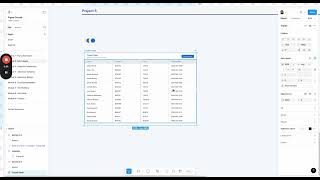
John Rodrigues teaches Figma's auto layout from the ground up, starting with foundations like vertical layout, horizontal wrap, and padding. You'll build a card component, calendar, and responsive table to see how auto layout creates scalable, consistently spaced designs.
Chapters
Alright, so welcome to another module. In this module we are going to learn everything about auto layout. I know this is a scary topic for many designers, but I'm going to demystify for you. We're going to understand the foundations and then apply that in this mini projects and then build this card component and then complex components such as this calendar component and then ultimately apply this on this responsive table. So you know, we going to kind of go into those topics like the vertical layout, horizontal wrap, space between, horizontal, vertical padding, fix hug, advanced auto layout settings so that you feel confident working with auto layout and have a strong foundation understanding the auto layout and apply what you learn. So once you kind of understand this foundation, learn how to trial and error and fix issues or problems they arrive, you're going to feel more confident. And then as we build scalable components or advanced layout, then the auto layout becomes the core foundations of that and also helps you design better UI because you maintain consistent spacing and help you be more efficient and things. So that being said, let's dive deeper into the auto layout module and let's get started with the foundation in the next module.