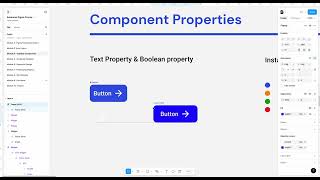
John Rodrigues shows how to build a button component in Figma with boolean properties to toggle icons on and off, and text properties for labels. Instances inherit these properties and can override them without breaking the main component.
Chapters
All right, in this lesson we are going to learn about the the text property and boolean property. And this is an important part of understanding how to create component with properties. You might have seen the design systems where you will have this button and you'll have this properties here. And you might be wonder how to create that or how to even use that. Right? So it's nothing but you'll be able to hide and unhide. That's a boolean. Boolean is nothing but yes or no. It's like a sw. And you'll be able to hide the icons here and you'll be able to modify the content here and it will. The component will adapt to this property. It's pretty cool. And let's go ahead and create one component here with the properties. And let's go ahead and write the text as button. And then let's change the color to white. And then let's go ahead and take this icon here. I just duplicated it and click on shift and a. Now we created an auto layout. That's awesome. Let's change the color of your choice and then let's change the gap to 4 and then 32 here and maybe 8, then maybe 16 and let's change the radius. Okay, change. Let's change the radius to 8 as well. And then let's change the color. Okay. Okay, this is fine. So we have a button here and then okay, let's center this. Okay. Don't worry about the alignment and everything. I just added a container here and then align this to center. So I want to show how to add a property here. So we have this component and now in order to create the property, you need to make this as a component. So in the past lesson we learned how to make a component. So now we created this component here and let's go ahead and make add a property to it. So if you go here you'll see an appearance and then click on create the component property and create property. So let me do it again and show it to you. So if I go here so you'll be able to see if it's true or false. If you do it false, it will hide it by default. If you keep it true, it will show by default. So we want to show it by default. So we have it here. And now if you take an instance again I'm holding option and bringing it from drawing here. So you can also bring it from here and just pull it from here as well if you want to like this. So anyways should be fine. So you'll be able to see the properties created here. So if you hide and unhide, you'll be able to create a property here with the instance what we have here. So let me go ahead and delete that one and then let's go here. And then let's add a text property. So we covered what a boolean property is. Nothing but yes and no and text property. In order to create that, go to typography section here and click on this. Create a text property and it will show the name of the text. We can just keep it as text and the value as button. This is fine. So now if you go and take the instance of this component, you'll be able to see hide and unhide and then we can enter any content here. Any content here. So it will adapt to that one. So it's pretty cool. That way you're able to create the component with properties. And then in the design system we'll be using simple complex cards and things like that, which will have its own properties and everything. We're gonna learn that in a bit. So here you can see I have different properties associated with the card I card component. So it's just a card, a card or the button and then card with the image and everything. We're gonna learn that in the next lesson. So this is about how you create a text and a boolean property. I'll see you in the. I'll see you in the next lesson.