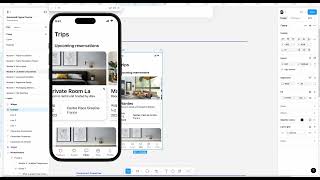
Short lesson by John Rodrigues introducing Figma components. The instructor explains what a component is, shows a card component with multiple variants (different content/states), and emphasizes reuse, design-to-development syncing, and scalability. The lesson will cover how to create a widget component, make variants, and use the Assets panel to insert components into designs.
Chapters
Alright, so welcome to another lesson. In this lesson we are going to learn very important topic. What is a component? How to create one, how to create a variant and everything. Instead of telling you the definition of this, let's dive deeper into this project itself and take a look at the component here. Here you can see this is a card component and when I scroll it you will see a similar card with different content, right? So you kind of have to design a component once and you can reuse it again and again in your design. So these are also as a reusable component and the developers will also have a code for it. So you know, everything is synced between design and development. So they don't have to develop all the time. You design something, they already have the code and they just update the content. This helps us to be more efficient and you know, that's where the scalability comes into while designing and everything. So here we have a component, this is a card component and then these are all the variants of those component with different content and everything. So you might be curious now how to create a component that's we're going to learn. So we are going to learn how to create this widget component and how to create a variant of it and how to go to assets and use this in your design. That's what we are going to learn in this lesson. I'll see you in another lesson.