John Rodrigues walks through Figma, a collaborative design tool for creating, prototyping, and handing off work to developers. It's free to start or available as paid and enterprise plans, accessible via browser, desktop, or mobile apps.
Chapters
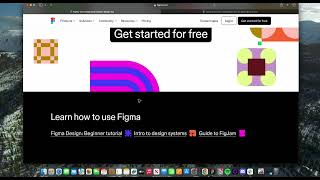
Okay, welcome to another lesson. In this lesson we are going to dive deeper into what Figma is and how to get it and how to install it and everything. So let's get started with it. Pretty. If you already have Figma, you don't have to worry about it. But if you want to just like remember how to do it and if somebody asks you where to get Figma from, you could probably, you know, show them that. So let's get into it. So figure Figma. If you go to figma.com it will take you to the Figma's website and their site. They follow this like brutalism kind of design. So it's pretty cool. And it lets you use Figma for free and only there are certain, like paid versions and you know, enterprise version that will cost you if you're an educator. It's also free for you and, but you can get started for free. You don't, you are, there are certain limitations but that will not hold you back from designing or, you know, able to deliver work and everything. So Figma is a collaborative design, prototyping developer, handoff and presentation and also a whiteboard. So they are adding multiple suites right now. So here you can see it will let you design user interfaces such as the mobile apps, web apps. If you are a freelancer, agency owner, somebody working in house in a company or working in an agency or working for larger enterprise, most of them use Figma and then you can, you know, it's designed to do, do developer handoff efficiently and also do brainstorming. So it's kind of Figma is turning into more of entire product development tool and it's going to be very crucial for you to learn in order to be a good and effective product designer. So they have also launched figjam so you can, you can learn more about figma from figma.com and it walks you through different features and then you can get started for free and you click here and it lets you get started for free in order to download it. You can also do this. You can type download Figma. You can use Figma both on the browser as well as on the, you know, a dedicated desktop app as well. So you can go here if you're using Mac, Windows and everything. And then you can also download Fig Figma app if you want to, you know, test out your mobile device and everything. We'll look into that as well. And the Figjam is available for iPad, iPad. If you want to download the Figma app, this is going to be the main thing we might not need that for this for now but you can get it for Mac Windows and download direct by clicking on this. Download the file and you'll get the Figma and if you want to use in the browser you can get started from here login if you already have an account if you are a student, if you can use your university credential to get like this student discounts and everything, you'll be able to see different pricing and seats. You can use the free version for now but if you want the advanced version you can get it from here and the figjam is priced separately and then but we're gonna dive deeper into mostly figma. You can get it from here. It unlocks certain features such as the modes and things like that which we might be needing and yeah, so let's get started. Get yeah download Figma and then we can dive deeper into the interface and setting up the files.