3-20-2025 Class (Day 2)
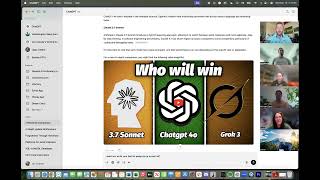
Jon Cheney walks through building AI web apps on Replit, covering Stripe payments, SendGrid email, and database backups. He stresses fast feedback loops, validating ideas with real users, and picking a specific market like nail care. The session includes security hardening, pricing strategy, and choosing between React Web and React Native.
Chapters
to this computer. Being recorded.
Here we go. All right.
I sent that link through, you know, in case anybody wants to review it. I'm sure you didn't catch everything yesterday. And if you missed a little bit or if you want to go back and review something, it's easy to just, you know, don't watch the whole 4 hours again because that's just boring. But skip around and, and see what you can find. At some point, guys, in the near future, I will record all of this more professionally, individually, and build modules and all those things. And because you've all taken the course, you'll all get access to it. So you won't have to pay again for any of that. And you'll be like, okay, hey, let's go over how we do this thing, right? But one thing I want you to look at, Michael, is, is called OmniParser, and it's still experimental a little bit. I think it's put out by Microsoft. But basically what OmniParser does, and there's a couple of different things to do it, but OmniParser can— is a click system, right, where it will actually take control of a computer, can take control of your computer and it will go in and it will click on something and then right-click and save something. You can tell it to actually do things. That's pretty cool. That unlocks a huge array of things. For example, I was talking about velocity access last night as we were finishing up, talking about surfing versus swimming. Instead of us building a million APIs, an API into Ticketmaster and an API into toast.com and an API into all these different things, I could just instruct the AI, hey, use your mouse and click through and pretend you're the user. Here's their name and their credit card information. Go do it. Right. And then it just literally acts like a human for you, but it's just super fast. Just like quick done submit. And then once you get to a certain result, great, email everything over. So you can really build amazing automated things With that. So maybe, maybe look into that. We're not going to try to do that in this course. It's really advanced. And to be honest, I haven't done it yet, but I've watched, I don't know, maybe an hour of YouTube videos on it. And it's very new, but it's, but it's pretty cool. And also, I should say that Anthropic or Claude, right, which, which Replit uses, has their own version of a clicker. And so it can do it. Replit is capable of building out the clicker. But my understanding is that the OmniParser, it's now OmniParser V2, is, is pretty strong. So, alright, before we dive into new things today, I want to just review yesterday and, you know, I'm sure you all kind of thought, you're like, well, how does this work? How does that work? So if you do, let's just open it up for questions from anyone. If you're wondering, if you're stuck, if you worked on something last night or this morning and you just said, yeah, I tried to do this, let's use this for a quick just kind of Q&A session. And if nobody has any questions, then amazing, we can keep going. We can talk about what we're going to talk about today.
So I have a quick question on, on Groq, right? So Groq was really good at kind of researching the web, and then it had its think feature.
And I can't—
I think that was to more like analyze the results of the search.
Right.
And that's kind of what Grok excelled at, whereas ChatGPT was used for the rest of the stuff. Is that a good understanding?
So Grok can do a lot, if not most of what ChatGPT can do. Right. So yeah, let's, let's review very, very closely. I'm going to share my screen and I'll just open up Groq while we talk here. Let's go right here. So here we are back in, you know, Jenny's recipes, you know, chat. You've got this deep research or deep search button and you've got this think button. You also can just not click either of those, right? You can just say, hey, what do you want to— what do I do for this? Right? So let's just open a new chat really quick and just show the difference here. So Let's just ask a question like, did the astronauts make it back to Earth yesterday? I didn't really give much context other than yesterday and astronauts, and so it's going to go search, it's going to do that. I didn't ask it to deep search or think. It's just, boom, hey, they made it back. These astronauts were up here, they all returned safely after they did this. It splashed down at this time. That's great. Okay, so now I could say, okay, you know what, I really want to go deep into this, right? And so if I click deep search, then what it's going to do is it's going to, it's going to pull up a lot. So right here, it pulled up 8 posts on, on X, right? Which by the way, I can click on those. I can actually see, you know, where did they get it? Where did it get its information, right? I can click on those web pages too and I can see, hey, here's what happened, right? But then I could say, all right, you know what, I really want to, and I'm not going to do it right now because I don't want to waste the time because it takes, it can take 5 minutes, right? Let's say, what were the complexities involved in getting them home? Now it's going to really start to dive in and it's going to use— this is where it's going to change from a simple, what I would call a Google-style query, or as compared to what we were talking about yesterday with a CoT, a chain of thought. Query where it's going to say, okay, in fact, I'm just gonna push enter here and watch what it does. It's gonna say, all right, the user wants to know this. It's gonna try to figure out what do I wanna know? All right, the user wants to know about the complexity. Sorry, it keeps scrolling down. Wants to know about the complexities of getting the astronauts home. I'm considering their return via a SpaceX Dragon capsule after a long ISS stay. Hey, so now let's search for this. So now it's gonna think about, okay, What, what kind of complexities could have there been? Could there have been related to bringing astronauts home? Right. Was it, you know, was it, was it dangerous? Was there weather? Were there weather problems? Were there, you know, were the capsules have problems? And so it's going to consider all these things that I'm thinking of just as a human. It can think of 100 reasons why it could be complex. And then it does searches on all of those related chain of thought reasoning things. And then compiles it all together. Right. So then, so what it— but what it's doing here is it's really pushing out, it's searching the web, it's searching other people's knowledge. When it's done here, I could then say, okay, let's think about this now. And it's not just thinking about what it just did on its search. It can do the search during the think process as well. But the think process is going to say, okay, based on everything I just read, Now I'm going to reason with my power of reasoning. Grok, let's see what Grok 3's IQ is. What is Grok 3's IQ? Let's see if anybody has answered this question yet. You know who could probably answer it is right here. Age of reasoning agents. So yes, reasoning, right? Which is great. Okay, here we go. These are the things I need. I need an IQ. Let's just look for this IQ. Nope, not there. Yeah, the fastest way for me to find this is actually to just use Grog to search for it, which we might end up just doing here. You know what we'll do though? We'll ask somebody who's not biased. Well, that's ChatGPT, and ChatGPT can check the internet as well. What is the IQ of the top— or of Grok 3 versus ChatGPT 4.0 versus Claude 3.7 Sonnet? I think it's 2 Ns, 2 Ts. I'm not sure. Let's see what it says. I've seen this before. I know it says this. The reason I'm asking this question about IQ is because it's important. Um, it's important to think about how it's able to reason. That's really what IQ is a test of, right? How can it, how can it recognize patterns and things like this? So it's estimating its ability to reason here, right? That's exactly what I said. Ha. Yeah, Claude is the smartest. This is what we're using inside of Replit, by the way, right? Replit uses Claude 3.7 Sonnet. Oh, hey, Michael and everybody. I just realized there's something you need to do inside of Replit that will help you. So if you look at the Replit screen here, I'm inside of my GenAI API project. I need to change something. But if you click on account, it's going to, you know, bring up a lot of different things you can do, your passwords and emails and things like that, right? One of the things you want to do is you want to get down to roles. And you want to turn on the Explorer role. If you don't have the Explorer role, you're not using the latest model. And so it's early access to agent V2. And so some of the problems you're having, Michael, might solve themselves in an instant. You might actually be seeing less performance than what we were playing with yesterday because I have Explorer role turned on and it's using, the Explorer role is using the new 3.7 Sonnet. So. Try that. Everybody should do that. If you have Replit, go in and you just click on your settings, go to roles, and change that. So anyway, I hope that, I hope that answers your question. Caleb, I know that was a little bit longer. Look at this, it's still 4 minutes, 30 seconds trying to figure out. It's just exploring that chain of thought, doing a bunch of searches, and then eventually it will, it will do this. But the thing is going to start using reasoning to think about like, okay, what, What does this mean? Right? How does this— what are the implications of this? According to my understanding as a 150 IQ, you know, being right now, obviously it is AI, but its thinking capabilities and the speed and breadth at which it can think like that is off the charts. I mean, obviously there are millions of people hitting Grok right now. Asking deep thinking questions, and it's doing it all at once, which is why there's no way in heck that anybody, any human can ever try to outperform an AI, right? A developer, a CFO or whatever, right? They can have good ideas, but overall the AI is going to win. There's a, there's an interesting study on— they looked at— this was about 6 months ago. Looking at, uh, doctors and AI, right? You may have read some articles on it, but I'll share a little bit about this. So they had 3 groups. One was, um, a group of doctors that was— they were given a bunch of diagnoses, and then they were able to use AI to run simulations and run tests and questions. And then, but then the doctors in the end, based on all the information that AI gave them, the doctors would would give the diagnosis, right? They had all these symptoms, all these different things, they'd give the diagnosis. Then you had one that was without any AI, right? And those doctors would give the diagnosis. The difference between those two groups was it was actually they did better without the AI, which is really interesting. It was close, but, but, but it was something they got the diagnosis right about 82% of the time without AI. With AI, it was like 81% of the time. So it actually didn't change that much. But then the control group gave, or gave all the symptoms and everything only to AI, took human bias out of it completely. 98% correct on the diagnosis. Really complex cases, right? And so AI is getting to the point where it can outthink all humans. And that's scary. No question, because it means Every human in every job can be replaced. I don't believe that's going to happen. It has happened a lot, by the way. I don't think it's going to happen at a mass scale for quite a while still. There's a lot of things that have to be done and a lot of things that still do require humans. But I can promise you that every business in the world is considering how they can do it. And where are they turning in the meantime? To the people on this call, the people that really understand how to use AI to get that 1,000% increase in efficiency, right? To be able to put together a quick notes or whatever, you know, do deep research on this thing and then put it together and think and put it into a report. And they understand how to just navigate all of this stuff. But again, in a year, AI will be able to think through all of those things and do all of those things without our input at all. So consider that for, you know, doomsday thinking. Which is fun. All right, good question, Caleb. Um, other questions? Something went wrong. Man, they were doing so good. This happens sometimes, by the way, guys. Sometimes it overloads itself by putting too much context and too much information in. I don't know why it does that or why it doesn't have limits on it that don't prevent that from happening. Oh hey, look, it didn't even do that. I didn't click refresh. Sometimes if you push refresh, that's what— that's a very interesting thing. If you ever hit refresh when you're in Replit and you're working on a project or something, um, you just push refresh and you won't lose anything, right? Which is really cool. Um, all right, I'm not hearing any other questions, so I want to dive into, um, want to dive into a couple things. I really want to see it finish this thing. 8 minutes 39 seconds. It's It's working hard there. I'm actually interested to read that later. All right, so you guys will have all of this, by the way. Um, I, I actually didn't even refer to this yesterday. Get your idea, validate your idea with AI, develop a bulletproof plan, um, start building immediately, Replit setup, README progress.md's right here, right? Every time you start a new chat, tell Replit do this, start with basic functionality, not perfection. Multitask relentlessly. Let's talk about that a little bit and then we'll jump into day 2. So if you're doing something like I was doing where you're saying, I really want to build a business in a weekend, like I really want to launch and I want to have customers, you have a lot to do outside of Replit, right? You need to build whatever your product is and your product might just be a website, right? Michael Davis was showing me something last night that I want you to share a little bit with about some peach delivery and pickup, right? Well, obviously there's a lot more to do. You know, there's a lot more than just your website. You got to grow peaches and you got to have trees and you got to deliver and, you know, you got a business, right? You got to manage, you got to figure that out. Now you can use AI to build plans around that, right? To help you optimize. Like, hey, what's the best way for me? I have customers here, here, here, here, and here. What's the best way to do this right now? You could throw that into Google Maps and it can map out a good thing if you're just doing a delivery. But it also might say, hey, why don't you consider having everybody come to a central location and you just do one delivery and they all meet you?
Awesome.
I didn't think of that. Right? So there's obviously ways you can use AI to help you with everything else, but there's a lot of other stuff to do, right? So set up branding, register your business, claiming social handles, buying your domain, setting up email. We started to do a bunch of these things yesterday, but when I was doing my 3-day sprint, I would sit there and I'd say, okay, Rep Whip, get to work. And then it's just sitting there. It's, you know, doing like Grok is thinking right now. It's doing its work. Hey, completed. Awesome. Right. I'm super excited to read this later. But, but during those 10 minutes, those 9 minutes and 45 seconds, you don't have to just sit here and watch. You might be interested in understanding its, its, its thought process and how it works. And if you're like really just engrossed in that, then you can do that. But for me, I was like, okay, you do this, fix the logo, fix the spacing, whatever. And Replit's busy working and then I'm over there doing all these things. I jump on GoDaddy. I'm talking to another AI to, you know, another chat to figure out what's going to, what's, you know, what's going on. What should I call my company? All right. Is the domain available? Is the Instagram available? Is the Facebook available? Is the X available? Is Pinterest available? Whatever I feel like I'm going to need for my business, I should be looking at doing all these other things, you know, in the other tab. That's why you see my computer here has, you know, a million tabs open on one. And then here's my other tab. And then here's my other tabs. And Anyway, I probably have too many, um, and for some people that might be overwhelming, and that's fine, but that's how I'm working. My brain is just like, okay, I've got this huge list of things that I need to do, and I kind of just instinctively know how to do it. Now, here's how I know how to do it. It's actually not that hard. All of you are capable of doing it. All you have to do is one simple thing, and I'm going to move us all the way down to day 3. Right here. Step 9: Test everything. Look at everything like a customer. Go through the entire experience as a buyer. So if you say to yourself, okay, I'm— let's go with Michael's business for a minute, right? I'm selling peaches. Okay, I'm a buyer. I'm sitting at my home and I'm scrolling on social media. How am I going to know about peaches? Well, I don't know. Do I, you know, is there some marketing going out? Oh yeah, yeah, we're running an ad on Facebook. Okay, perfect. So they click on the ad on Facebook and it goes to michaelspeaches.com. Okay. What does michaelspeaches.com look like? Right. Is there, is there enough content on it? Now that might be what you're building on Replit. That's fantastic. Great. So let's look at that. Let's consider it as a buyer. Is there a logo? Oh no, it's just a title. That kind of looks bad. Well, most companies have logos, so I'm going to get a logo, right? So that's your next step. Now I've got a logo and I've got this. And you know what? Oh, I clicked on that link. That link doesn't work. Oh, I need to, I need to make sure the About Us link works because a lot of people will click on About Us when they're looking at a farm product. They want to know about the farm. Who are these guys? Are they cool? Are they legit? Are they brand new? Are they just a local thing? Whatever. Like, I want to support a family business, whatever, right? So that's what the buyer is thinking. They're just going through and then they're going to say, oh, I want to check out their socials. I bet, I bet, you know, if they're a farm, they've been around, I bet they've got some cool stuff in their social. Oh my gosh, I don't have an Instagram yet. Oh, I got to go get that. Okay. So you just, if you just think through the process, you're going to keep running into things where you're like, oh no, I don't have that yet. Oh no, I don't have that yet. Oh no, I don't have that yet. Right. And you know, I got my whole business up and running by Friday night. So on Thursday morning I started, right? By Friday night I was like, okay, I'm going to, I'm going to launch. And I had everything working. I had my Instagram, my, my X, my Facebook, my LinkedIn, the website was up, it was all running, it was all beautiful, but I hadn't implemented one very important thing just because I didn't have time because I was waiting on Replit to finish things because I was really thorough and I really wanted it to look good. I needed the product to feel complete. I needed to feel like it was enough that someone could, you know, pay for something., which means I needed a full course, I needed a full certification test, I need all that. And as soon as I finished all that by Friday night at like 3 in the morning, super tired of trying, I'm just like, I'm gonna do this, I'm gonna do this in 2 days, right? Um, even though it's already into Saturday morning technically, but I hadn't set up Stripe yet. I had no way for them to buy even if they liked it. And I was like, okay, it's all right. I'm not gonna try to do Stripe at 3:00 AM. It's gonna be complicated. I've never done it before. I had never done it before. Um, I knew I'd used Stripe before, but I'd never personally been the one to set it up. It was always my CTO, right? Hey, go set that up. Oh, okay. Yeah. And I knew how to log in and look at reports. I knew, I knew my way around the Stripe platform a little bit, but I had never actually coded a Stripe implementation, but I was like, I know I can do it with Replit. So we'll figure it out. And I was like, okay, Saturday I'll wake up, take it easy a little bit. And then I'll, I'll, I'll finish that. That won't take very long. And then I'll launch. Turned out it took me like 12 hours Saturday to, to get everything going. Um, not, not all with Stripe, but I just kept finding like, okay, this works now. That works now. That works now. That works now. That works. But This doesn't work. And anyway, I spent like 2 hours, I'm not kidding, trying to get my dang logo to show up properly in this section. So right here, this is another little technical term right here. See all these little images up here in your browser? Those are called favicons, F-A-V icon. And a favicon just makes your company feel official, right? So here's my GenAIPI. If you don't have one, it looks like this. I'm sorry, I can't zoom in on that, right? But it's a little just kind of like grayed-out globe, and it's like, okay, this person didn't build something, right? Yeah, I don't even know what this is. Oh yeah, this is the thing that I was building yesterday, right? I haven't installed logo or a favicon yet, right? This one I have, GenAI API has, does have that. So it looks good. I've got it. I've got a logo there. It shows up right here. And so if I'm a customer and I land on a website that doesn't have a favicon, I personally, maybe you wouldn't notice, but I'm going to notice that, right? It's just little things like that. There's another thing that's similar and it's, and it's, it's managed in a very similar way. And that's the preview. Right? So if I go in here to my text messages and I say, okay, I want to text myself my, a link of my business, right? What does it look like? And here it is. This is the General AI Proficiency Institute. So you've got this kind of a logo. You've got this kind of a thing. If I go back, you can see my, myself texting myself going back and forth, trying to get it to look good. And so I got it eventually to where it looked good like this. At first, it just looked like this. Right? Then it looked like this, and I'm like, okay, that's improvement, but I really want a full image to show up so that it looks beautiful. So that if I go onto LinkedIn or something and, and share it with somebody. So let's just click on LinkedIn. And if I type https://genaipi.org, oh, hey, now it looks like a real business. Because it's got all that metadata, all that data behind it that's showing. And it has— anyway, it, it's very, very helpful, um, to the customer when all those little details are there. And, and for me, it might not have been 100% necessary for what I was trying to do, but I'm kind of OCD. Not kind of, I am definitely OCD. If there's a little thing I need to finish to, to where I'm like, okay, it's done, like it's, it's almost like scratching an itch. Like, I know it's not done. I know that little thing isn't working and I know I want it to work. And so I kind of push for it. So, so anyway, bottom line is when you're working on these, when you're working on these, you know, this AI stuff, there's a ton of other things you got to think about. Now, obviously, to have a logo and to have a favicon, you need a logo, right? So let's talk about logos for a minute here. I think that's going to be useful. That's, that's, you know, part of, part of step 5 of day 1 that I think is worth it. There's a lot of ways to do logos. I want everybody, this is going to be a hands-on part of the thing. So you're all, I want you all to, to go along with me on this. For now, we're going to use ChatGPT. Okay. And so ChatGPT, I'm going to show you a couple things inside of ChatGPT. So first off, you can click on here in ChatGPT. And you can click Explore GPTs. And there's a lot of cool things. There's so many tools, image generators, Write for Me Scholar, logo creator, right? So you can use logo creator. And what this does, this is a specialized ChatGPT. It doesn't cost any more. If you're paying for ChatGPT, you have access to this, right? Then I can say, great, hey, generate me a logo featuring an ice cream, right? Or let's see here, generate a logo for me for my AI business course. For my AI business course. AI, let's see here. Build a business in a weekend with AI course. Awesome. So now it's gonna start thinking. So let's see what it does. Oh, this is cool. It's going to ask things. I like simple and clean. I'm going to say 1. No, I'm going to say 2. Yeah, I'm going to say 1. And we're going to say, all right, how complex? 1. Color palette. A, we'll go futuristic and techy. Yeah, let's do that. I hate it. Absolutely hate it. Worst logo I've ever seen. Okay, what do you think? Are you satisfied with the logo? No. First of all, It's incredibly complex. Get rid of all text. I need an image and I need it to be simple. All right, now we're getting a little bit closer. Okay, now we've got a light bulb. We still have text. By the way, I have to tell you this, ChatGPT is particularly terrible at this. They just are not great. And so I wanted you to see that they're not, that it's not good. It's so bad with text. Why is there still text in this logo? Sometimes you just have to ask it, like, why are you doing this? Do you not understand me? You kind of have to treat it like someone that doesn't have a high IQ. Hey, this logo is usable. It's not great, right? We're not going to get into logo design here and, you know, concept. We could— that's a— that's another course. But the simple high-level things are you want a logo to look good printed on a hat, and you also want it to look good as a favicon, which means it's this big. It's super, super tiny. And so if it's super, super tiny, how big are these, these, these little circles going to be? Right? It's just gonna look like a blob. Right? So you need, you need something that's going to be better than this. Right? All right. Who's making logos? Anybody have any cool logos that they've made on their ChatGPT? I'm seeing some smiling. Nate, let's see what you got. I'm gonna— I'll stop sharing for a second. You can pull up yours. By the way, you're muted, Nate.
Yeah, I was just playing with a logo about an old idea for like a market report for the HSA market that I'd call HSA Census, just from a couple jobs back, and the people who did the market report did a terrible job. And so it started out, you know, with this, and I was following your prompts. I'm like, wow, that's not even HSA, and the text is all wonky. So I'm like, you know, get rid of all the text. I need simple, and I need an image. And like, yeah, get rid of the— so I asked it to try again because I didn't like the circle thing, but you know, the rest of it maybe. And there's the little plus sign for the medical.
It kind of looks like a guy just like laying back with like a plus sign in his lap.
Yeah, kind of. But then this one's a little bit better. And so my next prompt was going to be, well, I still need something that kind of needs to relate it to a health savings account. So is there a way of like putting a dollar sign and a medical, a medical cross kind of a thing in there somewhere maybe, and just kind of see what it could come up with? But I was, I was playing with it anyway.
So awesome. All right, we can stop sharing. Who else can share?
I'll share, but I'm not sure how to share my screen.
That's all right. Just go into Zoom. So go click on the Zoom panel and then down controls where it shows like participants and audio and video. Just click the share button. And then, and then you'll just click share, you know, entire screen, right? Desktop 1, probably.
Okay.
Like that.
Can you— oh wait, I see the entire screen.
Oh wait, there you go, it's coming. There we go, perfect. Well, that's crazy.
You know, there was this one too that I did first, but then put to add more dessert design and, you know, threw in a cupcake and rolling pin.
So, you know, I have a lot of problems with that logo. I don't like what's coming out of the S of Jenny's.
It is a little drippy, kind of weird.
So yeah, ChatGPT is a great tool for a lot of things. Logo creation is not one of them, in my opinion. Now here's a couple reasons why. Not only is their design— now here's the thing I like. AI can get, can, can spark an idea, right? So I like the idea. I like the idea of the light bulb. Maybe, maybe a light bulb is a great simple thing for me to use as, as my logo, right? If I had a cool design, like maybe abstract light bulb logo. I'd wear that on a hat. I'd wear that on a shirt. That'd be cool, right? I can use that as a little fave icon. There's cool ideas there, right? All right. We're going to do a little bit. I know other people might have done a logo, and that's okay. We're going to do a little bit of training. I'm just going to— you're just going to watch me in this one because this is a little bit harder. I'm not going to have everybody sign up for all these things because it's just difficult. We're going to use something called Midjourney. Okay. Midjourney is a gaming chat platform. That's really what it started as. And then it became actually a pretty big thing in the Web3 world for, you know, it's community management, right? It's basically just a chat application. And it's loading right now. It's trying to load at least. Wait for it. Downloading some updates. Why is it updating so much? Okay, that's fine. We can— this will go really, really fast. But Discord also has the ability to build applications right into the chat. And one of the, one of the chats, not message requests, friends, direct Midjourney. Here we go. Midjourney bot. So Midjourney is a really cool image generator. Now you're not going to use it probably for logos as much, although it can do it right. We're going to try a few prompts here. They're really, really fun.. But you can see I can, I can generate extremely high quality things, right? This one is actually kind of a little bit off of photorealistic, but, and it used to just generate, you know, Nate was talking to me yesterday about, or talking to all of us about how like he, he kind of went away when he saw that, you know, AI generators were coming up with, you know, 8 fingers on people's hands. And that's fine, but it is incredible what it can do, right? I just needed an office with No humans. Amazing. Done. So it does that in almost an instant. It creates really, really nice images. And Midjourney is way, way, way better than ChatGPT when it comes to images. So let's try creating one. The way that you would use this, okay, you buy Midjourney. You can also use— I should mention that Midjourney is available on Come on, let's see here. I don't— I didn't see that. That's okay, let's just go Midjourney. I'm going to pull it up on here as well. Log in, continue with Discord. You still have to create a Discord account no matter what. But they now have a web interface that's possibly a little bit easier. Alright, so I wanna create, and again, it's showing the same things that are, that are happening inside of there, but it's just a little bit different. But we're gonna use Discord because I think it's, I think it's a cool interface. So the way you do it is you do a little forward slash and then it gives you a bunch of different things you can do. Right? And you don't have, we're not gonna read all these right now. The main one is Imagine, right? And then it pulls up this little prompt and then you can give it a description, right? You could say, I need a logo for an AI business course website. We'll see what happens. So it's waiting to start and then it's going to think for a second and then it's going to give us 4 options. Right. You could see, you could see the progress, 25% fast, whatever. This costs, I don't know, $15 a month. I'm not even sure what it costs. Anyway, it's somewhere in there, $15, $20 a month or whatever. So it, it's going to do this and then you're going to— we'll talk about these controls while that one's loading right now. U means upscale, V means vary. Right? So we can say, all right, you know what? I, I really like, I really like this third image. It's kind of cool, right? It's kind of like you got, you've got a real person. It's kind of futuristic and kind of like, what's going on with this person, right? So I want a few, I want a few versions of this. So let, but I wanna, I wanna kind of hone in on that idea. So let's just click vary, right? So I can click V3 and that actually queues another job. Now it's gonna finish this one first. Usually sometimes it will, this one will pass it up. I'm surprised that this is stuck at 32% fast. I'm not sure what's going on with that. See, this one's already at 22%, 32%. And it's done. Well, it's starting. You can see what it does. So basically, yeah, this, yeah, this is cool. This is cool. But it starts to just kind of focus on, okay, well, this person liked this image of this girl. She's looking right at the camera. I'm going to use all the similar features. She's got, you know, kind of blue eyes or maybe crazy eyes. I don't know. Maybe we'll vary that a little bit. You can even click on this and pull this up to be bigger and then say, okay, well, this looks kind of weird right here. It almost looks like paint on her face. This one's maybe a little bit crazy. I don't know. This one looks really good, like her lips and her eyes look really, really nice here. And again, it's all, it's, it's art, right? It's, this is AI art. This is how it happens. And then I could say, okay, you know what? I really like number 2. So I'm gonna upscale 2. And what that does is it then drops in.
Okay.
So there it is right there. So now I can click on this and I can then save it, save image. I can even upscale it even more. Right? I can upscale creative. I can upscale this, I can vary it a little bit, or I can vary it strongly. I can vary just a portion of it. I can even do this. This is pretty cool. Now here's my logo stuff that it's been working on. We'll look at that in a minute. But here I can even do something cool. I can zoom out on an image. So watch this. I want to see more of this, this person. What, what, what kind of setting is, is, is this in? So what it's going to do is it's going to hold this image, the middle part, and then it's going to add information to the outside all around. So we're going to see the rest of her head. We're going to see her neck. We're going to see where she might be standing or sitting or whatever it imagines. I've given no instructions onto what this is other than please make an appropriate image for an AI in business course. Right? So it's thinking, updating. There we go. This one's kind of crazy. I really like 1. We're going to go with 1. So I'm going to upscale it. I really like 4 too. Now the neck's kind of weird. The neck's a little bit, little bit off here. In fact, I don't like any of the necks really. They're all kind of just a little bit off. Maybe I like 4 best. 4 is kind of interesting with the colors and it kind of makes it feel a little bit more— I don't know. We're going to do 1. We're going to do 1. I'm not trying to be perfect here. I'm trying to demonstrate. I'm going to zoom out again here. Okay. I want to see, I want to see what is the setting that this girl is in right now. And the cool thing is because it's holding that centerpiece kind of really nice, you can use each of these progressive images more and more and more to, to zoom out and use it in, you know, you could show the progression of zoomed in to zoomed out or whatever. It's just kind of a cool feature on your website for some imagery related to whatever you're doing here. All right. See, now it's starting to get lost a little bit. So this body here is like, I'm not sure, like, I think this is her shoulder here. And she's— something's messed up here, so I'm not liking that. This one is pretty cool. This one looks like the most normal one. And we've got a little reflection going on here, which I think is pretty cool. Pretty interesting. So anyway, this is super fun and you could play with this for hours. It's really, really fun. My son Carter's on here. He's, he's played with this a lot and You know, he'll be sitting in church, be like, can I borrow Midjourney? And he's just like sitting there making cool images. And anyway, so that's, that's a little bit with Midjourney and how that works, that whole process. Yeah, I really, I really like where this is going. I want to, I wanted to get this higher. 65.
Yeah.
Now we're into like some really look at how cool this image is, right? We're going to upscale to here. And then just look at this. So I've worked pretty hard, and by pretty hard, I mean I clicked a few buttons in, you know, over 5 minutes, 3 minutes. And now look at this amazing image that we've created. I probably will use this somewhere with all of my AI stuff I'm doing. And anyway, so that's cool. I'm gonna say, actually, you know what, I'm gonna save this image because I think it's just neat. Now the good news is it's also saved my count. AI woman in surrounded by tech stuff. Okay. Pretty cool image. Now let's come back to the logo here. So as you can see already, look at how amazing these logos are compared to what ChatGPT was doing. ChatGPT is terrible at putting text, at using text in an image. It's just bad at it. So that'll get better over time. Right now it's terrible at it. Now I still don't love these. Because they're still a little bit complex. I think the best logo is probably, probably this one, just from a logo perspective. But it's still, it's still too complex, right? So I can come in here. Now, one thing that you really can't do with Midjourney is, is kind of work off of an image, like tell it, hey, make it simpler. ChatGPT allows you to do that, and I like that. But here You have to get better at prompting. Okay? So you can take classes on prompting. You can do all that, or you can use the tools available to you to create an amazing prompt. So let's do that. Where are we going to do that? Right here in ChatGPT. Let's let it help us. Let's open up my AI. Let's see here. We'll do general AI proficiency. To— sure, we'll do it inside of here. Building a business with AI. So I've already, already done this. Okay, um, please help me, um, please help me. I need a logo for an AI business course website. I am going to use Midjourney to, um, create the logo. Give me a prompt that can, or that will ensure I get a simple logo that will be good as a favicon, that will be equally as good as a favicon, as well as printed on a hat. Use your best knowledge about how powerful logos are made and give me a prompt to give Midjourney. It knows what Midjourney is. It knows everything that I've been talking about in terms of how to make a logo really, really good. Okay, let's see what happens. Copy. We'll see, we'll see how it does here, right? This works sometimes and sometimes you still have to work with it, but we're going to try it. So imagine paste, and it added a bunch of things. B6, Q2, AR11. These are, these are things that it knows that I don't even know. So We'll see what happens. This is cool. I'm actually really glad it did this. It gave me an error. I'm going to copy this whole thing. No, you know what? I'm just going to copy invalid parameter. I'm going to copy this little thing right here. It gave me this error. Perfect. Now it's fixed it. Let's see what happens. Imagine, paste, enter. Boom. Now we're rolling. Okay, so let's just sit here and let this load for a second. It might take a minute. I don't know. That last one took a minute. I don't know why it took so long. The girl, it was fast with. The logo, it struggled with. I'm not sure why. But anyway, guys, Midjourney is very, very fun. Look at how cool these logos are already. It's at 65%. It's developing them. It's making them simpler. It's trying to follow things. All right. Now we've got some cool logos here. I actually super like this triangle thing. I might ask it to make it even simpler. And, and you want kind of wider lines instead of really thin lines, because again, those will all blend together if you make it really, really small. And the way that you can test that too is if you just save this image. Save, let me click on it. Oh gosh, this zoom thing is in my way here. All right. So you can actually come in here and just do a preview and you can say, okay, let's get it down to the size of a favicon. Right? This just looks like a triangle. You can't see anything. This logo right here totally stands out. So I don't love the logo. I think it's kind of a weird little droid thing. I'm not sure what it is. But you can see that when you zoom out, hey, these two right here really stand out. Okay? So I'm gonna say, so here, here's what I could do. Here's what I could do. Let's do this. Go to ChatGPT and we'll say, These are the 4 logos it gave me. I think they're okay, but I need them to be simpler and more iconic. I, I really want them to be memorable. Please adjust the prompt. So that we can get a better result. All right, copy. Let's go back into Midjourney. And we'll do one more prompt here. Now, I want to talk about something. We might get an idea here that's really, really good, and we might not. When there's some knowledge you need to have around images, like image file formats and things like that, that can be very, very helpful to understand. If you do understand them. When we download this, it's going to be a PNG, right? So I'm not sure if I love what it did here, but you can— you understand the process. We don't need to get to a final logo here. That's not the idea. The point is you can keep refining and talking and saying, hey, this is what it gave me. And, you know, download it, upload it to ChatGPT, show it what it's doing, and just talk to it and refine it until you come up with a good idea. So that's, that's how far we get here. But even if we did get to a good idea, let's say, let's say that we're going to roll with, let's say we're going to roll with this one. We'll upscale one. And actually, we're going to do a couple of variations on one because I want to see what it looks like. This could be cool. This could be cool. But I want to just see, I want to see the variations really quick. And then, and then we're going to download it. We're going to try to use it as a logo on my course. We'll open Replit and we'll try to get it installed. Okay, so here's a few variations on it. 1, 2, 3, 4. This is 1, 2, 3, 4 with a single line right here. This one's kind of like symmetrical. Alright, for now, I'm gonna roll with 3. That's gonna be our logo. So Now this is cool. Once you have a logo, it actually— sorry, it takes care of a lot of things. Let's save the image and we'll call this AI Business Course Logo. Save. Okay, now I have in my possession a PNG. This is just a type of image. Now there's some different use cases, some things you might need. First of all, you want to look at how how, you know, pixelated it is. So if we look at this, we can see it's quite pixelated. I want it not as pixelated for my logo. I want it to be good. Now, most of the time you're not gonna see it much bigger than this. It's probably gonna be about this most of the time. And then again, as a favicon, it's not bad. It's not bad as a favicon because it, it made the lines just a little bit thicker. But what we can do here is we can just say, I want you to upscale creative. I think what creative means is that you're using it for creative purposes. And so it knows you want a super high resolution version of it. So you do that. You can do all this again on, on the, on the web interface here. And, you know, it's starting this right now, but I can click here, I can vary, I can click on this, and I can, I can, you know, it's got all these cool things here, right? So that's fun. It's getting better. And we'll continue to continue to watch their, their web platform. Improve. They only launched their web platform like maybe a month ago, maybe 2 months ago, and I haven't used it. I've just gotten used to using it in here. But this is a little bit weird for some people. It's a little bit, you know, um, in an uncomfortable environment because there's so much going on with other things. But it's not that bad. Okay, so once we have this done Okay, now that's looking really clean. So, um, oh whoops. Okay, we're going to do this. We're going to— actually, you know what I want to do really quick is I want to look at the file. So I'm going to click here. Let's go to Downloads here. So the AI Business Course logo was 1024 by 1024. This one's 24— 48 by 2048. So we're going to throw this one away and then we're going to rename this one AI Business Course Logo. Actually, you know what we're going to do? We're just going to call it— oh my gosh, I don't mean to do that. Yeah, that's fine. We'll call it that. Now we're looking at this image. There's a couple problems with the logo or with the, with the format of the file itself. And you can use AI to learn about this, or you can just know it. Maybe you just kind of figure it out. But right now, if we wanted to add this, if we wanted to change, let's, let's, let's do this. Let's go into my Facebook here and we'll go into just some random profile. I've got a lot of just random things in here. We'll, we'll go into the Piano's Promise because I'm not, I'm not using that quite yet. I haven't posted anything to it, but we're going to go to my page. All right, we're going to use the page. That's great. And we're going to upload a profile picture. So edit. Nope, I don't want to do that. I want— sorry, I want to— why is it not letting me change this? Edit. There we go. There we go. It was all, all the instructions were hiding behind all of your pretty faces. We're gonna move you guys to the top here. Okay. Upload photo and we'll go to downloads and we'll go to my images, AI business course logo. So let's see what this looks like. All right. So I think it's okay. Really, what you want is for it to be— you want it to fill those profile spots kind of all the way. You want it to be even on all sides there. So this is okay. My, my brain looking at it is seeing more empty space down below. Than there is right here. And I'm trying to figure out why that is. I could be crazy. I'm literally going to turn this sideways to look at it. No, I'm not crazy. I think it's not a perfect triangle. I want all sides to be the same size and that's why. So I could, I could fix that. Now here's what I really would, if I was really going to use this, I'm not going to actually change my profile picture, but I wanted to see what it looks like in a profile picture setting. Here's what I would do. I need this file in a usable format that can be edited, and I might not be an expert at doing that, and that's okay. I'm an entrepreneur. I'm gonna figure it out. So this isn't an AI thing, but one of my favorite websites to do anything on. How many of you guys have ever used Fiverr? Anybody? Caleb? Awesome, Michael. Good. Yeah, those of you that are entrepreneurs and have been out there and tried to do things, Fiverr taps the global talent pool and says, I need image editing. Okay, perfect. So I will do some of this, whatever. Sometimes you can go and find logos, logo creation or logo, let's say logo editing, right? Design, redesign, or update your existing logo. $85 for this guy. This is a top-rated one. I will redesign, vector, modify, fix, edit, or design new logo for $15. Fantastic. So I'd pay this guy $15. I'd upload my logo to him and they would send it back to me in all of the formats that I need. Now I'll have it in a way in a vector. A vector format is a pretty cool type of image. It basically is the type of image that uses math to create the image, which then makes it infinitely scalable. You could, you could use a vector image to print your logo on a billboard, right? Or a vector image could be, could be made to work on a, you know, on a huge Times Square, you know, screen or something like that. Whereas if we were to take this 2048 by 2048 logo, while it is great for the screen, right, for the purposes that we need it for, it's going to work pretty well. But when you start to zoom in, you know, you would, you would see, you know, this kind of stuff still. Now we could keep using, you know, Midjourney and things like that to upscale it. But the problem is it's not a perfect triangle right now, and I need it to be a perfect triangle so that it gets that balance. And again, this is my OCD talking a little bit here, but when I'm doing something, I want to do it right. And if I want to do this right, I'm going to tell them and say, hey, this is my idea. I need you to perfect a little bit more, maybe make the lines a little bolder, spread it out a little bit more, and make sure that the triangle is perfect, right? So that it's equilateral on all sides. Okay. So I roll with that. He gets me my logo and I'm ready to rock. For today's purposes, I'm not going to do that. I'm not going to worry about that because it's a lot of work and it's a lot of time and we're not going to spend that, you know, it would, it's actually not that, you know, much time. I could probably do it right now and he'd have it back to me by the time we're jumping on our class tomorrow. Because it's super easy. This guy knows that and it's triangle. Like it's just not going to be that hard for him to build that. If he's building this, yeah. Okay. I understand why that's, why that's going to take some time, but people that are really good with Illustrator, with Adobe tools, Photoshop, all those things can take my image and basically stamp it, turn it into a vector, and then edit it. Right? They turn it into those vector files where they can change the math of how the image is actually created, but then allows us to have all of the things that we need. So that's all I'm going to talk about Logos for now. But I'm going to stop and ask, I'm going to install it in a second and we'll do that. But any questions about Fiverr, Midjourney, ChatGPT, logo creation while we're on the subject?
Can Midjourney turn it into a vector or would you have to do that elsewhere?
Okay. It cannot. It cannot. So that actually is a perfect question. I'm going to, I'm going to follow that train of thought, but I want to See if there's any more questions before I move on.
My question real quick is it basically sounds like it's all about iterations. Just keep trying and prompt it a little bit step at a time and stick with it, right?
That's correct. Yep. And you don't necessarily have to have a vector file. A vector file would only be necessary for me in my case because I want it to be a perfect triangle and I don't have the ability to edit that photo. I just don't. Now I could. Potentially go back to ChatGPT and I say, look at this image, Midjourney created it, it's awesome, but I need it to be a perfectly equilateral, you know, perfect equilateral triangle. And, and it might get that right. But my guess is Midjourney would still struggle to get it perfect. Go ahead, Nate.
Yeah, I think actually, if I remember right now, you can take PNGs or JPEGs to certain free websites and they'll convert it to a vector file for you and you can look at a couple versions and stuff and you do them for free.
There's a bunch of them out there. Absolutely. And so Nate's being the entrepreneur, right? And so you could literally say PNG to vector converter and I've tried this before and gotten terrible results. I've also tried it before and gotten okay results, right? It depends on the type of image you have., right? Like for example, you can't turn a face of a human, like a real picture into a vector file. It, that's not gonna work, right? It has to use, it has to be able to create it with math. And the math required to create my face is far too complex because I have, I don't know, 1,000 colors on my face, right? Even just my skin, my whiskers, my eye color and all the different, you know, it's, it's too much. It's gonna try to, it's gonna overload the system and it's gonna come out with something that looks really weird.. But if you're looking at something that's 2 colors like this triangle logo we've made, okay, yeah, it can, it can handle that. No problem. And it's basic, you know, rectangle shape or, you know, triangle and, and, and square shapes. Right? So it's not gonna be, it's not gonna be that hard to turn that into a vector. So that is one way you could try it. But then here's my problem, Nate. Let's say I did that. Well, now I'm getting in, you know, I'm gonna open up Illustrator and I'm gonna try to figure out, all right, how do I make this? And I'm really wasting my time. I would rather pay $15 to a guy on Fiverr to solve this problem, and then I can table it and get back to work. And then as soon as it comes back, great, I throw my logo inside and it's ready to rock. Okay, so, so anyway, that, that's probably all I'm going to say on logos for now, except for we are going to go to design.co, which is what I put into our— that's the wrong black browser. We're going to go minus And we're going to go here and we're going to go to design.com. So continue with Google. So this— I actually what I did is I just went to Google. I said I need— or let's see, AI logo generator, right? And I tried a couple of free ones, wasn't super happy with it. I knew I wanted something that was really, really good that, that would back to my customer journey, that when my customers saw it, they'd say, this person took a second to get this right, you know? And this is what I came up with, right in here. And the way that this works is, let's go back to my logos. Don't want to rate this right now. Create a new logo. And I could say, yeah, keywords, AI, technology, innovation, business name, AI. Let's see here. Yeah, AI business in a weekend. AI technology innovation light bulb. Because I like that light bulb and I like the triangle. We'll just— here's a few ideas. So it's going to come up with a bunch of different things here. A lot of these are way too complex. But honestly, that's a pretty good logo right there. I like this. It's like an A with eyes all around. I love it. I would buy this logo and be like, okay, I'm done. I don't have to worry about this anymore. Honestly, your logo doesn't matter that much. It, it, it can, but it really doesn't matter that much. Most people don't think about a logo a huge amount. It just needs to be unique and recognizable. When I see this, the reason I think of it as a good logo is number one, I know it's already gonna look good as a favicon. I know it's gonna look good on a t-shirt. And I'm— I, I don't immediately think of any other company, right? I'm not thinking of Apple, or I'm not thinking of Toyota, I'm not thinking of whatever. It's its own thing. This is a terrible logo. It's way too complicated, right? Too many small lines, too many small dots. You zoom out on it and it kind of disappears. It's gone. This one might be okay. I actually think it's kind of cool if you like that kind of thing. This is totally a preference thing, but for me I wanted to get something done quick. I needed the right types of things, and I knew that this, this business was going to help me, you know, get it, get it right. So I can click, okay, I love this one. That's cool. So I've shortlisted it. I can click 2. We can keep going down and look and see if I can find another one here. There's a light bulb idea. Here's kind of a weird A thing. It's kind of interesting, kind of some empty space if you got rid of that A. This is another one I built with Replit. I really, really love this logo. Super cool. What it is, is it's actually an abstract dolphin. I see it, I like it. See that? Because a dolphin does echolocation and this app is all about logging all the places that you've been in the world and you create echoes or memories of places you've been. Right? And so I can view my Echo. And then these are all, you know, kind of fake images. This isn't Bridal Veil Falls. These are in Yellowstone. But anyway, so I'm working on this platform. This is kind of fun. But, but I just really, really love this logo. I think this is very, very cool. Now, another thing you can do with Fiverr that I did with Echoes, I've shared this with, with Jordan previously, but I'll, I'll show you guys as well. So we'll just go back to my Fiverr account here. And we'll go into my orders. Actually, you know what? This might be— this might be open on my Echoes app browser. Yeah, here we go. So I had this whole idea for Echoes, and this is before I had my logo, so she didn't have it. This is— this was somebody on Fiverr. And I think I spent $200 on this, but I basically said, hey, I want you to design the Echoes app. Here are my ideas. And this is before I had built anything hardly. So I, I, I, I haven't followed it and I haven't implemented any of it on my thing, but I basically just said, I kind of wanted, I wanted to feel adventurous. I like these colors, whatever. And then she came up with all of these different screens. Here's the create Echo screen. Here's the map. And, and she kind of made it look more like in my wife's words, the friend. It kind of looks like that a little bit, which I think is funny and I think pretty spot on. So I don't love the map, but I love— I really do like these things, right? The way that these buttons look and, and the layout of this and showing some small images and big images. I just think that's really clean. That is a platform I would love to hang out on and store all of my vacations that I've ever been on. Right. So that was the idea for that. And then she also built out everything. She gave me all the components, my menu, right? It looks super clean and pretty. Now this costs money, right? It costs a couple hundred bucks. I can look at exactly what it costs, but this is something you're gonna do to your app or your website or whatever you're building last. Don't start with it. Don't ever start with branding and design because you just need to build the features. You know, I was talking yesterday about complaining about my, my developer who just likes to, you know, hey, I need this and it's, you know, it's there and then it just looks horrible, then he's like, okay, now let's make it pretty. That is really the right way to do it, is to get the functionality there first. Because if you build it all pretty and then you spend all this time, because this part takes a lot of time, like going from an app that does what you want to do and then changing it to look exactly like what you do, it might be another 100 hours to get it to look this clean. You don't want to do all that and then say, oh, you know what, we don't need that feature and rip it out. You've spent 15 hours designing something beautiful that you're no longer using, right? And so you want to get the app, finish it, get it in the hands of people. So it needs to be good enough, get it in the hands of people, get lots of feedback. Oh, we like this. Oh, we wish we had this. Oh, we don't really use this. No one's touching this part of the app. Okay, great. Now we go back and then design later, right? You need to get it to good enough for the MVP and then move forward. Okay, it's very, very easy to get stuck in an analysis paralysis type setting where you're trying to perfect the app to look like this beautiful design before you ever put it in someone's hands. And that is a sure way to fail because you'll spend way too much money and time. And really, the more valuable element of those two is time. You'll spend too much time waiting to get your most valuable thing, which is what Michael did with his thing. Feedback, 3 days, feedback, boom, it's right there. Okay. All right. I want to take a break for a second here and I want to pass the screen over to Michael. I would like you, Michael, to share what you built last night, what you've been working on, and just kind of tell us about it and tell us your process, things you've run into. I'd love to just do a little show and tell for a second here, if you don't mind. Sure.
Yeah, I can definitely do that. So, well, I built 3 things separately at different times. So touch a little bit about the first project that I was working on for technology transfer offices. I haven't touched that because you've been encouraging us to work on new projects and stuff. So I can kind of show, I guess I can show the web scraper thing first and then I'll talk about the peach thing. Or should I focus on one?
What would you like, Jon? Um, spend like a minute and a half, 2 minutes on the web scraper, and then spend like, I don't know, 3 to 4 minutes on the peach thing.
Okay.
Yep.
Let me do that.
Yeah.
Okay. So this is the web scraper that I was building last night. Uh, it's actually for a project for a company I won't go too in depth on it, but essentially what I'm doing is I'm, I'm looking at this company's competitors and scraping all of it and then scraping all of my potential clients' information as well, and then using AI to compare their pricing to their competitor in real time. Right. So this is the first leg of that project where I need the information from the, the competitor.
And so I have a question. What, um, how much data is there? Like, how many products does the competitor have? Is it like 100 or is that 1,000? Is it 50? Like, what's the— it's 5,000. 5,000? Yeah. See, that's amazing. Think about the use case for that, everybody, right? You're trying to analyze like, how do I compete with this competitor over there, man?
I don't, I don't too in-depth on it. But essentially what I'm doing is I'm, I'm looking at this company's competitors and scraping all of it and then scraping all of, uh, my potential clients' information as well, and then using AI to compare their pricing to their competitor, uh, in real time. And so this is the first leg of that project where I, I need the information from the, the competitor.
And so I have a question. What, um, how much data is there? Like, how many products does the competitor have? Is it like 100 or is that 1,000? Is it 50? Like, what's the— it's 5,000. 5,000? Yeah. See, that's amazing. Think about the use case for that, everybody, right? You're trying to analyze like, how do I compete with this competitor over there? Man, I don't have time to look at 5,000 products. Great. Build something that will do it for you, you know, automatically. Although I know you're running into problems, so talk about those.
Yeah, so the problems that I'm running into, actually, I think that my competitor— or the competitor— this is the website Bedrosian. Uh, so I think that actually what's going on is Replit built it just fine, but Replit's saying that we think that Bedrosian is implementing some code to mess with the code so that you can't scrape. And so now what I'm doing is I'll show another screen if I can find it. Sorry, guys. You're good. Anyway, I'm implementing another AI agent essentially that it kind of does what that tool you were describing does, Jon, where it goes through the website views it and clicks through. And then by clicking through, it finds the labels and classes of all the elements that I want and then scrapes those as if it was like a person going through rather than the code doing it.
Yeah. Yeah. So anyway, super cool. How did you come up with the idea or understand that you needed to do that?
Did Replit tell you? That I needed to, uh, you needed to take a different approach.
Yeah, that like it looks like something's stopping it and here's a way you can get around it. Like, did, did Replit tell you that or did you have to talk to ChatGPT? How did you get through that?
Replit told me the problem, uh, and then from there I was just, I actually have some experience with this other AI tool that I was using where it makes AI workflows, uh, and so I was like, okay, well, if Replit's not going to be able to do the job because the code it isn't jiving with the website, then I'm, I'm just gonna try this other AI agent workflow. And so that it was just a previous experience with that other tool.
Yep. Very cool. Awesome. I love it.
All right.
Show it.
Yeah. Let me go to the Peach website. So this is what I was building throughout class yesterday as you were coaching us through the process. See if it loads. And basically the idea behind this, I don't know if you guys have ever heard of something called the Peach Truck, but it's a truck that comes up from Georgia and goes up to the East Coast, Massachusetts, other places, and makes fresh peaches available just because peaches are like a stone fruit and refrigeration ruins peaches and people love fresh peaches. And it's quite successful. Popular over there. I said, hey, what if we do the same process over here in Utah where we bring peaches up from Arizona and truck them up to the valley area? And so I'm like, well, we need to be able to get a waitlist, you know, going for that. And so I was having Replit build out my website that looks like it's not quite up here.
Let's see if I can just Basket can. If you just push run, if you just push run, it should work right there. Yeah. So basically, it might, it might be crashing. It's bouncing back and forth between run and stop.
I don't know if that's happening to you.
Yeah, it is. Maybe it looks like it's going now.
I think I just have a lot running right now on Replit. That's possible. I should close out of the other app before I get this one running.
Let me pause you for one second here. I want to talk about that. There is something called a port. Ports are something that apps and applications use to route the way that their information is getting to the internet. You open these ports and Replit by default uses port 5000. There's other things that use port 5000 as well that might get in the way of it.. But one thing that definitely will get in the way of it is another Replit, right? So if you're trying to do two Replets on the same computer at the same time, it can cause some problems and it'll say, oh, it's having— I'm having problems running on port 5000. It seems to be, you know, using something. Let me kill the processes on that and I'll try to do it. But then that other thing tries to kill the processes and then you just get competing, you know, apps trying to do that. And so it's hard to work on multiple projects at once, um, with Replit. But if you So it might— I've got Replit up on my desktop computer here. I've got, you know, the computer that I'm sitting on right here, and I've got this other laptop right here that I use to work on something else. So I can work on 3 projects at once with these 3 computers, and I actually have 2 other computers here in the room. So if I wanted, I could just like be bouncing around, like just going crazy, right? Which would be super fun for my multitasking brain. But anyway, that's what's happening there. But tell us about the Peach website and what else you're working on there.
Yeah, so it looks like it's taking its sweet time to load. Oh, it's finally— yeah, here we go. Let me share again.
Yep.
Okay, so this is the Peach website right here. The way that it works is it's a waitlist builder. So what we have going on is once you reach the landing page, it says join our amazing bulk peach deals. We'll notify when you— we're bringing a truckload of peaches to your area. So you say, do you want bulk delivery to your door or do you want local pickup? Uh, whatever one you select, it then auto loads that into this form that essentially put in your name, your email, your phone, your zip, So if I were going to put in Michael and then this can be my email. So if I were to put this in, then what it does is it looks at your zip code and it also pulls your geolocation. And so when you click join, it pulls that geolocation and it looks, hey, do we have any locations that are in our database that are close to you? And so if it says, oh, we don't have any pickup points yet, Then it says become a peach evangelist and that brings you down further and it gives you a code to be able to recruit your friends and get an order of free peaches.
How did you think through that idea? I like the peach evangelist, 10 friends, 10 months, like cool idea. Did you think of that? Did ChatGPT or Grok or someone help you think of that? Like what? How did you, how did you kind of work or build this workflow?
Yeah, so I was just thinking about like, okay, if I was going to order peaches, you know, I'd, you know, I, I'm preferably looking for cheap peaches, like bulk peaches is the ideal use case. And so you're going to look probably for a local pickup because it's gonna be a little bit cheaper. And then I'd fill out my information. I was like, okay, then Like I'd want to know where the closest location is to me. And I was like, well, if there aren't any locations yet, how can I like get buy-in from this person as soon as possible? Like, oh, well, I, if you like, if they start sharing or they get excited about it, I don't know. I feel like it builds their excitement. And so I'm like, well, if we give them the code, then, you know, we need to be able to— well, the code came from, we need to be able to track who they're recruiting. So that's why it generates a unique code. Code so that, you know, every single person— and I need to change this, um, form so that there's one like, do you have a referral code? That way you can— we can track the referral codes because right now we're not able to track the codes yet. But anyway, that was kind of the workflow. I was like, you know, what would I lack? I'd lack a location. What would make me excited? Oh, sharing it. How would I track that sharing? A code.
And that was kind of how I ended up there. Any questions or comments from anybody else about what he— about what Michael's doing, either for Michael or for me? One thing I love is that he's already taking the approach that we were talking about at the beginning of this call of thinking about the customer journey. What's the next thing? Oh, hey, I've gotten them to— now they've got a code, but I don't have anywhere for them to put the code, right? How are we going to track that code? Like, how's that going to get stored in the database, right? How am I gonna know that they use the code? Right? And you can literally just ask Replit, how am I gonna know they use the code? How do they use the code? Oh yeah, obviously we need to update the form and we need to build a way that you can track that. So very cool, Michael. Alright. That's good. Thank you for sharing that. Amazing. I mean, the one thing that stood out to me there was the fact that Michael was like, well, I built 3 projects. Right? Like, That's crazy. The amount of development that he's been able to do on just 3 projects right now with things that are at least starting to look like they have potential to actually be a business and provide real value where he's making money, they're all, they're all pretty close, right? So pretty awesome. Okay, let's jump back into any more questions about about the logo, you know, Fiverr, Figma, anything I've been kind of poking around with here? Any questions? Okay. All right. I see a chat here from somebody. Can Midjourney make it a vector? You'd ask that, Jordan. Good question. Sorry, I'm not great at seeing the chat on here, guys. So, you know, just speak up, right? Throw something at me. Just turn off your microphone and say, hey, Jon, stop talking. All right. I'm going to share my screen again and we're going to jump back into these things. So set up branding, register your business, claiming social media handles, buying your domain, setting up email. I have setting up email is actually one of the things on my little notepad here today that we need to talk about. Who here has never set up an email address? For themselves? Like, I'm sorry, let me, let me say that a different way. Set up their own custom email address like john@joncheney.com, not like everyone else had to set up a Gmail, right? It's okay if you haven't. It's not that difficult. Yeah. So I'm seeing Jenny and okay, the Bowles sisters. I know you're mother-daughter, but we're going to call you sisters for now. It's not that hard, and this is one of those things where you can just Google it or you can ask ChatGPT to just tell you what to do and it will, it will do it for you. I set it up for my genaiapi.org because I wanted to have a legitimate domain to send emails from for, for Replit to send emails from, right? And so I actually, that was a thing that I had to take quite a bit of time to, to set up properly. Let's go into Replit really quick here. And okay, I am inside my— let's go into the assistant really quick. And I'm just gonna say, please give me a detailed description of my current email setup for all email functions. Within. Yeah. So first of all, I use the assistant a lot to query the system, to ask questions about the system. And then I'll use a lot of those answers usually now at this point, and I'll give it to the agent and I'll say, get to work and here's what I want you to focus on. And sometimes I'll even have the assistant just talk about something and then I'll go into ChatGPT and I'll ask it about it and I'll say, hey, what do you think about this? And Anyway, so I've got a couple things here. One, it's talking about a SendGrid integration, which we're going to talk about in a second. When I first set this up, and it might still be set up in here kind of in the back somewhere, but, but I have it set up like this. I have it set up so that it can send from no-reply@genaipi, enterprise@genaipi for enterprise communications, and info@genaipi.org. Board, general communications. And again, I didn't think of this because I'm a genius business person. I thought of this because I'm a customer like all of you guys are. And if I get a, you know, or if I see an email address or if I receive an email from somebody, I can imagine, well, what would feel official if I was a customer getting something from this, from Jenny's, Jenny's desserts.com? Right? Jenny at Jenny's desserts.com, customer service at Jenny's desserts.com, right? And you can— you guys are all smart enough, I need to tell you what those email addresses would be for, right? Jenny would be, hey, I'm talking to you directly. Customer service, hey, you're doing this, right? And you can have it set up so that you can easily have all of these email addresses. Now, email addresses cost money, all right? So that's one thing you got to consider. But I'm going to show you something, right? We're going to, we're going to open up my genai.pi.org admin console. Go into the admin console here. Uh, what the heck is my password? Probably that. Yep. Okay, so here I am. We're gonna go home. This is my— this is after I've purchased. Um, if you want to buy Gmail or whatever, right? You're going to go, you're going to purchase G Suite. It's called G Suite. So I'm going to say buy G Suite. And I really like you because their APIs are so simple, so easy, and so readily available. And APIs matter for everything because you don't want to have to send all those emails. You want the system to send all those emails, right? So if you just buy, do this, right? And don't, don't click on all these, like, whatever. So workspace.google.com, that's where you're looking. Before. Okay, so formerly G Suite, now it's Workspace. I forgot, right? But you say, all right, I want to get started, and it'll ask you, all right, how many people do you have? I've got 2 people, or just you, or whatever. What's your business name? Blah, blah, blah, blah, blah, right? And you'll go through the— we're not going to work. It did. Does it have a— does your business have a domain? Yes, I have one I can use, or no, I need one, right? And it will then take you through a different, you know, pathway if you click whichever one. If you've already purchased your domain through GoDaddy, Then you can say, yes, I have one that I can use. And then, you know, it's going to be, you know, whatever it is,.com, right? And you just go through the process and set it up. Once you have an email and you're inside, you know, this Google Admin, Google Workspace, you then can add or manage users. Now, right here, I only have— if I go to the directory and I look at users, I only have one, right? But I've got a ton of email addresses that I can use. And the way that I set that up is I just click on my user and you can go into here, user information, and then you can add what are called aliases, alternate email addresses or email aliases, right? Info@genaipi, no reply, enterprise, privacy, legal, right? And so then I can automatically— if so, if I email, if I send an email right now to legal@genaipi, now when I respond, I will respond as John, right? Hey, this is Jon. I'm here to help you. All right. Thanks for reaching out to our privacy department. Right. And so you can have, you know, the appearance of all of these great departments all set up by setting up what's called an alias. This is important because you're going to then be able to configure these aliases in something called SendGrid. SendGrid is just an example of something. I think it's the best one out there. If you've ever gotten a text from a 5-digit code, it was probably sent from something called Twilio. Twilio is a major texting service that works with a lot of, you know, that works with businesses to help you allow you to do those 5-digit codes or 4-digit codes or 7-digit codes and all those types of things. It sends SMS messages. SendGrid is Twilio's email service, right? And so you can say, all right, I want you to use this. We're gonna connect Twilio and SendGrid to my website via an API, right? I didn't have to know how to do any of this, guys. I have never done it before. Before I did it with this, before I did it with Replit, I just said, hey, I want there to be, in fact, let's go back to my GenAI API stuff here, right? So when they first take their test result, They're going to get an email, right? And what that does is it sends personalized test results including score, pass/fail status, includes certificate details if user passed, and a professional HTML template with score visualization. Amazing. And so when that happens, it's going to send an email from noreply@genaipi.org. But I had it configure all this by it just saying, okay, hey, I'm gonna build a test results email. Hey, I need you to give me the SendGrid API. And then I go into my API system, the API area there, and I set it up, right? Let's see if I can log into this. Hey, it saved my password. So good. Here's my thing here. Let's see if I can get this. 696331. Please remember this so I don't have to do it again. All right. We can close out of this little message here. And now I can see, you know, hey, what types of emails have been happening here, right? We had one open, one this. So there's not, there's not a lot happening here, right? Obviously because it's just a brand new thing. But here's, you know, integration guide and all these different things. But you don't even have to learn SendGrid. You don't have to learn it. I don't want you to get overwhelmed like, oh my gosh, this is crazy. I don't want to have to learn another platform. No, Replit will tell you, go into settings, click on your API keys, and it will say, hey, click Create API Key and then click Full Access, click Create and View. It's super easy. It will tell you what to do and then GET, PATCH, PUT, DELETE, POST. Those are all things, those are endpoints. Endpoints, remember, are The things that APIs talk to and do, they do things at endpoints, right? They're web addresses basically. And, you know, GET means I'm going to grab some information. PATCH means I'm going to write some information. PUT means I'm going to write some information there, right? DELETE means I'm going to delete it, right? So there's a lot of different things that those APIs can do, and it's set up with its own configurations and commands that SendGrid understands. SendGrid's API sends instructions through, you know, through that API to Replit, and Replit configures it all to work. Okay, so I've got a lot of security features in there. I've got some testing tools that I built in there, password reset emails. That's something you got to think about, right? Hey, what if someone's logging into my system and they forgot the password? Oh yeah, hey, please build a forgot password, you know, system. And it's like, okay, no big deal, done, right? Contact form emails, AI Mastery predictor results, course purchase confirmation emails, right? And I can test all those things and I can look at them. I can also ask it where is it saving the information on it, right? And then I can— and it will say, okay, yeah, it's saving over here. And then you go over here to look at it and find it. So, um, emails are important, communication is important. You might decide to do something that has no email, you know, access, and it's all done through text. You can do that too. How do you do it? You ask Replit to build it. Hey, Replit, I need to be able to text users from my platform. Okay, great. Here's what we're gonna do. Hey, I need you to set up a Twilio account. Do this. Send me this API key. Okay, great. Now that we have that installed, here's how it works. It'll do it all for you. It will do it all for you, and you'll learn. You will, most importantly, you will learn as you do it. Okay? Questions on this? I'm not going to go through the entire process of setting up a new SendGrid or Twilio account because there's a lot of things that I just don't want to have to do that I don't think are useful. And I think that it's probably just as valuable and it's pretty self-explanatory to go through it yourself. So let's talk about it. Any questions on this?
How you set up emails, how you, how you do different things to make this work. Just as a comment, the Twilio SendGrid setup is super easy. I'd never seen it before, and when I had to do it, I was able to self-navigate with no help.
Excellent. Hey, I'm not hearing a lot of questions. Now, one thing I will say is that SendGrid does have a free version, right? So right now I'm still on the free version of— sorry, I've got like a million things open here. One thing I will say is that SendGrid does have a free version, right? So right now I'm still on the free version of— sorry, I've got like a million things open here and I'm trying to figure out where I left it. SendGrid. Here we go. When I go to my dashboard, like obviously I'm not sending very many things. I'm on a— I'm trying to figure out where I left it.
SendGrid.
Here we go. When I go to my dashboard, like, obviously I'm not sending very many things. I am on a free account. You can see my rep— sorry, my view account usage here. Right. And I can see, you know, here's my products. I have free 100 emails per day usage, 28 emails sent today. That's cool. Why do I have 28 emails sent today? That doesn't make sense. Unless I have a lot of— a free account, you can see my repu— sorry, my view account usage here, right? And I can see, you know, here's my products. I have free 100 emails per day usage, 28 emails sent today. That's cool. Why do I have 28 emails sent today? That doesn't make sense unless I have a lot of people playing with my platform. So I should maybe look at that. But anyway, I'm on a, I'm on a free plan. I have not hit any of those things yet, right? I've got my payment method set up in there and oftentimes by putting a payment method in, it unlocks all the full features, even if you're still on a free plan. So don't be afraid to do stuff like that. Okay. So people playing with my platform. So I should maybe look at that. It's interesting that it says I have 28 emails sent today. And then I'm getting a bunch of weird activity or not any activity here. So I don't know why that's— I could investigate that later. Let's think here because I don't have any daily email reminders going out. But anyway, I'm on a, I'm on a free plan. I have not hit any of those things yet, right? I've got my payment method set up in there. And oftentimes by putting a payment method in, it unlocks all the full features, even if you're still on a free plan. So don't be afraid to do stuff like that. Okay. So I'm interested in what, what that is possibly doing. All right. Let's bounce back over to our list here and make sure I got all of this. So I said all of that.
Okay.
So I know we're an hour and a half in already. We've got 2 and a half. It's interesting that it says I have 28 emails sent today and then hours more today. I really want you guys— I'm getting a bunch of weird activity or not any activity here, so I don't know why that's— I could investigate that later. Let's think here because I don't have any daily email reminders going out. Working on your own projects. Does everybody here, or let me ask a different way, who here does not have Replit up and working for them now at this point. Jenny and Rosanne, did you do it? Caleb, you haven't set up Replit? Okay. I'm interested in what, what that is possibly doing. All right.
Let's set it up, but I haven't started because I wanted to nail down kind of the feature set.
Bounce back over to our list here and make sure I got all of this. So, instead of that, okay, so I know we're an hour and a half in already. Got 2 and a half of the app that I'm working on. Very cool. I love that. I want us to work together today in Replit. I want you to be building inside of Replit. Jenny, if you want to, I can just— once you set up your Replit account, I can share ours more today. I really want you guys working on your own projects. Does everybody here, or let me ask it a different way, the rep, your Jenny's dessert, whatever thing, and if you want to do a different idea, that's fine too, right? Whatever. But I can share that over to you and allow you to just pick up right where we left off. That would be great. Yeah. So set up your Replit account. And as soon as you have that up, as soon as you have your account up, then tell me and I'll, and I'll share it over to you. We're— who here does not have Replit up and working for them now at this point? Jenny and Rosanne, did you do it? Caleb, going to talk about some Replit. So go ahead, everybody pull up Replit, work behind the scenes while I'm talking and just get Replit pulled up so that you can play with it and use it. Does anybody need my referral code? Again, you get $10 free if you, if you use it. You don't have to. I don't really care about that. You haven't set up Replit? Okay.
Um, $10 that much, but is it the Replit Core that we purchased?
Yeah. Set it up, but I haven't started because I wanted to nail down kind of the feature set.
Okay. Yeah. Replit Core is what you want to be using and it's $25 a month. Or if you're like, hey, I know I'm going to be using this for the next year of the app that I'm working on. Very cool. I love that. I want us to work together today in Replit. I want you to be building inside of Replit. Jenny, if you want to, I can just— here, and you can afford $180 today, do that. And then you're only paying $15. You get $10 of free credits every month. And trust me, they add up fast. I use— I spend about $100. Once you set up your Replit account, I can share the— your Jenny's dessert, whatever thing. And if you want to do a different idea, that's fine too, right? Whatever. There's a month on Replit, maybe $150 if I'm working a lot because I'm going past my allotment. And the way it works is you get $25 of credits and then you just pay per, you know, per commit. And, you know, they charge you every $10 as you're working through it. And we're going to work on some some cool tips and tricks, but I can share that over to you and allow you to just pick up right where we left off. That would be great. Yeah, so set up your Replit account, and as soon as you have that, I have a whole tips and tricks document with Replit that we're going to play with, and we're going to, we're going to get everybody working on there. Can you, as soon as you have your account up, then tell me and I'll share it over to you. Send the code again. Yeah. Let's see here. Invite. Refer. Copy. We're going to talk about some Replit. So go ahead, everybody pull up Replit. Work behind the scenes while I'm talking. And just get Replit pulled up so that you can play with it and use it. Does anybody need my referral code again? You get $10 free if you use it. You don't have to. I don't really care about that. Zoom. Oh, here we go. Chat. And there it is.
Hey, $10, that much.
But is that the Replit core that we purchased? Yeah. Okay. Yeah, yeah, Replit Core is what you want to be using. And it's $25 a month. Or if you're like, hey, I know I'm going to be using this for the next year and you can afford $180 today, do that. And then you're only paying $15. You get $10 of free credits every month. And trust me, they add up fast. I use— I spend about $100[No speech] $100 a month on Replit, maybe $150 if I'm working a lot, um, because I'm going— so by the end of day 1, yes, Jon, past my allotment. And the way it works is you get $25 of credits and then you just pay per, you know, per commit. And you know, they charge you every $10. As you're working through it. Today, according to my plan that I had created for this course, we wanted to have a business name, a domain, and some branding, a partially functional product in Replit, and, you know, plans to work on the next— on things, you know, today. I know that not everybody got there, and that's okay. That's just kind of a high level, like if you really want to be hardcore and do this, that's what you would do. And we're going to work on some some cool tips and tricks. I have a whole tips and tricks document with Replit that we're going to play with, and we're going to— we're going to— and obviously we're doing some of that stuff today. And some of you might still be considering whether or not you want to start the business that you're thinking of right now. And so really, it isn't to get everybody working on there. Can you— instructions would be completely applicable if you're like, I know I need to build a business, I know what I want it to be called, I know this, I know this. If you're still working on those elements That's okay.
Don't force yourself to jump ahead just because—
send the code again. Yeah. You're in a class. Just say, okay, you know what? I don't need the domain right now. It's okay if it becomes Jenny's awesome recipes.com instead of Jenny's recipes. That can be changed later and fixed later and installed later. Totally fine. You can get that logo later even, right? So don't, don't worry if you haven't done some of these things. You don't necessarily have to do like step 1, step 2, step 3, step 4, step 5, right? You got to do them all at some point before you launch, but you don't have to do them necessarily in the order that we're talking about. So don't write, refer, copy. Worry about that. Okay. Who is not up on Replit at this point? Zoom. Oh, here we go. Um, chat. And there it is.
Hey, so I want to go ahead and dive in.
We're still working on it, but just go ahead. You're fine. Jenny, let me know as soon as you get yours up because I'll need your username or whatever it is in order to share the repo that we've been working on. Okay. You. So let's see here. Caleb, you were still working on your ideas, correct? Talk to me about that a little bit. Talk to me. What is not— what have you not settled on yet, and what are you, what are you working on?
Well, so I got the feature list down. So I started kind of— I had an idea for some features that I wanted, but I wanted to kind of use ChatGPT to help me get down the first set of features and I have them in a list. And then so I got that and now I'm kind of working on like the business plan and kind of go-to-market launch strategy.
Got it. Well, what's the, what's the topic of your business?
What are you doing? Yeah, so I want to build an app that helps husbands be better husbands in various ways.
So one is like a date night planner option.
So by the end of day one, yes, that has lots of forms that will let you fill it out so that you can plan dates really easily. So you can kind of have more initiative on that.
It helps you, uh, today, according to my plan that I had created for this course, we wanted to have a business name, a domain, and some branding, a partially functional product in Replit, and, you know, plans to work on the next one.
Kind of save the, like, the clothing sizes, uh, for your wallet so that if you want to, like, buy, um, you know, an impromptu dress, you don't have to, like, go through a sister-in-law's things, you know, today.
I know that not everybody got there, Um, and that's okay.
Uh, to ask like, what, what size is my wife? You know, like what shirt size or what dress size? Because oftentimes it doesn't make sense to us, uh, men.
And then, um, that's just kind of a high level, like if you really want to be hardcore and do this, that's what you would do.
Rules.
Yeah. Yeah. And then a, um, a kind of reminder system to help you, uh, do little, um, And obviously we're doing some of that stuff today. And some of you might still be considering whether or not you want to start the business that you're thinking of right now.
And so really these— like appreciation or just because type notifications, like writing a little note or buying flowers or sending a nice text.
Instructions would be completely applicable if you're like, I know I need to build a business.
I know what I want it to be called. I know this. Because, you know, like my wife really appreciates those. But a lot of time as a guy, I don't understand that mindset.
And so I just want to automate it so that I can be a better husband. And I know this, if you're still working on those elements, that's okay. Don't force yourself to jump ahead just because. So that's kind of basically sends you a reminder and says, hey, today is your, you know, anniversary of your first kiss or, you know, whatever. And here's an idea for something you're in a class, just say, okay, you know what, I don't need the domain right now. It's okay if it becomes Jenny's Awesome Recipes dot com instead of Jenny's Recipes. That can be changed later. I mean, you could do— or for a day that you could set up. Now, I love that, by the way. When you get it done, just send it my way so I can sign up for it. I think it's a great idea. I think it's fantastic. So, and fixed later and installed later. Totally fine. You can get that logo later even, right? I think you have enough based on what you just told me you could ask ChatGPT, say, hey, give me a, give me a 5-sentence description of what this is. So don't, don't worry if you haven't done some of these things. The cool thing about Replit is it's so easy to just start a new project. And even if you don't, you don't necessarily have to do like step 1, step 2, step 3, step 4, step 5, right? You got to do them all at some point. Even if you're going to completely change it, you can, you can maybe change it right, right there. Or you can just say, I'm going to start a new one, right? Yeah, you can build that README.md and that progress.md and all those things. You can update those things as you go along. So if I halfway through this GenAI API, I'm like, hey, you know what, I have a major pivot that I need to do, right? I've been talking to businesses and they just, they need this type of thing and we need these features and we just don't have that in our business plan. So I work with ChatGPT to put it together and update it, and then I'll update my README.md and I'll say, or actually I'll tell I'll tell the agent, I'll say, hey, I've just copied this stuff before you launch, but you don't have to do them necessarily in the order that we're talking about. So don't worry about that. Okay. Who is not up on Replit at this point? So I want to go ahead and dive in. Clover, I need you to update the README.md with this content. And I need you also to adjust the business plan and the progress.md that we're going to do, or the—
sorry, the development plan and the progress.
We're still working on it, but just go ahead..md to show all the features that we need to now, now do here. Replit is capable of doing a major pivot inside of the platform itself and saying, okay, we're going to need— you're fine. And Jenny, let me know as soon as you get yours up because I'll need your like section. We're going to do this and then decide I'll say, okay, great. Now let's start on the next feature. Username or whatever it is in order to share the Replit that we've been working on. Okay. You. So let's see here. Caleb, you were still working on— so don't be afraid to go ahead and get started on that. I think you're ready to dive into Replit and really start developing. Jordan, how are you doing over there? Feeling like you got— you're ready to start diving into things? Yeah, I got it. On your ideas, correct?
Talk to me about that a little bit. Couple ideas I'm contemplating still.
I just need to pick one. So that's okay. Just pick one and roll with it. What, what are your, what are your couple? What's the one that you think? Talk to me. What is not— what have you not settled on yet and what are you, what are you working on? Well, so I—
you want to do right now? So what I'm contemplating with is kind of like a DraftKings or a FanDuel, but with like—
I got the feature list down, so I started kind of—
I had an idea for some. So a different money scale of like if I paid $15 real dollars, I'd get $15,000 fake dollars. And then I got to place bets and stuff like that.
Features that I wanted, but I wanted to kind of use ChatGPT to help me get down the first.
Another one is kind of like, so if I walked into a BYU game, they'd have a QR code on the screen and it gives a set of features and I have them in a list.
And then, so I got that and, and now I'm kind of working on like the business plan, me kind of games, challenges, activities to do during timeouts and halftime, because nothing is worse when the timeout guy comes on the field and I have to stand there and wait for 4 minutes and kind of go-to-market launch strategy.
Got it.
Well, it's what's the, what's the minutes for the game to resume? And so I thought that'd be a fun way to keep fans engaged and playing games.
So I bet BYU would buy that too if you build that out really nicely. That's very cool topic of your business.
What are you doing?
Yeah, so I want to build an app that helps somehow. So I want you to work on that one. Okay. I'm going to just, you know, advise you or you can do whatever you want, but here's what I want.
Husbands be better husbands in various ways. So one is like a date night planner option that has lots of forms that will let you fill it out so that you can plan.
Want you to focus on to, to make it really, really scalable. Think beyond BYU, right? Well, how does this apply to BYU and the University of Arkansas, right?
Right.
So the way that you do that without adding a huge amount of work for you, right, is talk to ChatGPT and come up with some game ideas that involve the players and the current rosters. And then you're going to build some APIs that check ESPN.com or wherever it is to find the current rosters so that when they're playing a game during any given season from now until the end of time, it automatically checks and populates the rosters for that game. It's doing these API calls live and it's like, oh, okay, hey, Isaiah Glasgow right here, boom, you're going to be him and what's his number? 84, I don't even know if I'm right on that. But the point is you can do matching games, guessing games, trivia games and it can be about stats, it can be about— it could just be a fun little whatever, throw a football at a circle thing. But the jersey is the color of the team and the name that's written on the back of whatever, you know, little model you've got there that's built in p5.js is the name of the quarterback, the starting quarterback and whatever. So you can build those things out to be completely automated and adaptive to individual teams. Just an idea. And you could have 10 different games. You start with one game, build it up where you have 100 games in there, and, or, you know, find out the most popular, you know, 7 games. And, and then you just sell that.
Hey, throw up this QR code anytime. Dates really easily, so you can kind of have more initiative on that. It helps you, uh, kind of save the, like, the clothing sizes, uh, for your wallet so that if you want to, like, buy you know, an impromptu dress, you don't have to like go through a sister-in-law to ask like, what, what size is my wife? You know, like what shirt size or what dress size? Because oftentimes it doesn't make sense to us men.
And then there's a timeout just sitting there. Anyone can scan it, use it, or for BYU, hey, put this as a link in your rules. Yeah. Yeah. And then a, a kind of game day app. So that they can do that. And hey, if they click on, on your link here, it's already, it's already set. It's, it's free. It's, it's super easy. It's already set to BYU stats. It doesn't really save high scores, or maybe it does for the day, and then it, it refreshes for the next game. All of those things can be completely automated. They're super useful, and BYU would absolutely pay for that. That's a money-generating idea.
It's already—
the business plan's already there. Cool. Super cool. I love it. I love it. Rosanne, what are you thinking?
You just got to unmute and then— So yeah, last night I was— Sorry, we're echoing here. You're okay. You're okay. I was trying to work on a game idea. Can you just turn down your volume a second?
Game.
It's like a PowerPoint game. Have you ever played Quiplash? Yeah, totally. Where you play— you— the players have their phone. What happened? And then you play off the TV. And so everybody is building a PowerPoint, and then you like vote on them, you know, and they can be silly or whatever. And then so I had put in— but I can't do all the screens all at once, so I can't But like, I— it had showed me like, or I had asked it, um, how to make it— can I make it more personal instead of just AI-generated questions and stuff? And so it gave me a whole bunch, like it gave me a name, PowerPoint Party Battle, and it was really fun. So I did— I was working on that, and then I was working on another one that, like, for Jordan's app, he was thinking, um, we have a a daughter who had a friend who did a career test. Like, it took 3 days to do this test. And, and he— and Jordan, you know, told me this, but he was thinking it would be cool to add that to his app where people could do a quicker test, like an aptitude-type test, just, you know, a reminder system to help you do little kind of like appreciation or just because type notifications, like writing a little note or buying flowers or sending a nice text. Put in your own skills and talents and whatever to try and figure out what you might be more likely to be proficient in for a career. And so we had put some stuff in for that one, but I really just didn't know how to ask it the right questions, you know.
When you say it, are you talking about ChatGPT or— um, yeah, yeah, I was in ChatGPT. Okay, okay, perfect. That's awesome. I think that's great. Um, when you don't know what to ask— is everybody here religious? I think everybody is.
I think we're all— at least I'm gonna use, um, because, uh, you know, like, my wife really appreciates those, but a lot of time as a guy, I, I don't understand that mindset, and so I just want to automate it so that be a better husband in that way.
So that's kind of— it basically sends you a reminder and says, hey, today is your, you know, anniversary of your first kiss, or, you know, whatever. And here's an idea for— use a religious, um, analogy here for a second. And so please, please, uh, you know, accept my apologies if, if that's not your thing, but it's my thing. And so one thing I heard one time, uh, that I thought was a very interesting thing— I don't remember where I heard it, it might have been Elder Scott But he said, when you don't know what to pray about, ask God what to pray about. I mean, you could do it for a day that you could set up. Now, I love that. By the way, when you get it done, just send it my way so I can sign up for it. I think it's a great idea. I think it's fantastic. So I think you have enough based on what you just told me. You could ask ChatGPT, say, hey, give me a, give me a 5-sentence description of what this is. The good idea. And, and, and, you know, obviously we're not praying to ChatGPT, but we can ask it, right? Like, I, I'm not sure. Tell it. I, I don't really know how to put this together. That's okay. Let me walk you through it. I actually wrote down one of the things I wanted to talk about today was the question-by-question analysis that we, that we did. The cool thing about Replit is it's so easy to just start a new project. And even if you don't, even if you're gonna completely change it, you can maybe change it right there, or you can just say, I'm going to start a new one. You can build that README.md and that progress.md and all those things. You can update those things as you go along. If I have it yesterday, you guys watched me yesterday, I said, ask me question by question what I want Jenny's desserts thing to be like. It was just thinking and asking questions, interviewing me. Saying, what do you want it to do? Right? And so I want you to— I want you to do that with these things. But right now I want you to pick one of those two. I think they're both good. So if you want to say, hey, I want to build just an aptitude test, a personality test or something, great. Tell ChatGPT, I want to build a personality test. Please help me build a development plan for this. I'm going to use Replit. I'm going to build the entire thing today and please help me put together a development plan. I need you to way through this GenAI API. I'm like, hey, you know what? I have a major pivot that I need to do, right? I've been talking to businesses and they just, they need this type of thing and we need these features and we just don't have that in our business plan. So I work with ChatGPT to put it together and update it, and then I'll update my README.md and I'll say, or actually I'll tell, I'll tell the agent, I'll say, hey, I've just copied this stuff. Ask me a qu— or a question by question, you know, so that you can kind of get my ideas out of my head and then we can put the plan together. That's your prompt. Okay. And I'm happy to work with you, by the way, one-on-one for a minute. In a minute, maybe we just go into a room like we kick everybody else out and you and I just chat about your thing for a second, or everyone just goes on mute. However, I need you to update the README.md with this content, and I need you also to adjust the business plan and the progress.md that we're going to do— or sorry, the development plan and the progress.md. To show all the features that we need to now, now do here. Replit is capable of, of doing a major pivot inside of the platform itself and saying, okay, we're gonna do— and we just share the screen and we look at your thing and I work with you. So I wanna do that. Let's do that. I'll help you work through that plan so that we can get to Replit as quickly as possible. We all watch it if, if she's okay with it so we could learn from it. Totally. Yeah. I'd rather do that. I'd rather do that because it's very instructive to just watch other people section. We're going to need to do this and then just say, okay, great. Now let's start on the next feature. So, so don't be afraid to go ahead and get started on that. I think you're ready to dive into Replit and really start developing. Jordan, how are you doing over there? Feeling like you got— you're ready to start diving into things? Yeah, I got a struggle. And learn or succeed. Both. All of it is success, is so, so useful. I struggle. I struggle too. I'm not saying it's just you, Rosanne. It's all of us. We all struggle and we learn the most through our struggles. And watching other people overcome that is just— I don't know, for me it's encouraging. Like, I'm a—
so I'm a composer. A couple ideas I'm contemplating still.
I just need to pick one. So that's okay. Just pick one and roll with it. What are your What are your couple— what's the one that you think you want to do right now?
So what I'm contemplating with is kind of like a DraftKings or a FanDuel, but with like, so a different money scale of like if I paid $15 real dollars, I'd get $15,000 fake dollars and then I got to place bets and stuff like that.
I love writing music and I write for like full orchestra.
My hero is John Williams. Um, another one is kind of like— so if I walked into a BYU game, they'd have a QR code on the screen and it gives—
if I could be in a room with John Williams where I'm sitting at a piano, he's sitting at a piano, and I've got 4 other students in the room, we all have our own pianos, it's a big room full of pianos, and then we're all, you know, he teaches us something, then we all get to work on it, right?
We've got headphones on so we're not bothering each other, me kind of games, challenges, activities to do during timeouts and halftime. Because nothing is worse when the timeout guy comes on the field and I have to stand there and wait for 4 minutes. But then Jon Williams goes over to somebody else and says, okay, hey, unplug your headphones, let's— minutes for the game to resume. And so I thought that'd be a fun way to keep fans engaged.
And I'll hear this, I want you to do this. Okay, yeah, I don't like how you do this, right?
It would be so instructive to—
and playing games. So I bet BYU would buy that too if you build that out really nicely. That's very cool to hear Jon talking to this other person, or of course him talking to me directly, helping me do that. I just feel like that type of teaching and learning is so, so productive. So that's what we're going to do right now. Jenny, do you have Replit pulled up? Yeah, somehow. So I want you to work on that one. Okay, I'm going to just, you know, advise you or you can do whatever you want, but here's what I want you to focus on to make it really, really scalable. Think beyond BYU, right? Well, how does this apply to BYU and the University of Arkansas? Right, right. So the way that you do— okay, let's get you right now. And we're going to— Roseanne, go ahead and mute for a second. And then, Jenny, for a second here, I'm going to open up Jenny's Recipes, and I am going to do that without adding a huge amount of work for you, right? Is talk to ChatGPT and come to share. But with some game ideas that involve the players and the current rosters, and then you're going to build some APIs that check ESPN.com or wherever it is to find the current rosters so that when they're playing a game during any given season from now until the end of time, I forget how to make this public. Not deploy. Here's what we're going to do. Automatically checks and populates the rosters for that game. It's doing these— how do I branch a repo? Repo project API calls live and it's like, oh, okay, hey, Isaiah Glasgow right here. Boom, we can do, you know, we're going to— you're going to be him and, you know, what's his number?
84.
You know what? I don't even know if I'm right on that. But the point is, you can, you can do, you know, matching games, guessing. I don't want to do it in GitHub. It's not what I want to do. Games, trivia games, and it can be about stats, it can be about— it could just be a fun little whatever, throw a football at a circle thing. But the jersey is the color of the team and the name that's written on the back of whatever little model you've got there that's built in p5.js. Is the name of the quarterback, the starting quarterback. I did this just barely. Um, yeah, how do I clone a Replit project or copy? Don't want to git clone it. And whatever, so you can build those things out to be completely automated and adaptive to— that is not the right way to do it. That is not what I'm asking here, two individual teams. Just an idea. And you could have 10 different games. You start with one game, build it up where you have 100 games in there, and, or, you know, find out the most popular, you know, 7 games, and, and then you just sell that. Hey, throw up this QR code anytime. All right, you know what we're gonna do? We're gonna ask, um, new chat. Assistant share this Replit with— and there's a timeout just sitting there. Anyone can scan it, use it, or for, for BYU, hey, put this as a link and you— else they can— that is not the right way to do it. That's not what I'm asking here. All right, you know what we're going to do? We're going to add ask, um, new chat assistant share this Replit with your game day app so that they can do that. And hey, if they click on, on your link here, it's already, it's already set. It's, it's free, it's, it's super easy, it's already set to BYU stats. It doesn't really save high scores, or maybe it does for the day, and then it develop their own branch of it. There's a button somewhere that is very obvious and it's just— it's not here. Yeah, make the repo public. How do I do that? How do I do that? How do I make the repo public? It refreshes for the next game. All of those things can be completely automated. Yeah, I know you can do it through a team and group, and I know I can add collaborators, but if I just make you a collaborator and click invite right here, I want you guys to know this so that you can struggle. You don't have to. They're super useful, and BYU would absolutely pay for that. That's a money-generating idea. It's already— the business plan's already there. Cool. Super cool. I love it. I love it. Um, Roseanne, what are you thinking? Else they can develop their own branch of it. There's a button somewhere that is very obvious and it's just, it's not here. Yeah, make the repo public. How do I do that? How do I do that? How do I struggle through this? If you invite someone, it will— Jenny will actually be developing using my credits, my payment, right? So what we want to do is we want to move it over to her.
You just got to unmute and then— So, yeah, last night I was— Sorry, we're echoing here. Okay, you're okay.
I was trying to work on hers so that she is the complete owner of it. And there's a way to share this. I just have to make this repo public. Here we go. Here I make the repo public. I know you can do it through a team and group, and I know I can add collaborators, but if I just make you a collaborator and click Invite right here, I want you guys to know this so that you can struggle.
You don't have to— Again, like a game.
It's like a— Here we go. Haha, all right, I knew it was something like that. If I just click public like this, now anyone can view— struggle through this. If you invite someone, it will— um, Jenny will actually be— and fork this app.
Um, and then what we're gonna do is PowerPoint game. Have you ever played Quiplash? Yeah, totally. Where you play, you— the players have their phone. What happened? And then You play off the TV.
And so everybody is building up— Remix it. So I'm going to share it. So, so Jenny, you're going to click on this link that I'm going to send you right now. Developing using my credits, my payment, right?
So what we want to do is we want to move it over to her. PowerPoint, and then you like vote on them, you know, and then—
Hers so that she is the complete owner of it. And there's a way to share this. I just have to make this repo public. Here we go. I want to get you started and then I'm going to skip back over to Roseanne to work with her. Here we go. Go ahead and click on this link. Jenny, will you share your screen so that I can now walk you through? There we go. I knew it was something like that. I just click public like this.
Now anyone can view. They can be silly or whatever. So I had put in, but I can't do all the screens all at once. I can't. But like, it has showed me, like, or I had asked it.
Listen so that everybody can see what this looks like.
I think it'll be very helpful for everyone to see.
How to make it, can I make it more personal instead of just AI generated? Do and fork this app.
And then what we're gonna do is. Questions and stuff. And so it gave me a whole bunch, like it gave me a name.
PowerPoint. So go ahead and unmute, Jenny, and then, and then share your screen. Is remix it. So I'm going to share it. So, so, Jenny, you're going to click on this link that I'm going to send you right now.
You're asking a lot. PowerPoint. Party battle, and it was really fun. So I did— I was working on that, and then I was working on another one that, like, for Jordan's app, he was thinking—
first, just share your screen, walk you through it. And I'm just— I want to get you started, and then I'm going to skip back over to Roseanne to work with her.
Um, so here we go. Go ahead. Um, we have a daughter who had a friend who did a career test like it took 3— come on— days to do this test.
And, and he and Jordan, you know, click on this link. Jenny, will you share your screen so that I can now walk you through this? Hold on. There we go. Listen, so that everybody can see what this looks like, I think it'll be very helpful.
For everyone to see. My screen's being a little weird. He was thinking it would be cool to add that to his app where people could do a quicker test, like an aptitude type test, just, you know. What's it, what's it doing?
It's just being really fuzzy. That— so go ahead and unmute, Jenny, and then, um, and then share your screen.
Put in your own skills and talents and whatever to try and figure out what you might be more like.
That's good. Okay.
All right, looks great to me.
You're asking a lot. Okay. Now just, yeah, there's that. Remix this app right there. See that big purple button? First, just share your screen, walk you through it.
You're already signed in. Be proficient in for a career. I had put some stuff in for that one, but I really just didn't know How to ask it the right questions.
You know, you should already be signed in, so sign on with Google or whatever you signed in with. Yeah, when you say, are you talking about ChatGPT or— come on, hold on.
Here we go again.
Yeah, yeah, I was in ChatGPT.
Okay, okay, perfect. That's awesome.
I think my screen's being a little weird.
What's it— what's it doing?
It's just being really fuzzy. I think that's great. Um, when you don't know what to ask— is everybody here religious? I think everybody is. I think we're all— at least I'm gonna use— maybe save your password or whatever you want to do there. All right, so now you're going to use a religious, um, analogy here for a second. And so please, please, uh, you know accept my apologies if that's not your thing, but it's my thing. And so one thing I heard one time— that's weird. Okay. All right, looks great to me. Okay. Um, so now just kind of— yeah, um, yeah, there's that. Okay, Jenny's Recipes. And then I want you to name it, um, up there. Just kind of click and just click right there and then just say like Jenny's Recipes 2 or something so that you just know it's different than the one that I made. Okay, remix this app. Right there.
See that big purple button?
The Remix key? Mm-hmm. You're already signed in. Okay. A little bit. Put no spaces in it. Oh, okay. Okay.
Description.
What does this app do? I want you to— that I thought was a very interesting thing. I don't remember where I heard it. It might have been Elder Scott. But he said, when you don't know what to pray about, ask God what to pray about. Right. And, and, you know, obviously we're not praying to ChatGPT, but we can ask it, right? Like, I'm not sure, tell it, I don't really know how to put this together. That's okay. Fill that out and it can be super, you know, super fast and AI dessert. You know, you should already be signed in. So, sign on with Google or whatever you signed in with. Yeah, log in. Just AI Dessert? AI Dessert app. All right. Remix app. Let me walk you through it. I actually wrote down one of the things I wanted to talk about today was the question-by-question analysis that we, that we did yesterday. You guys watched me yesterday. I said, ask me question by question what I want Jenny's— Okay, so now what it's doing is all it's doing is copying. Go ahead and make this full screen so we have a dessert thing to be like, right? And, and, you know, it was just thinking, it's thinking, and more room to work with. It's maybe save your password or whatever you want to do there. All right, so now you're gonna say, okay, how— yeah, you just drag that over Jenny's Recipes, and then I want you to name it up there, just kind of click. Okay. Yeah, that works. Okay. And just click next through these things asking questions, kind of interviewing me, saying, what do you want it to do? Right. And so I want you to— I want you to do that with these things. But right now I want you to pick one of those two. I think they're both good. So if you want to say, hey, I want to build just an aptitude test, this is just kind of teaching you how to, how to work. You got quick edits and just click right there and then just say like Jenny's Recipes 2 or something so that you just know it's different than the one that I'm in. Your agent automated developer, your doc to open files, a personality test or something. Great. Tell ChatGPT I want to build a personality test and your run button.
Perfect.
Okay, so here's what I want. Hold on, let's see. I don't know if I did this. Let me actually look. I might not have. Done a good job. Okay. A little bit. Put no spaces in it. Please help me build a development plan for this. I'm going to use Replit. I'm going to build the entire thing today. And please help me put together development plan. I need you to ask me a question by question. You know, so. Oh, okay. Okay. Description, what does this app do? I want you to fill that out and it can be super, you know, super fast. All right. Here's what we need to do. I need to copy over that you can kind of get my ideas out of my head and then we can put the plan together. That's your prompt for the The Jenny's stuff that we did. We talked platform for Jenny's recipes. Um, I dessert, you know. Okay. And I'm happy to work with you, by the way, one-on-one for a minute. In a minute, maybe we just go into a room, like a business and development plan. Here we go. Here we go. Right here.
So I'm going to copy this.
Just AI dessert. And I'm gonna send it over to you, um, via— I don't know if I can type that much on Zoom. Yeah, I'm like way, way, way, way, way over. Uh, all right. Okay. Remix app. Okay. So now what it's doing is all it's doing is copying. Go ahead and make this full screen so we have my context limits. So Here's what I'm going to do. What's a good— what's a good email for you? But more room to work with. It's— we kick everybody else out and you and I just chat about your thing for a second, or everyone just goes on mute and we just share the screen and we look at your thing and I work with you. So I want to do that. Let's do that. I'll help you work through that plan so that we can get to Replit as quickly as possible.
We all watch it. If, if she's okay with it, so we could learn from it.
Totally. Yeah, I'd rather do that. I'd rather do that because, um, J-N-N-L-Y-N-N-B. It's, um, it's very instructive to just watch other people struggle and learn or succeed. Both. All, all of it is success. Is J-N-N-L-Y-N-N-B. Uh-huh.
@gmail.com.
Okay, so I'm just going to send this to you. It'll be from my— okay, how? Yeah, you just drag that. This is so, so useful. I struggle. I struggled too. I'm not saying it's just you, Jon at FlowState. And this is the Jennys. And it's, it's all of us. We all struggle and we learn the most through our struggles and watching other people. Uh, business plan. Overcome that is just— I don't know, for me it's encouraging. Like, I'm a— so I'm a, I'm a composer. Paste. Okay. I love writing music and I write for like full orchestra. My hero is Jon Williams. Uh, let's see here. If I could be in a room with John Williams where I'm sitting at a piano, he's sitting at a piano, and Jenny's recipes, not Jenny's dessert. Oh, okay. Yeah, that works. Okay, and just click next through these things. This is just kind of teaching you how to, how to work. You got quick edits and your agent automated developer, your dock to open files, and your run button.
Perfect.
Okay. So, here's what I want— hold on. Let's see. I don't know if I did this. Let me actually look. I might not have done a good job. All right. Here's what we need to do. I need to copy over recipes and we're gonna go JNN for the the, the Jenny's stuff that we did. We talked platform for Jenny's recipes. Um, we've got 4 other students in the room. We all have our own pianos. It's a big room full of pianos. And then we're all, you know, he teaches us something and then we all get to work on it, right? We've got headphones on so we're not bothering each other. But, but then Jon Williams goes over to somebody else and says, okay, hey, unplug your headphones, let's all business and development plan. Here we go. Here we go right here. So I'm going to copy this. I'll hear this. I want you to do this. Okay. Yeah. I don't like how you do this, right? It would be so instructive to hear Jon talking to this other person, or of course him talking to me directly, helping me do that. I just feel like that type of teaching and learning is so, so productive. So that's what we're going to do right now. Jenny, do you have Replit pulled up? Yeah. And I'm going to send it over to you. Via nb@gmail.com. All right, yeah, then, okay, go ahead and check your email for that, and, and then we're gonna have you copy. Yeah, so go ahead and open your email. Let's do one at a time, one step at a time. I don't know if I can type that much on Zoom. Yeah, I'm like way, way, way, way, way I don't want to overload your chain of thought reasoning. Sorry, this isn't my computer, so it may— You're okay. Okay, let's get you right now. Um, Roseanne, go ahead and mute for a second, and then Jenny, okay, for a second here. Um, I'm going to open up Jenny's recipes, and I am going to share my contacts limit. So here's what I'm going to do.
What's a good, uh, what's a good email for you? You're okay, just go to— no rush.
Um, J-N-N-L-Y-N-N-B-E. JNNLYNNB? Uh-huh. @gmail.com. Okay. So, I'm just gonna send this to you. It'll be from my— I forget how to make this public. Not deploy. Here's what we're gonna do. How do I branch a Repl? Repl project. I don't want to do it in GitHub. Jon at FlowState, and this is the Jenny's Desserts business plan. Paste.
Okay.
Uh, let's see here. That's not what I want to do. I did this just barely. Um, yeah, how do I clone a Replit. Jenny's Recipes, not Jenny's Desserts. Recipes. And we're gonna go jnnlynnb@gmail.com. All right. Yeah. Then, okay, go ahead and check. Or copy. Don't want to git clone. Check your email for that. And, and then we're gonna have you— that is not the right way to do it. That's not what I'm asking here. All right, you know what we're gonna do? We're gonna ask, um, new chat assistant, share this Replit with else so they can develop their own branch of it. There's a button somewhere that is very obvious. Copy. Yeah, so go ahead and open your email. Let's do one at a time, one step at a time.
I don't want to overload your chain of thought reasoning. Sorry, this isn't my computer, so it may—
you're okay, you're okay. No rush. And it's just It's not here. Yeah, make the repo public. How do I do that? How do I do that? How do I make the repo public? There you go. Yeah, I know you can do it through a team and group, and I know I can add collaborators, but if I just make you a collaborator and click Invite right here, I want you guys to know this so that you can struggle— you don't have to struggle through this. If you invite someone, it will—
can, um, Jenny will actually be— and then while she's doing that, can I ask a question?
Yeah, go ahead. Um, developing using my credits. My payment, right?
So what we want to do is we want to move it over to her. If I only did the Replit, like the little beginner thing where you can do 3 projects, is that okay for now? Because I didn't really— I was messing with my computer and didn't have time to sign up.
Got it. Signing up only takes a second, but if you, if you don't want to pay for it and you just want to play around with it, then yeah, you can do the free thing. You just won't be able to get very far with a lot of things that you'll want to be able to do in here.
Okay, Jenny, you're struggling with the—
I am struggling, sorry. Why on earth would they want you to put in your passkey to log into your own, to your own thing?
I don't understand that because she's on a different person's computer here. If you want to move on to someone else for a minute while I figure this out, go ahead and stop sharing.
Try to figure it out. Let me know when you're, when you're up and ready for Xan. Um, actually, let's, let's come back to you for in a second. Nate, do you feel like you have what you need to get going here?
I want to just check on that. I, I'm still trying to decide what, what I should do for the project because I've— for my existing business, I've got a couple tools to do, but they're not going to be very visual. They're services that'll go on a server, and they'll also be a little bit hard for me to test in this environment. And so I've been, I've been wondering about maybe doing something else on the side just so I could have something more visual. Um, like trying to explain it to my almost 18-year-old daughter last night. She just graduated from nail tech school, and I'm like, you can make a program where people can upload inspiration for their nail art and offer it for free, that they can upload one video and they could try 5 times to reswizzle the image and then print that out and bring it to you for you to paint it on their nails. Um, or if they want to pay a dollar per use, they could upload up to 5 different images and have unlimited reworks until they find what they want and select colors. And kind of like what she hand draws every time when people bring things. Yeah, the thing that'd be smart about that is if you built that, it probably wouldn't be too complex to build. Someone could just, you know, pay with Venmo or pay with a credit card or something. But I said, you can make it so simple and so inexpensive, like just a dollar per use, that not just your customers will use it, but customers of other nail techs all over the place will use it and you'll make money whether you're doing nails or not. And she's like, I love the idea.
Not—
so maybe I, I, maybe I might do that, or an old idea of like making a better market report for for HSAs or something, which would be way more complex. I, I don't know, because I, I, I think if I— because like, I like the nail one.
You like the nail one? I like the nail one, not because I think it's a good business idea. I, I, I do think it is. I, I think that she should do that. You should help her launch it, whatever. But I like what it will require you to figure out in Replit, right?
You're gonna be through systems. It, it is going to be some stuff to figure out, like How do we get an AI image generator to simplify an image into kind of like a little cartoonized icon that would be simple enough for someone to paint onto a nail and then generate versions of that? That's probably going to be a little bit difficult to sort out.
So you might be able to do something as simple, honestly, as connecting into a Midjourney API, right? Upload an image, refer to the image, give us variations of the image with the ability to add some context into it.
I don't know. Yeah, maybe something like that. Because I, I mean, I already started working on the hash thing. It's pretty like I already wrote it in ChatGPT and then I just took the code without saying anything and then put it in Groq and said, look at the code and tell me what it does. And so it looked at the code and then without me even prompting, it said, you know, there could be some ways to improve the code like this. I'm like, okay, well, analyze it all, tell me you think there's problems or if there's ways to make it more efficient and make suggestions. So it made the suggestions and I'm like, okay, run the code. So I've already done a lot of versioning type stuff, but it's, I mean, it's C# code, right? And it's not a website, it's not visual. It wouldn't be easy for people to see here.
You know, it's a service that'll go on a server. And so it'll go on a server, but do you have to Do you have to, like, do humans have to interact with it at all, or is it all completely behind the scenes?
It's designed really to be automated completely, so it's going to tie into other systems, you know, and things like that. So it's like somebody's going to have a database where they're going to generate an image already, and then it's going to take the image to generate a simple HTML that displays an image of the document and then creates a sequential unique address that—
well, not sequential because I don't want it to be numbered to where somebody could just—
yeah, they could figure it out. Yeah, I can't remember what that's called, but there's a kind of code that you could put on there that each address is unique or whatever. And I can ask ChatGPT what that is, but it's going to make that and then make a, a, a QR, a scannable QR code of that address, taking the, the, the web domain of the customer plus that little unique thing and make a QR code of that, insert it into kind of a digital seal, put that on the document, then save a version of that, make a hash of it, then, then take the resulting hash and spit that out to our engine that puts that on the blockchain and then return it back to the database, the hash. The resulting address of the blockchain when it's done and the image, yada yada yada. So, but it's all like automated service stuff. None of it should really be, or at least for what we do. And I thought I could make things that would make it visual for me, but then I'm doing a ton of extra work that I'm going to have to go undo later.
Yeah, don't, don't do that. Don't do that.
Build the nail thing.
I think nothing's cool.
Yeah, so I'm, I'm going to do the nail thing then, but thank you for letting me ask because I'm trying to think How do I get the most out of the class while still doing something productive? Yep.
And I just think that half thing is not gonna be as easy for people to see, you know, like even if you guys, and, and this is for everybody, even if you build something that you don't end up using later, going through the process of just building it is awesome. Build a chore app for your family, build a, a cool countdown clock that, you know, Every time somebody hits, you know, every time someone hits 100 home runs, we're, you know, 3 days closer to, you know, the end of the world. I, I don't know, like whatever the heck you want to do, whether it's a fun fantasy, whatever thing you could do that you could, you could build a, a, you know, choose your own adventure story thing. Just build something. I want you to build anything you want, right? So take a minute here, Nate. Go ahead.
And, uh, did you have a question? Go ahead. The, the other thing I was thinking of when you were talking with Jenny about desserts, uh, dessert recipes, I was thinking my wife and I, we don't mind cooking, we just hate deciding. And so it's like, what if we sat down once a month and we had a recipe database of all of our recipes and we just were able to just look at the names of them and click on, okay, this is what we want to eat each night for the month, and it just puts it all together. And then you can just click a thing and say, okay, I want you to optimize these meals so there's relating, because a lot of them require some fresh ingredients. So like optimize that, that what we've selected and rearrange them on days so that we could do our shopping once a week, but all the ingredients relate to each other and they'll stay fresh.
And then put together a shopping list from all the ingredients or something like that. So you can build that one too. So sit there and think for a second. Talk to ChatGPT. I want you to do the thing that we did yesterday with the Jenny's recipes or whatever. I want you to, I want you to do that with ChatGPT right now. And I want you to spend no more than 5 to 10 minutes figuring out your idea and, and then asking it for a Replit business or a Replit, you know, development plan. And then a business model may be potentially associated with that. For yours, it could just be a, hey, it's a, it's a monthly subscription to have access to this, right? $499 a month, whatever. Okay. And then get started. Get started in Replit. Just start building. Just like click go. Okay. Rosanne, I'll be back to you soon.
Jenny, did you get into your email?
Yeah, I did. So go ahead and share your screen again. And then I want you to copy that and we're going to put it into Replit. I want to show you what we're going to do. I'm going to get you started and then we'll bounce back over to Rosanne here. Okay. And anybody else that's just sitting around, hopefully you're not just sitting around. I want you to just kind of dive in and be talking to ChatGPT about your idea or be in Replit playing with it. You can start a project and then abandon it and start a new one immediately. It's fine. It'll cost you a dollar maybe. Okay. So what you're gonna do here is you're gonna copy this whole thing. What's the copy? Ctrl+A might do it. It might select too much though. Try Ctrl+A, see what happens. Ah, yes, it worked. All right, now Ctrl+C. Okay, and then click over into Replit. And then right there in the agent, I want you to just do Ctrl+V. Perfect. Now, Here's what you're going to type. You're going to say, um, this is a business and development plan for this app, period.
Please create a readme.md file with this content.
Wait. Readme.md file what?
With this content.
Oh, wait. Hold on. With this, period. Then, then say also, comma, create a progress.md file with all of the elements we need to build here in Replit. Period. And say, please get the app running. And click Enter. Now let's wait a second, it's going to think through this. It might ask you something more or it might just get started. Let's see, I'll stick with you for a minute. This is awesome. Create James recipes and add pie dessert recipe website, customization sharing capabilities. Scroll up a little bit. Okay, okay, hold on, go down, go down to the bottom. Okay, sorry, uh, yeah, go all the way to the bottom and then go ahead and type to the agent and say, remember that the code base already has a lot of these features started. And click Enter, that the code base already has a lot of these features started and click Enter. What it looked to me like it was doing is it was trying to start over from scratch, which you don't want it to do. Now it's saying, all right, search, look for main components, routes, and AI things. Now it's going to say, okay, I need to look at the project and figure out what's going on. See, it's already been done. Let's focus on completing existing features, complete and enhance while adding remaining core functionality. Perfect. Approve plan and start. What it looked to me like it was doing is it was trying to— Do you want to end any of this YouTube? Now it's just going to get busy. It's not that busy here. Jenny, what I would be doing now is you can sit there and watch and it's going to do the README in progress like you asked and then it's going to make sure that it gets everything up and running. It's going to get to a spot where you might start asking for some secrets and some things like that. When that happens, go ahead and reach out to me. But try to pay attention to what it's doing. Watch the progress right here. Let's see. I think that's all you need to really worry. Start over from scratch, which you don't want it to do. Now it's saying, all right, search, look for main components, routes, and AI things. Now it's going to say, okay, I need to look at the project and figure out what's going on. See, it's already been done. Let's focus on the about right now. Well, I'll come back to you. Um, Rosanne, you ready for me to bounce over to your screen? Yeah. Hey, let's do it. Go ahead and share your screen. Carter, how are you doing there? I know I'm not focusing on you a lot today, but I hope you're learning at least. I have not figured out how to use Replit yet. That's all. That's okay. I haven't bought Replit for you. I don't know if it works free. Completing existing features, complete and enhance while adding remaining core functionality. Did you set up an account? Did you sign up for an account? No, I didn't. Why don't you use the link that's in the chat in the Zoom and see if you can sign up for an account for free and see if you can start to play around with it. Play with it. That's your first— sign up and then get in and see if you can start talking to the agent and building something. Okay. Okay. And then, Rosanne, you're on mute, um, just FYI. Perfect.
Okay, perfect.
So approve plan and start. Do you want to end any of this? Okay, so now it's just going to get busy. It's not— now it's busy here. So Jenny, what I would be doing now is you can sit there and watch, and you know, it's okay. Okay. Um, and then, yeah, Jenny, maybe— I don't know what— one of you will have to turn your volume down. Okay. And then, um, Rosanne, go ahead and make that screen full screen so that you can So you can see it. Um, yeah, just grab that edge there and drag it over. That'll work. Okay, awesome. Okay, so you're building the aptitude test?
That's what you decided to work on? Yeah, very cool. Yeah, so this is where it's at.
Start assessment.
So I did— what happens if you click on it? Does it work? It's gonna do the README in progress like you asked, and then it's going to start, you know, it's going to make sure that it gets everything up running? Probably not yet. Okay, that's fine, right? So right now, as you can see on the left, it's creating the server and the storage.ts. That's cool. Um, what I want to see here— where is all the— I don't see a lot of the— did you pay for the, for the core, or did you like—
how did you, did you end up paying for it? I didn't.
I just did that beginning thing. That's fine, that's fine, that's great. Um, what I don't see— it's going to get to a spot where you might start asking for some secrets and some things like that. When though is a lot of the, um, navigation features that you normally can use— that happens, go ahead and reach out to me. But try to pay attention to what it's doing. Watch the progress right here. Um, let's see, I think that's all you need to really worry is Like right now all I see is agent and progress instead of seeing all the little things like deployments and all the different things. Maybe you have to be on core to have access to all those features. I don't actually know. But yeah, I mean right now what you're working about right now, well, I'll come back to you. Rosanne, you ready for me to bounce over to your screen? On is fun. I think it's cool and it's useful. What you're going to want to do is possibly talk while you're sitting here waiting, right? You can go into ChatGPT and talk to it and just try to focus on like, hey, tell it what you're doing, right? Say I'm building this in Replit, but I'm going to need, you know, a bunch of questions like what's the best way to build this kind of test? What are the right types of questions? Yeah. Hey, let's do it. Go ahead and share your screen. To ask, and can you help me write example questions? Right. Carter, how are you doing there? I know I'm not focusing on you. I could even say, hey, I want you to give me a career assessment test really quick, right? Make it last 3 minutes, 4 minutes, right? And see what it's like. And have it interview you and then say, okay, hey, that was a pretty good test. Or it'd be nice if you asked me a question that was like this. So you can use ChatGPT to kind of test your idea with this. I had it, I had Grok the other day. Grok is actually pretty good at this. I had Grok the other day give me an IQ today, but I hope you're learning at least. Test. I said, I know you can't do it perfectly, but I want you to do your very best to create an IQ test and estimate my IQ based on my answers. I want it to last about 10 minutes and let's go, right? And it just asked me a bunch of questions and it came back and said, you're a genius. And I was happy.
And then, and then I had to give me—
I have not figured out how to use Replit yet. That's all. That's okay. I haven't bought Replit for you. I don't know if it works free. Feedback on a question that I got wrong and I couldn't figure out, or that I could figure out, but I couldn't figure it was a real Did you set up an account? Did you sign up for an account? No, I didn't. Why don't you use really advanced thing that anyway, but the point is you can use these ChatGPT or Grok or whatever these AIs to, to develop really cool things because you might be, you might have a lot of ideas in your head. But you're also because you haven't made a career, the link that's in the chat in the Zoom. And see if you can sign up for an account for free of writing aptitude tests, right? There might be a lot that you don't know. So take advantage of the rest of the knowledge of humanity, which is what's loaded into ChatGPT and Grok, and use that knowledge to say, hey, you're an expert. You know, tell it, tell it, tell it it's an expert, you know, psychologist or whatever it is. I want you to act like that. I want you to— I want you to help me design an aptitude test that we can use for this purpose, right? So while it's sitting there making those things now, it might be right now actually making questions. So when I built my gen and see if you can start to play with it, that's your first sign up and then get in and see if you can start an AI course and questions. I can tell it, hey, make a new course, make an, make an AI for accountants course and Talking to the agent and building something. Okay. Okay. It makes all the content. It'll write everything because, because this, the, the AI that it's using, and Rosanne, you're on mute right now to build all this stuff out, is extremely powerful and capable of doing all this, uh, and writing content. So not only is it developing code and the platform itself, it's also developing all the content and all the questions that are inside of it.
So it might be actually working on it. Because it did give me, it did give me a few, like Jenny had the boxes that you checked, do you want to add this? And one of them was create more specialized tests, just FYI, modules for specific career fields. Yeah, which I, I didn't click on that one, but I wrote it down, so maybe I could ask it later.
Yeah, so it looks like it finished. Um, let's try it, try taking your assessment, see what happens. Okay, so when solving problems, so go ahead and answer this. I don't, again, I don't think these, there's any wrong answers. This is just gonna be what you are. So go ahead and take a second and click through this, see if You want to get all the way through to the last question. So go for it. Okay. And then, yeah, Jenny, maybe, I don't know, one of you will have to turn your volume down. And by the way, while you're testing— okay, hold on. So pause for a second.
It automatically selected the first answer.
You see that? It did. I did that. I don't think you did. No. So yeah, click the third. Yeah. Okay. And then Rosanne, go ahead and make that screen full screen so that you can click C right there, helping others. And now click next. Again, we're not testing, we're not testing your aptitude. We're just testing. Right. No. Okay. So look, see, C is already selected. So it's holding the same. So this is perfect. This is exactly what I wanted to happen. You have a problem. So let's tell it what happened. Say, hey, you don't have to say hey, right? That's me being nice. You just say, when I select an answer and I click next, the question comes up. So you can see it. Yeah, just grab that edge there and Drag it over. That'll work. Okay. Awesome. Okay, so you're building the aptitude test. Comes up and the same answer I had just clicked is still selected. Please fix this, or fix this if you just want to be a taskmaster.
That's what you decided to work on. Yeah, very cool.
I would say please, but someday these machines—
I didn't say please, sorry. What's up?
Okay, uh, the same answer.
Oh, I thought I put in thumbs up. Yeah, that's okay. It looks like you accidentally clicked something else.
Let's see, I want to see what it thinks you said.
Hey Jon, can I ask you a quick question?
Hey, it understood what you meant even though Yeah, so this is where it's at, start assessment.
So I did— what happens if you click on it? Does it work? Sentence you type wasn't even like coherent. Yeah, sorry, go ahead.
Who just asked that?
Was that Nate? That was me. Oh, Jordan. Yeah, Jordan. Probably not yet. OK, that's fine, right? So right now, as you can see on the left, it's creating the server and the storage.ts.
That's cool. Yeah, OK. It told me twice that the server setup is encountering an issue. It's saying the server setup is encountering persistent issues. Would you like to, 1, roll back to the last known working state, 2, continue debugging, 3, start fresh with minimal Express server setup that we can build upon gradually?
Which would you recommend there? What I want to see here, where is all the— I don't see a lot of the Did you pay for the, for the core? Or did— very good question. By the way, have you gone in and set up the— you change your role to Explorer role? No, I have not. Do that. Do that. Everybody do that right now if you haven't. Make sure you go into your settings and change yourself to an Explorer role. Rosanne, you're not able to do that because you're not in a paid version of it, but that's okay. You just keep doing what you're doing. But did you, like, how did you, did you end up paying for it? I didn't. I just did that beginning. Isn't it cool that you've created something now that actually works? Like That's crazy. 2 days ago, you never would have even considered that you could create a thing. That's fine. That's fine. That's great. What I don't see is a multiple choice question test. You know, anyway, it's working. Okay. So it looks like it fixed a lot of the navigation features that you normally can use. Fix the problem. Possibly go ahead and click on an answer and then click next. See what happens. Sorry, Rosanne, you're muted again. If you're talking, I can't hear you. Okay. Um, like right now all I see is agent You just pick one. We're just testing functionality right now.
Remember, don't try to test.
That's right. Okay. All right. It worked, right? So just click on it again and get through the entire test. Now, again, you're a customer. You're going through your tests. And by the way, yeah, click that. Click next. Now for fun, click previous. I want to see what happens. In progress instead of seeing all the little things like deployments and all those different things. Maybe— okay. Hey, it saved your answer properly and it— and now you can click next again. That's good. Yeah. You always want to test all the buttons. Okay. Maybe you have to be on core to have access to all those features. I don't, I don't actually know. But yeah, I mean, right now what you're working on, building something, right? Just make sure that it does what you think it should do. Be the customer. And when something all of a sudden said, wait, that's not what I wanted to do, then you tell the agent and it's going to fix it. Okay. So yeah, just click through and just answer D or C or whatever you want for the whole way through. Just click through so you get to— and when you— once you get to 19 questions, tell me and stop so that— so we can watch what happens at the end. Okay. Jordan, after you've gotten back to the Explorer role and you've upgraded it, what I do when I run into a problem like that, you can— this is a situation-by-situation thing, right? I've occasionally said, let's roll back and look on— is fun. Um, I think it's cool and it's useful. What you're going to want to do is try that again. Um, if it's been working for a while, sometimes I'll just say fix it. That's what I do most of the time, is I just kind of ignore its problem. I say keep working at it, right?
Fix it. Don't give up on me.
Okay, I'm on 19. All right, perfect. So go ahead and answer. We're at 95% now. We're at 100%. Possibly talk while you're sitting here waiting, right? You can go into ChatGPT and talk to it and, and just try to focus on like— click the— click your final answer and then click submit. Sweet. You're an environmental scientist. 266% match. Okay, so there's some problems here. Go ahead and scroll up. Hey, tell it what you're doing, right? Say I'm building this in Replit, but I'm going to need— scroll up. Yeah, go to— yeah, go, yeah, go all the way down so we can see everything it shows. So top skills, work environment preferences. So you can retake the assessment. These are the things you did. That's pretty cool. Now, I love a lot of what it did. For example, it shows you this average salary thing. OK, scroll, scroll, scroll back up so that we can see the answers. Now there's an obvious problem here. Do you see the obvious problem? You know, a bunch of questions like what's the best way to build this kind of test? What are the right types of questions? No. She's an obvious problem with this. Somebody, somebody who's paying attention. If you—
if no one's paying attention, that's fine. Recommendations. It's given me the same thing for almost all of them.
Well, kind of. I mean, it's matching me.
Is it that you don't want to go above a 100% match?
Like, there you go. Very good, Caleb. Yeah, what the heck is to ask? And Can you help me write example questions? Right? You could even say, hey, I want you to give me a career assessment test really quick. What does 266% match mean? Right? That doesn't mean anything. And so— Right? Make it last 3 minutes, 4 minutes, right? And see what it's like and have it interview you and then say, okay, hey— So let's tell the AI that, right? Let's say, hey, and don't push enter yet, right? I want you to just go ahead and type into the, into the agent and we're going to say a couple of things. We're going to give it a couple of jobs. So don't put that there yet. So go ahead and type, you know, whatever, whatever you want, right? Why is, why is the match going above 100%? That doesn't make sense. Right. And then it will understand, oh, the user wants us to max this out at 100% match. Okay. That was a pretty good test. Or it'd be nice if you asked me a question. It was like this. So you can use— then just put a question mark there, and then I want you to hold Shift and then push Enter twice while holding Shift. There you go. If you don't hold Shift, it will just send the message and it'll get it started, but I want to give it another thing to look at here. Okay.
Okay, go ahead and scroll down a little bit again on your app.
On this question thing or on here? No, no, on your app. On your app, right? Where over on the— yeah, yeah, there you go. ChatGPT to kind of test your idea with this. I had it— I had Grok the other day. Grok is actually pretty good at this. I had Grok the other day give me an IQ. Scroll. So scroll down. Yeah, make— yeah, do test. I said, I know you can't do it perfectly, but I want you to do your very best to create an IQ test and estimate lower. And okay. Go back up a little bit. I just want to look at this technical problem-solving analytical. I want you to go back over to the agent chat and we're going to ask all of the tags at the bottom of the descriptions.
My cursor's back up. What did I do again?
I held down Shift, pushed Enter. That's fine. Then just say, you know, all of, um, all of the tags at the bottom. My IQ based on my answers. I want it to last about 10 minutes, and let's go, right? Bottom of the, um, jobs are the same. Is this on purpose? Actually, they're not all the same. One of them says detail-oriented. That's fine. Um, Just say, is not all the same, is this on purpose, right? So, so, and it just asked me a bunch of questions and it came back and said, you're a genius, and I was happy. And then, and then I had to give me, they are the same, are the same, are the same, period, is this on purpose, question mark. Yeah. Okay, good. Yeah, feedback on a question that I got wrong that I couldn't figure out, or that I could figure out, but I couldn't figure it was a real— let's see, let's just give it a couple things to work on here. So now it's going to think. Let's see what it— I love submitting a question and then seeing if it understands what I said. So you spotted 2 good issues. Match is going to have 100 and the tags are all the same, which looks like it's not showing unique traits for each career. Let's fix them. So it, it understands what you meant, which is good. Now it's going to be advanced thing that anyway, but the point is you can use these to check. The cool thing I love about, about Replit is it's going to check your logic and say, actually, you know what? They're not the same. It just so happened to be that they were the same on that result, right? Anyway, and that gives you a little thing like, hey, here's what I've done, here's what I'm going to do now. There's clearly some bugs. Let's work on these issues. ChatGPT or Groq or whatever these AIs to develop really cool things because you might have a lot of ideas in your head. The next thing we're going to do is we're going to get to the results screen. But you're also, because you haven't made a career. And now this is where it's going to be a little bit annoying, um, Roseanne, is you're going to have to click through those 20 questions again. And that's just part of debugging, right? You're going to click through, click through, click through. You could say, nah, yeah, you, you could— of writing aptitude tests, right? There might be a lot that you say, um, for now I want you to just make the test 3 questions long. The problem is it's not gonna give a good calculation if you make the test just 3 questions long. But you could say for testing purposes, I wanna be able to skip to the end of the test. You don't know. So take advantage of the rest of the knowledge of humanity, which is what's loaded into ChatGPT and Grok, and use that knowledge to say, hey, you're an expert, you know, whatever. And then, you know, look at the other features. But for now we're just gonna leave it, just click through 20 times, tell it, tell it, tell it it's an expert. You know, psychologist or whatever it is. And the next thing I want you to do when it— when you click on— because it shows there's a little— there was— I don't know if you remember, there was— I want you to act like that. I want you to— I want you to help me design as a little link to learn more about each of the jobs, right? And then where does that go? What happens when you click learn more?
Like, I want to know, did they build a page or is that not functioning right now?
So yeah, my brain definitely did not go that— an aptitude test that we can use for this purpose, right? So while it's sitting there making those things, now it might be right now actually making questions.
So when I built my gen—
okay, I did not see that. A couple other things in AIPI course and questions, I can tell it, hey, make a new course. Make— and just to let you know how my brain was working, I was thinking that is I've got a score. What do I do with this score? Do I print my screen now? Should there be a button where I can enter my email and it will email me the result? Make an AI for accountants course, or my phone number and it will text me the result. Can it send me a list of links so that I can use this information to find a job? Well, is it going to send me to indeed.com, you know, with some pre-populated, you know, information that already says, hey, this is the type of person I am, indeed.com pulls up the, you know, matching jobs? That, that's up to you. All the— it makes all the content, it'll write everything because, because this— the AI that it's using right now to build all this stuff out is extremely powerful and capable of doing all this and writing content. So not only is it developing code and the platform itself. Questions that I just asked are, are up to you, right? All right, go ahead and start. It's also developing all the content and all the questions that are inside of it, so it might be an assessment. Um, hold on one second, I see a problem. Go ahead and go, um, maybe you can't go back. That's okay, that's okay, just finish it. We'll fix it next time. Okay, yeah, just click through, just click any answer.
Next, next, next, next, next. Actually working on it because it did give me, it did give me a few, like Jenny had the boxes that you checked, do you want to add this? And one of them was create more specialized test modules for specific career fields. Yeah, which I, I didn't click on that one, but I wrote it down, so maybe I could ask it later.
Yeah, so it looks like it finished. Um, let's try it, try taking your assessment, see what happens. Okay, so when solving problems, so go ahead and answer this. I don't, again, I don't think these, there's any wrong answers. It's just gonna be what you are. So go ahead and take a second and click through this. See if you want to get all the way through to the last question. So go for it. Okay. And by the way, while you're testing—
okay, hold on.
So pause for a second. Okay.
It automatically selected the first answer.
You see that? It did? I did that. I don't think you did. No. So yeah, click the third. Yeah, click C right there, helping others. And now click next. Again, we're not testing, we're not testing your aptitude. We're just testing. Right. No. Okay. So look, see, C is already selected. So it's holding the same. So this is perfect. This is exactly what I wanted to happen. You have a problem. So let's tell it what happened. Say, hey, you don't have to say hey, right? That's me being nice. You just say, when I, when I select an answer and I click next, The question comes up and the same answer I had just clicked is still selected. Please fix this.
Or fix this if you just want to be a taskmaster.
I would say please, but someday these machines—
I didn't say please, sorry.
Okay. The same answer.
Oh, I thought I put in comes up. Yeah, that's okay. It looks like you accidentally clicked something else. Let's see.
I want to see what it thinks you said.
Hey, Jon, can I ask you a quick question? Hey, it understood what you meant even though the sentence you typed wasn't even like coherent. Yeah, sorry, go ahead.
Who just asked that?
Was that Nate?
That was me. Jordan, yeah, go ahead. Jordan, yeah. It told me twice that the server setup is encountering an issue. It's saying the server setup is encountering persistent issues. Would you like to, 1, roll back to the last known working state, 2, continue debugging, 3, start fresh with minimal Express server setup that we can build upon gradually?
Which would you recommend there? Very good question. By the way, have you gone in and set up the— changed your role to Explorer? Role? No, I have not. Do that. Do that. Everybody do that right now if you haven't. Make sure you go into your settings and change yourself to an explorer role. Rosanne, you're not able to do that because you're not in a paid version of it, but that's okay. You just keep doing what you're doing. But Rosanne, isn't it cool that you've created something now that actually works? Like, that's crazy. 2 days ago, you never would have even considered that you could create a multiple choice question test, you know. Anyway, it's working. Okay, so it looks like it fixed the problem, possibly. Go ahead and click on an answer and then click next, see what happens. Sorry, Rosanne, you're muted again.
If you're talking, I can't hear you.
Okay, let me see. You just pick one. We're just testing functionality right now. Remember, don't try to test. That's right. Okay. It worked. It worked. Just click on it again and get through the entire test. Now, again, you're a customer. You're going through your tests and it's working. By the way, click that, click Next. Now for fun, click Previous. I want to see what happens. Hey, it saved your answer properly. And it— and now you click next again. That's good. Yeah, you always want to test all the buttons. Okay. Building something, right? Just make sure that it does what you think it should do. Be the customer. And when something all of a sudden says, wait, that's not what I wanted to do, then you tell the agent and it's going to fix it. Okay. So yeah, just click through and just answer D or C or whatever you want for the whole way through. Just click through so you get to, um— and when you— once you get to 19 questions, tell me and stop so that So we can watch what happens at the end. Okay. Jordan, after you've gotten back to the Explorer role and you've upgraded it, what I do when I run into a problem like that, you can— this is a situation-by-situation thing, right? I have occasionally said, let's roll back and let's try that again. If it's been working for a while, sometimes I'll just say, fix it. That's what I do most of the time is I just kind of ignore its problem. I say, keep working at it, right?
Fix it. Don't give up on me.
Okay, I'm on 19. All right, perfect. So go ahead and answer. We're at 95%. Now we're at 100%. Click the— click your final answer and then click submit. Sweet. You're an environmental scientist. 266% match. Okay, so there's some problems here. Go ahead and scroll up. Scroll up. Yeah, go to— yeah, go, yeah, go all the way down so we can see everything it shows. So top skills, work environment preferences. So you can retake the assessment. These are the things you did. That's pretty cool. Now I love a lot of what it did. For example, it shows you this average salary thing. Okay, scroll, scroll, scroll back up so that we can see the, the answers. Now there's an obvious problem here. Do you see the obvious problem? No. See, is an obvious problem with this? Somebody, somebody who's paying attention. If you—
if no one's paying attention, that's fine. Recommendations. It's given me the same thing for almost all of them.
Well, kind of. I mean, it's matching me.
Is it that you don't want to go above a 100% match?
Like, there you go. Very good. Yeah. What the heck does 266% match mean? Right? It doesn't mean anything. And so let's tell the AI that, right? Let's say, hey, and don't push enter yet, right? I want you to just go ahead and type into the agent. And we're going to say a couple of things. We're going to give it a couple jobs. So don't put enter yet. So go ahead and type, you know, whatever, whatever you want, right? Why is, why is the match going above 100%? That doesn't make sense, right? And then it will understand, oh, the user wants us to max this out at 100% match. Okay, then just put a question mark there. And then I want you to hold Shift and then push enter twice while, while holding Shift. There you go. If you, if you don't hold Shift, it will just send the message and it'll get it started, but I want to give it another thing to look at here. Okay. Um, okay, go ahead and go, um, scroll down a little bit again on the, on your, on your app. On this question thing or on here? No, on your app, on your app, right where over on the— yeah, yeah, there you go. Scroll, so scroll down. Yeah, make it go lower and— okay, I'm going to go back up a little bit. I just want to look at this, um, yeah, technical problem solving, analytical. Um, okay, I want you to ask— I want you to go back over to the agent chat and we're going to ask, um, you know, all of the tags at the bottom of the descriptions.
Oh wait, my cursor's back up. What did I do again?
I held down Shift, pushed Enter. Okay. Yeah, that's fine. And then just say, you know, all of the tags at the bottom of the jobs are the same. Is this on purpose? Actually, they're not all the same. One of them says detail-oriented. That's fine. Just say it's not all the same.
Is this on purpose, right?
So say, are the same, is the same, are the same period, is this on purpose, question mark. Yeah. Okay, good. Yeah, let's see. Let's just give it a couple things to work on here. So now it's going to think. Let's see what it— I love to submitting a question and then seeing if it understands what I said. So you spotted two good issues. Match is going to have 100 and the tags are all the same, which looks like it's not showing unique traits for each career. Let's fix them. So it understands what you meant, which is good. Now it's going to check. The cool thing I love about, about Replit is it's going to check your logic and say, actually, you know what, they're not the same. It just so happened to be that they were the same on that result, right? Anyway, and that gives you a little thing like, hey, here's what I've done, here's what I'm going to do now. There's clearly some bugs. Let's work on these issues. The next thing we're going to do is we're going to get to the results screen. Now this is where it's going to be a little bit annoying, Roseanne, is you're going to have to click through those 20 questions again. That's just part of debugging. The other thing, the next thing we're going to do is we're going to get to the results screen and click through, click through, click through. You could say, yeah, yeah, you, you could say, um, for now I want you to just make the test 3 questions long. The problem is it's not going to give a good calculation if you make the test just 3 questions long, but you could say for testing purposes I want to be able to skip to the end of the test, whatever. And then, you know, look at the other features. But for now, we're just going to leave it. Just click through 20 times. And the next thing I want you to do when it— when you click on— because it shows there's a little— there was— I don't know if you remember, there was a little link to learn more about each of the jobs, right? And then where does that go? What happens when you click learn more?
Like, I want to know, did they build a page or is that not functioning right now? So yeah, my brain definitely did not go that fast.
Okay, I did not see that. A couple other things just to let you know how my brain was working. I was thinking that is, yeah, I've got a score. What do I do with this score, right? Do I, do I print my screen now? Do I, you know, should there be a button where I can enter my email and it will email me the result, or my phone number and it'll text me the results? Um, can it send me a list of links so that I can, I can use this information to find a job? Well, is it going to send me to indeed.com, you know, with some pre-populated, you know, information that already says, hey, this is the type of person I am? Indeed.com pulls up the, you know, matching jobs. That, that's up to you. All the questions that I just asked are, are, uh, up to you, right? All right, go ahead and start assessment. Um, hold on one second, I see a problem. Go ahead and go, um, maybe you can't go back. That's okay, that's okay, just finish it. We'll fix it next time. Okay. Yeah, just click through. Just click any answer. Next, next, next, next, next. You have a touchscreen, don't you? I do.
Like, I can't click that fast.
Oh, whoops. 20. Okay, one more. One more. All right, let's see what we get. Hey, check it out. Now our matches actually feel right. I like it. It's pretty cool. And look, it added some coloring to the different types of, of, of skills here. Um, I— now here's something that's important. Um, so scroll up a little bit. It says, look at financial analyst, this bottom right one here. If you look at the bottom there at those tags, it says analytical, detail-oriented, analytical, detail-oriented. Uh-oh. Okay, I'm going to teach you a trick now. Do you know how to screenshot your, your screen? You know how to do that? No, not a screenshot.
Like, you're on a—
you're on Windows, right? Um, yes. Okay, how to screenshot portion of screen on Windows. I, I— someone else probably knows this already, but I just want to make sure. Yeah, it's Win+Shift+S. Okay. So what you're going to do is this. You're going to click the Shift button. Hold Shift and then the Windows, little Windows button and then S. There's this little window picture thing.
Yeah, yeah.
Little Windows thing.
Yep.
And then S? Yes. Just click those 3 buttons together. Boop. Okay. Now it darkened your screen. Now you're going to use your mouse. And you're going to select, you're going to just kind of grab, I want you to grab a picture of the software developer and the financial analyst, like grab a picture of your app of that whole kind of screen right there. You're going to just click and you're going to drag down to the right. Yep. From right there. That's perfect. Yep. Exactly like that. You can go ahead and just screen grab it. Okay, perfect. You did it. Now you need to go find that. That, that image, um, go ahead and click the little, um, File Explorer button down in your bottom, uh, at the bottom of your bar over on the right.
Yeah, yeah, yeah. I can't remember what that's called, but there's a kind of code that you could put on there that each address is unique or whatever, and I could ask ChatGPT what that is, but it's going to make that and then make a, uh, a, a QR, a scannable QR code of that address, taking the, the, the web domain of of the customer plus that little unique—
to the right of the search bar. Yeah, right. It's right— it's way over to the left. Where the left— like, it looks like a little file folder right there. Yep, perfect. Whoops, you grabbed it too much. Just click. Yeah, just click it.
Okay, then, um, you're gonna click on probably pictures right there thing and make a QR code of that, insert it into kind of a digital seal. Put that on the document, then save a version of that, make a hash of it, then, then take the resulting hash and spit that out to our engine that puts that on the blockchain, and then return it back to the database, the hash, the resulting address of the blockchain when it's done, and the image.
Yep. Double-click, maybe. Sorry. Screenshots right there. Yeah.
Okay.
So go ahead and double-click on that. Yep. And then drag. Now go ahead and drag that image down onto the agent right there. Yeah, right. Nope, not quite right there. It's got to be right where you type normally. So go ahead and go back to that. Yep. Try again. Just grab it and drag it right onto the right. Up higher, up higher, up higher. Right there. Yeah. So now I want you to say, look at the image. Go ahead and click and then type look at the image period. Don't click enter yet. Can you see the double tags with different colors? On the job descriptions. And sorry, I want you to change— yeah, go ahead and finish that and we'll fix a word.
Change the word double to duplicate.
Duplicate. Yeah. Sorry. You're okay. Let's see. Yep. And just hold on. Before we do this, we can give it— we can give it another job to go ahead and push Shift+Enter, Enter. Okay. Now go ahead and scroll down on this. This screen right here. Yeah, go all the way to the bottom. Um, I— there's two buttons down there. One of them says retake assessment. The other one, what does it say? I can't even tell. Oh, it says download results. Um, but you can't read it. So I want you to say, I can't read the download results button because it's light text on a light button. Please fix this. And then push enter. By the way, sometimes I'll give Replit like 10 jobs and it does okay. It can handle it sometimes, but sometimes it gets overloaded.
And so giving it 2 or 3 things at a time.
Sorry, I can't read the download results. Because the text, it's a light text on a light colored button.
And enter. Okay. So I'm curious to see if it— when you click on the Learn More, if it does anything there.
Try it. Try clicking it right now. You don't have to wait. You can do anything over there on the app while it's thinking. Nice. Financial analyst career. It opens a Google search with, with a pre-populated search result. That's pretty cool for a first MVP. Like you have created a product that somebody could use and pay for. Hey, take my $5 assessment. Take my $3 assessment. And to figure out what your strength is. Great. Now you have this extra little tool that just passes them on.
See you later.
Right now, I don't, I don't know how to go back though to where I was. Yeah, you went to a new tab. So see where Career Compass Replit, that, that tab up there, it just opened a new tab. It opened Google. Same here. Oh, okay. Yep. So now it's reset the app. Now you can't click it while it's— until it is reloaded. Now it has. Okay, so now got to click through again. Do your, do your fancy double-click thing. Maybe click on See Answers this time, see if it gives you different results, different careers, few different ones. That's something, by the way, that I want to test too, right? Is it actually giving me good results? Or is it just randomly displaying the same stuff every time? Right? Is it actually doing a calculation? Hey, cool. Digital marketing specialist. We haven't seen that one before.
And you're 100% match on all of them.
And I can read download results. We're working and I'm not seeing any duplicate tags. See that? Oh yeah. Technical, interpersonal, creative communication. Super cool. You're starting to have an app that works now, Roseanne. This is awesome. That is awesome. Now you just have to think about how would I use this. Maybe you just say, hey, you know what, I've created the base element and now I can pass this over to Jordan.
He can throw it into his app. Cool. How do you do that? Like if you have something here, how do you pass it to somewhere else?
So what you would do is go over here to Career. So on your screen, click on Career Compass over on the top left there. Career Compass.
Yeah.
The title of your app.
Right in the top left of your screen.
Oh, it was covered up. Got it. Yep. So it's public right there. Perfect. You can click share, that share button right there up at the top right, top right of that little window that just popped up. Yeah. Okay. You can copy that, send it over to Jordan, and he could then— and then Jordan, what you would do is you would open it up and you'd grab the— you'd say, hey, I want to, I want to export all of the stuff here so that I can put it into another app that I'm building in Replit. Please provide, you know, whatever I need there, and it'll, it'll help you do it. You just follow the instructions. But anyway, now you've built pretty cool stuff. So now if you're— now I want to take this a step further. We don't have to do it right now, but I want you to just take the thinking a step further, and then I'll bounce over to somebody else's app. If you were to turn this into a business What would you need? Right. I'm not going to tell you. I want to ask you. Right. I'm just going to quiz you a little bit here. And don't worry if you don't know, that's okay too. How would you turn this into a business now from— you've created something.
What, what else needs to be done to turn this into a full business where you're making money? I know you told us, like, ask it, how can I use this on like YouTube, or how can I use this on Instagram, or how could I use this, you know, in other places?
Okay, so that would be one thing if you wanted to drive people to this so that they can learn about it. You're exactly right. Um, what kind of content could we put on YouTube? What kind of content can we put on Instagram for this? Absolutely. Um, do you want to make money with your business, or is this a charity? Make money. Hey, so if you want to make money, then how are you going to make money? What is this, a free assessment or are you going to charge for this assessment? Right. It's a $5 thing, right? Okay. You need to be able to charge. So you would talk to Replit, you'd say, hey, I want to, I want to charge for this. And you might even before you do that, you might even go into ChatGPT and say, hey, I've built an assessment. I want to charge for this. What's the best way to do that? Well, most, most assessments seem to charge, you know, $3 to $60 or $10 to $60. You could make this a really cheap, cheap alternative that, you know, hey, quick assessment, pay $5, and then I'll send you off with 4 ideas of what you could do and how to find out, you know, what that is. And so then, okay, now, you know, you want to charge $5 for it. So now we got to set up payment. We got to figure out how are we going to let— are we going to take someone's credit card information? Right. And then you would probably set up something like Stripe and some APIs and you would just keep talking to the agent about like, okay, I need to set this up. And it would say, great, let me work on that for you. So it does all the thinking, but you have to— you have to do the thinking of, well, what would I need to do to make money? Right. Or at least know to say, okay, I want to make money with this, but I really don't know how. So I'm gonna talk to ChatGPT and you just talk to it. Just have a nice conversation, have a good day, have a good time talking to him and, and figure out what you, what you can. And then, you know, as soon as, as soon as ChatGPT has figured out a good plan, you'd say, please summarize this so that I can tell Replit what we need to do. Right? And then you just keep doing it. The beauty of AI is that the interface— you see the double tags with different colors on the job descriptions. And sorry, I want you to change— yeah, go ahead and finish that. And we'll fix a word— is words. It's talking, it's natural language, right? Whether it's spoken or written or whatever, it's natural language. And that's going to get better and better and better and better and better over time. But right now, basically anybody, right, from my 12-year-old.
Change the word double to duplicate. Duplicate.
Yeah.
Sorry.
You're okay. Let's see. Duplicate. Hope Sun, to anyone else who's trying this, can— as long as they're not a— yep. And just Hold on, before we do this, we can give it, we can give it another job too. Go ahead and push Shift+Enter, Enter. Okay, now go ahead and scroll down on this, this screen right here. Yeah, go all the way to the bottom. There's 2 buttons down there. One of them says retake assessment. The other one, what does it say? I can't even tell. Oh, it says download results. But you can't read it. So I want you to say, I can't read the download results button because it's light text on a light button. Please fix this. And then push enter. By the way, sometimes I'll give Replit like 10 jobs. And it does okay. It can handle it sometimes, but sometimes it gets overloaded.
And so giving it 2 or 3 things at a time.
Sorry, I can't read the download results. Because the text, it's a light text on a light-colored button.
And enter. Okay. So I'm curious to see if it— when you click on the learn more, if it does anything there.
Try it, try clicking it right now. You don't have to wait. You can do anything over there on the app while it's thinking. Nice, financial analyst career. It opens a Google search. With, with a pre-populated search result. That's pretty cool for, for a first MVP. Like, you have created a product that somebody could use and pay for. Hey, take my $5 assessment, take my $3 assessment, and to figure out what your strength is. Great. Now you have this extra little tool that just passes them on.
See you later, right?
No, I don't, I don't know how to go back though to where I was. Yeah, you went to a new tab. So you were Career Compass Replet That, that tab up there, it just opened a new tab. It opened Google. Same here. Yep. So now it's reset the app. Now you can't click it while it's— until it is reloaded. Now it has. Okay, so now got to click through again. Do your, do your fancy double-click thing. Maybe click on See Answers this time, see if it gives you different results, different careers. A few different ones. That's something, by the way, that I want to test too, right? Is it actually giving me good results or is it just randomly displaying the same stuff every time? Right. Is it actually doing a calculation? Hey, cool. Digital marketing specialist. We haven't seen that one before.
And you're 100% match on all of them.
And I can read download results. We're working. And I'm not seeing any duplicate tags. See that? Oh, yeah. Technical, interpersonal, creative communication. Super cool. So you're starting to have an app that works now, Rosanne. This is awesome. That is awesome. Now you just have to think about how would I use this, right? Maybe you just say, hey, you know what, I've created the base element and now I can pass this over to Jordan.
He can throw it into his app. Cool. How do you do that? Like, if you have something here, how do you pass it to somewhere else.
So what you would do is go over here to Career— so on your screen, because you could share this, um, now if you wanted to deploy this, I want you to click Deploy. I want to see what happens when you click Deploy. Click on Career Compass over on the top left there. Career Compass? Yeah, the title of your app right in the top left of your screen. Oh, it was covered up. Got it. Yep. So it's public right there. Perfect. You can click share, that share button right there up at the top right. Top right of that little window that just popped up. Yeah. Okay. You can copy that, send it over to Jordan, and he could then, and then Jordan, what you would do is you would open it up and you'd grab the, you'd say, hey, I want to, I want to export all of the stuff here so that I can put it into another app that I'm building in Replit, please provide whatever I need there and it'll help you do it. You just follow the instructions. But anyway, now you've built pretty cool stuff. Now I want to take this a step further. We don't have to do it right now, but I want you to just take the thinking a step further and then I'll bounce over to somebody else's app. If you were to turn this into a business, what would you need? I'm not going to tell you, I want to ask you. I'm just going to quiz you a little bit here, and don't, don't worry if you don't know, that's okay too. How would you turn this into a business now? From— you've created something, what, what else needs to be done to turn this into a full business where you're making—
I know, I know you told us like ask it, how can I use this on like YouTube, or how can I use this on Instagram, or how could I use this No, I tried to click out of the thing on the left. Go ahead and click that little purple.
You know, in other places. Okay, so that would be one full bar that's going across the screen there towards the bottom. This? If you wanted to drive people to this so that they can learn about it, you're exactly right. What kind of content could be put on YouTube? What kind of content can we put on Instagram for this? Absolutely. Yeah. Okay. Okay, now just click deploy right, right below it on the blue bar. Do you want to make money with your business or is this a charity? Make money. Okay, so if you want to make money, then how are you going to make money? What is this, a free assessment or are you going to charge for this assessment?
Right.
It's a $5 thing, right? Okay. You need to be able to charge. So you would talk to Replit, you'd say, hey, I want to You got a little ready to share with the world. Yeah. So you, in order to share this for, for other people to do it, you would have to upgrade your plan and then you'd have to pay and, and whatever. But then you would upgrade your plan and you'd be able to deploy. But, but then you would be given a website address that you could then do. I wanna charge for this. And, and you might even, before you do that, you might even go into ChatGPT and say, hey, you know, send to your husband and say, hey, take my test, see if you actually are good at your job. I've built an assessment. I want to charge for this. What's the best way to do that? Well, most, most assessments seem to charge, you know, $3 to $60 or $10 to $60. You could make this a really cheap, cheap alternative that, you know, hey, quick assessment, you know, so that could be, that could be fun. And you don't have to do that. The cool thing is you can share this Replit with Jordan or Jenny. They, if they paid for theirs, then they can use theirs to deploy it. Pay $5 and then I'll send you off with 4 ideas of what you could do and how to find out, you know, what that is. And so then it, okay, now you know you want to charge $5 for it. So now we gotta set up payment, right? We gotta figure out how are we gonna let, are we gonna take someone's credit card information, right? And then you would probably set up something like Stripe and some APIs and you would just keep talking to the agent about like, okay, I need to set this up, and it would say, great, let me work. And you would be able to share it with them, let them remix it, and then work on that for you. So it does all the thinking, but you have to, you have to do the thinking of they have their own version of it. So awesome, Rosanne. All right, cool. Thanks. Moving around, keep playing around with ChatGPT and figure out what you want to do next, right? Maybe you want to start a new project. Maybe you're like, this is cool. Well, what would I need to do to make money, right? Or at least know to say, okay, I want to make money with this, but I really don't know how, so I'm going to talk to ChatGPT. And you just talk to it, just have a nice conversation, have a good day, um, have a good time talking to them and, and figure out what you, what you can. And then, you know, as soon as, as soon as ChatGPT has figured out a good plan, you'd say, please summarize this so that I can tell Replit what we need to do. Right? And then you just keep doing it. The beauty of AI is that the interface is words, it's talking, it's natural language, right? Whether it's spoken or written or whatever, it's, it's natural language, or maybe want to keep working on this one. So feel free to just keep talking to it and building it. And by the way, to get out of deployments here, Just click on that progress, see the tab right there, just below where it says running. Yeah, right there. Now you're back to that and then you can go to the agent, you keep talking and you can say, hey, and that's going to get better and better and better and better and better over time. But right now, basically anybody, from my 12-year-old son to anyone else who's trying this, as long as they know how to talk, and type, they can build pretty amazing things because you could share this. Now, if you wanted to deploy this, I want you to click Deploy. I want to see what happens when you click Deploy. Go ahead and click out of that little thing you had there, and then you'll see the Deploy button.
What did I do? Did you click Deploy?
No, I tried to click out of the— Go ahead and click that little purple I want this test to be even more powerful. How can we do that? Maybe it'll come up with some ideas and you can say, great, let's do that one. Keep talking to it, keep having fun, and then we'll have you stop sharing your screen for now. I can stop sharing for you so you don't have to push the button. Let's bounce back over to the full bar that's going across the screen there towards the bottom. This? Yeah. Okay. I just click deploy right, right below it on the blue bar. We lost Jenny. Where's Jenny? She's there. She's not on the— oh, maybe she's turned off her video. Oh. Yeah. Little ready to share with the world. Yeah. So you, in order to share this for, for other people to do it, you would have to upgrade your plan and then you'd have to pay and, and whatever, but then you would upgrade your plan and you'd be able to deploy. But then you would be given a website address that you could then— yeah, that's fine. Which is fine. How's it coming over there, Jenny? Have you been able— have you been, you know, send to your husband and say, hey, take my test, see if you actually are good at your job? You know, so that could be— that could be fun. And you don't have to do that. The cool thing is you can share this Replit with Jordan working on things and trying to Oh, or Jenny, they, if they paid for theirs, then they can use theirs to deploy it. There we go. Roseanne, we're going to mute you.
And then Jenny, go ahead and unmute.
Okay. I've been staring, you know, just, and you would be able to share it with them, let them remix it. And then they have their own version of it. So. Awesome, Roseanne. All right. Cool. Thanks.
Moving around. Keep playing around with ChatGPT.
Just blankly at the screen. That's fine. That's fine. ChatGPT and figure out what you want to do next. Maybe you want to start a new project. Maybe you're like, this is cool, or maybe you want to keep working on this one. Feel free to just keep talking to it and building it. Why don't you go ahead and share your screen and I'll stare at your screen with you. By the way, to get out of deployments here, just click on that progress, see the tab right there just below where it says running. Yeah, right there. Now you're back to that and then you can go to the agent, you keep talking and you can say, hey, I want this test to be even more powerful. How can we do that?
Maybe it'll come up with some ideas and you can say, So I had tried to like see if I could—
it was working. And hold on, sorry. Great, let's do that one. So keep talking to it, keep having fun, and then we'll, um, we'll have you stop sharing your screen for now. I can stop sharing for you so you don't have to push the button. Um, and let's bounce back over to— we lost Jenny. Where's Jenny? She's there. She's not on the— oh, maybe she's turned off her video. Oh, yeah, yeah, that's fine, which is fine. Um, how's it coming over there, Jenny? Have you been able— have you been working on things and trying to— oh, there we go. Roseanne, we're gonna mute you, and then Jenny, go ahead and unmute.
Okay. I've been staring, you know, just blankly at the screen.
That's fine, that's fine. Um, why don't you go ahead and share your screen and I'll stare at your screen with you?
Uh, so I had tried to like see if I could It was working and— oh, hold on, sorry, I was just— you're good.
And I got an error message. Go ahead and click, uh, refresh just in the top left, like on the browser itself. Okay, sometimes this happens. This is a good, a good thing. Sometimes you think that the agent is doing something but you don't actually know because its little UI that little indicator saying that it's doing something isn't showing anything. So to me it looks like it didn't actually get the message. So drag that same attachment back in there again. I don't know if you can drag it from there. You might have to do it from the Explorer or whatever. You would think it would let you do that, wouldn't you? Um, that's okay. Click X. Click X. I want to look at something. So this is 6199. Go ahead and click over, um, so right up in the top left there, there's a little kind of file-looking thing with two arrows to the right on the far left. Yeah, right there. Click that. That's your file system. And then click Attached Assets right there with that green one. Then go ahead and click on that image right there. There's your image. It's in the system. That's great. Go ahead and click back to agent. Up in the top left, sorry, the tab there, the tab over to the right. Sorry, more left. You've got the agent where you normally— Right here? Yep. Just a little. You've got those little tab systems to let you look at little things, right? So go ahead and, um, talk to the agent and say, why is the attached error coming up? And don't click enter yet. Attached error coming up, question mark.
And then, um, click space and then say, see attached _assets.
Let's see, where's my underscore?
Oh, my gosh.
There you go. Okay. Wait. Attached underscore what?
Assets.
Yeah. I'm just referencing the folder. Okay. Right? All right. So, now it knows to search the folder for an error.
Okay?
So, go ahead and click enter. Okay. Perfect. Now once it says thinking, it shows this purple thing, then it's actually doing something. You see how it turned white? Yeah. Here's the error that it's finding right now. That's okay. You need an API key for for ChatGPT, right? In order to create an AI recipe, it needs AI capabilities, right? So we're going to help you get an API key. So, so the way that we're going to do that is, um, you've signed up for ChatGPT, right? Like paid for it? Yeah, yeah. Did you pay for ChatGPT? Maybe you didn't. No, that's okay. Um, I want you to go ahead and click the plus to open a new tab in your browser. Well, I have chat to open ChatGPT. Yes and no. We're going to go into a different part of OpenAI's. Go ahead and go openai.com. Just click Enter. Perfect. Then we're going to go, hold on, API platform over to the left. See that? Okay, perfect. And then click Start Building right in the middle. Okay, then you can click Sign Up. All right, go ahead. And, um, it might be easiest to just continue with Google maybe, or whatever. Just, yeah, you're going to sign up for an account. It's free account. So this is where you're going to use their, um, uh, they go and click continue, where you're going to use their backend systems, their API, right? And you go ahead and give them your name. Yeah, you don't have to give them a correct birthday. Just put in whatever. They just want you to— they just want to know that you're at least 18, so just put 01/01/2000 or something. Okay, continue. Your birthday is not going to affect how this works, right? Organization name, just say, I don't know, Jenny Jenny's Recipes or whatever you want to do. Select what best describes you. Not technical. That's fine. But see, they built it so that you can do it. That's the beauty of this. They understand that you're probably not allowed to have any spaces and you're probably not allowed to have that apostrophe. Capitalize the R so that you can get rid of the space. There you go. Perfect. Create organization. Now it likes you. You don't need to invite my team later. Continue.
My test key, generate API key. Perfect.
Okay, so I'm clicking Generate API Key. Yep. Awesome. Okay, click Copy. Hold on, let's see here. Yeah, okay, you click Copy. Now go ahead and scroll down. Click Continue. All right, you're going to add $5 of credits right now. Okay. Okay. You won't use $5 of credits in this entire experiment. You'll use 21 cents, but I'm going to go ahead, go ahead and stop sharing your screen. I'm going to go ahead and do it for you. Okay. Enter in your credit card information. Go ahead and do that. And as soon as you click go, then come back to us. Okay. How you doing, Carter? You look tired or bored, or I'm not sure. But my— I was trying to do a Replit thing and my free usage limit just ended, so I can't work on the website I'm trying to do. That's all right. What kind of website were you trying to build? Like a website where you can open games that creators on it, p5.js web editor, can upload them and people can just play them and have a good time, basically. I like that. That's a pretty cool idea, dude. Um, yeah, cool. I'll just wait until your free credits come, or maybe I'll buy you an account. Maybe I'll let you use one of mine. Um, That's great. Keep working on the game. Keep working on the p5.js game or start another game. You've been working on one, maybe start another one. Yeah, that's what I'm trying to do. I'm trying to start new ones. Very cool.
I love it.
I love it. Okay, it's done. Go ahead and share your screen again then, Jenny. Okay. Yeah, I wanted you to hide the screen, not so that only we can see, but we're going to— this recording is going to, you know, go to this group of people, and so we want to make sure that's protected. So, all right, you're in. All right, this is so cool. So now you've copied your, your API key, so I want you to go over to, um, Let's see here. I actually want to just look here. Right next to your mouse, just above it to the left, it says Default Project. Click that little down or that little arrow thing. I want to see what that says. I'm not sure what that means over there. That's fine. Go way over to the right where it says API Reference. I want to make sure we got the right API. I wanted to make sure that the API that you got was not— okay, this is a reference thing. Click the settings little cog there next to API reference. Organization ID. Okay, go and scroll down. Disable user API keys. No, we don't need that. Um, oh, sorry, over on the left it says API keys right there. I found it. All right, so you've got your test key permissions all. That's perfect, that's what we need. So go back to Jenny's Recipes 2 over there in Replit in your— that, that tab, and go ahead and paste Ctrl+V right there in that value. Go ahead and click the little— sorry, click the little eye icon really quick that's right next to value that just shows it. Yeah, it looks right to me. Go ahead and click continue. Then click add to account secrets. Perfect. Now you have connected Replit to another AI system that can now be used to generate answers and things like that, right? And generate all these cool things. So now you have built an AI application that can take your input for recipes and then put out cool content within Jenny'sRecipes.com, right? So obviously people could go over to ChatGPT and say, hey, give me a cool recipe idea, right? But now they don't have to do that. They can come to Jenny's Recipes and they can ask Jenny's AI.
And Jenny's AI behind the scenes is powered by ChatGPT.
So now if I click on like— yeah, go for it— pull up a recipe, probably. Yeah, try it. We can obviously add more sweeteners, we can add— you can add all kinds of things here, right? But awesome, what do we got? Generate AI recipe. Okay, this is fine. You click Generate AI Recipe, right? And it didn't do anything. Uh-huh. Okay, so, so tell it what you did. Say, I selected some ingredients and I clicked Generate AI Recipe and it did nothing. Did you click the plus button? Um, no, I just— the whole— it looks like it is a whole button. So yeah, go ahead and say, okay, I selected some ingredients, I clicked Generate AI Recipe and it did nothing. Then it will say, oh no, we didn't connect that button yet.
All right, cool.
Thinking. Okay, try it again. Okay. Our AI is crafting the perfect recipe for you. Okay, go ahead and scroll down so we can watch it, see what it's doing. Yeah, consider plugging in your device. Go ahead and scroll up. Oh, is this the AI-generated recipe? Yeah. Okay, so here's a question. Did you select that you had honey and brown sugar? Like, I want you to check that it actually used what you said you had and then it didn't give you anything extra. Like, did it actually listen and work? Um, do your best. I mean, it's not going to be perfect, but you just want to use your brain to kind of second, you know, kind of guess. Like, did you say you had vanilla? No. Perfect. Awesome.
I want you to identify a couple of things that you didn't say you had. I think vanilla was the only thing I didn't say that I had.
Perfect. What I want you to do is I want you to screenshot this, drag it in and say, hey, it generated an AI recipe and that was great. But you know what? You might not even have to screenshot it. And then just, but say, but it suggested, but it asked for half a teaspoon of vanilla extract when I didn't select that as an available ingredient. And then it's gonna go ahead and modify what it's telling or how it's structuring the, 'cause ChatGPT, OpenAI probably said, okay, great, these are the ingredients they have, let's make a recipe. And it probably wasn't explicitly told don't include ingredients that the user doesn't select. And it probably needs to, right? That's just me guessing. I don't really know, but I bet I'm right. Still pretty cool, though.
You created a dessert generator. Let's see.
Do I need to add like the fix it or— um, let's see here. Give me an AI-generated recipe and is great, but it added half a teaspoon of vanilla that I didn't select. Say as an available ingredient. Available ingredient. Yeah. And then, um, and then say, okay, period. And then, and then I want you to reiterate here. This is, this is where you can just help Rep would understand better. Say, remember that the idea here is that the user can select what they have in their house and make a dessert from their— only from their available ingredients. Perfect. Enter. You can see how it's gray right now. Uh-huh. Means it hasn't received your message. Then when it turns white, it's acknowledged that it's reading it and it's acting on it. See, I'll modify the OpenAI prompt to emphasize that only the provided ingredients should be used with no additional ingredients. I was exactly right, but I didn't have to be right, right? If you, you, I, if you didn't know that, you could have just said, hey, this, you know, this didn't, it included this extra ingredient. So basically, again, be the customer, right? If you're the customer and you're given a recipe, you've told it I have these ingredients, be like, well, what if it gives me an ingredient that I didn't say, you know, that I said I didn't have or I didn't specify I had? Well, that's not fun. The customer is going to get through, they're going to start this awesome recipe, oh, that sounds awesome, and then they're gonna get the part where it says vanilla extract. I don't have vanilla extract, I didn't say I had that, you know. So Okay, try again. Give it something more complex. You're giving it a lot of essentials and things, right? Okay, try it. Cheese in there. Yeah, no sugar available. There you go. Give it a different type of sweetener. Walnuts. Sweet. All right, let's see what this is. All right, scroll down. Let's see what it does. Our AI is crafting the perfect recipe for you.
Failed to generate recipe. Recipe contains unauthorized ingredients. I mean, it would be really hard to make something out of just those.
No, you know what? ChatGPT doesn't care. It will come up with an idea. Go ahead and scroll up. Go ahead and scroll back up. I want to see what it says above. Above? You're right there, right there. Yeah, okay. So the Generate AI Recipe button just kind of— okay. So here's what you're going to say. Say, check the log. So when this kind of red thing comes up, it actually keeps a log of these things, right? Anyway, so check the log. And fix the error. Various measurement units. That's interesting. Yeah, that's one thing we didn't consider, right? Like, how much do you have of something? So that could be, you know, an additional thing that you, that you do, give more details. So go ahead and try to select about what you did last time. The— Chocolate berry walnut tart. So cream, honey, dark chocolate, berries, walnuts. There you go. So now the question— this is where you have to take the testing beyond maybe AI.
Go make it.
Is what— it tastes good, right? Yeah, you need to try this. 3 to 5 times. Try it over the next, you know, few days, right? And just make a couple of these things and see if they actually work, right? And so you're, again, you're being the user and you're going all the way through the experience. Now your experience is a little bit more involved because you can't just test it with a button, you gotta actually try it. But it looks— I mean, I'm reading the instructions, looks pretty cool.
Good work. Yeah.
You should definitely record yourself making it and then post to like TikTok or something. People will watch that. And then you can plug your app.
Yeah, but you could plug— you could be like, drive traffic to your app while you make videos.
I think it would be awesome.
Uh, Michael, we gave AI a random— chills from that. That is the best idea. People will do that. Hey, watch this. I put in my available ingredients. I did this. I created this. It tastes amazing. Watch me eat it. You could try your own. Click here, make your own new recipe. It's cool, right? That's cool. Amazing. You have built a functioning AI dessert app.
How do you feel?
I feel great. Thanks. Thanks for the help. Let's do something really quick. Do you see how there's a little pink dot above the app there on Secrets on that tab? Yes. That means you need to do something there. Let's go ahead and click on that. Then go ahead and click, you need to add a session secret. Go ahead and type in, the session secret can be anything and you don't have to remember it either. Just type in any, don't make it a password type thing, just call it like Jenny's Recipes Admin or something like that. I don't know, whatever you want, or just a string of random numbers and letters. It doesn't matter because you can always look it up. Go ahead and click it, or yeah, type, type whatever you need in there and then click Add Secret. It literally doesn't matter what it is. Then just click Add Secret. Okay, um, go ahead and talk to the agent really quick and say I just added a session. Just say FYI, I just added a value for the session_secret.
A value?
Yep, a value. To the session_secret. _secret. Yeah. Not secrets, just secret. Then click. You're just doing literally what it says there, session_secret. But you just go out. This is really awesome, Jenny. I'm excited for you. This is a fun tool and I want you to now share it with the world. The way you're going to share it with the world is we're going to deploy it, but we're going to wait for it to do a couple of things here and then we're going to do one more thing here. We can probably update the validation logic. Good. Let's just kind of check in on things. Okay. It looks and it works. Say— just say it works, period. And then we're gonna say one more thing here. Say— hold on a second. Oh, yeah. Okay. Say please update the progress.md file with everything we've done. This is a critical step, guys. I want everyone paying attention to this part right here, right? Please update the progress.md file with everything we've done. So now it's going to look back at our entire chat Um, scroll your, uh, your mouse up to the kind of top right of that chat right there where there's a little, like, looks like a little kind of dial. You see that? You don't know— use your mouse, use your mouse, go up. Yeah, all the way up. Just kind of hover above it. You spent $1.50 of your $25 of credits, right, doing what we were playing before. Very, very little, right? You could work on this, you know, all night today and tomorrow and you still won't hit your limit. I'm going to click scroll to latest.
Down there at the bottom of the chat. Can you add like a share your recipe file type thing where you save recipes and something like that?
Yeah, you'd be able to save those. You can add that later. We'll add more features later. What I want you to do right now is focus on— let's do this. Right now you can click Deploy right there in the chat, but I want you to do it a different way. I want you to go over to the right here and go to the right next to Secrets. And click that little plus. Then we're going to click Deployments. That's the fifth thing down there, Assistant Deployments right there. Perfect. Then you can click Set up your deployment and approve and configure build settings. Don't even worry about all this stuff. You won't have to worry about this until you go big and you're famous. This one, you want me to click it? Click the blue one. Yeah, approve and configure. Good. Then go ahead and scroll down and click deploy. Perfect. In a second here, so right now it's provisioning the app and then we're going to build the app. I want everyone to pay attention right here. Everyone kind of focus back in on what we're doing here for a minute. We're going to help Jenny, and in the course of helping Jenny, we're going to learn, okay? And this is going to overwhelm Jenny maybe a little bit, but I want everyone to do this. In a second, Jenny is going to get a link, and Jenny, I want you to copy it. I want you to paste it into the Zoom chat, okay? Then everybody is going to click on it, make a recipe, Click around, try things out, and any feedback, anything that doesn't work, I want you to type it into the chat here and say, this doesn't work, this doesn't work, this doesn't work. I tried this, I tried this, I tried this, and just click enter, right? And we'll— we're going to give her a ton of feedback. And then Jenny, all you're going to have to do is copy the feedback, put it into the chat, copy the feedback, put it into the chat, copy the feedback, put it into the chat until it's all there. And then push Enter, and then it will fix all the problems that all of your testers are doing with your MVP. Super cool. Get it in the hands of your users immediately, and then they'll start helping you find the problems instead of you having to do it by yourself. Oh, hey, this didn't work. I tried pushing this, or this button was weird, or I tried this and I got an error. You don't have to get super in-depth to say, hey, I clicked on this I clicked on this thing, it didn't work, and type it into the chat. This shouldn't take more than another 15 or 20 seconds.
It's getting to the promote stage and then— Jon, I've got a slightly related question to what just happened. Remind me, the progress file is an update on the dev plan and how close you are following the dev plan and the README file is where you put the business plan, right?
It's the business plan and the dev plan. So let's do this right now while we're waiting for this to load. Jenny, go scroll over to the left here where it says progress.md. You see that way over in the file section? There's a little M next to it. It's yellow down. Okay. Yeah, click that. So this is what your development looks like. Here's the completed features. Go ahead and scroll down so we can see it. Got some front-end stuff. We got some backend stuff. AI integration is completed. Keep going down. In progress, front-end. We still need to do some user authentication. Like we don't have login yet. We don't have variation submission form. We haven't built a user profile page. Backend features to implement. Pretty cool. Then go over and then now click on the README Readme file over on the left. Readme file is basically the business plan that we put in there, although it probably summarized it again. It took our summary and put it into another summary, but it's basically just telling the project this is what you're about. This is the type of project that you are. Here's your key features. Here's the submitted variations. This is what we want to be able to do. Go ahead and scroll down. Keep going. We've got interactive filtering, user experience. Keep going. Keep going. Technology stack, it's telling us what to do there. Backend, keep going. Development deployment, great. Development phases, keep going, keep going, keep going. Monetization and scaling. That's cool. AI-powered systems, automated content generation, premium features. Yeah, anyway, pretty cool. That's funny. License, this project is licensed under the MIT license. Doing all kinds of stuff the way it's supposed to. All right. It says it's still promoting. I don't know if I believe that. Occasionally when something takes longer in Replit than I think it should, I just click Refresh. Go ahead and click Refresh on the browser. It's not going to make any progress. Cool thing is with all these things, the AIs are running on a different server. They're not running on your computer. If you click Refresh, you don't lose any progress. It's going to pull up the latest actual state. It says Jenny is deploying 4 minutes ago and I don't understand why it's still saying promote. That doesn't make sense. Go ahead and click, see where it says domain right there? Click that link. See if it loads. Not found. Yeah, it hasn't promoted it yet. That's weird. Click X. Obviously, that's not working. We can't test it yet for you. Now it is. Hey, try it again. Try it again. Maybe it works now. I don't know. You have a real website that goes out to the world. So cool. Love it. I already see a few problems, like go scroll down a little bit. Those aren't chocolate chip cookies and strawberry cheesecake? Yes, absolutely. And we haven't gotten to that section yet. Hey guys, when you're giving feedback, you can share anything, right? Even if she hasn't gotten into it yet, just go ahead and say it. Scroll up a little bit. I see a white box right there. See that white box next to Generate AI Recipe? That, click there. What happens when you click there?
Anything?
Nope. Yeah, it's just kind of a blank box, right? So, all right. Everybody, so go ahead. I want you to go back to, uh, or yeah, go, um, click in the little address bar right there. Just right where you are, or just copy the link and then paste it into the chat. That's what we want. So right-click on it, copy. Okay. Yeah, copy link and then just paste it into the chat. Go. All right, we have all become part of Jenny's QA team, quality assurance team. Um, all right, everybody click on it and then we're going to start sending you feedback. I want everyone to just take a couple minutes, um, tests. I'm going to do flour, cheese, maple syrup, cocoa powder, citrus, and chia seeds. I lost it. That's hilarious. Oh, hey, that white, that white box is actually where the ingredients show up, but it's kind of formatted weird, right? So before ingredients show up, so I'm gonna click generate, see if it's even possible.
Click on the, on this one.
Oh wait, no, that's, go right, go down. So I just got a really interesting piece of feedback, Jenny. I— it said it came up with an error, said, hey, I can't generate a recipe here. But it said in the error message, like, the user didn't select water, and we're going to need water for this one. Right? And so, so I'm going to give you something that you can say. So I'm gonna say when a recipe is submitted, assume that the user has basic things like water, microwave, stove, and an oven. So what's going to happen here eventually is you're going to eventually have a, a pretty complex and lengthy AI prompt that then things are submitted into, and it's going to be really, really smart. Your IP, the thing that you— the value that you've created is teaching and refining that AI prompt over time so that it really knows how to deal with what you're giving it.
Anyway. Can you say that again?
What to tell about the basic ingredients? Yeah. Don't worry about it. I'm typing it for you. I already typed it for you. You're going to be able to just copy it so you can see Jordan Bowles said the sign-up button doesn't work. So you, in a minute, you'll be able to copy paste all these things in there. Oh, okay. Got it. And then it will do it, right? So I'm typing these things for you, right? But I was just talking about how this, how this might end up working and where the value in what you're building might end up. Okay, let's see, where am I? Rest of oven. I'm gonna try to unclick. Yeah, this is pretty cool. I love that we're all just sitting here testing this and, and letting people try it out. Or if I click browse all recipes. Oh, that's cool. That's interesting. The apple crisp recipe doesn't have an image.
Also, most of the images Gave me an error. Doesn't that give you the recipe at all?
Yeah, what was your error?
Like, it just said it doesn't— this recipe doesn't have all the right ingredients. Oh, cheese, apple, brown sugar, Just take a picture of that one. Try it. A delightful combination of cheese and apple with the hint of cocoa, creating a decadent dessert.
All right, vanilla panna cotta. Uh, hey, the mic feature seems to work, although obviously that's not going to store because there's no user set up yet. That's fine. Okay, I'm gonna submit something really quick to you. Click Enter. I want you to copy what I just said. And then just paste it into the Replit agent. Whoops. Yeah, here, just use your mouse and just kind of Select it and drag this there, and then Ctrl+C for copy, and then Ctrl+V. Perfect. Enter. You're good. All right, so you now read what I, what I said, right? I, I kind of just gave it some ideas about, and I came up with an idea. I was like, maybe the AI, instead of failing and returning an error like it did, it asked the user a follow-up question to ensure they have something basic. So fix recipe images. Let me handle the issue. So it didn't really take my advice there on that. I could tell it to do that. I could say, hey, you know what, I want you to actually build something that's more interactive so that when it gets something, an error back, in interpret that error and tell us what we should do. That's more complex, but it's pretty cool. Oh, there it goes. It says, and add follow-up questions for basic ingredients. Quick pause. Quick pause right there. Perfect. I want to add one more thing in. I want you to say, Note that I only want follow-up questions if needed. Period. Oh my goodness. That's okay. There's questions, period. And then one more thing.
Period.
I want you to assume assume the user has water. Sorry, to assume what? The user has water available. They, um, yeah, that's fine. The thing I was going to think is like maybe there's some ingredient or some dessert, maybe like a smoothie or something, that needs ice. You could add, don't assume that the user has ice available. Because maybe they want water, but maybe not ice. These are the things that you just have to think through, and there's so many variations. This is why you want to get it in the hands of 10 people. Really quickly and then say, hey, I didn't have ice, or maybe the system doesn't even know to suggest something like a smoothie because What happens if you just click berries? Does it assume the user has ice and water? Because if it assumed you had ice and water and berries, would it give back maybe something different as opposed to just berries? You know what I mean? Uh-huh. One of the ideas you have to think about, and you just talk to the agent, talk to the agent about it. Here's what I'm thinking about. What do you think? It's moving. Let me modify the AI prompt so that it knows to consider these types of things. So anyway, let me correct my previous attempt and verify the recipe generation of the updated water-based ingredients. Okay, perfect. That's awesome. So yeah, you can pause it kind of in the middle of something. All right, go ahead and try it again now. Now, by the way, guys, if we're still testing her thing, we don't have her updates yet. Strawberry cheesecake. That's so— the, the image generation hasn't work. And I'm not actually anticipating it working, so whatever. Go ahead and do something really weird. Go like flour, cheese, and like cocoa powder. Yeah, and then like chia seeds or something like that. Don't even give it a fruit. See if it can do something here. I want it— I want to stretch it, right? And what happens if you just put maple syrup? You want to try those things and just test it. User testing. Be the user. All right, what do we got here? Maple cheese chia brownie bars. It assumed you had water. It assumed you had baking powder, optional salt. So that's interesting. You had cheese, you had chia seeds, maple syrup, cocoa powder, powder for all-purpose flour.
Sweet.
I don't think it's unreasonable. Like, if somebody says, oh, I don't have baking powder— now what if they don't have baking powder, right? Um, see, now we're just getting— now we're getting less— I mean, it's kind of product development or the, the, like, the dev side of things, but really you're just being a product developer developer now, right? A product manager. You're saying, is this a good product and does it have the features that my user would want? I'm the user right now, and so this is what I'm thinking here. One thing that I've noticed that's kind of weird there, why is the formatting of that little pink circle thing different next to half cup of cheese as opposed to everywhere else? Yeah, it was a nice uniform circle. And then you've got this weird, like, oval shape. Do you see that? Uh-huh. Yeah, so you could screenshot that and say why— or maybe not even screenshot it.
You could say the shape of the half cup cheese is a little bit different. Step 1 is a circle, step 2 is an oval.
What did I do? Oh wait, is it really? Uh, yeah, just click Escape.
Um, is that what it is?
Yeah, look, step 1 is a circle, step 2 looks like an oval, or, uh, yeah, but then step 3 is even smaller. Scroll down. Why do they keep it smaller? What is happening? Okay, so obviously this is weird. I don't think it's doing that on purpose. Say, say the, the circles and ovals and things surrounding the little dots next to ingredients and the numbers for the instructions are all different. Please make sure it's uniform and looks good. Weird. Guys, we're in the last 25 minutes here. I think everybody today has spent some time building things and we've obviously done some co-developing together with Roseanne and with Jenny, and we've, you know, talked to Michael about some of his stuff and Caleb. And so we kind of bounced around a little bit here with everybody, and I hope it's useful to watch other people struggle through and just kind of ask for little things. And, and you can see how you can use, you know, all of these different tools to build your own stuff. What I want to do to finish up, I want you to keep working on this, and you have a bunch of feedback, by the way. Jenny, why don't you go ahead go ahead and copy all that feedback from everybody from the chat and just kind of select it, put it in a note or something on your computer, a Word document, whatever, however you want to save that. Um, and I'm going to— I'm going to go ahead and stop your, um, your screen sharing right now, and I'm going to bounce back to my screen, and we'll, we'll spend the next 20 minutes just kind of going over and what we're doing tomorrow and, uh, and, and kind of making sure we've covered everything that we wanted to cover here in day 2. Okay, so, um, first of all, any questions before we move on? Anything about what we were doing? Anything that was interesting to you that needs to be said?
Not—
that's—
I loved all the rapid feedback she got. I, I was thinking, man, that, that'd be really helpful. Maybe even after the class is done, if we can hop on Zoom meetings between all of us and we could just help each other out with testing, I think that'd be a great idea.
If everyone's up to it. Yeah, you see, you see how critical that is, Jordan? I'm pointing at Jordan for a second here. We've had this discussion. He's like, but I don't want to put it out until it's ready. No, it doesn't matter. It doesn't have to be ready. Just put it in front of people. They're going to tell you things you didn't even think of, right? They're gonna have ideas, they're gonna have cool things, and that's fine, right? Some people like to be very private with their stuff, and that's fine. I'm not saying it's wrong, but man, you can be so efficient when you just throw it in front of 10 people and say, you know, judge everything, right? Take the exact opposite approach. Instead of like being afraid you're going to be judged, say, I know there's problems, judge it. Tell me what doesn't make sense. What don't you like? I don't like this, don't like this, don't like this, don't like this. Great, tell me a couple things that I— that you do like so that I feel good. All right, thanks, talk to you later, you know. So feedback is so critical. Get it as fast as you can, as early as you can, so you don't waste a ton of money. How much money have each of you— besides, ignore, ignore the cost of the course— in terms of actual development dollars that you've spent building everything you've built right now? All of you are under— way, way, way under $100. And the only reason you're anywhere close to $100 is because you had to buy maybe ChatGPT or Grok or Replit, whatever. You had to pay for a couple subscriptions, but your actual development cost after those is less than $5 right now. That's when you want feedback. That's how you build a business with very, very low risk. So let's keep, uh, let's keep going down that road. All right, so finish your core product. Work iteratively. Iteratively build one feature at a time, test it, then move forward. If a feature is too complex, take a step back. Is there an easier way to do this? Remember, you're going to get all these documents, so you'll have all these things to remember. Protect your data explicitly. Tell Replit do not overwrite database information. I always always create backups. We haven't really gotten into much database stuff yet. We'll do that tomorrow. The database will be, you know, even stuff related to like username and passwords and stuff like that. Sometimes Replit, if you don't tell it to— and you can put this, by the way, in the README.md, right? You can say, make sure in the development process you never delete the database without talking to the user, because sometimes it'll just like go off on some tangent. It's like, I need a new database and I'm going to create— oh, now I created a new database. I'm going to create a migration script and then just spends $10 doing stupid stuff for you. Not really $10, but maybe $2. But it takes 30 minutes doing a whole bunch of things you didn't need. Use screenshots when debugging. Drag errors into the Replit chat so AI can diagnose them. We did that today a few times. I hope you saw that. Just screenshot, drag over. It's easier on Mac because Mac lets you just screenshot and then it shows the little icon there and you can just drag it over. On Windows, it just saves it that screenshots folder and then you just drag it. So it's not that bad after you open up that folder and just kind of have it sitting there. Um, we didn't do any Stripe setup today, but I can tell you this: the setup for Stripe is exactly the same as the setup for OpenAI that we did today, right? You go in, you set up your account, you go into the API, you follow the instructions that Replit gives you. I was giving a few instructions for OpenAI, but Replit was had the instructions here if you had read them. But you go in, you grab the API, you drag it in. Now, Stripe and some systems that are very complex have many different endpoints or webhooks to choose from, or sorry, they'll have an endpoint with lots of webhooks to choose from. For example, in Stripe, you could have checkout initiated, you could have checkout completed, checkout fail, um, payment completed, payment successful, um, whatever. And, and literally, I'm not kidding, like 40 more states of payments of different things that could happen. And so, uh, you know, completed to this section of the form, completed to this section of the form, all these different things. And you need to ask Replit which webhooks do I need to select Or which elements do I need to select? This will be obvious when you're setting it up. You'll go in there and you'll say, okay, I need an API and it'll be like, great, what events do you want to, or webhooks, what events do you want it to measure or track? You ask Replit, hey, it asked me this question, what do I say here? Oh, you're going to need this, this, and this, and this, and this. Great, perfect, select, select, select. Done. Okay, then run tests and all that stuff to make sure it works. Um, a quick note on, uh, on Stripe. Stripe does have what's called a test mode so that you can just put in a bunch of 4242-4242-4242 and it will charge nothing. It'll charge $80, but it's just charging a fake card, so it's a fake transaction, but all the webhooks come back. So know that there is a way to do that, but it uses a separate API endpoint. Point. So you'll have to switch out the APIs if you're using a live environment versus a test environment. The way I test it when I'm doing it is I just make the price 10 cents or 50 cents or $1 or whatever, right? And then I just charge a real credit card every time. So because I want it to be as real as possible. The good news is I'm, I am giving up maybe, you a few cents per transaction because it's taking a percentage, but, um, most of that money's coming back to me. So if I spend $30 on testing, well, I have $27 waiting for me in my account to transfer back to my bank account. So it really only costs tiny, tiny percentage to test real credit cards. So that's just a few thoughts on Stripe. We might go into a little bit more there. Build the website and automate marketing. We're gonna, we're gonna focus on this tomorrow. We've kind of already talked about some of these things, like looking— like using Fiverr, for example, to build a nice website and to build good-looking things. Automating email notifications with SendGrid, we talked about that today. We didn't actually do it. Um, maybe we can set up a SendGrid for Jenny's Recipes or someone, one of these other sites tomorrow, um, to be able to, you know, hey, send me my recipe, right? Oh, I wanna remember this, email this to me. And there's just a button or an email thing. You just click send and it just sends an email over. It'll be very, very easy to set that up. Make it professional, you know, tell rep what, make it look like a high-end website, whatever, different things like that. We've kind of gone over a lot of those things. So at the end of today, what we should have is a working MVP that users can interact with, a payment system that can accept real transactions. We didn't do that, like I said. Professional-looking website. Most of you have that already. And then automated marketing ready to drive traffic. We didn't cover that much today, and I did that on purpose. I wanted to move marketing really to tomorrow. I want tomorrow to be a lot about marketing, thinking about the customer's journey, and how we really get people to feel like they're, you know, they're landing on something that's real, and worth their money, right? Worth putting a credit card in, and they trust that it's going to be there. Another thing that we're going to test tomorrow, and I'm going to write it down here to make sure, is, uh, to make sure I remember, it's just app security. I want us to focus on that. That's something that you need to be careful of. It's very easy in these environments, if you don't know what you're doing, to accidentally leave one of those secret exposed or something weird like that. It can be as simple as just saying, hey, what security vulnerabilities do I have? I want you to pen test, I want you to test the penetration or penetration test my site, see if you can hack into it. See what types of things we can add to make sure that people aren't causing problems. It might say, oh, hey, well, if you want to make sure that bots aren't using this and using all of your OpenAI credits, right? Because right now, Jenny, you have that app that we all have access to, and every time we use it, it's going to charge your credit card in OpenAI. Now, I want you to understand that the amount of money you will be charged per recipe generation is a fraction of a fraction of a penny. So we could use it all night long, and you might wake up tomorrow and be like, oh, I have 4 cents that I owe, right? It's not going to charge your card immediately. It'll charge you once you use up that $5 credit. Credit. So, um, so anyway, bottom line is, uh, that, you know, we'd have to use it hundreds of times, thousands of times probably actually, to get to that $5. So it's, it's very, very efficient. But just know that if you have it exposed and you become big, well, you need to consider who is allowed to use this AI generation thing. Um, is there a limit, right? Do you have to log in and you only get 10 generations per day or 5 generations per day? Or whatever it is, those are things that, you know, from a business perspective, you need to think through and then decide. You could also say, hey, you get 3 free generations per day, unlimited generations if you pay me $9.99 a month. Right. And so now people are paying you $10 a month and the amount that they'll actually use it, even if they're a power user, they won't even use $0.50 of AI credits. And so, you know, you're charging them $10. And you're making $9.50 of margin on that, paying $0.50 for your, for your hosting and your AI generation. So we'll talk more about that and some of the numbers, things like that tomorrow. So we talked about a lot today. We talked about multitasking, setting up branding, registering your business, social media handles, buying your domain, setting up email. We talked about a lot of that stuff yesterday and today, finishing the core product. I want to take the next 12 minutes or so and, and just answer any questions you guys might have about anything, right? Could be about the app you're working on, could be about something specific here, or, you know, if you just want me to tell a fun kayaking story, I can do that too.
I'm going to stop sharing for a minute. Questions? I kind of didn't understand the secret thing that you were having Jenny do.
Yeah, good question. I will share my screen for this just so I can jump in and show what that means exactly. We're going to get out of Jenny's recipes because I don't have any secrets in here. Let's go back to here. We'll go to apps. We'll go to my GenAI API. I've got a lot of stuff in here. This is a fully functioning thing that's got a lot of secrets and a lot of stuff going on. Over here, remember, your workspace has your files over here, and then you've got these tab areas that you can play with. You can add anything you want. You've got lots of different choices and we haven't gone over most of those. You can explore a lot of them, but the main ones we use are the agent and the assistant. I like to keep that over here. Then the progress, which shows what's happening. Another one I like to use a lot that I haven't talked about is WebView. WebView just allows you to preview your app right there at any time. Then secrets. Secrets is a big one. We've done deployments as well, but secrets stores API keys. Remember we went in, in Jenny's account, she signed up for an OpenAI account and she got an API key. Here I have my SendGrid API key. I have my OpenAI API key, and those are just basically long strings of numbers and letters. That tell, it's basically a password that gets in to say, hey, this is how you can use OpenAI, or hey, this is how you can use my SendGrid account, my OpenAI account, my Stripe account, right? So it has all of these different things and that gives it permission to access those other systems. Does that make sense? Okay. So remember, an API connects one thing to another. From one system to another. Sometimes in order to access a system, you need a password. So that secret is the password to get into that API and connect, make sure that connection actually is authenticated, it's allowed, right? That make sense? Yeah. Hey, good question.
Uh, Nate, I think I saw you unmuting. Yeah, I just wanted to make sure I'm remembering the, the flow real quick. So I when I first developed a business plan and I asked it to, to like, I gave it several paragraphs and I'm like, ask me question by question until you feel satisfied. And it suggests a lot of really cool stuff. And then from there I make a development plan, uh, specifically for Replit and then copy and paste in Replit. It'll ask me a few questions and then let it go, right?
Basically, yeah. Okay. One of the things, let me, let me add one thing to make sure you don't miss it because I think it's critical. When you're initially setting it up, it'll present you with an idea and it'll just say approve plan and start. You don't have to just do that. You can talk to the agent. You say, hey, I want you to do this. I like the plan. I will also want you to copy my entire, you know, business and development plan into a README.md file and also create a progress.md file that keeps track of all of the features that we've built as we go along. And then click enter and then it will say, let me think about this. And then it will say, okay, I'm ready to create a plan now, approve plan and start. Then it will create that README.md and do that, and then it'll start doing all its stuff.
So always remember to do that in the beginning. Now, I didn't do it yet, and it's been running for almost a half hour now and stuff like that. I can still tell it to do that while it's running because those are simple things and it'll be able to do it without pausing this, right?
No, when it's running it, you don't tell it anything. Just let it Let it run. When it stops running, you can recopy from ChatGPT your plan or wherever you have your plan, paste it back in again and say, hey, will you please make a README.md file with all of this content and also create a progress.md file that keeps track of everything we've done? Use checkboxes to keep track of it all and make sure you update it to what we've done so far. Okay. You can do that at any time. You can add that README, that progress. In fact, I didn't learn that until I was, you know, 30 hours into developing GenAIPI. And I was running into some problems with the, with the agent getting stuck in a loop and not able to fix something. And I saw somebody suggest that idea on a forum. And, and I started using it and I actually saw someone suggested the README one, another suggested the progress one, and I decided to use both of those things. And after I did that, it stopped getting caught in loops. Yeah, just remembered exactly what it's trying to do.
It sees the end goal. It's funny, I remember running into those problems with human developers too, and I kept that— I just didn't know what those things were called. I'm like, hey, you guys documenting this? And they're like, oh yeah, everything's documented. But they were just talking about the basic documentation that came with the coding. They weren't writing like a guide in plain English of what what they're doing. And when you were showing us the, the progress and the reading, I'm like, that's basically what I was asking for.
I just didn't know what to call. Yeah, now I know. Yeah, it's fun what you learn. Yeah, you know what, there's a lot of— there's actually a really, really good, um, it's Replit. It's a Replit-owned website, and it's just on their, on their website somewhere. If you just look like Replit forum, you can sign up for it. It's free, and then you're in there, and it'll be— there's tons of people that are showing off the apps they've built. You can click on them and try them. You can see the problems they're running into. And so if you're really getting into it, right, like I imagine, you know, Nate and Caleb and, and, you know, Jordan, whatever, you guys might want to jump in there and play around with that. Michael, I know you like to jump into things like that, like just trying to figure stuff out. So it's nice to have a bunch of other Replit users and kind of commiserate with them a little bit. And you can ask questions in there too, right? Now, lots of times you can ask questions right directly to Replit or to, or to, you know, Grok or to whatever.
But, but sometimes it helps to ask a human. By the way, Grok found that this nail space is actually like between a $400 to $800 million market. And, and it's, and that the CAGR is specifically for technology, but with because it's like we're making assumptions that nails are about this much of the beauty market space because that's as big as like $12 billion.
Yeah.
But, but it's like the CAGR for this space, we're thinking it's like 13.4%. And I'm like, that's actually not bad. And then it starts making assumptions. It's like, you know, globally for the number of people that involve, that are involved, you know, there could be as many as 10 million people that'd be interested.
And at $10, $10 being spent a year, like a $1 per use kind of a thing. That number feels low to me. I think it's good, which is good, right? I think it's a conservative guess.
How many people get their nails done? Well, lots.
And like I was asking, to target nail enthusiasts as well as professionals that do the work. Got it. Yeah. But bottom line is there's probably 10 million nail artists in the world and they all have customers.
And so the number is probably 10 times higher. But I think their estimate of 10 per year is a little bit high. I don't think somebody is going to be getting their nails done. Well, maybe some people do get their nails done every month.
Ask. This is where, this is where what I was talking about matters, right? You're not your target audience and therefore all of your assumptions are kind of worthless. So are mine, by the way, because I'm not your target audience either. So you need to ask the Rosannes and the Jennys of the world, hey, how often do you get your nails done? Oh, I don't get my nails done either. Okay, great. Well, I need to ask a bunch of girls. Oh hey, you do your nails? Great, you're my target market. Let's talk to you. I have a lot of questions. Would you mind testing something out? Or let me just bounce an idea off of you. What do you think? Oh, that'd be cool, but I don't know if I would do this. And it'd be really cool if we could do that. Oh hey, I didn't— I never considered that, right?
Talk to your customer as fast as possible. But what my plan is, is once I've got any kind of a prototype, I'm going to have my daughter post it on her Instagram account. She has hundreds of followers. Most of them have already paid her for work, but she could just have them all go in and try it out and stuff like that and see.
That's what you want. Awesome. Other questions? Thank you, Roseanne. You just look tired. Get your blanket.
You're ready for some hot chocolate. I will just say, got a double. To answer Nate's question, um, most women that do get their nails done get them done about every 3 to weeks, that's how long it takes them to grow out. So yeah, yeah, 14 times a year. Yeah.
Okay, that's about the, the average that you're looking at. So very cool. Thank you. Um, very nice. All right, um, Caleb, you've been quiet for a while, just sitting there probably working, building awesome stuff.
What are you— what's going through your head? Yeah, it's having a— it created a React web app when I wanted a React Native mobile app. So I'm trying to get it to switch over to that, but I have to drop off early because I have to be a leader for young men's and go do it.
So thank you guys. I'll see you tomorrow.
I definitely want to try the Peaches app.
That's Michael. Michael's got that one.
But yeah. Oh, sorry, Michael. No, we do. I'll order if you do it. I will order, you know, whatever, a $25 thing. I don't know. I'll order some peaches. So if you actually do that, like, people like fruit. It's an easy sale. Like, you get that. You're in the business.
You're in the farm business. I know you get that. I love the peaches countdown. Yeah, I'm always waiting for peaches to come in.
Yeah, that's cool.
Come on.
Oh, am I? I get the pain. By the way, if your, if your app does have poll in your space, there's a bunch of fruit stands up in, up in Box Elder County. You could probably sell or license that to them because we lived right by Pettengill's. If you know those guys, they're really famous and they'd normally have something written on a chalkboard. This is when rose peaches are coming in, and this is when such and such pieces of peaches or fruit or berries or things are coming in, when they'll be available and fresh. And we had to drive to the place and go look to find out. But if you have an app and put multiple types of fruit in there, I bet you could go through and sell that, even for whatever kind of a small fee or something like that, and make money from other fruit stands.
So Michael, that's where you keep your front end for your standard login, or maybe just not even a login for, you know, the general public. But then you have like a dealer login that's set up where they can, they can go in and say, all right, peaches will be ready on, you know, March 17th or, you know, May 30th or whatever it is. And they can go in and they can adjust that. Well, there was a frost, they died, and we got to take it down, you know, but they have the ability to go in and adjust and add those types of things at any time. Adding, adding dashboards and admins. I'm going to— what I'm going to spend more time doing tomorrow, guys, is I'm going to show you kind of more in depth with some of the systems I've built, like how complex and awesome and powerful you can have a lot of your— a lot of the different things that you're doing. So it's awesome. I think we're done today, guys. 6:59. We'll finish a minute early and let you guys take that minute back and Go have a good night. This was, this was really, really awesome. I hope you guys aren't getting tired yet. It's yesterday's exciting because you're like, yeah, I built something. But today was still exciting, right? Like, Roseanne, you built something that worked. Jenny, we got something working. We built an AI app today. Like, you should be getting on Facebook right now and saying, I built an AI app today and I'm super cool. And also, you should take Jon Cheney's course. No, but No, I'm just kidding. But you should. You really should. You don't need to talk about me. Talk about you. Talk about the cool things that you did today and be excited about it. I think it's super cool. Tomorrow we'll figure out more about how to get money from people and, and then, you know, kind of fill in the gaps with a lot of the things that we haven't finished yet.
But have a wonderful night, guys. Hey, Jon, can I ask you one quick question? Go ahead, Jordan. Caleb mentioned React Native and one other type of thing. When we're plugging into Groq and ChatGPT and telling it, hey, this is like what I need it to build, which doesn't matter. Like, I guess what would be the best and what would be your recommendation of which one of those to build?
That depends on your use case, right? React Web is going to be focusing on something that can work on any device, right? I don't know, it might be worth looking at. In fact, we can do a quick search. Can Replit develop in React Native? Yep, it does. So yeah, so basically, it's going to be the React Native will allow you to a little bit easier. You can do it with React Web, but React Native will allow you to a little bit easier switch over, like publish an iOS app and an Android app. There will be additional steps. It is not capable of publishing directly to the App Store. What you would have, what you'll have to do is you'll have to download and you just talk to ChatGPT and Groq and have it guide you through the process. Say, hey, I built a React and you would have to specify this by the way to Replit. Hey, I need this to be, I'm going to, you know, build this in here and then I'm gonna copy it over and deploy it through Xcode and through the different things that, you know, that you'll need, but, but it's a whole different process to be able to get it into the App Store, but it's possible. It's capable of it, right? Obviously, as I just looked at that, right? So offers an Expo template that allows you to start building React Native directly within the browser. That's super awesome. And then, and then you're just gonna have to follow like how to create a mobile app in 5 minutes and how to do this. And there's probably YouTube videos of other people that have talked about that specific thing. So should be pretty easy learning process there. So, all right guys, have a wonderful night.
We'll see you.
Thank you so much. Thank you.