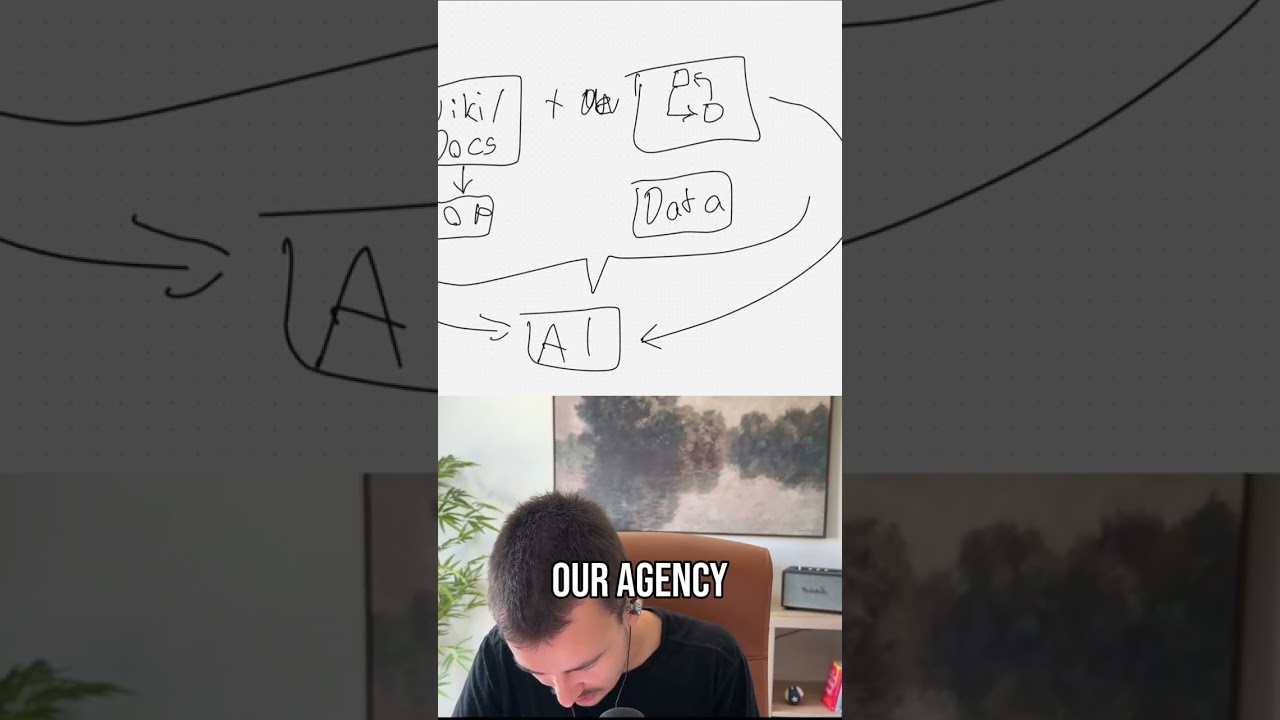
How I automate everything your SDRs hate doing

In this video, the presenter outlines a comprehensive strategy for automating every stage of a Sales Development Representative’s (SDR) daily and weekly workflow to reduce burnout and increase efficiency. The discussion begins with the SDR’s morning prep—reviewing email alerts and opening the CRM task queue—and proposes AI‑generated draft replies, custom Claude skills, and Slack‑based overviews to streamline these tasks. The speaker then dives into lead sourcing, describing how to use scrapers (Apollo, Apify, ZoomInfo, etc.), enrichment APIs (Clay, custom pipelines), and AI‑driven buying‑signal detection to build clean, prioritized lead lists. He details the creation of multi‑channel cadences (cold calls, emails, LinkedIn, SMS) and the automation of call transcript capture, AI‑based scoring, and structured data extraction for reporting. A central custom database is advocated to unify all communication data (calls, emails, SMS, meetings) and enable rapid SQL‑driven reporting, AI‑generated performance summaries, and self‑improving feedback loops that adjust prompts and workflows. The video also covers automated Slack notifications, AI‑crafted email sequences with A/B testing, client portals, and the importance of maintaining a human‑in‑the‑loop for quality control. Finally, the presenter offers a free analysis and custom automation build for interested companies, emphasizing value‑driven, scalable, and secure solutions.
Chapters
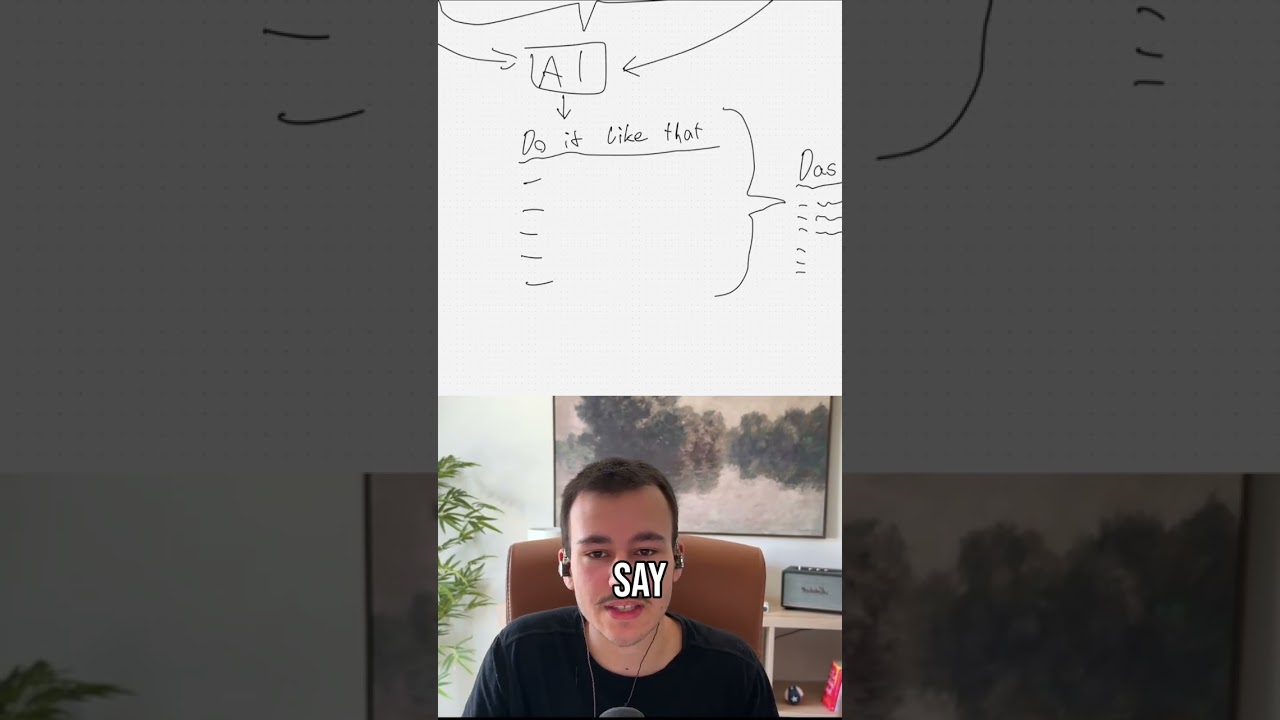
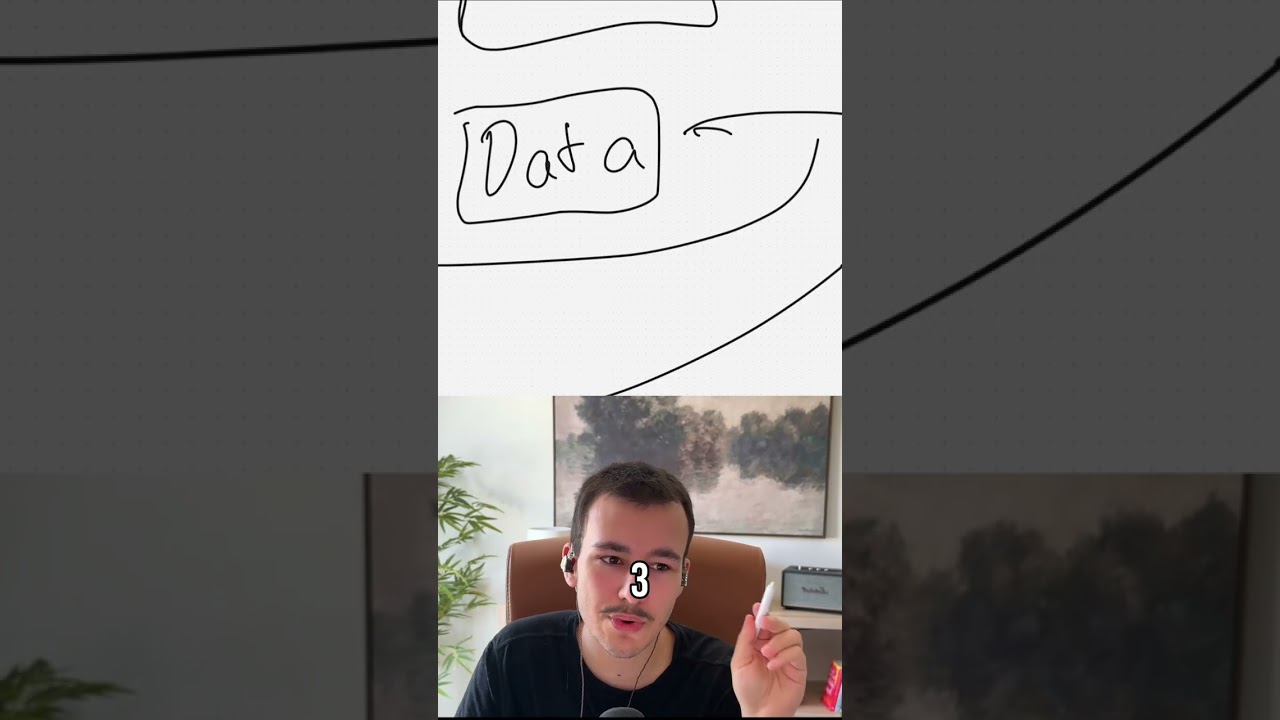
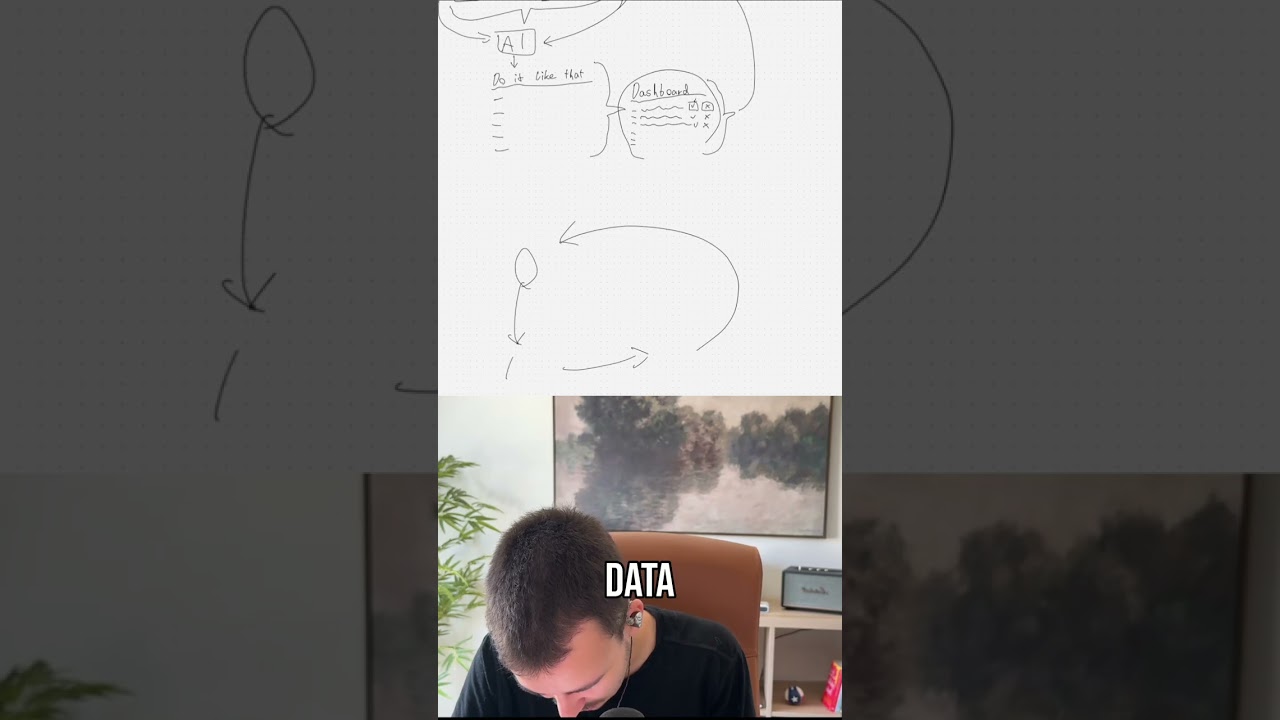
Now there's a big problem with your SDRs, and that is they burn out quickly. And why do they burn out quickly? They don't have the nicest job on earth, right? It is, it is not a great job. So what we want to do today is we want to make their lives easier. We want to look at their entire daily and weekly workflow at what are they doing, and we want to make it, we want to make it a bit nicer for them. We want to automate as much as possible, bring AI in and everything. To make sure they focus on what they're doing best, which is the human touch, right? And make sure we get all of that other stuff off their shoulders, get it automated, get AI in there, and make sure they do what they're doing best. So let's look at their daily workflow right here. It would look something like this, right? They start their day, they have like their daily prep, 30 minutes, where they review the overnight replies and alerts that come in, they open the CRM task queue, prioritize, list, and set targets. Pretty much their daily, their daily prep. So how can we start right here with automating? Now just looking at this, and I'm obviously as always looking at it live, checking live what can be automated, In a typical client engagement, we would obviously go a lot deeper for something like this and really, really deeply think about it. So the review overnight replies and alerts, so that primarily will be emails. So they will primarily be looking at their Gmail inbox, maybe their cold email inbox like Instantly, et cetera. Now Gmail with the Google Workspace as well as Instantly they all have AI built in already. So this whole thing that was big, especially in the beginning of AI, with like automate— automatic draft replies, automatically drafted, and they just have to send it off— that's not really needed anymore, except if you don't like the way they are written. So this can be totally something in general that can be set up, and that is actually That is actually super, super easy. It's just AI draft replies. Um, but that is, that is really something that's, that's quite easy. You have email comes in as trigger, you have an AI customized based on whatever you want, and, um, that drafts the replies and then creates a draft right there. Um, so with that, obviously, especially looking at Gmail, we can be a lot more specific about how should those replies look like, right, based on, based on whatever factors you want, right? But other than that, this is quite a manual process. Obviously we can bring AI into this, um, but other than drafting replies for checking those things, that is really something that where there's not really much we can automate about it. Um, obviously, obviously for everything here we can always also set up a just a custom AI agent, a custom skill or custom GPT agent. I prefer, um, Claude Skills, for example, um, where we can set up a custom skill that is able to write in that tone. So instead of um, instead of having pre-created, already created reply drafts, they can manually use that skill, which obviously takes a bit more time. So if you want custom, custom AI replies, responses that match your— the way you word things, the way the— you, you want things to be written and everything, um, this AI, those AI Draft replies would beat the skill. But the skill will be, um, helpful for anything client communication. So not just the overnight one, anything in terms of communication in emails, outside emails, etc. So I would definitely, definitely look into setting up a proper skill for writing, pretty much just for the back and forth. That may be email, that may be SMS, etc. Um, and then obviously Claude, we can at the same time also connect to, uh, Gmail, we can connect to Instantly or whatever cold email software you're using, um, we can connect it to whatever SMS or iMessage messaging software you're using. Um, so that really then allows it to pull those things instead of those having to be pasted into Claude, um, or your AI of choice every single time, right? Um, now next, opening the CRM task queue. Same thing here. I mean, for all of these things, for all of these things, one easy win we can bring in, um, just to kind of facilitate this daily workflow is just a quick Slack message here every morning at the same time which gives them kind of an overview. And this Slack message, I've shown that in my recent video about how to automate the daily workflow and the weekly workflow of a closer, right? This Slack message, many people don't know how much you can customize Slack messages. You can create custom form inside a Slack message, which custom forms, which can be filled out and submitted. You can do so much with Slack messages, so much styling there. That's, that's possible with Slack messages. So what we can just have is to every closer from a custom bot, from your custom company bot, we just send a message which says, um, X open emails, so as, and then that many SMS and whatever else there is. And then why open CRM tasks or CRM tasks due today. And then top priorities for the day. Right, and then it lists them out based on like deal size or whatever based on, no, at this point, more so company, company size. And kind of like an overview, like a Slack overview. Or can— that, that can also come in via email, by the way. So we can really use any way of sending that, but just like an overview. And then in Slack messages, we can obviously have buttons as well, and those buttons can then really just lead them to every point. We can have a button open email inbox, open SMS inbox, open instantly, um, open CRM, um, task queue, and whatever else we want. We can have buttons that open those different things. So that would really just facilitate this daily workflow. Message comes in at a certain time, they can have a quick look at it, but they'll have to go through— they'll have to go through each of these either way, right? There's no— with, with many things we can summarize them, which makes sense, but with that they'll have to manually go through either way. And looking at those specific points is already the most summarized version of it. Like, looking at your email inbox, you probably want to see all of those replies from prospects, right? I mean, other things we can do is we can filter out useless emails from their inboxes with AI, but especially with Gmail, the spam protection is really, really good already. Um, yeah, yeah, that's, that's pretty much it. I mean, there are a few other things possible, but that really depends on the setup., right? So as a generalization, this is really what can be done at this first step, but it will get more interesting, trust me. Next, we build the pipeline, so the prospecting and list building pretty much. Now this is where it gets really interesting, and I hope we won't get stuck on this for too long because that might happen. Now apply ICP filters. Apply ICP filters, that really just applies to this next step, to sourcing the leads. The, the, the, the SDRs, the appointment setters really obviously know your ICP and then apply that to wherever they source the leads from. Now, lead sourcing is something that we have automated many, many times. And it's working really well. Um, and lead sourcing is at the same time annoying, right? Um, but it's, it's working really, really well, especially with all the different scrapers and all the different APIs that exist out there. So especially thinking of Apollo, there are so many Apollo scrapers where you can get the data out via API quite easily. And all of those things can be based on AI, obviously, so that, for example, we can have as little or as much human touch as we want. We can say every morning we want a new list of a certain number of leads ready that aren't in the pipeline yet, that haven't been contacted yet, right? To make sure we, we don't get a ton of duplicate ones, we only get new unique ones based on your ICPs. And then we can obviously go a step deeper here and say we want to prioritize the ones that have certain signals right now, that have either hiring or new position or whatever, um, and really go from, from there. And all of those things can also be based off an AI. So for the scrapers and every— and, and things like that. And let me also pull up something else at the same time right here. Exa. Now, Exa is something that I also mentioned in yesterday's video, but with Exa, you can see there's a nice little agent mode right here. And in the agent mode, you can do things like saying European Series B fintech with 50+ employees, recent rounds. And it, and it just gets that, right? It just, it just actually gets all that data from the web. So Exa is something that is very interesting to look, to look into for something like that as well. You can get news and you can get basically anything that can be searched with it. So it's a really, really powerful search-based method for enrichment, for extra details for the AI, etc., etc. But with that, we can really, we can go really, really in depth here. Now let me move that over because how I would structure that right here, it's not selected. Let me move back to that actually, is I would probably say Oops. That we have a core AI-based search, and then from there we go into the different scrapers as well as enrichment APIs, and all of that automated, so it's fully ready, and basically ready to go. And scrapers and APIs, that pretty much includes a, uh, that, that, uh, and I typically like to use Apify scrapers here. So if we just go to Apify real quick, the great thing with Apify is there are a ton of actors. From obviously that's social media here, from getting LinkedIn data to Apollo scraping, to, uh, yeah, ton, ton of other stuff. ZoomInfo, Business Contact Intelligence Pro, RocketReach, uh, pretty much anything you can think of here. So Leads Finder for $1.50 for 1,000 leads with email. Um, that works really well as well. So you can really go in depth on those things, um, and say what job title do you want, what location do you want, what location do you want to exclude, email, status, company, website, etc. Like all those standard filters, also including revenue and funding, um, if you wanted to. Um, and then basically get for $1.50 1,000 leads. And those leads, they they are great as like a base to start from, but obviously you want to enrich them with up-to-date data as well. But that, that really isn't, isn't a huge problem, right? Um, so yeah, from there, once we have that, we can say we either now want to send that over to, to Clay, for example, for enrichment. Um, or we can skip Clay. We can obviously, with these scrapers and APIs, we can already build our own enrichment workflow to get all of the data that they need. We don't need to— like, Clay is just combining all of those different programs, so we can send it over to Clay and have like a table in there, but we can also just replicate that exact same workflow and save ourselves, uh, quite a quite a chunk of money by not giving Klai any. So in this case, let me remove Klai right here, and then from the scrapers and APIs, we can move that over. I mean, it depends. It depends. Your SDR might want to use Klai because if they want some custom information, they can quickly do that in Klai. So I would almost say that the last part the last part right here is, um, and with scrapers and APIs I also mean the research. So with Eksta we can also do Google searches on any of the companies, and then we can send it over to a Google Sheet, we can send it over to Clay, uh, we can, we can send it over directly to, um, whatever cold call software they're using. Um, we can send it over to— not sure why I'm writing email all in caps, um, and you're actually not seeing it. There we go. So we can pretty much send it over to, to any, to any of, to any of those, wherever it should land in the end, we can send it there, right? Um, And so that again is really talking, talking a lot about this here, but this is a really simple workflow as well, right? We pretty much every day just run it and then we dedupe here as well, um, just to make sure we don't have any duplicates in here. And yeah, as I said, Scrapers and APIs combines everything from finding the actual leads in the first place, deduping, enriching everything, all this kind of stuff pretty much in here, right? Um, now Scan Buying Signals, same thing. Scan Buying Signals is done in here as well. And you can really set up, or we can really set up, a big pipeline that goes through a big, um, a really, really nice enrichment workflow and everything that is that, that's, that's quite a lot of fun as well, to be honest, to set up. So this right here is quite nice to set up, and it, and it's really cool. It's really cool when every morning a new set of, um, already automatically with AI vetted— and that's, by the way, another thing. So after scraping So this AI here before scraping, that primarily defines the search parameters for the scraping. Then post-scraping, before we send it over here, we can have another AI before that that can validate or draft custom messages for every single one of those, um, of those candidates. Uh, not candidates, I'm always saying candidates because we also work quite a lot in the recruiting space. I mean obviously leads when I'm saying candidates, I mean leads. That can pretty much validate every single one there to make sure it is a perfect ICP match. Same with buying signals, right? We can have either a separate one like one for general ICP matches and then a separate workflow for buying signal-based ones. Or what I prefer to do is just having a single one for everything, and then we can always rank them so that the SDRs always contact the best ones first. So the ones that have very strong buying signals, that those get contacted first by ranking them at the very top of that list, of that sheet, of that clay, um, clay table there, or wherever we're moving that. Now, um, next, the, the enrichment and data hygiene. We want to find and verify email plus phone, dedupe against CRM. Yeah, we, we have all of that. I basically took care of all of— we took care of all of that up there. So this is really, as you can see, a big manual process that can be packed all into a single automation that just runs automatically. And as I said earlier, we can have as much or as little human intervention here as we want, meaning we can say instead of having this AI right here, um, and instead of generating this automatically so that it's ready every morning, we instead want to have an interface where the SDR inputs the search, and then after we have leads scraped and generated right here, we can— and then enriched as well and deduped— we can have the SDR check all of the leads and approve them. We can really have a lot of manual steps in here as well if we wanted to, but typically it works really well autonomously already. So all of these things we can pretty much eliminate. All of them we can handle, we automatically handle the deduping, um, the enriching account context that can be done via AXA as well. So in general, context, anything context-related, anything in the news about them, all of that stuff that can be found on Google, any like business profiles, etc. Works really well with AXA. Um, same with tagging and segmenting, segmenting, right? So all of this right here can be fully automated as well. So with that, we're cutting out a good chunk here and simplifying that a lot and especially automating it, right? Now what happens next? Personalization and prep. Um, yeah, the prospect research, same thing, prospect research, boom. I can probably enroll multi-channel cadence, write personalized opener, same thing right here, same thing right here. That takes care of it, right? Um, these things— the, the full enrichment, the research, personalized opener— and I am typically, um, personally, there are so many personalized openers out there, AI-generated personalized openers out there nowadays, that they actually seem to perform worse in many cases than a non-personalized one that is well written. Which is quite funny. Um, so, so we might or might not, depending on how well it works for you, cut that personalized opener. We might not, right? Um, and then enrolling in a multi-channel sequence here, pretty much, um, from cold calling to email and social. Now here it gets interesting. In cold calling, there is a lot that can be done, and cold calling really also depends on the software you have, that the software software works really well and is really solid, right? Now, in terms, in terms of that, one thing that is important for, um, for pretty much when the call is picked up primarily is that we save the transcript of the call, that your calling software, for example, Aircall, generates a transcript and we can save that, save the transcript to then analyze it with AI. So basically the call lockdown here, this one, we want to make sure save transcript to some sort of database to either your CRM or some central place. So this is something that actually is really cool. When implement— implementing a custom database. So for some of our clients, um, we are implementing like further down the line once the core processes are all automated and a lot of time is saved already, we are implementing a custom database. And this is a great model where it allows AI and anything else to happen really, really, really quickly. If you want to move quickly, I highly recommend that. How that looks like is basically you own that database, meaning you own that data. I'm just calling it DB here for database. And how that works, you have your external tools. So you have, let's say, AirCall for calling, for cold calling, right? Um, and AirCall, now post-call, we send the data to the database through a connector, through an automation. Um, that means the, um, the transcripts, the actual call, the transcripts. And then in the database, what we can do, or what we can do before it reaches the database, we can add, um, AI here to write a custom summary to give the call a score from 1 to 10, for example, to do anything else we needed to do, like score how well the call went in terms of different, different things, objection handling, whatever. And then we can add that to the database right now. Other things we get from Aircall or from your calling software is not only the transcript but also the phone number we called from and the phone number of the, um, of the colleague, of the person we are calling, right? These details, um, and then whatever else info it gives us. Obviously when it happened, the date and time and things like that. We saw all of that in the database, right? Then we have our CRM, and some CRMs like Salesforce, for example, can be customized in a way where the CRM can almost act like the database, right, where you don't necessarily need a new custom database because you can use the CRM. Um, but for most CRMs, that is not the case. So we can sync CRM data into here— contacts, um, deals, companies, Activity, message sent, notes, anything we can sync in here as well. And the cool thing now is in the CRM, let's say on the contacts, we have the phone number, right? And the cool thing is the phone number now connects a contact to a call. Right, so now we know the contact with this phone number, that was the one we called right here. And then based on the CRM, we can also have our, um, like our outbound, our SDR lists. So we can say instead of this right here going into a sheet, into Klai, into the cold calling software email, it goes into our CRM list let me just add that here, right into custom list. And now we can pretty much have basically to track the leads in a central place. And every lead has a phone number as well. So now we can connect and the lead list might use the same contacts table under the hood, which is even better. Now we have this phone number right here that also connects over there. So now we understand which lead was called when, connected to the lead, and then also connected to the contact, and kind of get this unified, this unified central data database for all your data, if that makes sense. Now we can do the same thing for emails, we can do the same thing for meeting recordings. So not only for actual calls but also for meetings, for emails, for SMS, SMS or iMessage, right? Anything like that. We can now sync in here. Emails are obviously connected to the contacts in the CRM based on the email, right? Uh, Fireflies calls are also based— those are basically Google Meets and Zoom calls and stuff like that. Those are all also connected via email. SMS is connected via phone number. Um, so this now allows us to have one central place for all that data. That means that when we set up Claude or any AI We can just set up a single connector to this database, and it is able to get all the data that it needs right now. The second thing is we can use SQL here, real pretty much, and SQL allows us to pull up any information in any format that we want combined with any other information and pretty much in an instant, within minutes, create any kind of report that we want to generate, which is quite awesome. So this is something that allows to move very quickly because you can pull, you can generate fully new reports within minutes. You can now set up an AI on top of that that is able to write read-only SQL queries. And now you can just tell the AI what kind of report you want. The AI now basically searches your database and writes an SQL query to generate this report, and then it can generate a full report within a minute, right? So that is super cool. And that is obviously possible with all of that right here. So all of this information can pretty much flow into the database, and then get connected in the database, and then allow us to have this central unified place for all of that. But let's continue right here. So we have the cold calling, and I know, yeah, we said save the transcript, and based off the transcript— and all that I'm showing right here obviously also applies to this up here, except it's more efficient here, and it will be basically 10 times better. Um, but saving the transcript now allows us what I already mentioned earlier, is to analyze it, to send it through AI to create a summary to create basically via structured output to rank the call to, for example, with structured output, we can say something like that the AI should rank the call based on different things. For example, we can say objection handling, we can have an array, we can pretty much have a list of objections that were thrown how those objections were handled, a score from 1 to 10, how well the objection was handled, and things like that. And these summarized information that are now structured, that now have their own fields they live in technically, instead of having this raw transcript, then allows us to do an end of the week or end of the day report or end of the month report, where we then have an AI that goes, um, So we have AI to structured, structured, structured. Oh, uh, yeah, I'm a bit confused right now. Structured data. I actually haven't slept this night at all. Uh, it was kind of an all-nighter. So, um, I'm sorry if I'm absolutely, uh, if I cannot think right now. So, um, we have the AI output structured data. Now that structured data we again save in our either database or wherever we save this. In this case, we can also save it in the CRM, for example, um, but we would need fields for that, um, to make sure we can save this now structured data. And now what can happen at end of week or end of day, we can have another AI that now accesses this structured data, pulls that structured data from all calls, analyzes it, and understands this, um, SDR, like this appointment setter, typically we've seen these issues, um, and that can also be based, that can be based off that structured data, and it at the same time can be based off actual analytics. So pickup rate, um, meeting book rate, pretty much, uh, how many calls were booked, how many appointments were booked, um, things like that. We can then combine that into a report that can be fully AI-based, pretty much the AI giving this SDR information about what this person can do better, what they can improve, and things like that, right? Now, um, run call framework. Um, yeah, we can, we can obviously also, um, also technically we could customize the call framework. However, with so many calls, that doesn't make much sense to, to, uh, to customize that in a way where it's custom based on whoever you're calling. But technically we could say based on all the enriched data we have from up here We can use AI to fully customize the core framework to not only be a framework but be kind of more like a guide that already understands this right here, uh, this, the buying signals as well as other information, and then implements those directly. But with how many people are typically being called and don't pick up, um that doesn't make much sense. That's just a waste of AI credits. Um, yeah, otherwise leaving, leaving a voicemail, right? Um, okay, let's check what else we have right here. We have email and socials. Uh, send cold email sequence. Okay, that is just a sequence. This, this right here should be fully pre-built. If that is not pre-built, um, not sure what you're doing. Um, because typically you would send them into a pre-built sequence in Instantly or wherever, whatever other program you are using. And then LinkedIn touches, that can be automated as well. However, with LinkedIn you always have to be a bit careful how much you can do on there. So typically LinkedIn, I don't want to touch with automation too much, and that counts for every social media platform. Because it can negatively impact your account. The only platform that I think is fine to automate, to be able to automate, is actually YouTube. YouTube does not really care. Every other social media platform is a bit sensitive to being automated, right? Um, so that's, yeah, that's just pretty much a sequence right here. So not too much to do here, but obviously, obviously we can have automations that, that can automatically improve those sequences. So we can, based on, based on sequence KPIs right here, we can automatically use a framework similar to what is used in Ads where we have a few different cold email sequences running Based on which ones perform best, we turn off the ones that do not perform well, and then we create variations of the best performing ones while at the same time bringing in new ones to test. And that can be fully automated actually. So we can say, we can say we have, we have some campaigns, we have like, I don't know, 5 campaigns And campaign, campaign 1 performs well, campaign 2 performs well, campaign 3 does not, campaign 4 does not, and this one performs well as well. So those go into the next round. Oh, that's a terrible illustration. And we create multiple versions of each now. Boom, multiple of 1, multiple of 2, multiple of 3, and at the same time, what I'm just trying to say here is we have those 3 that come through, those 2 didn't perform at all, so we now create 3 versions of each of those 3 pretty much, and at the same time we introduce 2 new ones, for example, and then based on which ones perform well here, let's say this one performs well, um, this one performs well, this one performs well, maybe 2 perform well here, This one does not perform well. This performs very well, so we might create a few more, and that way we kind of always introduce new formats to see what works well there. And this can be fully automated. The cool thing is we can either set specific KPIs that after a certain amount of emails sent have to be hit in order for a campaign to either progress or be deactivated. And then based off that, we can use AI, um, with a skill to write very natural emails, very human-sounding ones. And then also with the access to your, to your data— not, not to your data, not to your data, to your wiki pretty much— to understand what it can actually write, um, as well as Google search and stuff like that. Um, it can then basically create variations. And in terms of coming up with new ideas, Also possible. However, coming up with new ideas, I would typically leave to a human. But we can, we can do something simple. We can have like ClickUp or any program with a list, even a Google Sheet, where you can just throw in new email ideas based on what you're seeing online, based on whatever you want to use as input there. And then the AI picks it up and writes the script and everything for those And then whenever we, whenever they get enrolled right here, whoops, whenever they get enrolled right here, we can obviously also have an automation for that. So depending on how that looks like, I guess they just have the Google Sheet or the CSV in this case, upload the CSV to the campaign they want to start this with, and then this campaign runs. We can then also obviously go a step further here and not only have the AI create new campaigns, but also have specific campaigns or this specific setup for multiple different ICPs, right? For multiple different ICPs, and we can go into different niches here either by location, by niche, by, by anything pretty much. So we can go really in depth here, and that obviously would be a ton of work for your SDR. The cool thing is if we automate it, it's not a ton of work, and we can do a ton of tests. Like, tests are running automatically in the background, um, every, every single lead here gets added to the correct campaign, right? Um, and then those campaigns always progress and get better and improve themselves with the help of AI, pretty much. And, um, yeah, that's, that's quite cool. That's quite cool. And then the, the social part, the social part right here, and we can also automate that part. So we can say based on a certain trigger we— they don't have to import. And now obviously, if the— if they automatically get assigned, this would be automatic already, so they wouldn't even have to download the CSV to import them into the email campaigns. We would just have some sort of trigger, and that trigger can really be anything, either via custom app script in Google Sheets where they— where we add a custom new button in Google Sheets that says sent to emails or whatever else we want. We can have a custom program for your company as well. We do that custom internal web apps and things like that where they upload that CSV to, or it goes directly in their post-enrichment. So we can say, and that's what I meant with we can have this as manual or automatic as we want, this data here directly, this final data, instead of going into Sheetclay, CallCall, EmailCRM,, it now goes into the database. And the database, that's a cool thing that I actually did not talk about yet. This beautiful database right here is connected to your frontend. The frontend is pretty much your internal app. And this internal app cannot only be used by your team, but we can have even a way for client portals on there. And with client portals, it gets really, really funny. I won't go into that, that is so much more to talk about, but that could, for example, live on app.yourdomain.com, right? Um, that's, that's the awesome thing. Everyone can log into that, everyone on your team obviously, always making sure we have high security standards with that, can log in and has— and they have all the tools that they need in whatever format they want because it's all custom coded, right? So that is really— that's really like the possibilities are unlimited here. We can have their full day pretty much automated nicely working. And I mean, to be honest, even this stuff up here, we can automate it via Slack. We see what is open in the inbox, what tasks are open, um, prioritization. We can have a specific skill or setup, and I mean, we can even automate it from there. Um, I, I didn't say that earlier, but we can go a step further. We can say this is also automated, right? This prioritization. And based on what the task is, based on whatever's going on, it can then either be assigned directly to the SDR, or for all the things that the automation can handle by itself, it handles by itself. Totally possible, totally possible. Um, yeah, LinkedIn, LinkedIn I would not touch. It is possible, it typically nothing happens as long as the volume stays low, as long as we don't send like a ton of requests to LinkedIn, then LinkedIn doesn't like it anymore. Um, but I still, I don't like it. Um, there's always this feeling because I know that is the case with TikTok, and most likely they don't publish that directly, but most likely some other social platforms as well. If you interact with it via API or via any external software that is not you as a person, you might get your post shadow banned, you might get actually banned. Things like that. So, um, yeah, not if you use the official API, obviously, but, um, yeah, still. Now the reply handling, reply received, that is similar to what we talked about up here, right? When we receive a reply, we can quite easily create a draft response Right, or we can, we could even like, depending on how much you want to automate, if those draft responses look really, really good, we can always just have the responses sent automatically from the SDR's inbox, um, so that they don't even have to approve them anymore. But typically I like anything to do with human touch, I like to keep a human step in there, human in the loop it's called. In there just to make sure. Um, yeah, okay, that depends. Obviously this draft response also depends on is it positive, are they, are they open to whatever you're trying to sell them or not. Um, yeah, right. And, um, handle objection. Yeah, I mean, we can have, we can totally have another skill. For example, here, objection handling. Typically they should know how to do objection handling. We can have objection handling, um, Claude skill, because in this case with objection handling, um, these are things that it makes more sense having them dynamic. So everything you have in Claude or in your AI app, of choice, every skill, meaning every SOP, these are typically things that you or that this person would want to use dynamically depending on the situation. So in this case, they know when they are doing objection handling or nurturing and things like that, then they can use the skill. This is not something— I mean, it's again something that can be automated. We can also at the same time— so this is if they do it themselves with the help of Claude, they can do that. They can find the best response based on whatever, however many, however much knowledge we want to give it, or the Alex Hormozi knowledge. But then we can totally also have an automation, the same that drafts the response here, for example, detect the objection and then automatically bring that objection handling into this draft response. So we don't even need to do this right here anymore. And all of that depends— saying it a thousand of times— all of that depends on how much human touch you still want to have in there. And typically, I, I like to start with, um, the most amount of human touch until each part of the process is so good that the human is saying, okay, This part right here, I'm pretty much always just approving it now. There's nothing I am— I have to change, like very, very rarely. At that point, it can be fully automated, right? That's just to make sure that there's, there's no crap being sent out to those prospects. Now, if they respond positively, booking the meeting, sending the booking link that again can be done by the AI as well automatically or by the SDR. And that would just be basically Calendly or Cal.com, right? Or whatever other software you're using for the, for booking the meetings pretty much. And Calendly and Cal.com, they have the automatic reminders built in. You might have to activate them and set them up, but I guess you have that done already. Um, confirm and send reminders automatically handled by those two. Obviously you can then have like a human confirmation as well, um, which can be automated. I, I think that is really the word I'm saying the most here. AE handoff, qualify, write AE handoff notes, brief AE. Yeah. So these things again, and here we really have the, from up here, all of that, all of that data right here. This one, this really goes into here as well. We have all of the enrichment and everything. As well as, and this is really where AI shines, all the data we've already collected. So now going into this, into handoff notes and all of this stuff, we have, we have, we have firstly, the original communication right here. So no, firstly, the scraped and enriched data. So we have all of that data. Secondly, what we have is we have the actual call recording. We save the transcript, remember? Boom! That is why we did that. Um, then we have the email thread. So that is one thing. Those emails, um, we can save as well, um, the email replies and everything. And now we can make sure all of that goes into here as well. Um, boom, all of that goes in here. And that is pretty much— so what we pretty much at any point in time just always want to do is we want to give the AI as much context the actual SDR has at the same point, right? So we want to give it all the context, and if it has all of the context, it typically does a very good job at whatever you tell it to do. Um, so we can pretty much use these three things right here to now have a great and efficient AE handoff. Um, and then let me check the other path here. Um, yeah, handle objections, and nurture. Next, we have the CRM reporting, which is continuous. Update CRM, that is a cool thing. We can, we can, we can say, and we've done that for, for some clients as well, but there's really something we want to test before as well. We can say based off the transcript right here, as well as the emails. Obviously, the enrichment, the original enrichment that already went to those fields, let me pull it in here as well. So based off these same things that we are using for the handoff, we are also automatically updating these details right here, right? So what we can again say, and we can take that from up here where we already saved the transcript and then created the structured data. This is really the important thing here, the structured data. As you see, it goes to the CRM. That is pretty much the same step we have down here, right? From the call transcript, from the emails, um, we can structure that data, have AI output structured data to now update the CRM with any custom fields that we have, with any tasks that have to be created, with, with the stage even. So we can, based on call transcript, detect stage and emails, and then the enrichment typically already comes back in a structured format. So enrichment, we typically have company size, revenue, um, for the, for the lead directly, uh, we have the position or job title, we have the first name, last name, we have the phone number, we have the email. Those are all different fields. That just means it's structured, it's not just a long text, right? As we have for the call transcripts and for the emails. So all of these things, we can now say the CRM should be updated automatically. Typically for stages and things like that, we want to let the SDR decide, but for any custom fields, for anything else, for any call notes, for any summaries, for any, anything like that, we can have that fully automated, which is quite cool. Review dashboard versus targets, same thing. We can, based off that, we can also always send a Slack message here as well. And we can, if we decide to go with a custom database, we can fully just say that we can create reports and dashboards super quickly, right? Super quickly and efficiently. And then obviously the targets, Targets are quite cool here as well because we can also give the AI targets. We can have— and I've just seen from, uh, I've just seen a very, very good video, very good, um, presentation on that actually. Self-improving companies, self-improving AI in companies where we can say based on whatever the AI did here in the company We can have some sort of feedback loop which goes again into our database, most likely into a table with decisions made and feedback. And based off that, the AI can improve itself in terms of the prompts it has, or in terms of the structure, or what it does, its actual code. Fully possible. And in the C-suite, or whoever you appoint to that, can also, before it does that, obviously approve or deny those, those changes, those things that it wants to improve. With that, we create a self-improving loop, meaning we not only set targets for the actual SDRs, but we also set targets for our AI. And based on those, based on those targets and what it sees, it can improve, improve itself pretty much. But that again, I'll make another video on that, probably the next video, because that was quite exciting to watch that video. I have a lot, a lot of ideas what is possible with that. Um, now end of the week, no, that means day is done. Um, on once the day is, the day is done, we have this part right here that we just went through, right? Um, then end of the week, what do we have? Manager, uh, one-on-one, um, call coaching, team pipeline review, Okay, a few things here. Let's go through that real quick. Not that much more. We're pretty much consistently hitting the 1-hour target here with the videos. It's not even a target. My goal was to make like 15-minute videos. Now firstly, for the Manager 101 and the call coaching, something from earlier comes to mind that is quite nice, which is this right here. And I'm really dragging that all the way down here. Boom, that is pretty much where we said we get again the structured data which can be used in reports. So what we can, what we can now do with that structured data, which I, which I mentioned earlier already, is we can say for every single call based off that structured data, based off how well that call went and the data that the AI extracted, we can now have a custom, like before the weekly meeting here, the weekly manager meeting with the manager, we can create a custom Google Doc, for example, with a full review of this SDR's performance this week based on how well they handled objections, based on their numbers, their actual numbers, and how those— not necessarily objections, to be honest, but how well those calls went compared to the numbers. And what in those calls caused those very good or not so good numbers, for example, right? We can really have like something that typically would take a whole person reviewing everything, which takes a ton, a ton of time, which typically is never done. AI can do now. AI can fully take care of and get like data that no one else would ever see because no one else has that time to review so much data, right?, to kind of see those patterns in the calls. Um, so that's the first thing we can, we can have custom Google Doc or whatever we want for that call ready that they can go through. Um, team pipeline review, um, yeah, okay, that's similar, similar to up there, similar to when we started the day, um, can be automated, depends on your situation here. Um, A/B test copy review. Um, that is quite cool because if we say we have this fully automated email copy agent, it can also— we can also send like either Slack message or like a Google Sheet. We can send a Slack message with that, um, and then have a button that links to a Google— not Sheet, Google Doc. Also Sheet works as well here. That basically shows a full overview. Campaigns disregarded, that campaign's performance, campaigns extended, new versions created, A/B tests of campaigns, new campaigns created, and then the performance of each of those, which is quite cool. Yeah, that's— cannot really write something there. So that can also be fully automated. But this right here, since we have everything in a database, If we say we go with the database setup, the cool thing here is we can just have a native report in our app, in our team thing, which is always live. So you can always look at it and it has the live data of how well everything's performing. So not even like a custom one that only gets regenerated once a week, but a live report. List refresh and cleanup. Yeah, AI can help here as well a lot. Um, so here I would probably have a skill set up, um, and this skill in Claude would basically tell it resurface any old contacts, resurface anything that has to be cleaned up based on these specific things, because this is something that they want to look at at the same time and kind of approve and everything. Competitive Intel update, same thing. We can use, we can use XR right here. Right, um, xAI or multiple other tools to kind of get, um, get intel there, um, depending on what exactly that intel should include, right? Um, and then the training slash skill development. Okay, yeah, that— this is, this is quite, this is quite nice because this already goes into our workflow. This is just at the end of the day, and again, this can be done by an AI based off all the data, or done by humans. We look at what other processes happened that day that were quite repetitive. Where did you spend the most time that we can now turn into a skill or automation, right? So this is kind of, kind of similar to the self-improving workflow automation kind of similar to the self-improving automations and self-improving AI and everything that I mentioned earlier, where it at the same time is able to detect what things did this SDR spend the most time on, um, and based off that, what skills can be created, what automations can be created that would pretty much take care of that. Obviously, those would then be built— like, skills it can build automatically, but with automations those would typically then be built by your team or by us to make sure they work properly and effectively. Skills can also be built by, by hand or with human input, pretty much. And that's it for the weekly reset here. So there's a lot. I've just basically touched on the surface stuff here. We can go much, much deeper on every single thing. And if we would look at just a single thing, no matter what, there's like every single part of the automation goes so much deeper where there's so much more that can be done or that has to be done. Every single part of this, this is really just the surface of everything. But yeah, if that kind of piqued your interest for whatever reason, Feel free to book a call with us. The link to our website is down below in the description. We help companies save their employees a ton of time, especially on repetitive, boring tasks that just have to be done but that burn out your employees, that, that annoy them, that burn them out, and that are pretty much useless. And with that, we save them a ton of time that they can use to actually make you more money and do their actual role, what they were hired for, why they are A-players. And with that, we can pretty much help you scale very profitably without adding additional headcount. And we even guarantee that. We even guarantee that we start working for you for free. That is the crazy thing. I know, I know how— how well these systems work, how well these automations work that we custom build for every single client. We don't use a single template in anything, fully custom developed, going through like this for the processes you have, identifying your bottleneck, building fully custom automations that are extremely scalable, that are extremely robust, that are extremely secure, and making sure those actually deliver value. So always value-driven here, not like a developer who wants to build a ton of stuff, but in the end it doesn't really benefit you in any way. No, actually based off what is the bottleneck, what can we automate right now to get you the biggest result, pretty much. So there's really no downside to booking a call with us. At the very least, you either get a free analysis of your biggest bottleneck and how to fully eliminate it through automation and AI. And, um, or you even get free work from us. Um, and, um, yeah, at the very best it will be a successful partnership, which it will be. I can guarantee you that already. Um, I don't think we have a single unsatisfied client. We never had one. Um, yeah, that is pretty much it. Appreciate you watching the video. Um, you can also subscribe, and that's it. And see you tomorrow. Daily videos here.