I automated everything your closers hate doing

Julius Forster shows how to build an AI automation stack that handles the tasks closers hate: morning prep, research, note-taking, and follow-up. A Slack bot delivers daily briefings, a Claude-powered assistant pulls prospect data from your CRM and web sources, and automations 30 minutes before calls compile everything into a single doc. Post-call, the system extracts transcripts, scores performance, and updates your CRM automatically.
Chapters
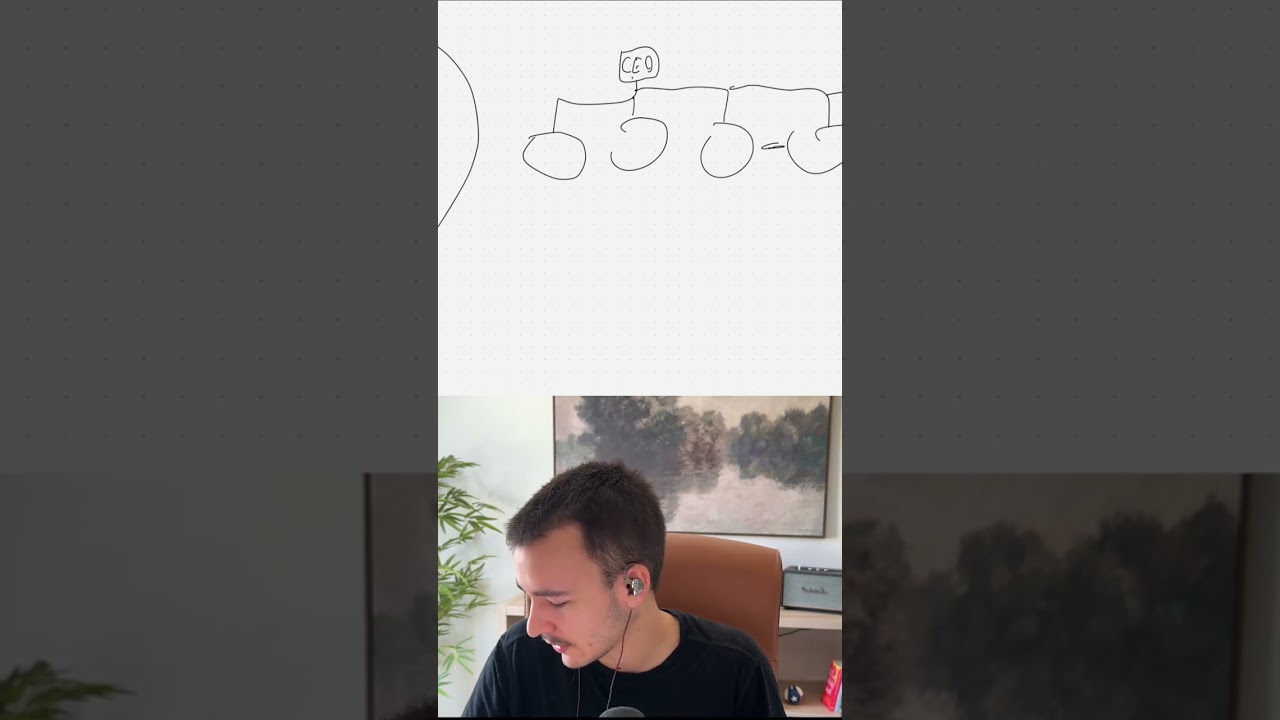
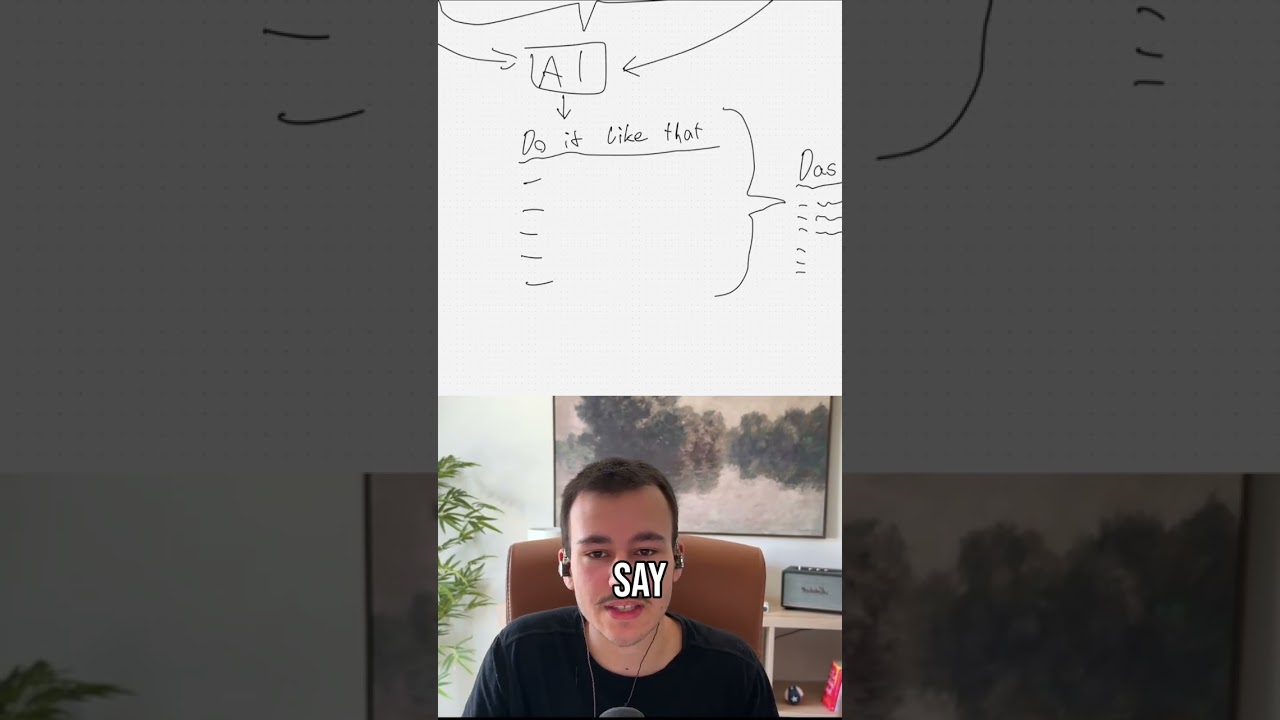
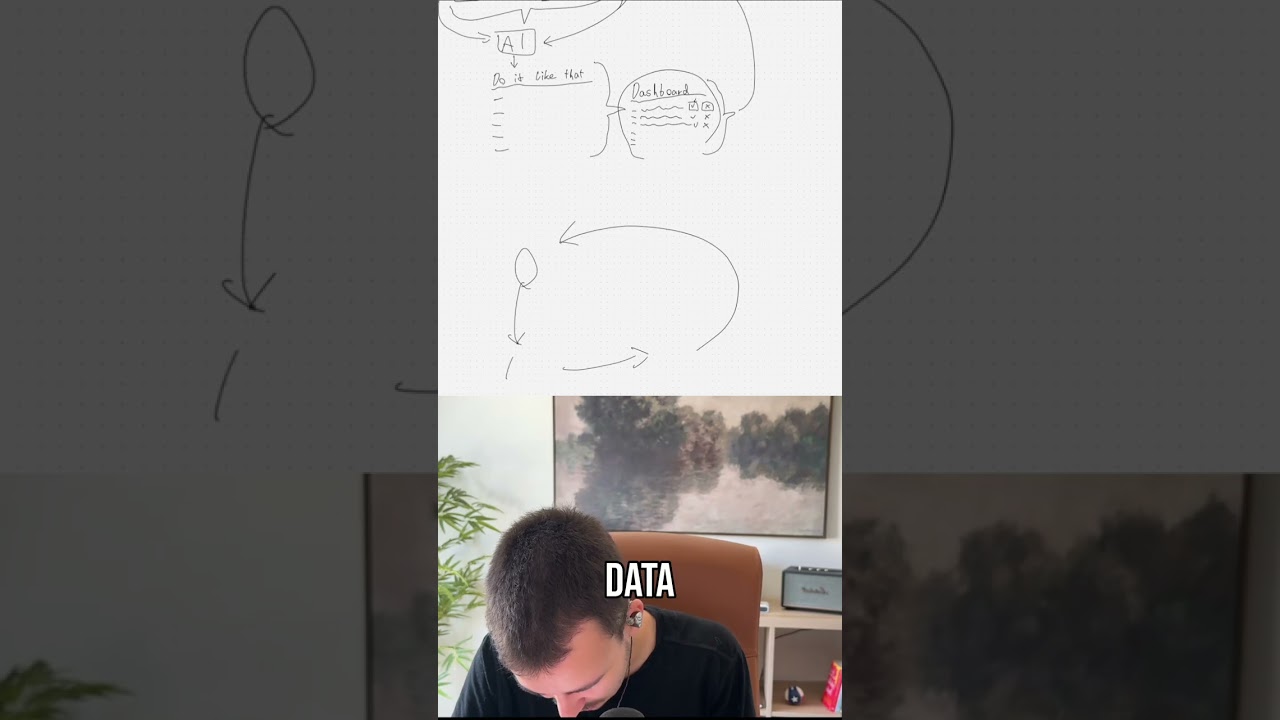
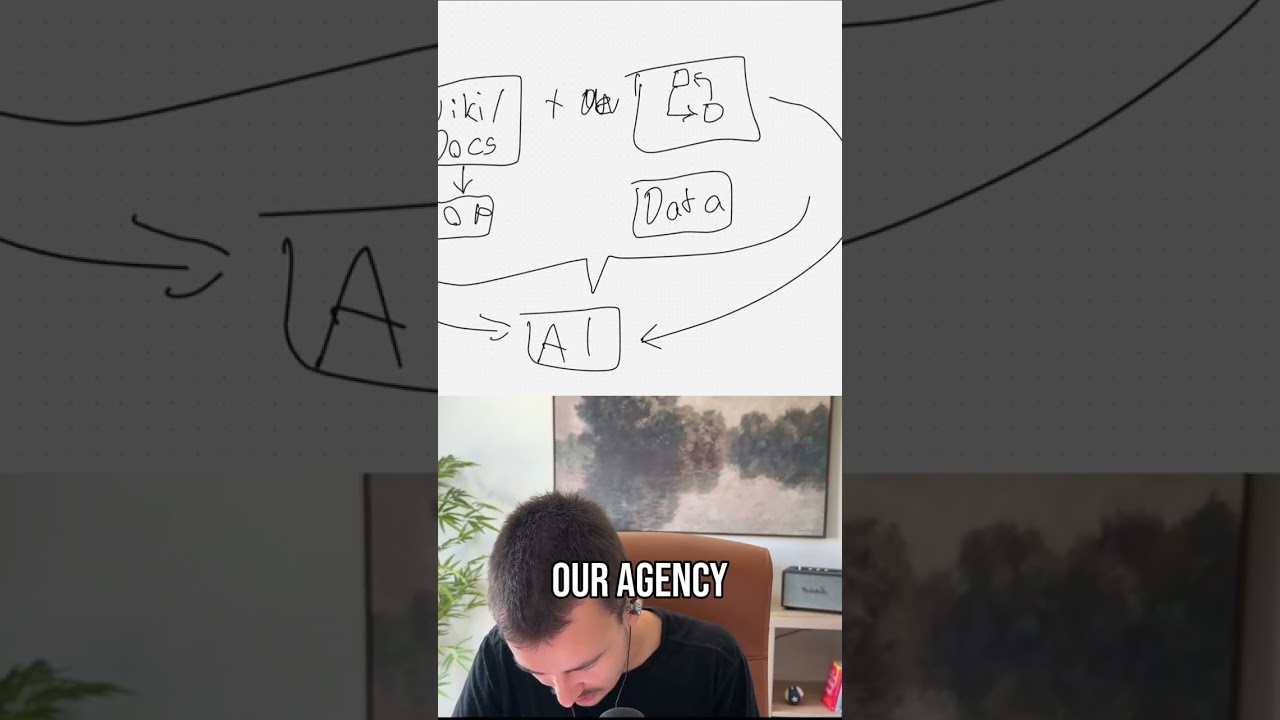
Your closers are wasting a ton of time doing stuff, time that they could spend closing more prospects. They are spending it on useless repetitive tasks. So let me show you a little diagram that AI actually made me right here. So I haven't actually looked at it, and I will be going through this together with you, looking at every single part of their day right here, starting from the start of the day and looking at each part. How can we automate it? How can we bring in AI? How can we automate it so that your team of, I don't know, 5 closers, 10 closers, however many closers you have, they can actually spend their time closing more deals, making you more money, making your company more money, and don't have to spend time on stuff that, that tires them, that annoys them, and that burns them out, right? They want to do the social stuff. They want to talk to prospects. They want to get those prospects closed. That's what they want to do. They don't want to waste time taking notes, preparing for calls, stuff like that. They should still prepare for calls. Let me show you. Let me not talk too long right here. So they start their day. What are they doing first? Their morning prep and CRM review. I am going through this together with you for the first time. Even have AI here on the side in Miro to kind of ask it, how does their morning prep and CRM review kind of look like? So you can see the message here. So they do a quick pipeline scan, hot lead triage, a follow-up queue activity, locking catch-up goal check, inbox and calendar sync. So the first thing I would do right here in terms of automation when they do their morning prep, we know they probably start the day at around the same time, right? So in your— in Calendly, in Cal.com, whatever calendar scheduling program you might be using, iClosed or whatever, I something in my eye. Um, I guess they have their same times every day, right? So the very first thing I would be doing right here, if we just look at that— and let me increase the size of this real quick— if we look at that, is probably just set up a Slack message. That's a bit too thick. Probably just set up a Slack message as the very first thing. So every morning, or an email, that doesn't matter, like some sort of get started right here. So they go through this morning prep every time as efficiently as possible. And the cool thing with this Slack message is what we can do is we can schedule it for time, we can schedule it for a different time for every, for every closer depending on when they start their day and how their calendar looks like. And this can be fully based off AI and off automation. So based on what this nice little Miro AI told us right here on the side, Pipeline scan, check which deals moved overnight, what's stuck, what's— what needs urgent attention today. Sort by close date, deal stage, hot, then the hot lead triage. Identify who's gone quiet, who responded, who's ready to advance. We can check the entire pipeline. You have your CRM ready, right? You have your CRM and the other tools, and I'll get into, uh, into those other tools in a bit here. You have those ready, so what does the automation have to do? It has to basically check What would this closer check? It can check all of that. It checks every single one and formats that in a nice little Slack message. And the awesome thing is most people that I've seen, most companies that I've seen set up Slack messages where they just like— firstly, obviously you want a company Slack bot. If you don't have a company Slack bot yet, get that set up. Create yourself. We have the Munira bot with the Munira icon as logo. And send everything through that. And that Munira bot not only sells everything, it, um, you can tag it in any channel. You can just put @munira, can ask it anything, can interact with it. You can have it create new tasks, anything. All set up fully by us, not some AI agent, Hermes agent, or however all of those agents are called, right? Um, Claude bot, stuff like that. Not, not something, not something useless like that. Something that's actually useful, built fully by us for us, pretty much. Yeah, but the first thing is, first thing is you want your own Slack bot, right? That Slack bot then via DM or in a channel, it can interact in both, sends this morning, this morning brief. And how you want to have that look, let me open the Slack developer website right here. And that's the issue most people do. They create Slack messages that are just pure text messages. And most people don't know how in-depth you can go with Slack messages. You can see that right here. Let me just zoom in. You can do stuff like that. Obviously, you can have buttons that are fully interactable. So when you click a button, the whole message updates, stuff like that. You can see, you can go really in-depth. This, for example, is an example for like a— if I just open that you can fully interact with it almost as if you're in an app, right? Let me just pull up some other templates. Boom, can have multiple things in there with buttons, simple notifications like that. You can have blocks like this. You can, you can pretty much do anything in Slack messages. You can even, you can even, if I go down a bit further here, yeah, you can vote, obviously. You can have full forms. You can have like full post-call— that's something we'll get to, like post-call forms. You can have full post-call forms directly in Slack inline so they can fill it out in Slack. And the cool thing, let me just open this one as well. It pretty much, it pretty much works, it pretty much works everywhere. It works on desktop and on mobile, as you can see right here. Full mobile compatible directly in a Slack message. Isn't that awesome? I think it's absolutely awesome, and I think it is highly underestimated. Slack, like the whole Slack Block Kit, that's what it's called, isn't used nearly enough. A to-do app directly in a Slack message where you can have different tabs up here, create new to-do list, you can add an item, you can— isn't that awesome? You can take them off and everything. Yeah, but you can do a ton with Slack message with the Slack Blockit, the actual JSON looks kind of like this. Quite simple to do. You can even let AI do that pretty much. But yeah, that's exactly how I would do it. I would— whoops, there we go. I would have a Slack message every morning that has every single point. So it goes through your CRM first thing. It accesses the automation, accesses your CRM, checks everything that is assigned to this closer or should be. Checks what's going on, like who they should be following up with, etc., all based on custom logic, however you want to have that set up. And then it basically just sends that message every morning, same time, to the closer. The cool thing, as I've just shown you, you can add nice little buttons in there. You can add buttons in there, um, as, as many as we want, uh, to be honest, to to open the entire overview, and then we can have custom dashboards and everything. That, that's the next crazy thing. Um, I am, I am absolutely rambling here, everything that is possible. But other things we've done is like fully custom company— yeah, that's company logo— company dashboards, right? Where they then have their, uh, start of day report right here every day, everything listed out that they need, all the numbers, everything, all the entries. That's, that's the awesome thing. But we don't, we don't even need to go, we don't even need to go that far. Like, that's the quickest setup. Slack message every morning, they go in and done. Next thing is for, for the general prep, and this is something that also, uh, that basically goes through this entire flow, you definitely, and this will speed them up almost the most, is to set up a custom AI for them. Don't just let them use, don't just let them use like ChatGPT with nothing else set up. Set up a proper AI system for them. And what I mean by a proper AI system is obviously Claude. You can set all of that up in GPT, but I recommend Claude. So you want to use Claude Cowork or something like that. Um, because in Cloud CodeWork, what you can do is— and obviously don't know how familiar you are with Cloud specifically, but you can set up a few things. The first one I'll call connectors, and connectors are pretty much just MCPs or CLIs. That— those are the fancy, fancy names for that. So a CLI command line— CLI, not CLIs— is a command line interface. CLI is the better way for AI to interact with it. MCP is like the one that is basically based off APIs and then in a nicer format for AIs. Yeah, but the first one is connectors. Second one is skills. But in terms of connectors, what you want to connect for your closers. And as I said, this right here, what I'm showing right now, this actually applies to everything right here. This is not just for pen disconnected. This is not just for the, the morning prep and everything. This is for everything. So what you want to do in terms of connectors— and by the way, one more thing, it doesn't have to be Claude. It can be the same thing right here. It can also be the custom dashboard. So this custom dashboard, by the way, looks absolutely terrible. Okay, let me quickly show you what I mean actually with a custom dashboard. You have your web app with roles and everything. You have a nice little logo right here. You have your AI chat here on the side that you can open with a button down here or close to the side. You can chat with it here. Full company, all company information it should have based on whoever it is chatting with. So user-based permission and everything. Obviously that can also look a bit different if you don't want a full sidebar. We can have like a little AI here in the corner with your chat box and your chat. But yeah, it doesn't have to be, you don't have to use like Claude, don't have to use ChatGPT. It can also be fully custom built. A fully custom build will obviously take longer, but it will be a lot more powerful. Obviously it will be way, way, way more powerful, um, but I would always suggest starting with like the quickest, easiest way of implementation, and then you can always go into a more in-depth one. And the quickest way is to just set up Claude, right? And in, in terms of connectors, you obviously, you need to connect your CRM, um, you need to connect whatever you use. No, firstly, the standard ones CRM, email, calendar. And calendar is what I mean is Google Cal, and then Calendly, or whatever else you use, Cal.com, I closed whatever. You want to connect those. Um, next you want to connect— I'll call it Fireflies, but there are many meeting recording, uh, meeting note-takers, AI note-takers out there. I like Fireflies the most, has a great API so the AI can easily interact with it, right? Um, other than that, we don't have that much more. We have, uh, whatever software you use for closers to be able to do calls. So typically, um, obviously you have your appointment setters that do calls primarily, that do cold calls. Um, but then your closers, if a, like if they're waiting for a prospect on a call and they want to reach out, typically they want to call that person, right? Instead of just sending an SMS or email, they want to call and use some of those crazy tactics like saying, sorry, I'm 5 minutes late, um, I'll be in there in a minute, um, looking forward to it. So something crazy like that, right? There are cool tactics there, um, but you want to connect your call software, and that call software ideally should also be able to record every call and spit out a transcript. So that can be pulled there as well. And then SMS/iMessage software, so like SendBlue. Those are the primary ones that come to mind. Um, obviously CRM here being the biggest, and many of those things might already be in your CRM, meaning the AI, um, this AI agent can pull it directly from your CRM and doesn't even have to access email, calendar, calendar, or the other things here. But, um, I generally like giving it access to those different things. Um, I mean, if you use, for example, Salesforce as a CRM, you can— and you probably have Salesforce set up in a way where it can pull all of your data and it kind of functions as your primary knowledge, uh, primary source of knowledge, right? Unified, unified knowledge source there. Um,. But in terms of general connections, that is generally what you would want to give the AI access to. And then the next important thing is actually skills. And those two we can combine for an easy setup, especially if you have many closers, not just a single one. That is, that is quite ugly, um, in, in plugins. That is at least, at least how you call everything inside Claude, right? So a plugin inside Claude, just quick explanation, is just a combination of connectors, meaning MCPs. CLI, CLI, it only really works with CLIs as far as I'm aware, if you're using Claude code. So we can actually ignore CLIs for now. I still think CLIs will be next big thing in terms of how it will be able to connect. Right now it's primarily MCPs. But plugins just combine connectors with skills. And what are skills? Skills are pretty much just the SOPs for your AI. So how should specific processes go? Repeatable processes, pretty much, right? Um, so skills, you, you can as well, like, you have this Slack message and then you can have a morning prep skill here as well. Boom, you have your morning prep. You write that skill and you explain exactly how would a morning prep go. What should it do in a morning prep? For example, first it should go into the CRM, it should pull up these and these, those details from those sources based on these specific filters, look at it like that, I don't know, interpret things and then rank them based off priority, like rank, prioritize them based on specific things, fields, data, whatever, right? Next, it should look at the emails, for example, from the CRM for those things, should look at the email addresses of those prospects, um, and then it should pull up email conversations as well as, um, already scheduled, uh, calls there, or already scheduled sales calls, for example. Um, based off the email, it can also pull up, um, existing Fireflies call recordings um, that right here, um, or whatever meeting software that you use to record those. As I said, same with calls. So in the CRM you have your phone number, so then it can— when like it starts, it just starts with the CRM. You would just tell it start with CRM. And the next, next skill would actually be one that it would automatically use quite universally, which is kind of, um, gather information, or, um, let, let me just call it prospect lookup. And this is kind of what I, what I just explained. Um, so these are all things that I'm primarily like— I thought a bit about it, but that I'm primarily coming up with top of mind how I would structure it. Obviously, when actually setting up a system like that, there will be a lot more thought going into it. What's the best way to set this up? What's the most efficient way? What's the quickest? But at the same time best way there. So Prospect Lookup, that's primarily you would tell it first— will be— it would be a lot more complicated. First, um, pull up in CRM. So first pull up in CRM, and then what I basically just went through. Second, Emails by Email. So that's basically pulling up all email conversations, uh, all the, all the email threads that happen there based on the email address of that prospect that I just looked, uh, looked up by CRM. And then it would repeat the same for all the calendar stuff, for all the Firefly stuff, for the calls. And calls, as I said, are based off phone number, which we also get from the CRM. And then it would do the same for SMS and iMessage. Cool thing here is it can, it can obviously pull up any previous conversation. So when you, when you connect it to that, depending on what level of access you give it, it can then also pull up any conversation that happened between the appointment setter as well as the prospect. So then it can get like the full kind of history. So it already gives a ton of background knowledge. And then, and then the next thing here is is pretty much, and that would be somewhere here, I guess. I have not looked at anything apart from this right here. Qualify leads, ready for demo call, handle objections, closing a demo call. Okay, I don't know, I don't know what it did here. We're probably going to do this a bit more freely right now. But basically, one other thing there will also be, one big thing, will also be the call prep, right? Preparing for the actual call. And that can be done in the exact same way. We can basically have a skill— let me just continue that here and move this thing. Let me see, can I— nope, I cannot do that. Can I select— can I select this thing to move it? Like this, maybe? Oh, there we go. I did something. There we go, wonderful. Now the next thing here is like the next skill we would, for example, set up. So you can set up pretty much every automation as a skill as well, so they can trigger it themselves in their own AI program that they use, in this case Claude, as I've said a couple thousand of times. Next skill could be a call prep skill, and that really goes into that call prep as well. And that is pretty much just— or you call it whatever else you want, like, uh, prospect research or something like that. But that would pretty much be like the prospect— yeah, prospect research automated. So what I would probably do is for like— I would probably— we can do both and we can have it interchangeably. So On one hand, we obviously have fully built-out automations that run when they should run, that are set up to follow a very specific order, and then they totally have AI in there as well and everything. But they are typically a lot more, um, you can scale with them a lot better. And then you have like your skills in Claude. Those are a lot more based off when the closer actually interacts with it to make sure whenever a closer interacts with the AI it uses. The AI has all the context, understands when this, when this closer is talking about like call prep, understands exactly what does call prep mean, what tools should I be using, how should I be using them, how should I do the research, how should I structure the actual call prep output, what should I actually put out, should I just respond in a message, should I create a Google Doc, what should I do. That is pretty much inside the AI how it should handle different scenarios and what tools it should interact with and how. And then the actual automations are a lot more, uh, scalable. So how I would let, uh, how I would structure the call prep automation here, um, is pretty much as a trigger, I'd say, let's say 30 minutes, not 50 minutes. Typically they start 10-15 minutes before call, um, But let's say 30 minutes, uh, before call. So we use that as a trigger, right? 30 minutes before any call in any of the closest calendars, we trigger the automation. And this automation then would look at the CRM record. So it would look at the invitees' emails, would pull up the, uh, calendar invite email, right? Pull up the email and then based off that, look at— we get the prospect from the CRM pretty much. And then from there we continue. Now once we have the prospect, and you can really see the CRM is our central source here. Obviously, that is what a CRM is for. We get the prospect from the CRM. Now we should, based on the original form— by the way, there's one thing I can add here as well, form. If that's not in the CRM, again, that is pretty much the original form that they— so obviously prospect can come inbound, outbound. If they come inbound, they typically fill out a form. If outbound, typically that information already exists. When this prospect was first, um, when that lead was first generated, right? Um, but we, we, we should pretty much have quite a lot of information about that prospect already, including the company website, company name, um, phone number, email, full name, position, and whatever else you've enriched here. Um, and based on that, what I would what I would do is pretty much start with the website. The easiest data we can get about the company is the website. So there are an endless amount of tools that allow you to, um, to pull up, to pull up websites autonomously. Um, so I can just, uh, jump right over here again and we can start with, um, Exa, for example. Exa, the web organized for agents. As you can see right here, Exa is the first one. Exa is quite good. I would probably, I would probably for most search needs just use Exa. Exa is amazing. You can do a ton with Exa. Um, you can, as you can see, European Series B fintech with 50+ employees, recent rounds. You can even do stuff like that with Exa. So Exa is awesome. I would do Exa. Alternatively, Perplexity also has an AI., an API. So being able to use Perplexity here is also possible if you really like Perplexity. Excite.ai, I think, is a bit cheaper, and I would almost say it's, it's, it's better for this API use, meaning for this automated, automated use, right? So what I would do here next is pretty much, uh, pull up website or all company details based on website. So because the first thing we want to understand is, um, the actual company, what are they doing, what— like all of these details. Um, next thing, depending on what is enriched already, is we want to pull up details about the company. So if you have the revenue or like a number of employees or key numbers that influence how much you are, for example, pricing whatever you're selling them. Next things I would just basically enrich, right? Enrich the company as well as the contact, obviously. And that you can do that with— you can do that with Clay. You can do that with— Clay is nice when you're doing it for a lot. In this case, I would probably— what I would probably do is I would use Apify. Now, Apify is an absolutely amazing way of scraping pretty much anything you want to scrape. You are hearing probably a ton of Slack notifications. Should have probably turned those off. No worries, that's on my end, not yours. So next, we want to enrich, and that is for company plus contact. And lastly, we would probably do another XHR search for the person And, and the thing is, person search, we can really do a ton of things here. We can also, in terms of enrichment with Apify, pull up LinkedIn posts and, and pretty much anything else. So anything that is out there on the internet, finding all the social, social accounts for that person and just basically based on all this information. So this right here is pretty much the enrichment part where we just get all the information we can get. Now the next part is pretty much feeding that into AI, right? Um, or structuring it, structuring it, um, enriching the CRM. So that can be another thing here, um Add to CRM, something like that, right? To just all of that enrichment data, all of that data we got, to store it in the CRM directly so next time we don't have to do it again, right? But the next thing here would be— that's how I would do it— AI. And based off AI, depending on how much they work in the CRM, your closers, and how they kind of go through the sales process and, um, have like notes on whoever they're talking to ready. What I would probably just do, the AI structures everything in a nice bullet point kind of way, and then we just add the entire thing to a Google Doc. Boom, there we go. That's kind of the, that's kind of the idea here. So the looking at the entire thing It would just be 30 minutes before a meeting starts for any of the closers. The automation in the background fires, it pulls the email or emails based on that, it finds the prospects from the CRM based on all the data we already have, have, um, it decides what other data do we want to enrich and pull. It pulls data from the website, from blog posts on the website, any subpages, we can pull data from the main and subpage at the same time, which is quite nice with Exa. Then we enrich based on whatever enrichment methods we use. You can obviously also then use others. Clay, the huge upside with Clay is it has a lot of them built in already, so you don't really have to like have a ton of different subscriptions. That's really the upside with Clay here. So you can, you can do whatever kind of enrichment you want to do at this step. You might already have all the enrichment you want, but typically you, once someone shows interest and a call is booked, you want to get even more data on them so your closer can prepare as well as possible. And doing all of that manually obviously takes a nice 15 minutes, like if they really want to do in-depth research and want to have like this stuff prepared really, really well, That takes a good 15 minutes. Now calculate that up, 10 closers, 5 to 10 closers times 15 minutes before every call, how much time you'll be saving just with this one single automation, which really isn't that much to build, but it will save a ton of time. Yeah, and this is really only the very, very general outline of how this can look like. We can go a lot, a lot deeper with that. We can do a lot more, obviously. That's just like a general outline. And then obviously with the AI, we can really customize that part here as well based on however you kind of want your closers to go through the call, whatever their script or more so structure is. I've seen obviously closing structure seem to work a lot better than like very rigid scripts because a good closer knows how to talk, unlike me, unlike me, right? But we can really customize the AI here to kind of combine the sales structure, the sales script with the data it enriched. So now we've enriched all of this data so we can now have this Google Doc or wherever the AI should write to in the end, the automation should write that data to. We can really customize that to fit your structure of the call. Yeah, I'm saying that for the 10th time now. And then we just output it wherever it should, it should, it should go. It can go to a Google Doc, it can go anywhere else, it can go directly to the CRM, maybe just some regular— yeah, and we can even create a Google Doc and then link it in the CRM. That's probably even better. Post link to CRM. Boom, there we go. And now the, uh, the closer, 5 minutes before the call, comes in, opens the CRM, like sees the call, opens the CRM, clicks on the link, has everything, reads through it once, and it's, and it's pretty much ready, right? Uh, obviously they might want to prepare themselves mentally, uh, for a bit longer before the call, but this would pretty much then be the structure. That would kind of be the idea and the structure here. Um, and we can do the same for anything on the call. So if So if, for example, on the call you have some, some ROI calculator, we can set up custom ROI calculator. And then the next thing here is with the skills right here, we can have, we can totally have a skill on call, something on, on meeting questions, right? So I don't know, something, something like that. It obviously depends a lot on your actual setup, on your actual structure. Let me just remove that part. And this can then be used in the actual, in the actual meeting, right? So that skill could look something like with main instructions, use as few tools as possible to get the desired output would probably be one of the main instructions I would give the AI for this specific skill. And the simple reason for that is when they are on a call and they, for whatever reason, want to use the AI to pull something up, it should be quick. It should be quick. They shouldn't sit there in silence and let that prospect wait for like a minute or something like that. So that is probably one of the main things I would instruct the AI to do. Use as little as, as few tools as possible and pull up the details needed. And obviously that could be anything. Like if we think about what, in what cases would the closer on the call need to use AI to pull something up, it would probably be for quite simple things that otherwise would take longer. So it would take longer for them to pull up an email or a— obviously, especially information from the past, from a past call. So if you have a two-call close or even more in enterprise scenarios, you might want to pull up details from recent calls, like from calls that happened in the past from Fireflies or whatever, right? And going into Fireflies and then asking like the Fireflies AI assistant or like having to search the entire transcript, that takes quite some time. So being able to just ask the AI real quick, pull up this and that from our recent call with the person I'm on a call right now. And in terms of with the person I'm on a call right now, the AI knows who is the closer, who is, which closer is talking to them. So the AI pulls up their calendar, understands who are they talking to right now, uses that email from that event to then pull up the most recent Fireflies call. So this kind of context is automatically given pretty much, right? The AI has that context by default pretty much by just setting up those different tools. Yeah, that is, that is really the next thing. And in the call prep, obviously the call prep, depending on what kind of call it is, it can look different. It can look different based on the call type. So if this is a, if, if it is, as I just said, a 2-call close, let me not write that here, but let's say it is a 2-call close, we would want to do a bit more than just that. We would also want to get data in here from Fireflies, right? That should go in here as well. We also want— and we would want that either way. So that is just one thing I forgot. And fireflies should actually be part of that, right? This is really our enrichment part. So we want fireflies in there. We also— and that either way, no matter if it's a two-call close or not. We obviously want details from, um, from the original form they filled out. We want details from iMessage, SMS, um, calls that happened before— calls that happen, I mean phone calls here, um, and, and, and also email conversations. So we want all of those things in there as well. Email, SMS, yeah, MMS. Okay, um, all these different things, right? Original form they filled out, which should obviously be in the CRM already. So get from CRM is this part right here, and this is kind of part of the enrichment as well. Oh, it gets, it gets messier and messier right here. This is part of the enrichment as well, right? This pulling up from the CRM. Um, so yeah, you— this can really be customized, the call prep. Based on what type of call it is. And the same thing, like going away from the closers, the same thing can and should definitely be done for actual team calls, for weekly team calls, or if you do daily team calls every morning or something like that. Same thing, like every morning or every Monday or Friday, start of week, end of week meeting, to automatically pull up all the analytics, automatically send them to this, to a Slack channel, ready for the huddle or for the Google Meet, or prepare a Google Doc, or prepare maybe even a presentation or whatever. Um, typically I like to go with Google Docs in all of these cases. It is just one central nice place to have one specific resource. Um, but yeah, this really applies to any call. Right, so yeah, we've got quite some stuff here already. Obviously these are all quite big things. The least impactful here is the Slack message with the morning prep. Depending on how long the morning prep takes them, it's the least impactful in terms of actual time saved, but the most impactful in terms of no information missed. Right? Because this right here will pull up all the information and find stale leads, find leads, prospects that haven't been contacted in a while, and that might result in quite a nice retainer or quite a nice, quite nice revenue, pretty much. Now, that is why this right here is pretty much still pretty important, even though it might only save half an hour every morning. Per closer, which is still really good, by the way. It will pretty much surface information that otherwise would have been missed. Now, where do we continue? Let me just look through this prospect response outreach. Oh, we have outreach and follow-up here. Outreach and follow-up. There is more than I would want to talk about. There is so much in terms of outreach and follow-up that can be automated. Um, that obviously starts from the appointment set, and I'll make a separate video on automating appointments. That is probably going to be my next video, so you're welcome to subscribe. But in terms of this, there can be so much that can be done. Like, whatever email, email program you're using, like Instantly, or like— obviously one is cold outreach, the other one is once they're actually in contact using normal Gmail. Um, but even in Gmail with automation You can have automated follow-up if there's, um, if there's no reply and stuff like that. Um, we can have fully custom sequences to win back prospects, um, that, um, that didn't join the call, uh, that were no-show pretty much. So we can have no-show campaign. Right. We can— we can— too many things to talk about in this video. But looking at, for example, no-show campaign, how could that look like? Obviously, the first call, the first part I would always do in terms of no-show, and this is not automatable. It is, but I wouldn't recommend to automate anything at the moment or to use AI at anything at the moment that requires— that is human touch. So anything in terms of outbound calls, cold calls, sales calls, so the actual meetings, all these things I would not automate right now, even though especially with calls we have software there, that software works, it can be automated, we already automated it for some clients because they wanted it, but you'll have to look at depending on your deal size, that is really the main thing I would say, Can this hurt your reputation? That is really another thing, because many people might not realize at all that, that there's an AI calling them, especially with cold calls. However, cold calls, you have to be very careful because that is not really legal. So you have to have a proper structure for that. So I am not recommending that at all. With AI, right? Now, yeah, there are— it's really a fine line between where in terms of actual communication between humans do you want to use, deploy AI? Is it noticeable and could this hurt your reputation? So, but yeah, in terms— so the first thing regarding that no-show is actually just the actual closer calling them and saying something like, I'm 5 minutes late. So that the lead thinks, oh, I didn't, um, yeah, I can still join. Like, it puts kind of pressure on them, right? Um, but that's more of a sales tactic than an automation one here. And then anything after that, for example, if they don't pick up and stuff like that, then we can start automated campaigns right here, um, that leverage SMS, iMessage, um, and then also emails. Those would be the main ones that I would leverage for the no-show campaign to kind of as as effectively as possible, get them back into the pipeline, get another call scheduled. Um, and that also includes with all of these following up maybe a couple of months later and then saying automatically, obviously, um, saying something like, were you able to solve this issue? Like just trying to be helpful, right? And most likely they weren't. They— objects at rest tend to stay at rest. Objects at That moved tends to stay moving or something like that. They're saying something like that. That kind of applies here, right? But yeah, there's much more you can do there. Now, response check, prospect response. Okay, yeah, that happens when you let the AI do this entire thing and don't really check it. Prospect response, qualify needs. Yeah, that's depending on your sales process, that can be, that can be automated quite easily as well. But typically you would, you would automate that, you would have that already in your form. So whatever form you have should automatically qualify or disqualify them. And then depending on how you handle outreach, so there's probably no form, they would ask that in the chat in terms of outreach for, for For that, you can have it either on this, on the, on, on Calendly, for example, on the booking software that you use. Or you can do that if, if, for example, it's through Instagram DMs, there are awesome tools to automate DMs on Instagram and also other platforms. So this is no problem at all, no need to really go through that. Objection raised, that is another nice idea for a skill. I would highly recommend your closers to be able to handle objections, but for like training— and this another thing that comes to mind right now is post-call. Let's not forget post-call. I'll get to that in a second. Um, another one can be objection handling. Right now, objection handling they should be able to do because it would be, it would be quite a shame if a prospect on a call throws an objection and your closer has to, has to use the AI to look up how should I best respond to this objection. But what we can do is we can have this objection handling as part of your Google Doc. Boom. Objection handling guide. And the cool thing here is, the cool thing here is this can be fully customized to whoever you're talking to based on all the enrichment, based on everything we've already done here. This objection handling guide is fully customized, right? You have your— and obviously you should, you, you should look at past calls. Your closers should look at their past calls. And that is where we'll get to in a second, post-call. Love that. But based on that, you should understand what are the most frequent objections, what kind of prospects throw those objections, and how to best handle them. And then we can— this AI does that, by the way. This AI generates this in the Google Doc for the Google Doc, and then it's set up as a Google Doc. This kind of general objection handling guide that you can set up or that you have we can give the AI just as much as your call structure and customize it, customize it to still include those things, but customize it based on the lead that we pulled up, based on the person we are talking to. So this person might most likely throw this kind of objection. So that means in our nice little objection handling section of that Google Doc, we have the most likely objection that this person will throw at the very top. So they see it first, quickest one to look at, like glance at real quick if they want to look at it. And obviously they will read this kind of document most likely before the call, so they should have it saved in their head as well, ideally, or kind of keep it in mind, right? And then we can not only customize how would you handle the objection based on the person, based on, for example, company size, based on revenue, based on anything we want really. Um, based on, for example, if this person you're talking to has a family, then they might throw— no, if it's a decent-sized company, they will most likely not throw a family objection. Oh, I'll have to ask my wife. My 100-employee company, I'll have to ask my wife first. Um, so that will most likely not be an objection you'll be hearing a lot. But think of any other objection that you know is thrown most of the time for your kind of service or whatever you're offering. And then think about how can that be customized based on all of the data you can pull about this person you're talking to and you can pull about the company you're talking to. It can probably be like, how would you handle it, can probably be customized quite, quite a bit and improved and made even better quite a bit based on those specific things. Now the next thing is post-call, um, post-call automation. So firstly, we can have— I'm listing all of that under the skills for Claude. This can be a skill, objection handling can be a skill just as much, um, you, you— so the closer can say, for the lead, uh, for this prospect, I'll have a call with— like, the next prospect I'll have a call with, um, just check them out and what do you think, what kind of objections will they be throwing? So you can really think of Claude and this AI to be much more dynamic, right? They can really ask whatever they want, like dynamically based on where they are currently at, what they're currently doing. And then all of these static automations are really just for the structure so everything flows nice and quickly and well, right? Now post-call, we can either have a skill Skills are always fastest for you directly to set up. For automations, that is typically where we come in. If you want to look at the description and check out the website and maybe book a call with us, um, but the— so, so post-call can be a skill that would be after a call is done, what should the AI do? The first thing the AI should probably do is look at Fireflies, look at your meeting software, and wait for when the transcript is available, which is typically quite quick, right? Pull the transcript of the entire conversation and then format it in some sort of way and edit. And that is exactly the reason this post-call automation right here, this post-call part, is typically quite big. Everything that is quite big, I would recommend, and especially if it can be fully automated in the background without the closer having to do anything, That will save much more time than they having to prompt it and then wait 5 minutes for it to run through everything, and then it might make, make, um, do something wrong, format it wrong, whatever. Um, so something like that I would actually recommend not setting up as a Claude thingy right here, as a Claude skill, but as an actual automation so that we can very specifically specify how should a post-call automation look like., and it will always repeat the same structure again, being able to bring in AI at any point here as well. So call completed is pretty much the trigger right here, or the trigger would actually not be call completed but transcript generated. If, like, for many things, we can have a webhook that fires once the transcript has been generated. So that we don't have to put in a loop, gets a bit complex. But if we, if the call is completed, we then have to, the automation has to wait until the transcript is generated. But either way, not a problem in the slightest. So once the call is completed, we probably first want to pull transcript. And then from the transcript, I would instantly, because we obviously based on call completed, we, we already get the email of who this call was with. So we should be able to quite easily pull them up in the CRM. So we pull the transcript. Next, we feed that into AI, and the AI step here is really— and the AI step everywhere is really, really, really customizable. So however you would now want a— so there are a few things we can do now. There are a few things we can do now based on AI. The first one is quite simple. Call summary, a fully customizable call summary that gets added to your— who would have guessed it— CRM as a note, for example. Or if there's a call type, a meeting type, then we can attach it directly to that if possible based on CRM. That is the most straightforward one, the easiest one. I would always do that. There's nothing that would prevent us from doing that, right? And the cool thing, since we own the AI here, since it's our AI API that we are working with and not some built-in one from Fireflies or something like that, we can fully customize how that should look like, what it should extract, what it should analyze, including How good was the objection handling, like scoring the call on a scale from 1 to 10 or 1 to 100, extracting like the parts where the closer performed worst, performed best. And the cool thing with that is we could go even deeper, right? And that is a quick note on the side. In terms of analyzing a transcript, obviously the AI is always missing a crucial part, which is the actual screen share. Like, and this is not for meetings, it's not so important. But in a meeting, when once a screen is shared, then it might become important because there might be parts where a person talks about something on their screen. So if it's very screen heavy, if it's for SaaS, for example, and it's kind of a demo, we could go even further with the AI. And this requires a bit of setup where for any point in time it can say, for this part in the transcript, I now want to— I now want to get a screenshot of what was shown on the screen. This is really, really cool because there are very few AI models that are able to right now analyze video directly. And those are very, very expensive. Now, the way that an AI is— the easiest way for an AI to be able to analyze video is just to give it the ability to give it— to show it the timestamps for everything that was said on the call and then give it the ability to ask us or like ask the automation pretty much, give me back exactly what was shown on screen for this specific timestamp. That way it can say, okay, here in the transcript they mentioned something that they are showing on their screen. Give me back exactly what was shown on the screen. Give me back a screenshot. And an AI is— AIs are great at analyzing images. So this is just a super small thing that can be integrated that requires a bit of setup, but that is really, really powerful. Um, yeah, but that's, that's basically the first one, right? The second one right here, the second thing we can do is, um, Enrich. We can, we can go a step further and let the AI output— any AI, we can let them output structured data. That's what it's called. Structured data just means output a single message where with multiple things that we can pass, that we can, that we can understand that those are multiple different things. So for example, if you want to pull up, give this, give the closer based on performance a score from 1 to 10, um, tell us true or false if this call was closed. Closed, true, false. Give us a list of objections that were thrown and how the closer handled those objections. And for each, for each objection handling, give it a score from 1 to 10. How well did the closer handle that specific objection? Crazy things like that we can do by— and let me just— oh no, that doesn't work again. I have to do that with like that. Let me just move that down. That would firstly be structured output, and we can do that. We can do that with AI. We can tell the AI exactly, output the data in this specific format that our automation can fully understand and work with. And this structured output can then be used to enrich. It can be used to send a Slack message, post call Slack message. Why is the— my pen is always disconnecting. There we go. Send a Slack message. We can, and we can do that based on the summary as well, but typically you don't want like a huge summary as a Slack message coming in. That's quite annoying. Typically we want to first structure all the details that you actually want in the Slack message, and that can be a Slack message into like one general channel that every closer has access to, or it can be like an internal one for the leadership team or whoever manages the closers, right? Head of sales or whatever. That can be anywhere, right? Whoever wants to look at that, or it can be a DM directly to the closer that took it so they can read through it post-call and they can understand what can they do better next time, right? Where can they improve? What did they handle very well? Was there any potential for improvement, right? We can send that, we can send that anywhere. We can even send an email post-call, an automated email. And that's really the next thing we can— I could probably continue that here as well. We can, we can send an email to the client mentioning specific things from the Closest email address saying thanks for the call and whatever, right? But typically email, like these things that are direct communication, even— and we can, we are at a point where we can get an AI sound one-to-one like a human with no single sign in terms of how it writes, what words it uses, of it being an AI. I've done that quite, quite recently and quite successfully. But we still, in these cases, I still prefer to have some sort of human touch where the closer actually sends that email. So what I would probably do is email draft. We set up an email draft for the closer. We include this email draft link in the Slack message. Boom. They get a post called Slack message. In that Slack message, we have those wonderful little buttons that can say whatever we want. And this email draft that was just generated right here, now gets linked, because every email, every draft has a link, gets linked to this button right here. So when they click on this button, um, uh, post-call draft, and this draft can be fully different based on if they were closed. So this would be the checklist, how to get started, the onboarding pretty much already. And I should probably not put that over here but down here based on the outcome, right? But you'll understand. This can be, if they were close, this can be the onboarding checklist with like, and we can go so much further here. We've built full client portals that are an absolute dream to use for the clients with like a whole custom onboarding flow in there that can be fully customized based on client, but then can also follow a very rigid structure or can be kind of in the middle, right? Not everything black or white. Um, we, we could go absolutely crazy here. Um, but yeah, that's pretty much— and then, or if it was— if the call was lost, uh, if the— if they didn't close or whatever was done, can be fully different email drafts. So they can just look at the draft, the draft already looks awesome. Um, so they can then just send it off or edit it. This is a little pen, um, and then they can continue from there. So you can really see— and I don't want to make this too long, we are already at an hour, time flies— um, yeah, you can really see how much is possible right here. Um, and if we just look at everything else that comes— contract negotiation, okay, that's— yeah, I don't know I don't know what that exactly here is. Update pipeline CRM. Yeah, that was really the next thing, the enrichment. So based on the structured output, we can, we can now enrich the CRM record. So you have different fields for different things in there. So now we are able to enrich everything in there to automatically fill out empty fields and make sure those are based, based on raw call data, right? Based on just data of them talking. We can do that, right? Um, so that is quite awesome. We can automatically send other things. Yeah, coordinate, coordinate with the team, easy. So once a call is closed, um, either by checking the deal in the sales pipeline, um, checking if they update the status to closed won, or by extracting it based on the call structure, we can then fire off another automation that can do so much from, as I said, the onboarding, adding them to the client portal, informing the team, sending everything over, initializing a project in the project management program that your delivery team uses to deliver amazing results. All of that. And I haven't even started with reporting, haven't even went— reporting is so much fun with this kind of setup. Reporting is so much fun because what we can now do— trust me, I'll be done soon, I'll be done soon— but what we can now do is we can take all of this data right here, we can take the entire process including and especially those nice little call transcripts end of the week, analyze all of them, and send your upper team a full report of, and especially over time, like over the months as well, what were like, like basically create a full timeline of how your, how your sales team evolved and how every person evolved. What were their weaknesses in the beginning? Did they fix it? How long did it take them to fix their weaknesses in terms of anything, right? And we can kind of create a full timeline to understand, okay, this one closer might have been lacking, might, might, might haven't been, might not be very good at objection handling. And that has been going on since the beginning, since he started with us 2 months ago or something like that, or 3 months ago. And he hasn't really become much better. He's become slightly better, but not much better. Next thing, you can click into that. You can look at like specific examples from, from sales calls. Where they didn't perform very well, and then maybe also opposite examples of where they performed really, really well. You can now look at those things and kind of get an understanding, and with that go to the closer and make sure they get better, make sure they improve, right? And we can combine that with all of the data because we obviously have so much data in terms of show-up rate, in terms of all the rates, close rate, so many, so much data, so much data that we can bring into this and kind of automatically get an understanding of which things lead to which outcomes, which kinds of objection handling lead to a close and things like that. So not just the AI saying this kind of objection handling is better than this other, but actually looking at maybe this one that the AI would think without any extra data is not very good actually closed much, much, much more frequently than the one that the AI thinks is better. Like the one that the AI without any external data would think is better might not close as many deals as this less, less good one. And this gives the extra context to make sure that it's not hallucinating any useless stuff, which it tends to do with too little information. And you can see We have more than enough information. We don't have too little information. So we are able to basically build AIs that are incredible, that are absolutely killer AIs that can do quite a lot and speed up your team quite a lot. Same with automation with AI. That is exactly what we do. That is exactly what we do. I think we've come to an end. There's so much more I could talk about here, but I think that is enough for now. If you want to check out, um, what we do, there is most likely a link in the description, um, that leads you to my website, to our website. We pretty much help companies to scale without scaling headcount. That is kind of our, our slogan: scale your company, um, without scaling headcount. So increase your profits at the same time, make your team much more efficient, make your, especially your A-players, make your A-players much more efficient, and at the same time, make sure they don't burn out because what leads them to burn out over time, it is that trash stuff that they don't like. It's those useless tasks that they hate doing. That is exactly what burns them out, not the actual sales calls, or if you look at any role, there's a reason they are in this niche. There's a reason they are good at this role. They are A-players at this role. They enjoy it. They typically enjoy it. I haven't seen many salespeople that are amazing salespeople and they absolutely hate it. Typically, they enjoy it. And obviously, they also enjoy the benefit that comes with it, which is the money. But what they don't like is all this manual stuff, right? They don't like that. They want to talk to their prospect. Want to talk. They don't want to do all of this useless shit right here. So that's pretty much what we do. We eliminate all of that in every single role in your company. We look at what can be like, where can we increase efficiency by a ton, and we will do exactly that. We will increase the efficiency of every department, every role in your company by a lot. So that whatever money we take, which I didn't say is cheap, will be nothing compared to the money you'll be saving in the long term. Not even long term, within the first few months it is typically very profitable. So yeah, that's it. Check out the link in the description. Shameless plug here, but I guess with a 1-hour video I can do that. So yeah, that's it. Thank you so much for watching, um, and see you in the next one. I highly recommend you to subscribe as well. I have a couple more amazing roles coming.