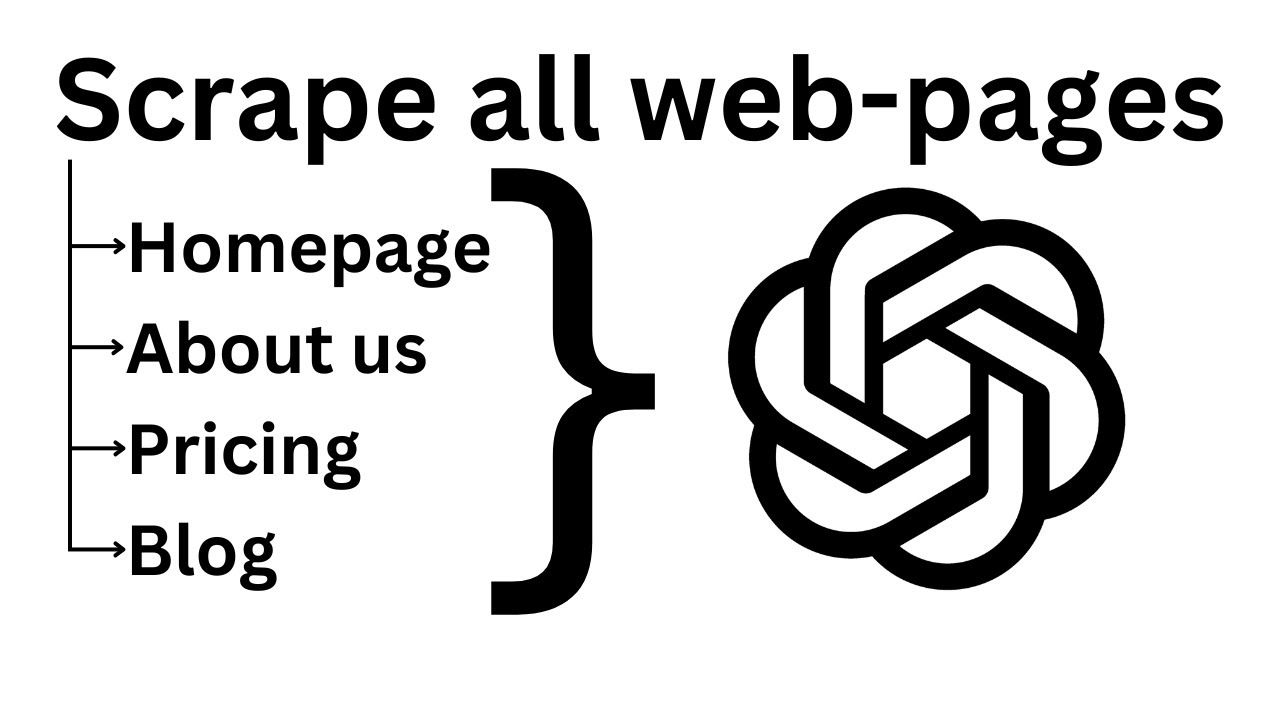
Julius Forster shows how to build a Make.com workflow that scrapes a website, identifies key pages with GPT-4o Mini, extracts their text, and generates a personalized one-line icebreaker for cold outreach using OpenAI. The scenario pulls URLs from sitemap.xml, filters them by relevance, fetches HTML, converts it to plain text, and feeds it to GPT-4o to write the pitch.
Chapters
Okay, um, hey Harry, I actually just threw together a quick automation, um, a quick scenario in Make to show you exactly what I mean, and it works flawlessly. It, it works really well. So let me show you exactly how you can scrape, how you can find out all the pages of a website, um, and then scrape the ones that are important for whatever you want to do. And then based on that, write like an icebreaker, for example, or write something personalized in the end. Yeah, so here is the scenario I made. First up, we make an HTTP request. This is basically to the sitemap. So you would, depending on what your workflow is before this module, have several other modules through which you somehow pass the website of the prospect. So I've just used the static URL for now, but You know what I mean, right? Because I won't build out something before that, that would just be a waste of time. So first up, you here, you input the URL or you use the variable URL and then behind that you put /sitemap.xml. This is the sitemap. Here you will be able to find all the subpages basically of the website. Now the method is GET and then parse response no and everything else you can leave as it is. Next, we use OpenAI ChatGPT to find out which of those pages, which of those subpages or pages in general are important, which we should use. So how does that look like? How does the sitemap.xml look like? It looks like this. You basically have nicely sorted each of the domains, right? Each of the links, URLs, whatever you want to call them. So this is a very nice format because it also shows all sites, not just the ones that are accessible through links on the, on the homepage, for example. This shows you all, all sites that are on this website. So you will be able to get a lot more information through that. Next, you put that into ChatGPT in a way like this. Create a chat completion, GPT-4o Mini I'll use for that because it only has to do prediction which sites are important. So you don't have to use 4o, 4o Mini is enough. Here I wrote in an array JSON format, okay, weird English, in an array JSON format, deliver me all of the site links from the sitemap that could include important information about the company if I wanted to personalize outreach to them. Home and About Us sites are the most important. Then I said use this format, and you should also do that. That is basically site, then the array starts here, those square brackets, and then we have basically site, comma, site, comma, site. So for each site it will have a new, a new entry in this array. Below that I have here the sitemap.xml, and then I just linked to the data, to the, to the data of the Make a Request module. And down here I have changed the text, so you would click on Show Advanced Options Settings, obviously, down here, and then change the Text to JSON object, and then parse JSON response, yes. And you can turn off this, uh, so you can remove the max completion tokens. If there are a ton of sites, uh, it might be the case that it only checks the first if you, if you leave something in here. So I always leave this empty that it can use the maximum available tokens it has. And everything else is okay. Now you click on OK, you add an iterator next, and what you do in this iterator, uh, you activate map and you set it to results site, to this one right here. Um, so the great thing with the parse response that we just activated is that now instead of just having— we also have that— but in just instead of just having the message content and in this format that we obviously gave it. But you also get up here result, result site, and then nicely sorted, uh, a collection for each of the sites that it found out that might be valuable, right? So what we do next is we basically put this array of sites into the iterator, which basically allows us to repeat the next actions for all the following modules. No, repeat for each of the, of the websites that we found. Repeat the following modules for each website, right? So we found 6 websites, so it repeated it 6 times, right? And what does it do? First, it obviously makes a request to the site. So you just select the site from the iterator right here, then method GET. And by the way, this URL is just a preview how this looks like. So for each, for each time it repeats that, so 6 times in this case, it uses the correct URL. Then you use method GET, body type raw, and content type HTML. Parse response? No. Next you add a text parser, which is the HTML to text. So you just search for HTML to text. In here, in HTML, you just click on data. So this is the data from the, from the site. This is the HTML basically. You click on OK. Now you add an array aggregator. As a source module, you take the iterator. And then down here, you just click on text, right? You just select the text, this one output. And now you basically are back. You now have everything in an array again, all of the results that you need. Now you just have another ChatGPT OpenAI module. Here I use GPT-4o because in this case I want to use the results and write something based on that. So 4o, the more powerful one, is better here. I've added a system message. You create killer icebreakers for cold emails and then user create a one-line icebreaker for this company based on these website texts. Then you use, you search here for map, you use, you click on the map function. And in map, in the first field, you add the, the array you receive from the array aggregator. So this one up here, right? And in the second one, you just write text. Text is just the first one here which includes all of the text we want, right? And this is basically it. Now it goes through, it puts all of those website texts into, into here. You can see if I open text, we have all of the text nicely in an array here again. And then it sends a request to ChatGPT with all of the website content, and it basically lets it write something based on that. What you could also do, because obviously all of those websites, uh, combined are really long text-wise, As you can see, I can scroll relatively wide, far. So what you could do, especially if you have like those tokens, it might be a very large request. You could add another ChatGPT module right here between the text parser, the HTML to text, and array aggregator. Input the parsed text and tell ChatGPT to summarize it. So summarize, summarize this, this text. And then in the array aggregator, you select the output from the summarized text. Based on whatever you want to summarize it on. And then you have a lot less that goes into here. You only have the core information that you need. That is basically how that works. I really hope that helped. I will also attach the blueprint in the description of this video and also in the forum, in the Make forum, under your post there. And yeah, if it helped you, feel free to give this answer to set this answer to a correct answer. I don't know how that's called. Like, you can, you can tick answers as that's the correct answer. Feel free to do that. If not, let me know what's wrong and I will try my best to fix it. Have a great day, uh, and yeah, goodbye.